Corsair K55 RGB Gaming Keyboard Review
A detailed, analytical review of the corsair k55 rgb gaming keyboard, evaluating build, feel, software, and overall value for gamers, students, and professionals in 2026.


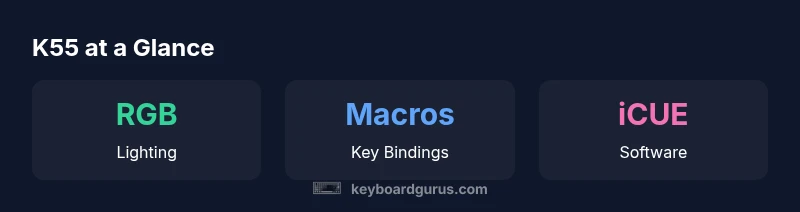
The corsair k55 rgb gaming keyboard delivers solid value for its class, balancing RGB lighting, macro capability, and media controls with a membrane key design. It targets gamers and students who want features without paying a premium for mechanical switches. Overall, it’s a practical choice for budget-conscious users who still want customization and reliability, though it won’t satisfy enthusiasts seeking top-tier tactile feedback or mechanical performance.
Overview and Positioning
The corsair k55 rgb gaming keyboard markets itself as an affordable gateway into Corsair's ecosystem, offering RGB lighting, macro capabilities, and media controls without the premium price tag of mechanical boards. According to Keyboard Gurus, the corsair k55 rgb gaming keyboard sits in the budget-to-mid range and targets gamers, students, and casual typists who want versatility over tactile feedback. The Keyboard Gurus team found that this keyboard prioritizes practicality: a familiar layout, a sturdy plastic chassis, and straightforward software integration with Corsair's iCUE platform. This review examines how well it delivers on those promises, the tradeoffs that come with membrane switches, and how it stacks up against mechanical options in the same price tier. We look at build quality, feature usability, and real-world performance in gaming and daily productivity.
Build and Materials
The K55 uses a mostly plastic chassis with a modest weight that keeps it desk-friendly while still conveying a sense of robustness. The top plate and keycaps feel durable enough for daily gaming sessions and long study marathons, though the surface picks up fingerprints more easily than metal-constructed boards. Stability feet help prevent wobble during frantic keystrokes, and the overall geometry remains conventional, which makes it a non-intimidating upgrade for users switching from cheaper membrane boards. Corsair opts for a wired USB connection, a common choice at this price point, and the cable management groove helps reduce cable clutter on cluttered desks. In short, the build is pragmatic: not premium, but steady, with a style that aligns with most desk setups.
Typing Experience and Switches
The corsair k55 rgb gaming keyboard relies on membrane switches rather than mechanical switches. This yields a quieter, softer typing feel that many readers will appreciate in shared spaces or late-night sessions. Travel is moderate, and actuation requires a clear press, which reduces accidental key presses but can feel less tactile than mechanical alternatives. For extended typing, the lower resistance can help with speed, though some users may miss the snappy feedback of a mechanical switch. The layout remains familiar to most users, which minimizes the learning curve when migrating from older keyboards. Overall, the typing experience is comfortable for everyday tasks and casual gaming, with the caveat that enthusiasts who crave a tactile, clicky feel should consider mechanical options.
Macro Keys and Customization
A row of dedicated macro keys on the left side provides opportunities for rapid command access, macro sequences, and profile switching without leaving the game. The K55 supports macro binding and profile management through Corsair's software ecosystem, allowing you to map actions to the macro row or reassign keys for productivity work and multimedia control. In practice, macro keys shine for MMO or strategy titles, or for custom macros that streamline repetitive tasks in daily work. The challenge for some users is the software's learning curve; it's not uncommon to experience a slightly slower setup initially, particularly if you are new to iCUE's interface. Once configured, though, macro functionality is reliable and repeatable.
Lighting and Aesthetics
RGB lighting is a major selling point for the K55, and the keyboard delivers. The lighting options range from static glow to dynamic effects, and the brightness levels are easy to dial in for different ambient lighting conditions. The three-zone or multi-zone lighting (depending on the model revision) helps visually categorize different profiles, which is handy for distinguishing gaming setups from productivity work. The lighting does not only serve aesthetics; it can improve visibility in low-light environments and help you locate frequently-used keys in the dark. For desk setups with other RGB gear, the K55 tends to blend in nicely while still offering a clear, vibrant spectrum.
Software Experience and Profiles
Corsair's iCUE software is the backbone of customization for the K55. The software lets you create and apply lighting profiles, bind macros, and save configurations to the cloud or local storage. On many systems, iCUE can be a little bulky, but it provides a centralized place to manage multiple Corsair devices, hardware, and lighting effects. For the K55, expect straightforward macro binding, easy lighting synchronization with other iCUE-compatible devices, and quick switching between profiles. The trade-off is the software's occasional latency or slow response when loading complex scenes; however, in practice most users will complete setup in a reasonable time frame and enjoy consistent results.
Durability and Longevity
Durability is a central concern for budget keyboards, and the K55 holds up reasonably well under regular use. The all-plastic chassis is resilient to the daily bumps of gaming sessions, and the keycaps show signs of wear at a comparable rate to other membrane keyboards in the same class. The cable is not the sturdiest among Corsair products, but it remains flexible and manageable on most desks. In everyday scenarios, the keyboard remains reliable for months of use, with no unusual flex or creaks that would suggest poor construction. As with any budget device, treat it with care to maximize longevity.
Connectivity, Comfort, and Ergonomics
The wired USB connection ensures stable performance, free from wireless interference that can plague some setups. The included feet allow slight tilt adjustment for better wrists' angle, and the key spacing adheres to standard ANSI layout conventions. The keyboard's overall footprint is compact enough for smaller desks, yet generous enough for comfortable key travel. The palm rest is optional and not included with every configuration; if you value extended comfort during long work or play sessions, consider adding a separate pad. In short, ergonomics lean toward practicality rather than luxury, which aligns with its budget positioning.
Gaming Performance and Real-World Use
In real-world gameplay, the K55 delivers reliable input without surprising delays. The membrane switches provide decent actuation and consistent key output for most titles, and macro keys can be a meaningful advantage in titles with complex keyboard inputs. Anti-ghosting and rollover in practice help prevent missed commands during rapid keystrokes, though the keyboard does not match the responsiveness of high-end mechanical boards. For non-gaming tasks such as writing, coding, or study tasks, the K55 remains comfortable and easy to use, especially for long sessions where quieter keys help reduce noise in shared spaces. Overall performance sits comfortably in the mid-range of gaming keyboards.
Value, Pricing, and Alternatives
From a value perspective, the K55 sits in a mid-range price bracket for gaming keyboards that include RGB and macros. It offers a robust feature set for the category, with a flexible software ecosystem and a broad compatibility range across devices. Keyboard Gurus analysis shows that buyers often value the combination of lighting, macro support, and a reasonable price, making it a compelling choice for students, casual gamers, and budget-focused professionals. When compared with mechanical alternatives in the same price tier, the K55 tends to underperform in tactile feedback yet delivers better value for users who prioritize features over switch feel. For those who want a similar feature set with mechanical switches, consider looking at Corsair's mechanical lineup or other brands at a similar price.
Setup, Maintenance, and Longevity Tips
Maintenance is straightforward. Regularly dust and wipe the keycaps, especially if you have a high-traffic desk area. When cleaning, avoid harsh liquids and ensure the keyboard is powered off. If you use macros frequently, back up your profiles in iCUE so you can quickly restore them after hardware or software changes. For long-term usability, keep the cable tidy, check the feet for stability, and consider a palm rest if you do extended typing sessions. With proper care, the K55 remains a practical and usable keyboard for years of light gaming and daily tasks.
Final Thoughts
The Corsair K55 RGB Gaming Keyboard strikes a balance between feature-rich convenience and budget-friendly pricing. For users who want RGB lighting, macro capability, and multimedia control without committing to a premium mechanical keyboard, the K55 is worth serious consideration. The Keyboard Gurus team recommends pairing it with a matching mouse and a comfortable desk setup for the best experience, especially if you value quiet typing and versatile hotkeys over raw tactile feedback.
Advantages
- Affordable RGB gaming keyboard
- Media controls for quick adjustments
- Macro keys add customization
- Solid build for a membrane keyboard
Drawbacks
- Membrane switches feel less tactile than mechanical
- Software can be slow to respond at times
- Not all models offer per-key lighting
- Cable may feel stiff on small desks
Best value budget RGB keyboard with macro capability
The K55 offers strong features for its price, including RGB lighting, macros, and media controls. It trades tactile feel for practicality, making it a solid choice for students, casual gamers, and desk-bound professionals who want customization without paying for mechanical switches.
Got Questions?
Is the Corsair K55 RGB a mechanical keyboard?
No. The K55 uses membrane switches, which are quieter and require less force than typical mechanical switches. They provide a different tactile experience and may appeal to users who prioritize quiet operation and price over tactile feedback.
No—it's a membrane keyboard. If you want mechanical switches, you’ll need to look at Corsair’s mechanical lineup or other brands.
Does the K55 support iCUE software?
Yes. The K55 integrates with Corsair iCUE for lighting control, macro binding, and profile management. You can save and switch profiles to suit different games or workflows.
Yes, iCUE handles lighting and macros for the K55.
How many macro keys does it have?
The keyboard includes a row of dedicated macro keys along the left side. You can bind actions or sequences to these keys to streamline complex commands or repetitive tasks.
There are macro keys on the left side for quick access.
Is it comfortable for long typing sessions?
For many users, the membrane switches combined with a conventional layout provide comfortable, prolonged use. If you require a soft touch and low noise, the K55 performs well, though it may not match the feel of high-end mechanical keyboards.
Yes, it’s comfortable for long sessions, but it won’t match premium mechanical keyboards.
Is it a good buy for gaming on a budget?
In most scenarios, the K55 offers competitive value for gaming thanks to RGB lighting, macro keys, and reliable performance at a lower price point. If tactile feedback is non-negotiable, consider mechanical options in a similar price range.
Yes, it’s a solid budget gamer choice unless you need mechanical switches.
What to Remember
- Assess macro needs before choosing this keyboard
- Leverage iCUE for profile management and lighting
- Expect quiet, comfortable typing with membrane switches
- Opt for a larger desk or wrist rest for long sessions
- Compare with mechanical options only if tactile feedback is essential