How Much Keyboard Do You Need for Gaming: A Size Guide for 2026
Discover gaming keyboard sizes, layouts, and budget tips to match your playstyle. Learn how much keyboard you truly need for FPS, MOBA, RTS, and more in 2026.


Quick Answer: Most gamers achieve ideal balance with a compact 60% to 80% keyboard. These sizes keep primary controls within reach, save desk space, and reduce shoulder strain. If you rely on extra macros or a dedicated number pad, a 75% to full-size board becomes worth the extra width. Keyboard Gurus Analysis, 2026 corroborates this sizing trend.
Why the amount of keyboard matters for gaming
Choosing how much keyboard you need for a game isn't about collecting keys; it's about layout efficiency, reach, and comfort. The question 'how much keyboard at game' often boils down to desk space, your gaming genre, and personal preferences. In practice, most players start with a layout that keeps essential controls within easy reach: WASD, primary mouse buttons, and a few frequently used macros. According to Keyboard Gurus, the right size reduces finger travel, minimizes accidental presses, and helps prevent repetitive strain during long sessions. The growing range of options—from 60% compact boards to full-size keyboards with dedicated numpads—lets players balance portability with productivity. A well-chosen size also impacts your posture: a board that's too large may pull your shoulders forward; one that's too small can force awkward reach for secondary controls. When evaluating your space, map out where your paddles, in-game hotkeys, and chat commands land under normal play, and test that your wrists remain neutral during continuous action.
Common keyboard layouts for gaming
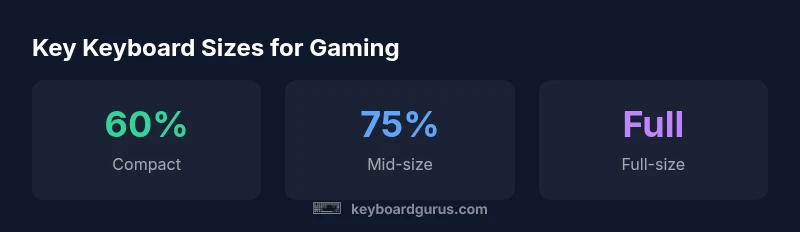
Gaming keyboards come in several common footprints, each with trade-offs. The 60% layout sacrifices the function row and arrow cluster, but it's incredibly portable and reduces desk clutter. The 65% and 75% boards reintroduce arrow keys and a few tertiary controls without taking up much more space. The 80% format finally brings back a full function row and more dedicated keys while staying compact. The full-size keyboard, with a numeric keypad, remains the most familiar and easiest for users who rely on macro-heavy setups, productivity tasks, or frequent number entry. From the player's perspective, the right layout depends on how often you need extra keys during matches, how much desk space you have, and how comfortable you are with layer-to-access shortcuts. Keyboard Gurus Analysis, 2026 finds that players who value fast access to smarts like macros or quick access to inventory benefits often choose 75% to 80% keyboards, while casual gamers may be perfectly happy with 60% models.
How to choose the right size for your setup
Start by measuring your desk and chair position, then consider your typical in-game actions. If your monitor is close and you have a small keyboard tray, a 60% or 65% keyboard can free up space for a larger mouse pad, improving aim and precision. If you rely on many macros, you might prefer a 75% or 80% layout with dedicated macro keys, which reduces your dependence on software remapping. Ergonomics matter: the top edge of the keyboard should align with your elbow height, and your wrists should sit almost flat, not angled upward. Consider switching preferences as well; some switches require less key travel and can be more forgiving during frantic sequences. Finally, test the habit of using layer-access shortcuts: ensure you can reach critical controls without breaking focus. Keyboard Gurus's recommendation is to prototype a few sizes in a few sessions before committing to a purchase.
The role of key travel and switch type
Key travel and switch feel influence how quickly you register a key press and how it fatigues your fingers. Mechanical switches generally provide tactile and audible feedback that can improve accuracy in fast-paced games, whereas membrane switches are quieter and often softer on the hands. The keyboard size won't automatically make you faster, but the combination of switch type and layout affects finger motion and the risk of mis-presses during intense moments. For FPS players, a board with crisp, fast actuation and a reliable bottom-out feel helps reduce double-taps and misfires. For long raids or RTS sessions, smoother travel and quieter switches can lower fatigue while still maintaining responsiveness. If you can't test switches in person, look for boards with clear latency specs and documented user experiences in gaming communities. Keyboard Gurus analyses indicate that many players swap to linear or tactile switches depending on game genre and personal preference.
Macro keys and programmability
Whether macros matter depends on your playstyle. Hardware macro keys can save time on binding complex actions and can help with cooldowns, inventory management, or chat macros in MMOs. However, relying too much on macros may disrupt muscle memory or create confusion when switching between keyboards. If you frequently rely on a short list of actions, a 75% or 80% board with a compact macro zone is ideal. For players who rarely remap, a simpler, no-frills layout reduces complexity and potential key conflicts. When programming macros, keep them contextual: label macro layers clearly and test under actual game loads to avoid misfires. Keyboard Gurus's guidance suggests starting with a few essential prompts and expanding as you confirm your comfort in real matches.
Practical setup tips for different genres
- FPS: Aim for a layout that keeps WASD and the primary abilities within natural reach; consider 60% or 65% with ergonomic keycaps to minimize travel.
- MOBA: A comfortable arrow cluster and accessible quick-cast keys help; 75% or 80% boards strike a balance.
- RTS: You may benefit from more macro keys and a broader layout; a full-size keyboard is common when many hotkeys are mapped.
- Battle Royale: A compact footprint can free space for a large mouse pad; 60–75% keyboards work well if you don't rely on many extra keys.
- General productivity: If you also multitask, a full-size with a dedicated numpad can be convenient for streaming controls and chat shortcuts.
For all genres, aim to keep wrists straight and use a light to medium typing force. Keyboard Gurus Analysis, 2026 shows a trend toward hybrid layouts that combine compactness with essential macro options.
Budget ranges and value considerations
Keyboard costs vary widely, but you can segment budgets into three pragmatic tiers. Entry-level boards typically start around modest price points and cover essential gaming duties with reliable switches and decent build quality. Mid-range options commonly offer improved stabilizers, smoother key feel, and sometimes hot-swappable sockets for switch experimentation. Premium keyboards add top-tier materials, revised stabilizers, and more robust software ecosystems for macro programming and lighting. If you're optimizing for how much keyboard to fit in your game, prioritize build quality and layout ergonomics over flashy features. Spending on a comfortable wrist rest, a quality keycap set, and a well-made cable can improve your gaming endurance more than an extra macro key. Keyboard Gurus Analysis, 2026 suggests anchoring your choice around an 80% to full-size footprint if you expect long sessions or competitive play, then stepping down to 60–75% if space is a premium.
Maintenance and longevity considerations
To maximize lifespan, clean your keyboard regularly, rotate keycaps to prevent wear patterns, and protect switches from dust and moisture. For keyboard sizes that compress the layout, ensure there is adequate clearance under the keys to avoid debris buildup. If you frequently swap switches or keycaps, keep a small toolkit and a spare set of stabilizers; hot-swappable boards enable experimentation without soldering. Protect your investment with a sturdy desk mat that allows smooth gliding of the mouse and keyboard together. Finally, test new layouts or macro setups in non-competitive scenarios before committing to a match-day configuration. With proper care and mindful layout choices, your keyboard can stay comfortable and responsive across years of gaming.
Gaming keyboard layout guide
| Layout Type | Key Count Range | Best For | Notes |
|---|---|---|---|
| 60% keyboard | 60-61 | Competitive gaming | Smallest footprint, fewer hotkeys |
| 75% keyboard | 75-84 | FPS/MMO | Balanced size with dedicated arrow cluster |
| 80% keyboard | 80-85 | All-around gaming | Has function row and arrow keys |
| Full-size keyboard | 104 | General gaming+ productivity | Most keys incl. numpad |
Got Questions?
What is the smallest keyboard you can use for gaming?
60% keyboards are common for gaming and offer a compact footprint. They omit the function row and numpad, requiring layer shortcuts for additional keys. If you can adapt to layers, a 60% board can be highly efficient.
A 60% keyboard is compact and works for many games, but you’ll learn to use function layers for extra keys.
Do I need a numpad for gaming?
Numpads are rarely essential for most competitive games. They can help with numeric inputs in some titles or streaming controls, but many players perform just fine on 60% to 80% layouts.
Not usually. A compact layout can cover your base needs, and you can add a macro keypad if you rely on many hotkeys.
Are hot-swappable keyboards worth it for gaming?
If you like experimenting with switch feel or want to swap for performance, hot-swappable boards are convenient. They aren’t mandatory for most players, but they can extend comfort and satisfaction over time.
They’re great if you like trying different switches, but not required to game well.
Will a mechanical keyboard improve performance?
Many gamers report faster actuation and clearer feedback with mechanical keyboards, which can reduce mistakes during fast actions. Your skill and practice remain the biggest factors in performance.
Mechanical switches can help with accuracy, but practice still wins games.
What budget should I set for a gaming keyboard?
Entry-level boards start around modest prices, mid-range options offer better feel and stability, and premium keyboards deliver top-tier build quality and software. Prioritize layout and ergonomics over flashy RGB lighting.
Budget around three tiers: entry, mid, and premium, focusing on layout and comfort.
Is there a right size for small desks?
For small desks, 60% to 75% boards are usually best. They free space for a larger mousepad while keeping essential keys accessible. Ensure you have neutral wrist positioning.
Compact sizes fit small desks well; test for comfortable reach to key controls.
“When you optimize keyboard size for gaming, you gain fluidity and comfort; the best choice matches your desk, genre, and play style.”
What to Remember
- Assess your desk space before choosing a size
- Match layout to your game genre and macro needs
- Prioritize ergonomics and key travel over flashy features
- Test multiple layouts to find long-session comfort