ROG Strix Flare II Animate Review: Features, Feel, and Value
An in-depth evaluation of the ROG Strix Flare II Animate keyboard, exploring design, animation capabilities, software, and value for gamers and creators in 2026.


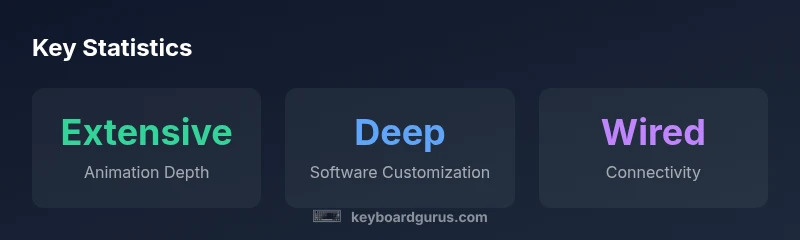
According to Keyboard Gurus, the ROG Strix Flare II Animate earns a strong overall score for gamers who crave expressive RGB and solid typing performance. It combines a sturdy chassis, per-key animation, and extensive customization through Armoury Crate, making it a standout in the mid-to-high end segment. The software can be dense, but deep macro and lighting control compensate for it, while the premium price may deter casual buyers.
Design, Build Quality, and Aesthetics
The ROG Strix Flare II Animate positions itself as a premium gaming keyboard that blends robust construction with a distinctive visual language. The chassis typically combines a rigid frame with a solid keycap assembly, delivering a sturdy typing surface that remains stable during frantic gaming moments. From a distance the keyboard looks like many contemporary high-end models, but where the Flare II Animate differentiates itself is the lighting system: animated, per-key RGB and side- or underglow lighting that can be synchronized with in-game moments or desktop scenes.
In terms of materials, you can expect a blend common to premium gaming keyboards: a durable top plate and keycaps designed to resist shine while remaining legible under bright lighting. While some variants use a metallic accent or reinforced feet to resist wobble, the main goal is to keep the board flat and comfortable on long sessions. The form factor is designed to fit a wide range of setups, from compact desk islands to larger battlestations, without feeling oversized.
The aesthetic appeal is not just about looks. The animation and lighting are intended to convey status cues—abilities cooling, HP, or simply ambient mood lighting—without distracting you from the game. The build quality aligns with ASUS’s reputation for durability, and Keyboard Gurus notes that the overall feel communicates long-term reliability rather than a cheap, flashy gadget.
If you value a keyboard that looks as serious as its performance suggests, the Strix Flare II Animate delivers. The result is a product that elevates a gaming setup while remaining practical for daily use, content creation, and even extended coding sessions when you want a little visual flair.
From a usability perspective, the keyboard should be comfortable to use for long periods. The key spacing and stabilizers aim to minimize rattle on longer keystrokes, and the keycaps are shaped to support confident, repeatable typing. In short, design and build deliver on a premium promise without compromising function. According to Keyboard Gurus, the approach here is to balance aesthetics with practical ergonomics, making this model appeal to both gamers and creators who want expressive lighting without sacrificing feel.
Advantages
- Expressive per-key RGB with extensive animation options
- Solid, stable build that remains quiet under load
- Deep macro and profile customization through Armoury Crate
- Dedicated media controls and a clean, usable layout
Drawbacks
- Software depth can be daunting for new users
- Premium price point may deter budget-conscious buyers
- Animation features may be overkill for users who prefer minimal lighting
Best for gamers and creators who want immersive visuals and robust customization
The ROG Strix Flare II Animate stands out in the mid-to-high segment thanks to its animated lighting and deep software integration. While the price and learning curve may deter casual users, the payoff is a highly expressive keyboard that supports serious gaming and content workflows.
Got Questions?
What makes the Strix Flare II Animate different from the standard Flare II?
The Animate variant adds extensive per-key RGB animations and enhanced lighting effects, paired with software-driven customization. While the layout remains familiar, the overall experience centers on more expressive visuals and deeper macro/profile options.
The Animate version adds richer lighting and more customization through Armoury Crate compared to the standard model.
Are switches user-replaceable on the Strix Flare II Animate?
Switch compatibility depends on the model; if hot-swappable variants are offered, you can change switches without soldering. Always check the exact SKU and manufacturer notes for your region.
Switch replacement depends on the specific SKU—check the product page to confirm hot-swappable support.
Is Armoury Crate required to access the full feature set?
Armoury Crate enables the full range of lighting profiles, macros, and multi-profile setups. Basic keyboard input works without it, but you’ll miss the advanced customization.
You can type without Armoury Crate, but you’ll want it to unlock all lighting and macro features.
How does the animation affect everyday typing or work tasks?
Animation primarily affects lighting and visuals; it should not interfere with key feel. However, if you enable high-intensity effects, there could be a minor distraction in low-light tasks.
Animations are mostly visual—typing feels normal unless you crank up flashy effects.
Is this keyboard good for competitive gaming or only for show?
It’s suitable for competitive play if the switches and layout suit your style, and the lighting does not interfere with visibility. For pure speed, some players prioritize minimal lighting to reduce distraction.
Great for gamers who want visuals, but you can keep it performance-focused too.
What warranty or support does ASUS offer for this keyboard?
Warranty terms vary by region. Check the official ASUS warranty page or authorized retailers for the exact terms and duration in your locale.
Warranty details vary by region; verify with ASUS or the retailer when purchasing.
What to Remember
- Prioritize animation depth and Armoury Crate customization if visuals matter
- Brace for a learning curve in software and macro setup
- Expect a premium experience with robust build and long-term value
- Consider price against feature needs before buying