Wireless Keyboard vs Wired for Gaming: An Objective Comparison
An analytical comparison of wireless keyboard vs wired gaming keyboards, covering latency, reliability, battery life, interference, setup, and practical recommendations for different play styles.


For most gamers, wired keyboards offer the lowest latency and the most reliable response, making wired the safer pick for competitive play. Wireless keyboards have improved dramatically and can approach wired performance in many setups, especially with robust dongles and clear environments. Your choice should weigh latency tolerance against desk clutter and convenience.
Wireless keyboard vs wired for gaming: Key trade-offs
Choosing between a wireless keyboard and a wired keyboard for gaming hinges on latency tolerance, reliability, desk setup, and how much you value freedom from cables. According to Keyboard Gurus, the gap between wireless and wired has narrowed significantly in recent years thanks to faster dongles, improved Bluetooth protocols, and better battery management. Keyboard Gurus Analysis, 2026 shows that the best wireless experiences now come from models with dedicated wireless receivers, good power management, and software that minimizes interference. The decision often reduces to practical trade-offs: can you tolerate occasional latency quirks or interference in exchange for a cable-free desk or a more flexible seating position? The Keyboard Gurus team recommends mapping your priorities (latency vs. convenience) and testing a model in your actual gaming environment before committing.
/* 1 - Latency and reliability section */
Comparison
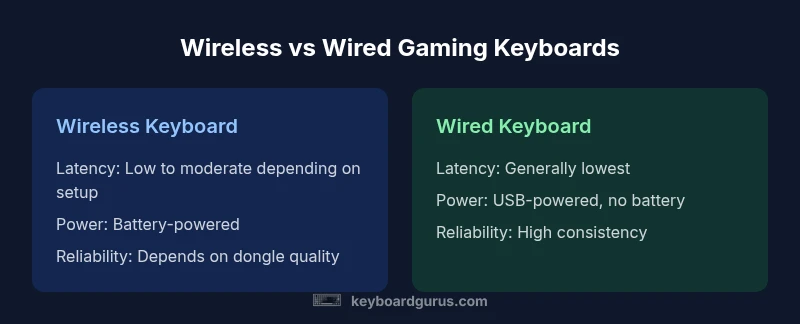
| Feature | Wireless keyboard | Wired keyboard |
|---|---|---|
| Latency and input reliability | Low to very low latency with quality wireless dongle or Bluetooth setup; performance varies by environment | Typically the lowest latency and most consistent response due to a direct wired path |
| Power and battery life | Battery required; charging or swapping batteries; sleep modes reduce drain | Powered by USB; no battery management needed |
| Interference and range | Susceptible to radio interference and range limits depending on environment | No radio interference; stable connection as long as the cable reach allows |
| Setup and portability | Cable-free setup; needs dongle compatibility and charging cadence | Plug-and-play with universal compatibility; best for travel and LANs |
| Price and value | Can be comparable in price; premium wireless often adds value via convenience | Typically a bit cheaper upfront for basic wired options; value from simplicity |
| Best for | Casual to competitive play when a robust wireless setup is available and interference is minimal | Competitive play or setups where absolute latency consistency matters most |
Advantages
- Eliminate cable clutter for a cleaner desk setup
- Flexible seating positions and cleaner cable management
- Modern wireless tech offers low-latency performance in many gaming contexts
- Some models support multi-device pairing for convenience
Drawbacks
- Potential latency variability and interference in wireless setups
- Battery management adds maintenance and potential downtime
- Higher upfront cost for premium wireless keyboards
- Dongle dependency and potential connectivity issues in busy environments
Wired keyboards tend to be the safer choice for high-stakes gaming; wireless keyboards offer flexibility when latency demands are moderate and the environment is favorable.
If your aim is peak response time and minimal risk of lag, wired remains the top pick. Choose wireless when you value mobility and a clean desk, and ensure you select a model with a reliable dongle, solid battery life, and a clear line of sight to minimize interference.
Got Questions?
Is a wireless keyboard as responsive as a wired keyboard for gaming?
Modern wireless keyboards can be highly responsive and suitable for many gaming scenarios. In strict latency-sensitive games, wired keyboards still hold the edge due to a direct wired path and more predictable consistency. Real-world performance often depends on the quality of the wireless protocol, dongle, and the surrounding RF environment.
Wireless keyboards can be very responsive, but wired still has the edge in strict competitive play.
What should I consider when choosing wireless technology for gaming keyboards?
Consider the protocol (2.4GHz vs Bluetooth), dongle quality, and processor in the keyboard’s receiver. Also assess battery life, sleep behavior, and software features that reduce latency. A robust setup minimizes interference and latency spikes.
Look at the wireless protocol, dongle reliability, and battery management to reduce latency.
Do wireless keyboards perform well at LAN parties or tournaments?
Wireless keyboards can perform well at LANs with a stable dongle and minimized interference, but many tournaments still favor wired setups for absolute reliability. Always test beforehand and carry spare dongles or batteries.
Wireless can work at LANs if you’re confident in your setup, but wired is often preferred for events.
How can I extend battery life on a wireless gaming keyboard?
Enable power-saving features, reduce backlight brightness, and let the keyboard sleep when inactive. Regular charging and proper storage help maintain battery health over time.
Use sleep modes and lower brightness to get longer life between charges.
Are mechanical and membrane wireless keyboards different for gaming?
Mechanical switches are common in gaming keyboards and come in wireless variants too; they offer tactile feedback and durability. Membrane switches are quieter and less expensive, but can feel different under fast keypresses. Wireless versions exist for both types.
Both switch types exist wirelessly; your feel and budget matter more than the wireless tech.
Is there a situation where wired is always better?
In environments with significant RF interference or when latency must be minimized to the extreme, wired setups are generally preferred. For critical competitive play or high-interference rooms, wired may be the safer bet.
If latency matters most, go wired.
What to Remember
- Evaluate latency tolerance before buying
- Choose wired for competitive play and high-interference environments
- Prioritize dongle reliability and battery management for wireless setups
- Minimize interference by optimizing positioning and channel selection
- Test in your actual gaming environment before committing