Magic Keyboard vs Logitech Combo Touch: An Objective Comparison
An objective, in-depth comparison of Magic Keyboard and Logitech Combo Touch for iPad, focusing on typing feel, ergonomics, protection, and productivity to help you decide which accessory fits your setup.


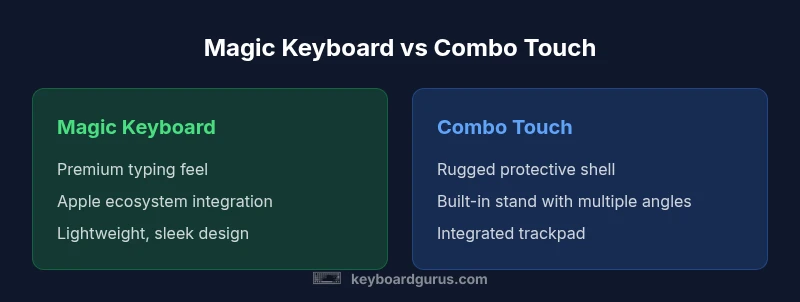
Quick answer: For most iPad users, the Magic Keyboard provides the superior typing experience and tighter Apple ecosystem integration. The Logitech Combo Touch offers greater versatility with its protective case design, built-in stand, and a trackpad-enabled workflow. If you value premium typing and ecosystem coherence, choose Magic Keyboard; if you want flexibility, protection, and multitasking capabilities, choose Combo Touch.
Market Context and What You’ll Use These For
In 2026, two keyboard accessories dominate the iPad landscape: the Magic Keyboard and the Logitech Combo Touch. For many users, the decision hinges on how you use your device—typing, note-taking, drawing, or professional work. According to Keyboard Gurus, understanding your typical workflow is the fastest route to a confident decision. The Magic Keyboard emphasizes a premium typing feel, a slim aluminum frame, and tight Apple integration that makes it feel like a natural extension of the iPad. The Logitech Combo Touch, by contrast, blends protective case technology with a flexible stand and a built-in trackpad, turning the iPad into a more capable portable workstation. This section surveys core differences with practical guidance for students, gamers, and professionals alike. It will cover typing comfort, ergonomics, protection, and long-term value, plus how to interpret price ranges in your region. By the end, you’ll know which accessory aligns with your priorities and your budget.
Core Design and Build Quality
The Magic Keyboard showcases an all-aluminum build that mirrors Apple’s design language—clean, minimal, and premium to the touch. It attaches magnetically and relies on the iPad’s casing for basic protection, which keeps the overall footprint slim. The Logitech Combo Touch adds a rugged protective shell around the iPad with a dedicated keyboard integrated into the cover. This means more weight and bulk, but it also means better on-the-go protection against daily bumps and scuffs. When you carry your iPad in a bag, Combo Touch’s hard shell can be a decisive advantage. Both options are engineered for frequent travel, but the choice often comes down to whether you prioritize a sleek aesthetic or robust external protection in your everyday carry.
Typing Experience and Key Feel
Typing is the core differentiator here. The Magic Keyboard uses a scissor-switch mechanism with relatively short travel and a precise, responsive feel that many users compare to a laptop keyboard. The result is quiet keystrokes and consistent feedback, making long typing sessions less fatiguing. In contrast, the Combo Touch offers a traditional keyboard layout within a protective shell, with key travel that some users find a bit deeper and more tactile due to its case design. For students and writers who spend hours in front of screens, this difference can influence comfort and speed. For code-heavy tasks or fast-paced note-taking, the Magic Keyboard often earns higher marks for actionable feedback and consistency.
Trackpad, Shortcuts, and Productivity Features
The Magic Keyboard includes a built-in trackpad that enables Apple-like gestures and precise cursor control in iPadOS. It pairs seamlessly with supported apps and makes productivity tasks feel closer to a laptop experience. The Combo Touch adds a trackpad-enabled workflow as well, but its surface and gesture fidelity can vary by app and model. Because Combo Touch is a case-first design, the trackpad area may feel slightly offset by the protective edges. In both cases, you’ll gain access to keyboard shortcuts and multi-finger gestures that improve navigation, data entry, and app switching—though the quality of the experience can differ based on iPad model and software updates.
Case Design, Stand Mechanism, and Ergonomics
Stand ergonomics matter as you shift between typing, viewing, and drawing. The Magic Keyboard’s hinge offers fixed, laptop-like angles with strong stability in use cases such as typing at a desk. The Combo Touch presents a more flexible stand system within its protective shell, allowing multiple viewing angles and easier transitions to a hands-free reading mode. Ergonomics also include weight distribution; the lighter Magic Keyboard tends to feel easier to carry for daily commutes, while Combo Touch’s added mass can be a benefit when you’re using the iPad on your lap or while seated for extended periods. Keyboard Gurus emphasizes balancing posture, screen height, and wrist comfort when choosing between these form factors.
Connectivity, Charging, and Battery Life
Both options optimize longevity, but their power architectures differ. Magic Keyboard relies on the iPad’s own power and a pass-through charging approach via the connector, preserving a slim profile and minimal cables. Combo Touch, with its integrated shell and keyboard, carries its own battery and has distinct charging considerations that can vary by model and configuration. In practice, if you travel light and rely on the iPad’s battery, Magic Keyboard minimizes extra hardware in your setup. Conversely, if you prioritise independence from iPad battery cycles and don’t mind the extra weight, Combo Touch offers a self-contained experience.
Compatibility, Model Variants, and Longevity
Compatibility is critical—Magic Keyboard and Combo Touch target different iPad generations and form factors. The Magic Keyboard often aligns with specific iPad models (Air, Pro, or iPad Pro variants), while Combo Touch supports a broader range of iPad sizes with model-specific versions. Longevity considerations include how often you upgrade devices, the potential need for replacements as iPad sizes change, and the availability of model-specific accessories. For enthusiasts who stay current with the latest iPad generations, the Magic Keyboard’s streamlined compatibility often translates to quicker software optimization, while Combo Touch offers a longer-term protective solution for older devices in mixed-use environments.
Durability, Materials, and Longevity
Durability differs by design philosophy. Magic Keyboard’s aluminum shell emphasizes premium feel and long-term wear resistance against scratches, but it is relatively minimal in external protection. Combo Touch’s rugged shell integrates with the keyboard, delivering added protection against drops and everyday abuse, at the cost of added bulk. In practical terms, if you want a device that feels like a premium laptop, Magic Keyboard is likely to age with a consistent appearance; if you are prone to travel-related hazards or need a protective case-first solution, Combo Touch could prove more resilient in daily life. Keyboard Gurus notes that durability should be evaluated in the context of your typical travel and handling patterns.
Practical Scenarios and Real-World Use Cases
Consider a student who moves between a classroom and library. The Magic Keyboard’s light weight and sleek design make it easy to slip into a bag, while its typing experience supports long writing sessions with minimal fatigue. A professional who travels for work might appreciate Combo Touch’s rugged form and stand versatility, allowing a quick transition from typing to watching presentations. For gamers who primarily use the iPad for casual play, the integrated trackpad across both options enables management of menus with gesture support, but Magic Keyboard’s precision can offer more reliable navigation in games that rely on pointer input.
Price, Value, and Ownership Costs
Prices vary by model and retailer, with the Magic Keyboard generally positioned as a premium, relatively affordable option within the higher mid-range. The Combo Touch sits at a higher price point due to its protective shell and integrated keyboard, often delivering more overall value when case protection and versatility are priorities. In budgeting terms, expect the price ranges to reflect regional differences and model updates across 2026 releases. Long-term value also depends on how often you replace devices; a more protective case may reduce repair costs, while a lighter setup preserves portability and resale value.
Final Considerations Before You Buy
Before committing, map your daily tasks, travel frequency, and posture preferences. If you value typing feel and Apple ecosystem cohesion above all else, the Magic Keyboard is typically the stronger match. If you need a protective solution with flexible angles and a built-in trackpad experience, Combo Touch provides compelling benefits. As Keyboard Gurus notes, aligning your accessory choice with your workflow is the fastest route to satisfaction and saved cost over time.
Comparison
| Feature | Magic Keyboard (iPad) | Logitech Combo Touch (iPad) |
|---|---|---|
| Typing Experience | Premium laptop-like feel, low travel | Solid, comfortable key travel within a protective shell |
| Trackpad | Full, precise trackpad with desktop-like gestures | Integrated trackpad with iPadOS gestures (building on case design) |
| Stand/Angles | Magnetic hinge with two stable angles | Built-in stand with multiple positioning options |
| Protection/Case | Minimal external protection, aluminum frame | Rugged protective shell and cover |
| Weight | Lighter, slimmer profile | Heavier due to protective case integration |
| Power/Charging | iPad powers keyboard via pass-through; slim profile | Keyboard has its own battery; charging specifics vary by model |
| Price Range | $99–$199 (typical range varies by model) | $199–$219 (typical range varies by model) |
| Compatibility | Supports compatible current-gen iPads (model-specific) | Supports iPad models matching the product line (model-specific) |
| Best For | Typing-focused users within the Apple ecosystem | Versatility, protection, and flexible use |
Advantages
- Premium typing experience and aluminum build (Magic Keyboard)
- Versatile protective case with adjustable stand (Combo Touch)
- Integrated trackpad enables gesture-driven productivity
- Good long-term durability with mindful maintenance
- Seamless compatibility with iPadOS features and keyboard shortcuts
Drawbacks
- Higher price point for both options compared to basic keyboards
- Combo Touch adds bulk and weight due to the protective shell
- Magic Keyboard relies on iPad power for the best experience
- Not all iPad models are compatible with every accessory
- Potential maintenance considerations with more complex shells
Magic Keyboard is the go-to for typing-focused users within the Apple ecosystem; Combo Touch wins for versatility and protection.
Choose Magic Keyboard if you want a premium typing feel and close Apple integration. Opt for Combo Touch if you prioritize case protection, an adjustable stand, and a more flexible, all-in-one solution. Keyboard Gurus's verdict is to align your pick with your everyday workflow.
Got Questions?
What is the key difference between Magic Keyboard and Logitech Combo Touch?
The Magic Keyboard emphasizes premium typing and Apple ecosystem integration, while Combo Touch emphasizes versatility with a protective shell, built-in stand, and trackpad-enabled productivity. Your choice should align with whether you prioritize typing feel or overall flexibility and protection.
The Magic Keyboard is best for typing and Apple integration; Combo Touch shines when you want versatility and protection.
Which is better for typing, Magic Keyboard or Combo Touch?
Typically, Magic Keyboard offers a more laptop-like typing experience with consistent key feedback and travel. Combo Touch provides a comfortable experience within its protective shell, but some users may perceive slightly different key travel due to the case structure.
Magic Keyboard usually feels more like a laptop keyboard.
Do both keyboards support iPad trackpad gestures?
Yes, both keyboards integrate with iPadOS trackpad gestures, enabling cursor control and gesture navigation. The experience can vary due to the surface and software optimization on each model.
Yes, both support iPad trackpad gestures—experience varies by model.
Is one more durable or worth the price in the long term?
Combo Touch adds rugged protection, which can reduce risk of damage in mobile use. Magic Keyboard offers a premium build and resale appeal. Your choice depends on how often you transport the device and the value you place on protection vs minimalism.
Combo Touch is more protective; Magic Keyboard is more premium and lightweight.
Are these keyboards compatible with all iPad models?
Each product targets specific iPad generations. Always verify model compatibility before purchase to avoid fit issues or missing features.
Check your iPad model to ensure compatibility.
Are there cheaper alternatives I should consider?
There are third-party keyboards and cases, but neither Magic Keyboard nor Combo Touch is universal across all devices. If budget is the priority, explore lighter or non-branded keyboards, keeping in mind potential trade-offs in compatibility and support.
There are cheaper options, but they may lack the features you want.
What to Remember
- Define your priority: typing vs versatility
- Magic Keyboard delivers superior typing and Apple integration
- Combo Touch offers protection and flexible stand options
- Check iPad model compatibility before buying
- Expect price ranges to vary by region and model
- Test feel: prefer hands-on evaluation when possible