Zagg Keyboard for iPad Review: Comfort, Productivity, and Value
In-depth evaluation of the Zagg keyboard for iPad, covering design, typing experience, features, battery life, and how it stacks up against rivals. A balanced guide for students and professionals seeking portable productivity.


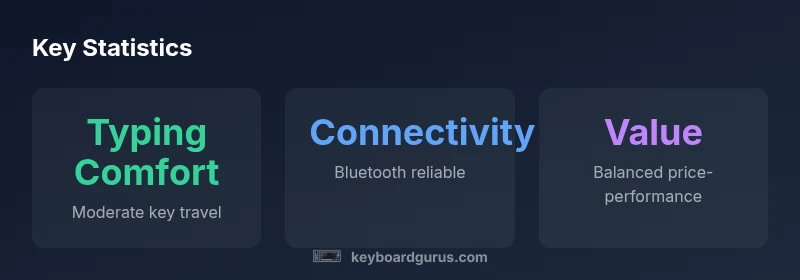
According to Keyboard Gurus, the Zagg keyboard for iPad delivers a slim, portable design with reliable magnetic attachment, solid key travel, and responsive typing. It supports multi-device use and backlit keys, which appeal to students and professionals who value on-the-go productivity. However, it faces stiff competition from Apple’s solutions and other third-party keyboards on latency, feel, and price.
Design and Build Quality
According to Keyboard Gurus, the Zagg keyboard for ipad presents a compact, sturdy chassis that balances protection with pared-down bulk. The folio-style case uses a strong magnetic latch to hold the iPad securely in place, and the tested hinges prevent wobble during typing or gesture navigation. In practice, the keyboard feels reliable on a desk or lap, though the overall thickness is noticeably greater than ultra-slim rivals. Materials are durable and resistant to scuffs, a meaningful benefit for students and commuters who carry the setup daily. The finish choices look premium, and the overall weight remains reasonable for a product that doubles as a protective case. This build quality aligns with mid-range professional expectations, offering confidence for everyday use while adding some heft compared with minimalist alternatives. For anyone curious about the zagg keyboard for ipad, the construction mirrors the expectations of portable productivity devices used across classrooms and offices.
-
Brand note: For long-term durability, gaskets around the hinge and protective edges are designed to endure daily carries.
-
Practical takeaway: If you travel with a bag full of gear, the Zagg solution is built to survive routine bumps without sacrificing appearance.
-
For more context, see external reviews linked in the Authority Sources block at the end of this article.
Advantages
- Slim, portable form factor that travels well
- Backlit keys for low-light typing
- Strong magnetic attachment keeps iPad secure
- Multi-device pairing increases productivity
- Durable build with protective case
Drawbacks
- Higher price point than many competitors
- Typing comfort can be cramped for long sessions
- Hinge adds bulk versus ultra-thin rivals
- Not all variants include a trackpad or offer macOS-like gestures
Best for on-the-go productivity with strong case protection
The Zagg keyboard for iPad excels for students and professionals who need portability without sacrificing protection. While price is a consideration, its integrated design, solid typing experience, and multi-device versatility make it a compelling option in the mid-range category.
Got Questions?
Is the Zagg keyboard for iPad compatible with all iPad models?
Compatibility varies by model. Zagg offers several variants designed for different generations of iPad, so it’s important to verify fit with your specific device before purchase.
Compatibility depends on your iPad model; check the product page before buying.
Does the keyboard have a trackpad?
Some Zagg keyboard variants include a trackpad, but not all. If a trackpad is important to you, confirm the exact model’s features before purchasing.
Some models include a trackpad; confirm the variant first.
How does it compare with the Apple Magic Keyboard?
The Zagg solution tends to offer better case protection and sometimes portability, while the Magic Keyboard provides a flatter profile and slightly different typing feel. Your preference for protection vs. minimalism will guide the choice.
It’s a trade-off between protection and a slimmer profile.
What is the typical battery life and charging method?
Battery life depends on usage and backlight settings. Most users experience days of mixed typing, with charging via USB-C on compatible models. Real-world longevity varies with brightness and how often the iPad is used for typing.
Battery life varies with use; charging is via USB-C on compatible variants.
Is there a warranty and what does it cover?
Zagg keyboards generally come with a limited warranty that covers manufacturing defects. Always read the terms for your region and confirm duration at purchase.
There is a limited warranty; check the terms for specifics.
Is it worth buying for students?
For students who need reliable protection and quick note-taking on an iPad, the Zagg keyboard can be a strong companion. If budget is tight or ultra-lightweight is the goal, you might want to compare with lighter options or alternatives.
Yes, if portability and protection matter; otherwise compare prices.
What to Remember
- Evaluate if portability and protection matter most
- Expect solid typing with moderate travel
- Prefer multi-device workflows and backlit keys
- Consider alternatives if you need the lightest or cheapest option