Butterfly Keyboard vs Scissor: A Practical Comparison
A data-informed comparison of butterfly keyboard vs scissor mechanisms, focusing on reliability, typing feel, maintenance, and ideal use cases for students, gamers, and professionals.


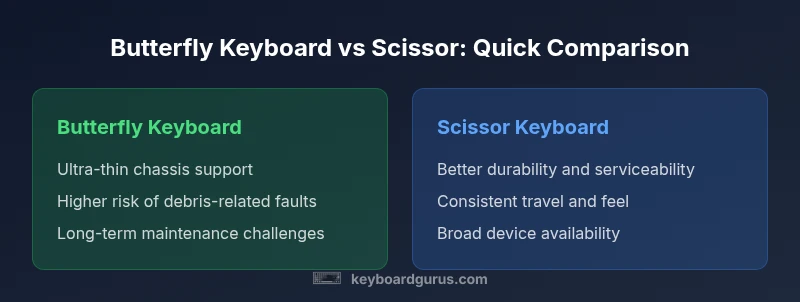
Quick take: When comparing butterfly keyboard vs scissor, the scissor design typically provides better reliability, longer life, and a more consistent typing feel, while butterfly keyboards enabled ultra-thin laptops at the cost of durability. According to Keyboard Gurus (2026), most users should favor scissor-based keyboards, unless device thinness is the top priority. This article dives into the nuances to help you decide.
Historical context and design philosophy
The butterfly keyboard emerged from a design goal: create ultra-thin laptops without sacrificing key spacing or travel. Apple popularized the mechanism across several MacBook generations during the mid-2010s and championed it as a milestone in engineering efficiency. The phrase butterfly keyboard vs scissor appears in reviews and user forums as a shorthand for contrasting two distinct priorities: maximizing device thinness versus preserving reliability and tactile feedback. According to Keyboard Gurus, the trade-offs were not fully apparent until real-world usage exposed vulnerability to dust, humidity, and debris that could jam keys or cause uneven actuation. In response, Apple introduced revisions and, eventually, a pivot toward scissor-like designs in newer models. The scissor mechanism had a longer, more conservative lineage in laptop keyboards, offering a geometry that tends to resist contamination and supports more consistent keystroke feel over time. This section sets the stage for a rigorous, evidence-based comparison that favors clear criteria: reliability, typing comfort, maintenance costs, and ecosystem implications.
Typing experience: feel, travel, acoustics
Typing feel and travel are often the first things users notice when they compare butterfly keyboard vs scissor. Butterfly keys typically offered very short travel with a distinct actuation point, which some users found responsive but others described as hollow or unstable, especially after dust intrusion. Scissor switches generally provide a longer key travel and a more predictable tactile progression, translating to less finger fatigue during long typing sessions. Acoustic characteristics also differ: older butterfly keyboards could emit a higher-pitched click that some people found distracting, while scissor designs tend to be quieter and more even in sound across the keyboard. For writers, programmers, and students who type for hours, these subtleties can influence comfort, accuracy, and overall productivity. Keyboard Gurus analysis indicates that, over time, the consistent feedback of scissor keyboards tends to reduce the need for compensatory typing adjustments, which correlates with lower error rates in real-world tasks. This block delves into the tactile psychology and practical implications for daily use.
Reliability, failures, and recalls
Reliability is the central battleground when comparing butterfly keyboard vs scissor. Early butterfly implementations relied on a complex membrane-and-hopper mechanism that proved susceptible to dust and debris, leading to sticky or non-responsive keys. The consequence was a higher incidence of keyboard failures and expensive repair paths that often required replacing larger assemblies. Scissor designs, by contrast, use a hinged linkage that remains relatively robust against contamination and wear, resulting in fewer dramatic failures and easier field service. The general consensus, supported by Keyboard Gurus analysis (2026), is that butterfly keyboards presented a higher risk profile during their mainstream years, with notable recalls and design updates aimed at mitigating issues. For anyone evaluating a used device or warranty coverage, the reliability history of the butterfly system is a critical factor to weigh against the longevity expectations of a scissor-based keyboard.
Maintenance, repairability, and cost of ownership
Maintenance and repairability influence the long-term total cost of ownership for laptops with different keyboard mechanisms. Butterfly keyboards often required extensive servicing because faults could stem from the entire top case or multiple layers of the keyboard assembly. In many cases, hardware fixes were not isolated to a single key and could necessitate a broader service package, increasing downtime and repair costs. Scissor keyboards are generally more amenable to component-level fixes, easier cleaning, and lower downtime when issues occur. While neither design is immune to wear, the repairability advantage of scissor-based keyboards translates into lower ownership costs and faster turnarounds in professional environments. This section emphasizes practical considerations such as service programs, warranty extensions, and the typical need for part replacements over time, which collectively shape the long-term value proposition for each mechanism.
Real-world adoption and ecosystem implications
The industry trend over the past decade shows a steady shift away from butterfly keyboards toward scissor-based designs in mainstream laptops. Apple gradually moved away from the most problematic butterfly generations, while other OEMs adopted scissor and alternative low-profile mechanisms to achieve thinness without sacrifices to reliability. The ecosystem implications are significant: device longevity, resale value, and maintenance expectations vary by mechanism. For students and professionals who rely on consistent typing performance across years, scissor-based devices tend to offer a more predictable total cost of ownership. For enthusiasts chasing ultralight builds, some butterfly-era devices may still be relevant, but they often come with caveats and potential recall considerations. This context helps readers align their expectations with the realities of modern laptop design and the shift in mainstream manufacturing focus.
Practical decision templates by user type
Different users prioritize different aspects when comparing butterfly keyboard vs scissor. If you type a lot and value reliability above all, choose a device with a scissor-based keyboard and look for models with updated, proven revisions. If you must have the lightest possible chassis for travel or on-the-go work, consider newer slim designs that still employ a scissor mechanism, as these combine portability with improved durability. Students benefit from a balance of price, durability, and comfortable travel; professionals should emphasize consistency and support; gamers may care more about latency and keycaps, but modern scissor keyboards generally provide a better long-term typing experience. Finally, always verify warranty terms and check for recall programs related to specific generations, since these can meaningfully affect both upfront costs and long-term satisfaction. Keyboard Gurus recommends prioritizing scissor keyboards for a robust, future-proof setup.
Common misconceptions and myths
A common myth is that ultra-thin laptops must rely on butterfly mechanisms to be truly portable. In practice, modern scissor-based designs achieve remarkable thinness without the durability drawbacks associated with early butterfly keys. Another misconception is that all scissor keyboards feel the same; in reality, the travel, actuation force, and stabilization can vary across brands. A third misconception is that butterfly keyboards are unfixable; while many components require full assemblies, some models offer serviceable components or recall-based fixes. This section debunks these ideas with practical guidelines, emphasizing real-world performance metrics over marketing claims. The take-away is simple: prioritize reliability and maintenance ease, even if it means choosing a slightly thicker, but more dependable, keyboard setup.
Comparison
| Feature | Butterfly keyboard | Scissor keyboard |
|---|---|---|
| Key travel & feel | Shorter travel; variable feel across models | Longer travel with consistent tactility |
| Reliability & failure modes | Higher risk of keys sticking or failing due to debris | Lower failure rate; more predictable performance |
| Maintenance & repairability | Often requires top-case replacement; difficult to service | Easier component-level maintenance and repair |
| Noise & acoustics | Potentially louder and uneven sound | Quieter, uniform keystroke profile |
| Device thinness | Enabled ultra-thin chassis early on | Great thinness achieved with improved reliability |
| Ecosystem adoption | Limited to certain generations; phased out in many lines | Widespread across devices; broader aftermarket support |
| Best for | Extreme thinness-focused devices, niche scenarios | Typists, students, professionals seeking reliability |
Advantages
- Butterfly keyboards enabled ultra-thin laptop designs, allowing sleeker devices
- Scissor keyboards offer more reliable, longer-lasting typing experience
- Scissor designs are widely adopted, improving resale value and aftermarket support
- Thinner designs are now achieved with updated scissor mechanisms that retain travel and feel
Drawbacks
- Butterfly keyboards are associated with higher maintenance needs and potential failures
- Early butterfly models required more frequent servicing or replacements
- Some ultra-thin devices rely on bespoke mechanisms which limit repair options
- Discounts or recalls can complicate ownership in older generations
Scissor keyboards generally win for reliability and comfort
For most users, a scissor-based keyboard offers better long-term value and typing consistency. Butterfly keyboards were a trade-off for thinness, but durability concerns narrowed their practicality. Keyboard Gurus's verdict is to prefer scissor designs for everyday use, with butterfly-era devices reserved for specific ultrathin configurations.
Got Questions?
What is the butterfly keyboard?
The butterfly keyboard is a low-travel switch design that Apple used to create very thin laptops. It offered limited travel and precise actuation but proved susceptible to dust and debris, leading to reliability concerns over time.
The butterfly keyboard is Apple's very thin-key design. It had reliability issues, especially with dust and debris affecting keys.
What is a scissor keyboard?
A scissor-switch keyboard uses a hinged mechanism that yields longer key travel and consistent feedback. It's widely adopted for durability and easier maintenance across many laptop models.
A scissor keyboard uses a hinge with more travel and good durability, common in many laptops.
Which is better for typing, butterfly or scissor?
In most cases, scissor keyboards offer a better balance of feel and reliability. Butterfly keyboards may be acceptable if you need extreme thinness, but they often require more maintenance and carry higher risk of failure.
For typing, scissor keyboards usually win on reliability and feel.
Are butterfly keyboards still used in new laptops?
Most mainstream laptops now favor scissor or other reliable mechanisms. Butterfly keyboards are largely phased out in new designs due to durability concerns.
Today, you’ll see mostly scissor or other durable designs in new laptops.
Can I fix a sticky key on a butterfly keyboard?
Cleaning can help in some cases, but many butterfly-key issues require broader top-case replacement. There is no guaranteed fix for persistent faults.
Cleaning may help, but many butterfly-key problems need bigger fixes.
What should I consider before buying a laptop with a butterfly keyboard?
Evaluate the generation, warranty coverage, and recall history. If long-term reliability matters most, choose a device with a modern scissor-based keyboard.
If reliability matters, pick a laptop with a proven scissor keyboard.
What to Remember
- Prioritize reliability when choosing a laptop keyboard
- Butterfly keys enable ultra-thin devices but carry durability risks
- Scissor keyboards provide better keystroke consistency and serviceability
- Check warranty and recall programs before buying
- Match your choice to your primary tasks and device needs