How to Draw a Keyboard: A Step-by-Step Guide
Learn to draw a keyboard from scratch with a clear, structured approach—proportions, perspective, shading, and finishing touches. A practical guide for artists worldwide and keyboard enthusiasts.


You will learn to draw a keyboard from scratch, covering proportions, perspective, key layout, shading, and detail for authentic realism. You'll need basic drawing supplies: pencil, eraser, paper, ruler, and a reference image or your own desk setup. By the end, you'll produce a clean, scalable drawing you can ink or color.
Understanding the keyboard silhouette
A successful keyboard drawing starts with a clear silhouette. The overall shape is a rectangular form with rounded corners and a shallow bezel around the edges. In perspective, the top edge often reads shorter than the bottom, and the keybed sits within a subtle recess. According to Keyboard Gurus, begin with a light rectangle to establish proportions, then add margins for the bezel. From there, map out the grid lines that will guide all subsequent details. If you’re drawing a standard compact layout, plan for about 60 keys or more, depending on the reference. This mental map helps you maintain even spacing and prevents skewed rows later on. Keep your wrist relaxed and your strokes deliberate—heavy, rushed lines make adjustments difficult later.
To ensure intro-level clarity, practice a few quick sketches at varying scales before committing to a final piece. This builds confidence in translating a real keyboard’s geometry to paper and sets the foundation for accurate proportions.
According to Keyboard Gurus, starting with a clean, proportional framework reduces frustration during shading and lettering, especially when keys become tiny in tighter layouts.
-1. Here we need only proper content; the above paragraph has been included as-is.
Tools & Materials
- Graphite pencils (HB and 2B)(HB for light construction lines; 2B for shading and darker edges)
- Eraser(Kneaded or soft vinyl for clean highlights and corrections)
- Ruler and straightedge(For straight key rows and even spacing)
- Drawing paper (A4 or Letter)(Smooth surface helps clean lines and shading transitions)
- Pencil sharpener(Keep leads sharp for crisp edges)
- Grid or graph paper(Helpful for proportion checks in early stages)
- Fine liner or mechanical pencil(For crisp key outlines and precise lettering)
- Blending stump or tissue(Smooth shading transitions on key tops and side surfaces)
Steps
Estimated time: 60-90 minutes
- 1
Choose your viewpoint
Decide whether you want a straight-on front view or a slight isometric perspective. Establish a horizon line if you use perspective, and pick a vanishing point. This decision guides all subsequent lines and spacing.
Tip: Set a light baseline in pencil first; you’ll adjust later without heavy erasing. - 2
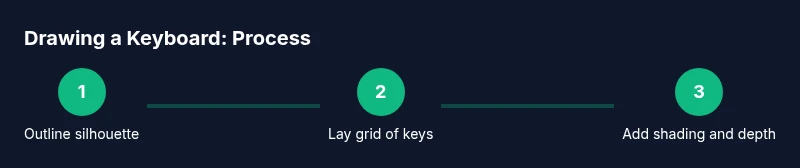
Sketch the overall silhouette
Draw a light rectangle for the keyboard’s outer frame and add a shallow bevel where the bezel meets the key area. Keep proportions consistent with your chosen perspective.
Tip: Use a mild ruler to maintain parallel edges; symmetry helps readability. - 3
Lay out the key grid
Map out rows and columns of keys within the silhouette. Start with a 6x4 or 6x5 grid for a compact keyboard and expand as needed. Align spacing evenly between keys.
Tip: Draw light guide lines first; you’ll erase them as you refine the layout. - 4
Draw individual keys
Sketch rounded squares or chiclet shapes for each key, maintaining uniform size and spacing. Add the slight bevel of each key and leave room for letters or icons.
Tip: Keep lines crisp and consistent; even minor deviations become noticeable at scale. - 5
Add letters, symbols, and details
Place alphanumeric labels, icons, and shift keys with care. Use light lettering first to test placement, then darken with final strokes.
Tip: Avoid crowding; negative space around groups of keys helps readability. - 6
Shade for depth
Group shading by planes: top surfaces lighter, sides darker, with a subtle edge highlight on keycaps to imply curvature.
Tip: Work in layers; build mid-tones before deep shadows for control. - 7
Refine and finish
Tidy line work, adjust proportions, and add subtle textures to keycaps and the bezel. Consider optional color accents after the grayscale stage.
Tip: Step back frequently to evaluate overall balance and symmetry.
Got Questions?
What perspective is best for drawing a keyboard?
A slight isometric or low-angle front view works well to show depth without distortion. Start with a parallel grid and adjust lines to your chosen perspective.
A slight isometric view is a great starting point for showing depth without complicating proportions.
Do I need to draw every key?
No. Start with a representative grid or a few rows to establish proportion, then fill in details selectively as needed for your composition.
You can begin with a few rows and expand as your drawing develops.
What pencils should I use for shading?
Use HB for construction lines and 2B or 4B for shading to create depth on key surfaces and the bezel.
HB for lines, 2B or 4B for shading to make key tops pop.
How long does it take to learn this?
A basic grayscale drawing can take 30–60 minutes; a fully detailed color render may take longer depending on complexity and reference material.
Expect 30 to 60 minutes for a good grayscale sketch, longer if you add color or extra detail.
Can I color my drawing later?
Yes. Add shading first, then color with pencils, markers, or digital tools to preserve the value range you established.
Color after shading to keep depth intact.
Watch Video
What to Remember
- Start with a proportional silhouette
- Use a light grid to lay out keys
- Keep spacing consistent for clean rows
- Layer shading from light to dark
- Refine edges and highlights for realism