How to Buy a Keyboard: A Comprehensive 2026 Buying Guide
Learn how to choose the perfect keyboard to buy with a step-by-step approach. Map your use-case, compare layouts and switches, test options, and buy with confidence. Keyboard Gurus guides you through budget, build quality, and retailer considerations.


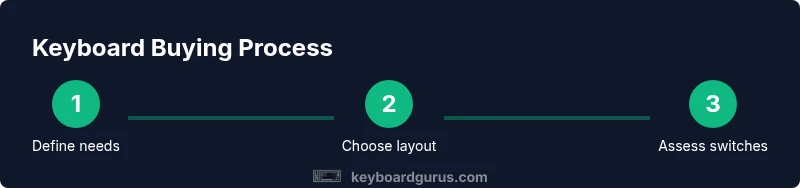
By the end of this guide you will confidently choose the right keyboard to buy. Start by mapping your use-case and budget, then compare layouts, switch options, and form factors. Learn how to test options, evaluate build quality, and choose trusted retailers with clear return policies. Keyboard Gurus helps you buy the perfect keyboard with clarity.
Understand your use-case and budget
Your first step when considering the keyboard to buy is to clearly define how you plan to use it and how much you’re willing to invest. If you’re a competitive gamer, latency, polling rate, and layout weight may drive your choice more than aesthetics. If you code for long sessions, a comfortable typing angle, reliable key feel, and stable modifiers matter more than flashy RGB. Writers and students often value quiet operation and ergonomic options. By mapping these needs to a rough budget, you’ll immediately filter out vast swathes of options.
At this stage you should also consider future-proofing. Will you want hot-swappable switches, additional macro keys, or a layout that fits travel? Budgeting for these features helps prevent buyer’s remorse later. According to Keyboard Gurus, your use-case and budget should drive the keyboard to buy decision more than flashy features. Keep a simple note: list your top 3 must-haves, your nice-to-haves, and your deal-breakers. This will keep you aligned with reality as you browse.
Next, assess environmental constraints like desk space, lighting, and noise tolerance. A compact 60% or tenkeyless layout saves space and can improve portability, while a full-size board offers dedicated arrow keys and a numeric pad for data entry. Balancing size with ergonomics can pay dividends in long sessions. When you finish this step, you’ll be ready to compare broad categories with confidence.
Keyboard types and layouts
Keyboards come in multiple layouts and sizes, and each has trade-offs that affect the user experience. If you’re new to the market, start with a standard full-size or tenkeyless (TKL) layout, which preserves function keys and a numeric area while saving desk space. A 65% or 75% keyboard trims only the extra rows, leaving essential keys in reach. A 60% board is the smallest usable footprint for portable setups. Split keyboards and ergos propose a different typing angle, often aiding wrist comfort but requiring adaptation.
There’s also a choice between membrane and mechanical switches. Mechanicals offer tactile feedback and longevity; membranes are typically quieter and cheaper. Within mechanicals, you’ll encounter linear, tactile, and clicky experiences. The optimal choice depends on your typing style and tolerance for sound. Based on Keyboard Gurus analysis, most enthusiasts benefit from starting with a conventional layout (TKL or 65%) and then exploring switches, rather than jumping straight to ultra-minimal boards. When comparing, ensure the PCB layout supports your needed keys and the keycap compatibility aligns with your preferred profile. Once you’ve narrowed to a couple of layouts, you’ll focus on feel, aesthetics, and price.
Switches and key feel
The feel of the keys is the defining feature that separates keyboards in practice. Mechanical switches come in three broad families: linear, tactile, and clicky. Linear switches glide smoothly with consistent force, ideal for speed typists and gamers who dislike feedback interruption. Tactile switches provide a bump in actuation to signal a key press without bottoming out, often reducing fatigue. Clicky switches add audible feedback and can be satisfying for some users but may be distracting in shared spaces.
Within each family there are dozens of options from different manufacturers, each with its own actuation force, travel distance, and sound profile. If you can, try before you buy: type on friend’s board, visit a local shop, or use a switch tester. For keyboards with hot-swappable switches, you can swap to your preferred feel without soldering, making it easier to iterate. Remember that perceived feel also depends on keycap profile, case material, and plate mount. The right combination can dramatically improve your typing comfort and speed over time.
Core specs to compare
Core specs include key travel distance, actuation force, noise level, switch type, and polling rate. Key travel is the distance a key must move to register a press; longer travel can feel more forgiving, while shorter travel is faster for quick actions. Actuation force indicates how hard you need to press; if you frequently bottom out, a lighter feel may reduce strain. Noise level matters for shared spaces. In gaming or high-performance scenarios, polling rate and wireless latency can influence response time.
When evaluating keyboards, also check for compatibility with your operating system, especially if you rely on macOS or Linux. Look at the layout for dedicated media controls, software configurability, and macro support if you want to tailor a board to your workflow. By systematically comparing these specs across models, you’ll uncover true differentiators rather than being swayed by marketing claims.
Testing methods and hands-on evaluation
Ideally you’ll test keyboards in-person or rely on reputable hands-on reviews when you can’t try them physically. If you can visit a store, spend 15–20 minutes typing across the target layouts and switches while resting your wrists. Bring your typical tasks to mind: long writing sessions, data entry, or gaming. When shopping online, pay attention to the retailer’s return policy and warranty terms so you can try the board risk-free.
If you’re unsure about a model, seek community reviews focusing on your use-case; for example, programmers will value consistent key feel, stable keycaps, and firmware reliability, while gamers may emphasize rapid response and robust macro support. For comparison shopping, maintain a wishlist with your top 3–5 models and annotate what you liked or disliked about each. This disciplined approach will help you convert curiosity into a confident purchase.
Connectivity and compatibility
Connectivity choices affect reliability and convenience. Wired keyboards with USB-C are typically plug-and-play on major platforms, delivering minimal latency and stable performance. Wireless keyboards use Bluetooth or 2.4 GHz dongles; they offer cleaner desks but can introduce latency and battery management concerns. Consider your primary setup: a gaming PC, a laptop, or a shared workspace. If you travel often, a compact, lightweight keyboard with long battery life might be ideal.
Also verify OS compatibility: some keyboards ship with software that runs only on Windows, while others offer cross-platform editors for macOS and Linux. If you rely on custom macros, ensure the keyboard’s software supports your preferred configurations. Finally, check for secure pairing methods and present-day security updates; it’s surprising how often firmware stability affects everyday use.
Build quality, materials, and durability
The board’s construction determines how long it will last under daily use. Look for a sturdy case, robust stabilizers, and reliable key stabilizers to minimize rattle. PCB quality and soldering standards indicate how well a keyboard will endure repeated keypresses. For enthusiasts, a gasket-mounted or silicone-damped case can significantly improve acoustics and feel. If you plan to customize or rebuild later, check whether the switch plate is hot-swappable or soldered. Good quality keycaps, ideally double-shot or PBT, resist shine and wear.
Warranty length and conditions matter as well; a longer warranty reflects manufacturer confidence and often correlates with better quality control. While price is not the sole predictor of durability, investing in solid build quality typically pays off in the long run through fewer replacements and a more consistent typing experience.
Value and price ranges
Value comes from matching features with your actual needs rather than chasing premium branding. Entry-level boards typically cover basic typing tasks with decent reliability, though you may miss on premium materials or fancy software. Mid-range keyboards often add better keycaps, more stable stabilizers, improvedFirmware or software, and sometimes hot-swappable switches for experimentation. Premium options emphasize build quality, advanced materials, and comprehensive software ecosystems, which can justify the higher price if you rely on macros, per-key lighting, or ergonomic designs.
When budgeting, consider total ownership costs: replacement keycaps, switches, and maintenance. Keyboard Gurus analysis shows that the best value often comes from a balanced package, where the price aligns with durability and personal comfort. Expect broad price bands: entry-level under a comfortable threshold, mid-range in the mid hundreds, and premium models pushing higher-end tiers. A well-chosen keyboard to buy can feel like a real productivity engine rather than a cosmetic accessory.
Brand reliability and after-sales support
Reliability comes from both the hardware and the ecosystem around it. Look for reputable brands with clear product documentation, accessible firmware updates, and straightforward return policies. A strong support channel can be the difference between a satisfying purchase and a frustrating experience. When evaluating options, read warranty terms carefully and check for bootloader openness, community firmware projects, and long-term driver support. Keyboard Gurus team recommends prioritizing brands with transparent specifications, consistent firmware updates, and durable components. A thoughtful buyer should seek boards with reliable stock availability, accurate product descriptions, and robust customer service to ensure a smooth experience over time.
Tools & Materials
- Reliable internet connection(Broadband or stable Wi-Fi for research and orders)
- Device for browsing(Laptop, desktop, or mobile with a modern browser)
- Payment method(Credit card, digital wallet, or alternative payment method)
- Notebook for notes(Capture features, layout preferences)
- Switch tester / keycap puller(Optional for hands-on evaluation)
Steps
Estimated time: 60-90 minutes
- 1
Define your use-case
Identify primary tasks (gaming, coding, writing) and the environment (office, dorm, shared space). Note preferred layouts, noise tolerance, and portability needs. A clear use-case informs every subsequent choice and prevents overbuying features you won’t use.
Tip: Write down your top 3 tasks and where you’ll use the keyboard most often. - 2
Set a realistic budget
Assign a price range that fits your use-case and expected longevity. Don’t chase every feature; prioritize those that directly improve your experience, such as switch type, build quality, and software support.
Tip: Include potential accessory costs (replacement keycaps, cleaners) in your budget. - 3
Choose layout and form factor
Decide between full-size, TKL, 65%, or 60% based on desk space, travel needs, and your reliance on function keys. A compact layout saves space but may require adaptation for frequent keystrokes.
Tip: If you frequently rely on arrow keys or PgUp/PgDn, test whether the compact layout meets your workflow. - 4
Select switch type and keycaps
For mechanical boards, pick a switch family (linear, tactile, or clicky) that matches your typing and gaming style. Consider keycap material and profile for comfort and durability.
Tip: If possible, try multiple switches or opt for hot-swappable boards to iterate quickly. - 5
Check connectivity and compatibility
Decide wired vs wireless based on latency needs and desk setup. Ensure OS compatibility, driver availability, and whether macro software aligns with your workflow.
Tip: Prefer USB-C wired if latency must be minimal; verify Bluetooth stability where you work. - 6
Evaluate build quality and durability
Inspect case material, stabilizers, keycap quality, and warranty terms. Durable boards reduce long-term replacement costs and deliver consistent feel.
Tip: Look for solid stabilizers with minimal rattle and verify warranty length. - 7
Read reviews and test plans
Consult hands-on and user reviews focused on your use-case. Create a short wishlist of 3–5 models and note what stands out in each.
Tip: Prioritize models with helpful return policies and clear firmware updates. - 8
Make your purchase with a plan
Choose a retailer with a fair return policy and warranty. Keep notes on setup and testing, and plan a post-purchase evaluation period.
Tip: Test the keyboard for 1–2 weeks; return if it fails to meet essential criteria.
Got Questions?
What is the most important factor when buying a keyboard?
The most important factor is compatibility with your setup and your typing experience. A board that fits your workflow will feel faster and more comfortable over time.
The key thing is compatibility and feel—make sure it fits your tasks and your hands.
Should I choose hot-swappable switches?
Hot-swappable switches allow you to swap switches without soldering, which is great for experimentation. If you like trying different feels, it’s worth it.
If you like trying different switches, hot-swappables are a smart choice.
Is wired or wireless better for gaming?
Wired keyboards generally offer lower latency and more reliable performance, while modern wireless options can be perfectly adequate for many gamers.
Wired is usually the safest bet for lowest latency; wireless can work well too depending on your setup.
How long does a keyboard last with regular use?
Durability depends on build quality and care. With solid construction and proper maintenance, a keyboard can serve for many years.
A well-built keyboard lasts for years with good care.
What’s a good budget range for beginners?
Budget varies by needs, but entry-level boards can cover basic typing tasks while mid-range options add durability and features. Start with a realistic tier and expand later.
Start with a practical budget and upgrade as your needs grow.
Watch Video
What to Remember
- Define use-case before browsing for the keyboard to buy.
- Balance layout, switches, and build quality for your needs.
- Test or simulate typing to avoid regret after purchase.
- Check compatibility, warranty, and return policies.
- Choose value by aligning features with long-term comfort.