Logitech k850 Review: Comfort Meets Multi-Device Productivity
In-depth evaluation of the logitech k850, highlighting comfort, multi-device pairing, battery life, and who should buy this wireless keyboard for work, study, and casual use.


Logitech k850 is a wireless keyboard with built-in palm rest that supports both Bluetooth and Unifying receiver connections, designed for multi-device productivity. It offers quiet, low-profile keys, a compact layout, and long battery life suitable for students, professionals, and light gaming sessions. While it isn’t a mechanical keyboard and lacks high-end gaming features, its comfort, multi-device pairing, and reliable typing experience make it a solid choice for focused work.
Design and Ergonomics
According to Keyboard Gurus, the logitech k850 balances a familiar aesthetic with thoughtful ergonomics. The chassis uses sturdy plastic with a matte finish and a softly sculpted palm rest that invites relaxed typing over long sessions. The keystroke feel is characteristic of low-profile chiclet keys: quiet, light, and easy to press, which reduces fatigue during extended writing tasks. The layout is roomy enough for efficient navigation, with a standard full-size footprint that remains comfortable on smaller desks thanks to a shallow tilt. A dedicated media row provides quick access to volume and playback, and the keycaps are easy to clean, an understated but meaningful convenience for daily use. While the build isn’t premium-metal premium, it communicates durability suitable for office desks, student dorms, and shared workspaces. The result is a keyboard that prioritizes comfort and reliability over aggressive aesthetics or gaming-focused features.
Typing Experience and Comfort
The logitech k850 delivers a forgiving typing experience, thanks to its soft tactile feedback and low-profile switches. The key travel is modest, which some writers may prefer for speed and precision, while others who crave tactile bump may wish for more travel. The palm rest is integrated and stable, providing continuous support during long typing marathons, drafting essays, or crunching spreadsheets. Noise levels stay well within quiet-office norms, making this model a good choice for shared desks and late-night work. In practice, the keys feel responsive without requiring heavy finger pressure, which helps reduce strain across several hours of daily use. Keyboard Gurus notes that consistency across the key matrix helps maintain a steady rhythm, especially when typing for long periods. Ergonomic considerations like wrist alignment are favorable, but users with a preference for ultra-deep travel may not find this layout perfectly suited to their style.
Connectivity and Multi-Device Pairing
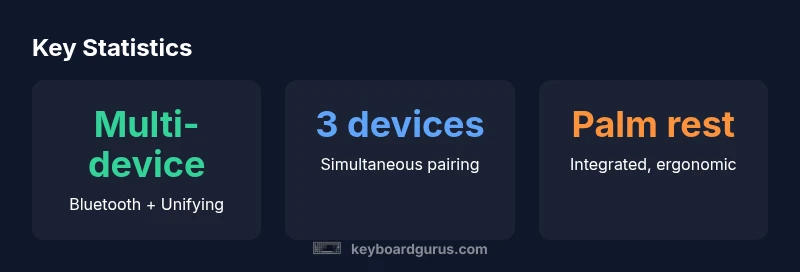
The logitech k850 supports both Bluetooth and a USB Unifying receiver, enabling smooth switching among multiple devices and platforms. In typical setups, users can pair the keyboard with a laptop, a tablet, and a desktop computer, then switch devices with a simple key combination. This versatility is particularly valuable for students juggling notes on a tablet and essays on a PC, or professionals who alternate between a work computer and a personal laptop. Operating efficiency benefits from the ability to map function keys for common tasks, and the built-in palm rest ensures stability during device transitions. Keyboard Gurus analysis shows that the pairing process is straightforward and robust across Windows, macOS, and ChromeOS, though some users may want to update drivers to ensure full feature parity on all systems.
Software and Customization
Logitech Options software unlocks deeper customization for the k850, letting users remap function keys, set application-specific shortcuts, and adjust keyboard behavior. While you won’t find per-key backlighting or gaming-oriented macros, you can tailor the media keys, function key layer, and scrolling preferences to suit your workflow. The software supports multi-device profiles, so you can create distinct layouts for each connected device and switch contexts quickly. In real-world use, this translates to more efficient document editing, research workflows, and productivity tasks, provided you’re not chasing the tactile feel of a mechanical keyboard. Keyboard Gurus emphasizes that software consistency across platforms matters, so confirm compatibility with your primary OS before committing to the setup.
Battery Life and Maintenance
Battery life depends heavily on how aggressively you use Bluetooth and backlight-free keys (if any). The k850’s power draw tends to be moderate, with users reporting months of use on typical office workloads; however, actual longevity varies with Bluetooth polling rates and device activity. The two-AA battery configuration is convenient because replacement parts are easy to source, and you’re not locked into a proprietary battery ecosystem. Regular cleaning of dust from the key gaps helps maintain key responsiveness, and replacing batteries promptly prevents unexpected downtime. For many users, the trade-off here is a dependable, long-lasting battery without the need for constant recharging, paired with the reliability of familiar Logitech key feel.
Compatibility and Use Cases
Designed for cross-platform use, the k850 supports Windows, macOS, and ChromeOS with reasonable feature parity. Some dedicated media keys map to different functions depending on the OS, so a quick one-time setup can ensure optimal behavior. This keyboard is well-suited for students who need a quiet, ergonomic layout for long study sessions, professionals drafting reports, and casual productivity users who value a comfortable typing experience without gaming-centric features. It’s less ideal for competitive gaming or those who demand highly customizable, backlit mechanical keyboards with programmable layers. The overall consensus is that the k850 plays to practicality and comfort, delivering reliable performance in everyday tasks.
Comparisons to Alternatives
Compared to Logitech’s own K780 and K860, the k850 sits between a compact, multi-device lifestyle keyboard and a more workstation-focused option. The K780 emphasizes a larger footprint and tablet-friendly integration, while the K860 is designed with a stronger ergonomic stance. Against generic chiclet keyboards, the k850 offers a steadier palm rest and easier device switching, which translates to smoother multi-tasking in academic and corporate environments. When stacked against gaming keyboards, the k850’s strength lies in typing comfort and work-friendly features; if gaming feel and per-key lighting are priorities, a different class may be more suitable. Overall, the k850 is a balanced choice for users who want dependable everyday typing with solid cross-device support.
Common Limitations and Caveats
No keyboard is perfect for every user. The logitech k850 does not appear to offer per-key backlighting (a drawback for those who work in dim environments) and it isn’t a mechanical device, so tactile feedback won’t match high-end gaming keyboards. Some users may notice a shallower key travel compared to traditional desktop keyboards, which can affect long-term accuracy for touch typists used to deeper strokes. The palm rest adds to overall width, which might impact smaller desks or tight workspaces. If your primary need is gaming performance or customizable keycaps, you may prefer a different model; otherwise, the k850 shines as a comfortable, versatile productivity keyboard.
Buying Guidance: Who Should Consider the k850
If you value comfort, quiet typing, and seamless multi-device workflows, the logitech k850 is a compelling choice for daily productivity. Students, professionals, and remote workers who frequently switch between devices will appreciate the easy pairing and stable palm-rest support. Those who demand mechanical switches or backlighting for specific tasks should consider other options. In short, the k850 is best for users who want a dependable, ergonomic, everyday keyboard that plays well in mixed-OS environments.
Advantages
- Multi-device pairing with easy-switch across devices
- Integrated palm rest enhances long typing sessions
- Quiet, low-profile keys suitable for shared spaces
- Reliable Bluetooth + Unifying connectivity
- Simple, replaceable batteries (two AA)
Drawbacks
- Not a mechanical keyboard; lacks tactile gaming feel
- No per-key backlighting on most configurations
- Key travel is shorter than traditional desktop keyboards
- OS-specific key mappings may require setup
Best for multi-device productivity with comfort
The logitech k850 delivers dependable comfort and versatile device pairing for work and study. While it isn’t a mechanical or gaming-focused keyboard, its ergonomic palm rest and cross-platform compatibility make it a strong pick for everyday typing. Keyboard Gurus's verdict is that it remains a solid, practical choice for most users.
Got Questions?
Is the logitech k850 mechanical?
No. The logitech k850 uses a standard low-profile switch design rather than mechanical switches. It emphasizes quiet typing and everyday productivity over the tactile feedback of mechanical keyboards.
No, it's not mechanical. It uses standard low-profile switches aimed at quiet, comfortable typing.
Does logitech k850 support multi-device pairing?
Yes. The keyboard supports Bluetooth and a Unifying receiver, allowing you to pair with multiple devices and switch between them quickly. This is especially useful for multi-device workflows.
Yes—Bluetooth and Unifying allow multi-device pairing and quick switching.
What platforms is logitech k850 compatible with?
The k850 works with Windows, macOS, and ChromeOS with reasonable feature parity. If you use Linux, some features may require additional tweaks or software support.
Compatible with Windows, macOS, and ChromeOS; Linux support may vary.
Is the logitech k850 backlit?
No, the k850 does not include per-key backlighting, which keeps power use lower and allows a simpler, distraction-free setup in darker environments.
No backlight on the keys.
What is the approximate battery life for typical use?
Battery life varies with usage, OS, and connectivity settings. With typical office tasks and minimal power management, you can expect long intervals between replacements, thanks to the two-AA design.
Battery life varies with use, but the two-AA setup generally lasts a long time.
What to Remember
- Choose multi-device pairing for cross-platform work
- Prioritize the integrated palm rest for long sessions
- Expect quiet, low-profile keys ideal for shared desks
- Not designed for high-end gaming or mechanical feel
- Set up OS mappings to maximize practical use