Xiaomi Keyboard vs Gboard: An In-Depth Comparison
A technical, objective analysis of Xiaomi Keyboard vs Gboard, covering features, privacy, language support, performance, and best-use scenarios for Android users.


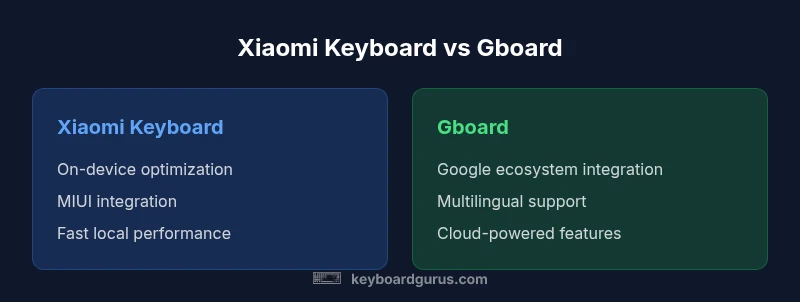
Both Xiaomi Keyboard and Gboard are capable Android keyboards, but they serve different user priorities. Gboard excels with cloud features, multilingual support, voice typing, and seamless Google ecosystem integration, while Xiaomi Keyboard leans into MIUI optimization, fast on-device predictions, and tighter system integration. For most users who want broad features and cross-device syncing, Gboard is the safer default; Xiaomi Keyboard suits MIUI enthusiasts who prefer a leaner, locally optimized experience.
Market context for Android keyboard options: xiaomi keyboard vs gboard
Choosing a mobile keyboard isn’t just about typing letters; it’s about how well the tool integrates with your daily workflow, the apps you use, and your privacy expectations. When considering the long-term usability of the two leading Android options, the xiaomi keyboard vs gboard scenario highlights two distinct philosophies: a manufacturer-optimized, native-feeling experience versus a cloud-connected, feature-rich platform. According to Keyboard Gurus, the standard behavior users expect from a keyboard includes accurate autocorrect, reliable predictions, fast switching between languages, and minimal impact on battery life. With Xiaomi Keyboard, you typically gain tight MIUI integration and snappy on-device performance, especially on devices that run MIUI without heavy background service overhead. Gboard, by contrast, emphasizes cross-device syncing, advanced language support, and deep Google ecosystem integration that can boost productivity in the right contexts.
Typing experience and predictions in the xiaomi keyboard vs gboard landscape
The core differentiator between xiaomi keyboard vs gboard lies in how predictions are generated and how fluid the typing experience feels. Xiaomi Keyboard generally focuses on on-device predictions to minimize latency and conserve power, which can feel snappy on MIUI devices. Gboard, meanwhile, blends on-device and cloud-powered predictions, often delivering more adaptive autocorrect and suggestion quality, particularly when you’re typing in multiple languages. The trade-off is slightly higher resource use and, in some cases, data being processed through Google servers to improve accuracy. For bilingual or multilingual users, Gboard’s neural suggestions can be a practical advantage, though it comes with privacy considerations that we’ll explore later. Keyboard Gurus consistently notes that the best choice aligns with your device ecosystem and privacy posture, not just feature lists. The two keyboards also differ in gesture inputs and swipe-to-typing responsiveness, with MIUI optimizations often providing smoother integration for Xiaomi users.
Language support, layouts, and regional considerations in the xiaomi keyboard vs gboard comparison
When evaluating xiaomi keyboard vs gboard for language coverage, Gboard tends to offer a broader set of languages, transliteration options, and layout tweaks suitable for international users. Xiaomi Keyboard covers a strong subset of widely used languages, especially those common in MIUI markets, and often provides native support for character sets favored by Chinese, Indian, and Southeast Asian users. For researchers, students, and professionals relying on multilingual communication, the breadth of language offerings and layout flexibility matters. Gboard’s language packs can be installed quickly, enabling smooth switching across the globe, while Xiaomi Keyboard may require more manual language management on non-MIUI devices. In practice, your chosen language experience should mirror your daily usage profile, the apps you rely on (messaging, docs, code editors), and whether you value quick language switching or offline reliability more. The Keyboard Gurus stance emphasizes testing both options with your primary language set to determine which produces fewer typos and smoother corrections.
Voice input, handwriting, and input modalities in the xiaomi keyboard vs gboard context
Voice typing and alternate input options are a major differentiator in the xiaomi keyboard vs gboard debate. Gboard offers robust voice typing powered by Google’s speech recognition, which tends to be accurate across languages and hardware profiles, often delivering fast dictation within chat apps and documents. Xiaomi Keyboard focuses more on keyboard-centric input, though some MIUI builds include voice typing and handwriting features. Across devices, voice input performance can vary by microphone quality, background noise, and the level of cloud processing allowed by the user’s privacy settings. For hands-free work or quick note-taking, Gboard generally provides a more reliable voice-to-text experience, while Xiaomi Keyboard can be preferable when you want to minimize data transmission and rely on on-device capabilities. In settings where offline input is critical, both keyboards offer offline dictionary modes, but online accuracy remains a key differentiator.
Privacy and data handling in the xiaomi keyboard vs gboard framework
Privacy considerations are central to the xiaomi keyboard vs gboard decision. Gboard uses a mix of on-device processing and cloud-enabled features, which can improve typing accuracy and suggestions but may raise privacy concerns for users who prefer to limit data sent to cloud services. Xiaomi Keyboard typically emphasizes on-device processing and tighter integration with MIUI, which can reduce data exposure to third-party services but may limit some cloud-powered enhancements. Keyboard Gurus notes that users should review permissions, language data sharing, and backup options within each app. If privacy is your primary criterion, you may opt for on-device corrections and disable cloud features in Gboard, or lean into Xiaomi Keyboard’s more device-local approach, understanding that some advanced features may be limited. Regardless of choice, staying current with app updates is important, since both keyboards periodically adjust privacy policies and data-handling practices.
Ecosystem integration and cross-device workflows in the xiaomi keyboard vs gboard scene
Another key dimension of the xiaomi keyboard vs gboard comparison is ecosystem integration. Gboard benefits from deep Google app and service integration, enabling seamless access to Google search, Translate, and other productivity tools across devices. Xiaomi Keyboard, by contrast, benefits from tight alignment with MIUI settings, notifications, and system-level keyboard features that can reduce latency and improve battery life on Xiaomi phones. For power users who rely on cross-device workflows (phone-to-PC, cloud documents, etc.), Gboard generally offers smoother cross-device continuity. For those deeply invested in the Xiaomi ecosystem, the native experience with Xiaomi Keyboard can yield a more cohesive, low-friction usage pattern, especially on devices that optimize MIUI performance. Keyboard Gurus’ testing indicates that ecosystem synergy often tips the balance toward the platform you already use most.
Customization, themes, and UI tweaks in the xiaomi keyboard vs gboard comparison
Customization is a notable arena in the xiaomi keyboard vs gboard analysis. Gboard provides a broad suite of themes, fonts, and layout options that allow users to tailor the look and feel to their preference. Xiaomi Keyboard also supports theming and layout tweaks, with some MIUI devices offering additional stylistic options that align with system themes. The UX philosophy differs: Gboard favors a polished, uniform experience across Android devices, while Xiaomi Keyboard emphasizes a native MIUI feel that can be more visually cohesive for Xiaomi fans. In terms of accessibility, both apps include sizable options for font size, high-contrast modes, and one-handed typing. Overall, if you value a consistent aesthetic across devices, Gboard is appealing; if you want a keyboard that blends with MIUI visuals, Xiaomi Keyboard is a compelling choice.
Performance, resource usage, and battery implications in the xiaomi keyboard vs gboard debate
Performance considerations are central to the xiaomi keyboard vs gboard trade-off. In many Android environments, Xiaomi Keyboard tends to be lighter on memory usage and background activity due to its closer integration with MIUI, which can translate to longer battery life and snappier typing on lower-end devices. Gboard’s hybrid approach—relying on both on-device and cloud processing—can lead to higher RAM and occasional network activity, potentially impacting battery life in heavy usage scenarios. If you’re often typing long messages in multiple languages, Gboard’s predictive accuracy may offset some of the extra resource usage by reducing keystrokes. Conversely, users with devices that have constrained RAM or limited background connectivity may appreciate Xiaomi Keyboard’s leaner footprint. The choice here often boils down to your device’s specs and how much you value on-device speed versus cross-feature richness.
Accessibility, onboarding, and learning curves for xiaomi keyboard vs gboard users
Accessibility and onboarding habits differ between the xiaomi keyboard vs gboard experiences. Gboard, with its wide adoption and Google-centric feature set, tends to offer a gentler onboarding for new Android users, including community-based tips, extensive documentation, and consistent updates. Xiaomi Keyboard, while very capable, may require more device-specific exploration on MIUI devices and could present minor learning curves for users unfamiliar with MIUI keyboard prompts. For power users who rely on advanced language packs and cloud features, Gboard’s ecosystem makes mastering the tool faster. For MIUI enthusiasts who value device-optimized performance, Xiaomi Keyboard’s flow can be more intuitive after a brief acclimation period. Keyboard Gurus suggests allowing a 1-2 week trial period with both keyboards to assess real-world comfort, accuracy, and response time in your typical apps.
Use-case scenarios: students, professionals, and gamers in the xiaomi keyboard vs gboard framework
Different user profiles will favor distinct aspects of the xiaomi keyboard vs gboard comparison. Students who juggle multiple languages and cloud-backed tooling often benefit from Gboard’s strong language support and Google-powered features, improving research and collaboration workflows. Professionals who rely on productivity apps, calendars, and messaging can leverage Gboard’s seamless integration with Google Workspace. Gamers may prefer the leaner, more responsive MIUI-native experience from Xiaomi Keyboard when chasing quick-swap speed and reduced input latency. However, if a gamer requires cross-platform backup of macros and clipboard history, Gboard’s ecosystem advantages may win out. In all cases, it’s wise to run parallel tests across your most-used apps and messaging platforms for at least a week to observe any performance or privacy considerations in real-world use.
Practical setup tips for evaluating xiaomi keyboard vs gboard on Android devices
To evaluate xiaomi keyboard vs gboard effectively, follow these steps: install both keyboards, enable language packs you frequently use, and customize each keyboard’s theme, layout, and swipe gestures. Test both in common apps (messaging, email, document editors) and for specialized tasks (coding snippets, language translation, or academic research). Turn off nonessential cloud features in Gboard if privacy is a concern, and consider enabling on-device predictions in Xiaomi Keyboard to gauge resource usage. Use a consistent writing task (long-form notes or email composition) to compare typing accuracy, auto-correct quality, and dictionary management. Finally, review performance metrics such as perceived latency, memory usage, and battery impact over several days. This structured testing will illuminate the practical differences between xiaomi keyboard vs gboard for your personal workflow.
Limitations of this comparison and ongoing updates in keyboard software
No keyboard comparison remains static; both Xiaomi Keyboard and Gboard receive frequent updates that adjust features, privacy controls, and performance. The xiaomi keyboard vs gboard landscape evolves with new MIUI versions, Android security patches, and Google service updates. Readers should consider this article as a current snapshot rather than a final verdict, and plan periodic re-evaluations as new features roll out. Keyboard Gurus recommends subscribing to update notes from both apps and revisiting your choice after major software releases to ensure alignment with your evolving needs and privacy standards.
Comparison
| Feature | xiaomi keyboard | gboard |
|---|---|---|
| Typing experience | Lean, on-device predictions (MIUI-optimized) | Cloud-assisted, adaptive predictions (multi-language) |
| Language support | Strong regional coverage, especially MIUI markets | Extensive global language catalog and transliteration |
| Voice input | Limited or device-dependent voice options | Robust voice typing via Google services |
| Privacy handling | On-device processing emphasis | Hybrid on-device + cloud processing with Google |
| Offline capabilities | Good offline dictionary; limited cloud features | Extensive offline and online support with cloud features |
| System integration | Tight MIUI integration | Broad Google app ecosystem integration |
| Customization | Theming and layout options within MIUI constraints | Wide themes, fonts, and layouts across devices |
| Resource usage | Often lighter on RAM on MIUI devices | Potentially higher due to cloud features |
Advantages
- Broad feature set and Google ecosystem integration (Gboard)
- Lean, MIUI-optimized performance (Xiaomi Keyboard)
- Strong multilingual typing and transliteration support (Gboard)
- Tight system integration on Xiaomi devices improves responsiveness (Xiaomi Keyboard)
- Rich emoji, clipboard, and search features (Gboard)
Drawbacks
- Privacy concerns with cloud-enabled features (Gboard)
- Xiaomi Keyboard may lack some advanced features available in Gboard
- Dependency on Google services for full functionality (Gboard)
- Inconsistent performance on non-MIUI devices for Xiaomi Keyboard
Gboard leads overall for most Android users; Xiaomi Keyboard is the better fit for MIUI-optimized devices and users prioritizing on-device performance.
If you value broad feature access and Google ecosystem benefits, choose Gboard. If you’re deeply embedded in the MIUI ecosystem and want lean, fast on-device typing, Xiaomi Keyboard is the stronger option. The Keyboard Gurus team recommends a side-by-side trial to confirm which aligns with your privacy and workflow preferences.
Got Questions?
Which keyboard offers better multilingual support?
Gboard generally provides broader multilingual coverage and easier switching between languages. Xiaomi Keyboard covers key regional languages, with strong support in MIUI markets. Test both in your primary languages to determine which better fits your needs.
Gboard usually has broader multilingual support, but Xiaomi Keyboard covers essential regional languages well; try both to see which works best for your language mix.
Is there a privacy advantage to using Xiaomi Keyboard over Gboard?
Xiaomi Keyboard emphasizes on-device processing, which can reduce data sent to cloud services. Gboard blends on-device and cloud processing, which improves accuracy but may raise privacy considerations depending on your settings and policies.
Xiaomi Keyboard can be more privacy-friendly with on-device processing; Gboard uses cloud features that can impact privacy depending on your settings.
Can I use Gboard on non-Google devices or MIUI devices?
Yes. Gboard runs on most Android devices, including non-Google phones and those running MIUI. It may, however, integrate deeper with Google apps on devices where Google services are prominent.
Yes, you can use Gboard on many Android devices, including MIUI. It may feel more integrated where Google services are common.
Which keyboard is better for gaming or quick typing?
For fast typing and minimal overhead, Xiaomi Keyboard’s lean footprint can be advantageous on older devices. Gboard’s predictive accuracy and features can aid in faster text input on modern hardware, but may incur more background activity.
If you want speed with fewer distractions, Xiaomi Keyboard is usually lighter; for feature-rich input, Gboard helps you type faster.
How do I switch between keyboards on Android?
On Android, add both keyboards in Settings > System > Languages & input > Virtual keyboard. Then switch via the system keyboard picker or long-pressing the spacebar in most apps.
Add both keyboards in settings, then switch with the spacebar long-press or the keyboard picker in the toolbar.
Are there any best-use scenarios for xiaomi keyboard vs gboard?
Gboard is generally better for users needing broad language support and Google ecosystem features. Xiaomi Keyboard is ideal for MIUI-heavy setups prioritizing performance and seamless system integration.
If you work across languages and Google tools, pick Gboard. If you’re in a Xiaomi ecosystem and want speed and simplicity, pick Xiaomi Keyboard.
What to Remember
- Test both keyboards for a full week before switching
- Prioritize privacy settings to balance cloud features
- Choose Gboard for language diversity and cross-device syncing
- Choose Xiaomi Keyboard for MIUI optimization and lightweight performance
- Regularly review app updates for feature and privacy changes