ipad with keyboard vs laptop: A Practical Comparison for 2026
An analytical comparison of iPad with keyboard setups versus traditional laptops, covering OS, productivity, app ecosystems, ergonomics, and cost to help keyboard enthusiasts pick the right tool.


According to Keyboard Gurus, both ipad with keyboard vs laptop deliver mobile productivity, but they suit different workstyles. An iPad with a keyboard shines for lightweight tasks, quick notes, media consumption, and travel use, while a traditional laptop enables sustained multi-tasking, full desktop software, and longer typing sessions. Deciding between them depends on software needs, keyboard comfort, display preferences, and total cost of ownership over 3-5 years. This brief guide helps choose based on usage.
ipad with keyboard vs laptop: Context and use cases
In many settings, the decision between an ipad with keyboard vs laptop isn't about raw horsepower; it's about how you work. For students who take notes between classes, creatives sketching ideas, and road warriors who travel light, the iPad with a keyboard can feel like a natural extension of a notebook. For software developers, data analysts, editors, and professionals who run multiple desktop apps, a traditional laptop provides a familiar environment with greater application breadth. According to Keyboard Gurus, the core question is not 'which device is faster?' but 'which tool aligns with your typical workflows and environment?' Consider your primary apps, the kinds of documents you edit, and where you typically work. Also weigh ecosystem differences, such as app availability on iPadOS versus Windows/macOS. The rest of this article will dissect these trade-offs with practical examples and decision criteria that apply to most users.
Core dimensions: portability, battery, and keyboard experience
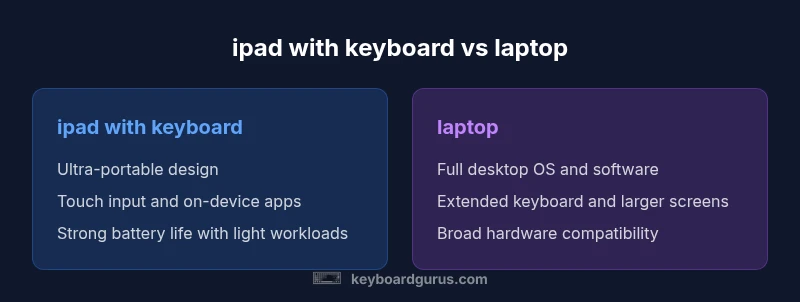
When evaluating ipad with keyboard vs laptop, three dimensions usually matter most: portability, battery life, and keyboard quality. iPads tend to win on portability due to compact form factors and lighter chassis, which is ideal for commuting, travel, and campus life. Battery life in mixed-use scenarios often approaches a full-day cadence, especially with light workloads like note-taking or web reading. The keyboard accessory plays a pivotal role in comfort; travel-focused keyboards are slimmer but may trade off key travel and tactile feedback. Laptops, by contrast, offer larger keyboards, deeper travel, and a more conventional typing experience, which many users prioritize for long writing sessions and professional work. Keyboard Gurus recommends testing key travel and trackpad responsiveness in real-world settings, since comfort is a major driver of sustained productivity. If you work in co-working spaces or libraries, the iPad combination may reduce bulk, while office work often benefits from a laptop's larger screen and more robust keyboard.
Display, input, and ergonomics
Display quality and viewing angle matter for both devices, but the optimal choice aligns with your typical tasks. The iPad excels at vibrant color, high brightness, and touch-first interaction; the keyboard adds a tactile layer that helps when you’re in transit or away from a desk. For long writing sessions, ergonomics matter as much as screen size: typists often prefer the larger, physical keyboard and adjustable stands of a laptop. Trackpad quality on iPad-based setups has improved with iPadOS, but some users still favor the established gesture control and palm rejection of laptop trackpads. Ergonomics extend to posture: holding an iPad on the lap can be tiring over hours, whereas a laptop with a proper stand and external keyboard can support more comfortable long-form work. Keyboard Gurus highlights that a good ergonomic setup often hinges on a suitable stand and an external keyboard with reliable key feel.
App ecosystem and software constraints
Software availability often dictates the decision. iPadOS offers a robust suite of productivity apps, creative tools, and a thriving mobile ecosystem, especially for note-taking, editing, and media consumption. Some workflows rely on desktop-only software or files that require traditional file systems, which can push users toward a laptop. Windows and macOS retain broader compatibility with professional tools, development environments, and complex spreadsheets. Keyboard Gurus analysis shows that for many knowledge workers, the gap is narrowing, thanks to cloud-based apps and improved cross-platform collaboration. However, specialized software or enterprise workflows may still necessitate a laptop, particularly when offline access or large-scale data processing is required. If you frequently collaborate using desktop apps, verify your core toolchain works smoothly on an iPad or through remote/virtual solutions before buying.
Productivity workflows: typing, editing, and collaboration
Productivity on the go often hinges on the ability to switch between input methods and files quickly. An iPad with a keyboard supports fast note capture, annotation, and lightweight editing; it shines in brainstorming sessions and classroom settings where mobility matters. A laptop remains unbeatable for heavy typing, offline data processing, and running resource-intensive applications. For editors and content creators, laptops generally deliver more efficient text editing and media pipelines, especially when working with large files or multi-monitor setups. Collaboration tools, such as cloud-based doc editors and messaging apps, are universally accessible, but the experience can differ subtly between iPad and desktop ecosystems. Keyboard Gurus suggests mapping your most frequent tasks to the device that minimizes context switching, and keeping critical files synced to the cloud for seamless access across devices.
Connectivity, accessories, and expandability
Connectivity often becomes a deciding factor. iPads typically rely on USB-C or proprietary connectors, with adapters needed for HDMI or USB-A peripherals. External displays are supported, but setup may require a dongle or wireless methods. Laptops usually offer a broader array of ports—USB-C, HDMI, full-size USB, and sometimes Ethernet—without extra adapters, which matters for docking stations and peripheral-heavy workflows. Accessory ecosystems differ: you’ll want a reliable keyboard with suitable key feel, a trackpad option on iPad if you value precise cursor control, and a stand or case that suits your posture. Keyboard Gurus emphasizes that the total cost of ownership includes accessories, which can materially affect the perceived value of each option.
Price and total cost of ownership
Price ranges for ipad with keyboard configurations are generally lower upfront than premium laptops but can scale quickly with top-tier iPad models, keyboards, and stands. Laptops span a broad spectrum—from affordable ultrabooks to high-end workstations—what you pay is often tied to CPU performance, display quality, and expansion options. Over a 3-5 year horizon, ownership costs for both options can converge or diverge depending on your specific needs, such as software licenses, maintenance, and the necessity of external peripherals. Keyboard Gurus advises calculating the combined cost of the base device plus accessories and potential replacement parts, rather than just the sticker price.
Real-world usage scenarios and decision heuristics
Consider your typical environment: student life versus professional practice, and whether you value portability over raw power. If you spend most days writing, researching, and presenting in meetings, an iPad with a keyboard can be liberating. If you run complex data analysis, software development, or design workflows that demand desktop-grade tools, a laptop is usually the safer bet. For mixed environments—home, office, and travel—some users opt for a lighter iPad for commuting and a home or office laptop for heavier tasks. Keyboard Gurus suggests a staged trial where you work remotely with your preferred apps for a week on the device you’re leaning toward, then reassess once any initial constraints become evident.
mainTopicQueryOverrideIdStrippedForIndexingUsedInSchemaOnlyWithoutEffectsPathOptionsProductionOnly
Comparison
| Feature | ipad with keyboard | laptop |
|---|---|---|
| Operating system | iPadOS with keyboard accessories | Windows/macOS with full desktop apps |
| Portability/weight | Typically lighter and slim | Usually heavier but more robust for long sessions |
| Battery life | All-day use common with light tasks | 8-12+ hours common with mixed usage (varies by model) |
| App ecosystem and software | Strong mobile apps; optimized for touch | Broadest software breadth and professional tools |
| Input experience (keyboard/trackpad) | Slim keyboards; touch-first input | Full-sized keyboards with mature trackpad |
| Connectivity/Ports | Limited ports; relies on adapters | Multiple ports, convenient docking options |
| Price range | Lower upfront cost but add-ons can raise total | Wide range from budget to premium devices |
| Best for | Light productivity, mobility, quick tasks | Power users, developers, content creation |
Advantages
- Highly portable option for on-the-go use
- Strong battery life for light to moderate tasks
- Quiet, fanless operation in many configurations
- Broad ecosystem of apps optimized for touch and pen input
Drawbacks
- Limited desktop-class software for some professional tasks
- Accessory costs add to the total price
- Typing feel may vary across keyboards and iPad models
- Reliance on cloud services can affect offline productivity
Laptop generally offers more versatility for sustained productivity; ipad with keyboard excels for mobility and quick tasks.
Choose the laptop if you need desktop-class software, large-screen real estate, and robust multitasking. Choose the iPad with a keyboard when portability and fast note-taking matter more than raw horsepower, keeping in mind accessory costs and app compatibility.
Got Questions?
Can an iPad with a keyboard replace a laptop for college work?
It can for note-taking, reading, and light writing or research, but heavy data work, programming, or specialized software may require a laptop. Consider file access, offline needs, and the core apps you rely on. A trial period with your syllabus tools is recommended to confirm feasibility.
It can work for many college tasks, but for heavy computing you might still need a laptop.
Is the keyboard experience on iPad comfortable for long typing sessions?
Typing comfort varies by model and accessory quality. Some users appreciate compact keyboards for travel, while others prefer laptop keyboards with deeper key travel for lengthy sessions. Ergonomic setups, including stands and external mice, can significantly improve comfort.
Some find it comfortable, others prefer a traditional laptop keyboard for long sessions.
Which offers better app compatibility for work tasks?
Laptops generally offer broader compatibility with desktop software and enterprise tools. iPads excel with mobile-friendly apps and cloud-based workflows. If you rely on desktop-only programs, a laptop or cloud-based alternatives may be necessary.
Laptops usually have wider software support.
How do battery life and charging differ between the two?
Battery life depends on usage; iPads tend to last through a day of light tasks, while laptops can last all day with efficient hardware but vary by workload and model. Charging options and dock setups differ, with some laptops offering fast-charging and multiple charging ports.
Battery life varies with workload; both can last a day under different conditions.
Are there hidden costs I should consider?
Yes. Keyboard accessories, cases, stands, and extra adapters add to the upfront cost. For iPads, you may also consider cloud storage plans. For laptops, consider software licenses, maintenance, and potential docking stations.
Accessories can add up—don’t forget licenses and storage.
What to Remember
- Define your primary tasks before choosing
- Evaluate app availability and file workflows
- Factor accessory costs into the total price
- Prioritize ergonomics for long typing sessions
- Test portability and battery life in real-world conditions