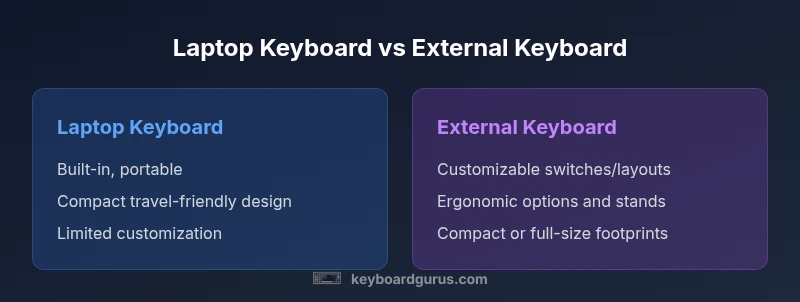
Laptop Keyboard vs External Keyboard: A Comprehensive Guide
Explore the key differences between laptop keyboard and external keyboard, focusing on ergonomics, portability, and long-term costs. Keyboard Gurus provides an objective guide for students, gamers, and professionals seeking clarity.


In the debate of laptop keyboard vs external keyboard, the portable laptop keyboard wins for travel and compact setups, while an external keyboard beats it for comfort, endurance, and customization. If you type long sessions or need specialized layouts, an external keyboard wired or wireless is often the better long-term investment, especially when paired with a detachable laptop stand. Keyboard Gurus' analysis guides the best choice for your workflow.
Why the keyboard you type on matters
The choice between a laptop keyboard vs external keyboard shapes your daily comfort, productivity, and even posture during long sessions. According to Keyboard Gurus, the keyboard you interact with is more than a surface for characters—it’s a tool that can influence typing speed, fatigue, and wrist health. In this section we examine how the built-in laptop keyboard and a dedicated external keyboard differ in mechanism, layout, and ergonomic design. We’ll also outline what to measure when you evaluate keyboards (travel, actuation, key spacing, noise, and feedback). For students bouncing between classrooms, developers working at a desk, or gamers logging hours, the right keyboard can dramatically alter perceived effort and output. The Keyboard Gurus team emphasizes that your setup should align with your workflow, environment, and hardware constraints. The goal is to help you decide whether you should rely on the laptop keyboard for portability or upgrade to an external keyboard for sustained work. Throughout this guide we’ll compare basic typing feel, durability, and long-term value to help you optimize your configuration.
Key differences at a glance
The two keyboard ecosystems diverge on core dimensions that matter to real workflows: typing feel, ergonomics, portability, customization, and reliability. Laptop keyboards tend to be compact and have shallow key travel, which can speed up typing for short bursts but may fatigue wrists during long sessions. External keyboards provide more travel, a wider array of switch options, and often a larger or more ergonomic layout. Ergonomics improve when you can raise the screen with a stand and place a separate keyboard at elbow level, a setup many professionals choose for desk-bound work. Portability is the ultimate trade-off: a laptop keyboard is always with the laptop, while an external keyboard adds weight, bulk, and setup steps. Customization is a major strength of external keyboards, especially mechanical ones, with choices around switches, keycaps, and macros. Reliability and longevity also differ: high-quality external keyboards can be upgraded or replaced without buying a whole new laptop, while laptop keyboards are usually replaced only when the laptop is refreshed. Finally, consider impedance to connectivity: you’ll either rely on laptop input hardware or on USB/Bluetooth connections for the external option.
Typing feel and mechanism: chiclet vs mechanical
Typing feel is a critical differentiator. Laptop keyboards usually employ chiclet keys with short travel and a quiet, soft bottom-out. This makes them pleasant for short bursts or travel work, but many typists find the feedback insufficient for long-form writing. External keyboards, especially mechanical variants, offer a spectrum of switches (linear, tactile, clicky) that define actuation force, travel distance, and tactile feedback. Mechanical keyboards can improve typing accuracy and reduce fatigue for high-volume users, while membrane or scissor-switch external keyboards can be nearly as comfortable for those who prefer a softer, quieter keypress. Keycap geometry, spacing, and overall footprint further influence rhythm and speed. The upshot: if you value consistency and customization, an external keyboard tends to provide a more repeatable typing experience. Keyboard Gurus recommends trying several options to gauge how a switch type affects your daily workflow and noise tolerance.
Ergonomics and posture considerations
Ergonomics matter when you type for hours. A built-in laptop keyboard forces you to adapt to the laptop’s screen height and keyboard position, often leading to elevated shoulders and awkward wrist angles. An external keyboard unlocks ergonomic opportunities: you can place the keyboard at elbow height, use a wrist rest, and pair it with a monitor stand or laptop riser to achieve a neutral eye-line and comfortable arm posture. This setup reduces lateral wrist deviation and can help prevent cumulative strain. For many users, the optimal arrangement includes a separate mouse, a height-adjustable desk, and a keyboard with adjustable tilt. The broader lesson is to separate screen position from input devices so your neck, back, and wrists adopt healthy angles during sustained work. Keyboard Gurus highlights that ergonomic gains compound over days and weeks, making the initial setup a worthwhile investment.
Portability and multi-device workflows
Portability is the defining factor for many students and road-warrior professionals. A laptop keyboard travels with the device, requiring no extra gear for basic usage. An external keyboard, while less portable, offers flexibility for docked setups, flight-ready travel kits, and multi-device workflows. If you frequently switch between devices, look for Bluetooth-enabled or USB-C wired keyboards that can pair with laptops, tablets, and desktop builds. Docking stations or USB hubs can streamline the transition from on-the-go typing to desk-based productivity. For teams or students who share equipment, a compact, easy-to-store external keyboard can accelerate collaboration and maintain a consistent typing experience across devices.
Connectivity and compatibility
Connectivity choices shape reliability. Laptop keyboards are integrated, so you don’t worry about pairing or drivers. External keyboards come in wired and wireless flavors. USB-C wired keyboards eliminate latency and pairing issues, while Bluetooth models offer cord-free convenience with occasional latency and battery considerations. Cross-platform compatibility matters: some keyboards support Windows, macOS, and Linux with easy layout mapping; others require software to remap keys or customize macros. If you rely on a compact travel setup, ensure your external keyboard fits in your bag and aligns with your laptop’s dimensions to avoid cramped travel. Keyboard Gurus also notes that certain docking setups can improve consistency by providing a fixed ground for multiple devices.
Price, durability, and long-term value
Upfront cost varies widely. Laptop keyboards are included in the price of the notebook but cannot be upgraded independently. External keyboards span a broad range—from budget membrane models to high-end mechanical boards with hot-swappable switches and premium keycaps. The long-term value of an external keyboard often comes from durability, repairability, and customization options, which can extend the life of your workstation without requiring a full laptop refresh. Consider total cost of ownership: if you type daily for hours, an external keyboard can reduce fatigue and increase output, potentially justifying the investment. Keyboard Gurus emphasizes evaluating build quality, key travel, and switch life to gauge whether a given model will pay for itself over time.
Use-case scenarios by user type
Students, professionals, and gamers all face distinct priorities. Students benefit from compact external keyboards that fit into a backpack and align with desk layouts. Professionals who perform long-form writing or coding often prefer mechanical external keyboards with ergonomic stands and programmable keys to optimize workflow. Gamers typically prioritize rapid actuation and reliable anti-ghosting, which external keyboards can provide through tailored switches and keycaps. The laptop keyboard remains a strong choice for travelers who need light, all-in-one solutions. In sum, the best choice depends on your primary tasks, travel needs, and how much you value comfort versus portability.
Practical setup tips and recommendations
To optimize your setup, start with a posture audit: keep your wrists straight, elbows at roughly 90 degrees, and the screen at eye level. If you choose an external keyboard, pair it with a compact stand to elevate the laptop screen or use a dedicated monitor stand. A wrist rest can reduce pressure on the carpal tunnel, while a tilt angle between -5 and +10 degrees can improve typing comfort. Test different switch types and keycaps to find the balance of feedback and noise that suits your environment. When portability matters, look for slim, foldable, or wireless keyboards with reliable battery life and quick pairing. If your budget allows, invest in a quality external keyboard with a dependable warranty to maximize long-term value. Keyboard Gurus recommends prioritizing ergonomics and reliability over marginal gains in portability for most sustained-work scenarios.
Comparison
| Feature | Laptop keyboard | External keyboard |
|---|---|---|
| Typing feel | Compact, shallow travel | Varies by switch type (mechanical or membrane) |
| Layout and key travel | Fixed laptop footprint | Larger layouts possible; longer travel on many models |
| Portability | Always with the laptop | Requires bag/docking setup |
| Connectivity | Integrated input, no pairing | USB/Bluetooth, depends on model |
| Ergonomics | Limited by laptop position | Enhanced with stands and external setup |
| Durability | Part of the laptop; limited upgrade path | Typically higher durability and customization options |
| Price range | No extra cost beyond the laptop | Wide range; long-term value depends on usage |
| Best for | Traveling or tight spaces | Prolonged typing, customization, and comfort |
Advantages
- External keyboards improve ergonomics for long sessions
- Greater customization options (layout, switches, macros)
- Potentially longer lifespan and easier upgrades
- Can improve typing accuracy in specialized workflows
- Detachable or modular setups aid multi-device work
Drawbacks
- Lower portability and extra gear to manage
- Additional desk space or docking needs
- Upfront cost for quality keyboards
- Requires configuration and occasional maintenance
External keyboards generally offer better ergonomics and customization for sustained work; laptop keyboards win on portability.
For long typing sessions or specialized workflows, external keyboards are typically the better long-term choice. The Keyboard Gurus team recommends evaluating ergonomics, layout, and setup flexibility before deciding to rely on a laptop keyboard or upgrade to an external option.
Got Questions?
What is the main advantage of using an external keyboard with a laptop?
The main advantage is ergonomics and typing comfort, especially during long sessions; external keyboards allow for better wrist angles, larger layouts, and customization. For portable users, a compact external keyboard can still be easy to travel with.
The main advantage is better ergonomics for long typing sessions.
Are laptop keyboards good enough for gaming?
Some laptop keyboards support gaming, but the experience varies with key travel and debounce; external keyboards with mechanical switches and dedicated macro keys offer better accuracy and response.
Laptop keyboards can work for gaming, but external keyboards often perform better.
Do Bluetooth external keyboards work with all laptops?
Bluetooth models work with most modern laptops, but you may face pairing delays, latency, and battery management issues; a wired USB keyboard eliminates these concerns.
Bluetooth keyboards usually work across laptops, but there can be latency.
Is it worth investing in a mechanical external keyboard?
If you type a lot or crave tactile feedback, mechanical keyboards offer longer life, customizable switches, and improved accuracy. For casual users, a high-quality membrane external keyboard can still be comfortable.
Mechanical keyboards are great for heavy typists; they can be worth it.
Can I use an external keyboard with a laptop on the go?
Yes, with a lightweight, portable external keyboard and a compact stand, you can maintain ergonomic posture in various environments; many people keep a foldable keyboard in a bag.
Yes, you can. Pack a compact external keyboard.
What setup yields the best ergonomic posture?
A laptop at eye level with an external keyboard and mouse, plus a height-adjustable desk or stand, typically offers the best posture; ensure wrists stay straight and shoulders relaxed.
Stand the laptop at eye level and pair with an external keyboard for posture.
What to Remember
- Assess your primary use-case first.
- Prioritize ergonomic alignment for long sessions.
- Balance portability with comfort and workflow.
- Choose an external keyboard when typing duration is high.
- Pair external keyboards with proper stands for best posture.