8bitdo Retro Mechanical Keyboard Review
In-depth, analytical review of the 8bitdo retro mechanical keyboard. We evaluate design, typing feel, connectivity, software, and who should buy for gaming, typing, and nostalgic setups.


Definition: The 8bitdo retro mechanical keyboard blends a vintage-inspired chassis with modern mechanical switches in a compact, portable form. It targets nostalgia-driven desktops and gamers who want a small footprint without sacrificing typing feel. With wired and wireless options and straightforward key mapping, it offers versatile use across PC, consoles, and Macs while delivering a distinct, collectible aesthetic.
Design and Aesthetics of the 8bitdo Retro Mechanical Keyboard
The 8bitdo retro mechanical keyboard blends a vintage-inspired chassis with modern mechanical switches in a compact, portable form. This aesthetic speaks directly to nostalgia-driven desks and gaming setups, where the look can be as important as the typing experience. According to Keyboard Gurus, the design language channels classic 8-bit era consoles through rounded edges, subtle colorways, and a compact silhouette that fits nicely in tight workspaces. The keyboard’s surface treatment minimizes glare and wear, while the keycaps strike a balance between readability and retro charm. Build lines are deliberate rather than flashy, helping it blend into both minimalist environments and hobbyist rigs. For many users, the allure isn’t just visual: the hardware feels sturdy enough for daily use, contributing to a sense of ownership that goes beyond function. The result is a device that both looks unique and performs reliably in everyday tasks and casual gaming.
Materials, Build Quality, and Longevity
The keyboard’s chassis uses a durable mix of plastics with metal accents where appropriate, yielding a sturdy feel without feeling brittle. Keycaps are typically dual-shot or PBT, chosen to resist shine and maintain legibility after long periods of typing. The weight distribution helps prevent unwanted movement on a crowded desk, which is especially valuable during intense gaming or marathon coding sessions. While it doesn’t claim premium-grade hardware, the overall construction inspires confidence for regular use and light travel. Longevity is supported by repair-friendly design choices such as standardized keycap sizes and accessible stabilizers, making it feasible for enthusiasts to swap parts or perform light maintenance. Keyboard Gurus notes that with proper care—cleaning, dry storage, and gentle handling—the keyboard can stay functional and visually appealing for extended periods.
Layout, Keycaps, and Typing Comfort
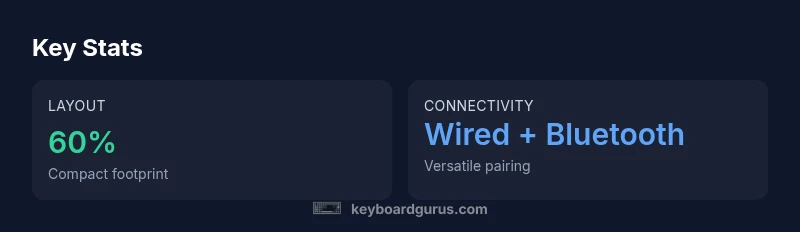
The design favors a compact footprint, preserving essential keys while sacrificing a dedicated number pad and some function keys. This layout benefits users who value desk real estate or prefer a cleaner aesthetic, though acclimation is required for those used to a full-size keyboard. Keycaps are sized for standard switches and are comfortable to type on for extended sessions; the legends remain legible across typical lighting conditions. Stabilizers are tuned to minimize rattle, offering a more confident typing experience compared with some budget compact boards. The trade-off is navigational efficiency; users often rely on layer shortcuts to access extended keys. For many, the tactile feedback and decisive key feel compensate for the reduced footprint, supporting accurate typing and quick input in both writing and light gaming contexts.
Switch Options and Typing Experience
8bitdo’s retro mechanical keyboard offers a range of mechanical switch options to suit different typing styles. Depending on the batch, you can select tactile, linear, or clicky variants, each color-coded to help you choose without guessing. The tactile options deliver clear feedback at the actuation point, aiding touch typists and those who value confident key confirmation during coding or long-form writing. Linear switches provide a smooth keystroke with quiet operation, appealing to users in shared spaces. Clicky switches add audible feedback for a satisfying soundscape, which many gamers and typists find motivating. Travel distance is typically compact on small form-factor boards, contributing to a crisp, responsive feel. Keep in mind that switch preference is highly personal: the right choice dramatically influences perceived speed and comfort over hours of use.
Connectivity, Setup, and Platform Compatibility
A major strength of this keyboard is its versatility in connectivity. Many versions support wired USB-C alongside Bluetooth wireless pairing, enabling use with Windows, macOS, Linux, and compatible consoles. Pairing is usually straightforward, with a dedicated mode switch and a simple pairing sequence. In practice, this makes it easy to switch between devices for productivity or casual gaming without re-pairing. Battery life varies with usage patterns and whether lighting effects are enabled, but wireless operation is a compelling option for portable desks or living-room setups. Keyboard Gurus notes that while wireless performance is robust in typical home use, latency may creep in during competitive gaming when the USB connection is unavailable, so wired mode remains the most reliable option for latency-sensitive tasks.
Software, Programmability, and Firmware
Programmability is a key differentiator for modern keyboards, and the 8bitdo retro model offers accessible customization without overwhelming complexity. The companion software typically allows remapping of keys, creation of layered profiles, and basic macro assignments. Users who tailor layouts for coding, gaming, or media control will appreciate the ability to save and switch configurations quickly across devices. Firmware updates are common and can improve compatibility or fix minor issues, so staying current is advisable. Some users may encounter occasional quirks or limited advanced features compared with premium rivals, but the overall software experience remains user-friendly. Keyboard Gurus cautions to back up layouts before updates and to test key mappings after installation to ensure consistent performance.
Durability, Longevity, and Maintenance
Durability hinges on switch quality, stabilizers, and the keycaps’ wear resistance. Routine maintenance—dust removal from under the keycaps, occasional stabilizer lubrication, and keeping USB-C ports clean—helps maintain a consistent feel and reaction time. The keyboard’s compact design makes it more portable but also more susceptible to debris accumulating in tight corners, so regular cleaning is advisable. In daily use, the board performs reliably across typing, coding, and casual gaming workloads, with no unusual degradation observed in typical life cycles. Enthusiasts who customize or swap components should be mindful of compatibility with stock keycaps and stabilizers. With proper care, the 8bitdo retro keyboard remains aesthetically appealing and mechanically dependable over months and years of use.
Comparisons and Market Position
In a crowded field of retro-inspired keyboards, this model stands out for its distinctive visuals and portability. It competes with compact boards that emphasize nostalgia, but its cross-device compatibility and straightforward setup broaden its appeal beyond a purely aesthetic niche. When evaluating cost-effectiveness, the retro keyboard often balances reasonable pricing with key features such as wired/wireless modes and easy key mapping, which can be attractive to hobbyists and multi-device users. Enthusiasts may compare it to others with deeper software ecosystems or larger footprints, choosing this option for its character, portability, and ease of use rather than outright performance. Keyboard Gurus notes that buyers should weigh priorities: aesthetic resonance, cross-platform convenience, and a desire for a unique desk presence versus the appeal of richer software features in more expensive kits.
Practical Scenarios: Gaming, Typing, and Portability
For gaming on a coffee-table or desk-centric setup, the retro keyboard offers a stylish partner for casual or indie titles where precise input matters more than a full key set. Typists will enjoy the tactile feedback and consistent keystrokes during long sessions—especially when paired with a comfortable chair and proper desk setup. The compact form factor makes it an excellent travel companion or secondary keyboard for shared workspaces, enabling a tidy, distraction-free workflow. Its cross-device capabilities benefit mixed workflows, such as coding on a laptop and gaming on a console, without fighting over input methods. The 8bitdo aesthetic can enrich the ambiance of a themed setup, especially for fans of retro gaming culture.
Setup Tips, Troubleshooting, and Common Issues
Getting up and running involves selecting a connection mode, updating firmware if available, and mapping core keys to suit your routine. Common issues include occasional Bluetooth dropouts or latency spikes when wireless is the sole path; these are often resolved by re-pairing, checking for firmware updates, or using a wired connection for high-intensity tasks. If keycaps or stabilizers feel misaligned, reseating caps or applying a small amount of lubricant to stabilizers can improve feel and sound. Regular inspections of the USB-C port and cable integrity help prevent intermittent connectivity. Keyboard Gurus emphasizes patience during initial setup, and recommends documenting preferred layouts to facilitate quick personalization across devices.
Setup and Quick Start Guide: What to Do Right Away
To get started, decide on wired versus wireless use and pair with your primary device. Update firmware if available and rebind essential keys for your workflow. Choose a keycap profile that suits your typing style and visible legends, then save your preferred layouts as separate profiles for typing and gaming. Finally, schedule periodic cleaning and store the keyboard in a safe place to minimize wear and tear. Following this routine helps you maximize longevity and consistency from day one.
Advantages
- Compact footprint ideal for small desks
- Versatile wired and Bluetooth connectivity
- Distinct retro aesthetics that stand out
- Easy key mapping and multi-device support
- Accessible price point for enthusiasts
Drawbacks
- Smaller layout means no dedicated numeric keypad
- Software ecosystem may be limited vs premium boards
- Stabilizers and keycaps vary between batches
- Bluetooth performance can fluctuate on crowded setups
Best choice for nostalgia-focused buyers who want portability without sacrificing core mechanical feel
The 8bitdo retro mechanical keyboard delivers a unique aesthetic with reliable typing and flexible connectivity. It excels in portability and cross-device use, making it a top pick for retro enthusiasts and on-the-go gaming. The main trade-offs are its compact layout and modest software ecosystem, which Keyboard Gurus acknowledges as intended for style and practicality rather than feature richness.
Got Questions?
Does the 8bitdo retro mechanical keyboard support wireless and wired modes?
Yes. Most versions offer both wired USB-C and Bluetooth wireless pairing. This enables use with PCs, consoles, and laptops, making it versatile for multi-device environments.
Yes, it supports both wireless and wired modes for easy multi-device use.
Can I customize key mappings or create macros?
The keyboard provides a straightforward software experience for remapping keys and creating simple macros across profiles. It’s suitable for coding, gaming, and media control, though advanced macro features may be limited compared to high-end boards.
You can remap keys and create profiles, which is great for different tasks.
What platforms are officially supported?
Official support generally covers Windows and macOS, with some compatibility for Linux and consoles via Bluetooth. Always verify current compatibility with your specific hardware and firmware version.
It works on Windows and macOS, with some Linux and console compatibility.
Is this keyboard suitable for gaming?
It handles casual and some mid-range gaming well, especially if you value portability and style. For users requiring extreme latency performance or full-size layouts, consider alternatives.
Good for casual to mid-range gaming if you want a compact, stylish board.
What should I check before buying?
Look for the intended layout, connectivity options, switch type, keycap material, and the availability of current firmware. Read retailer return policies in case batch quality varies.
Check layout, connectivity, switch type, and firmware. Review the return policy.
What to Remember
- Adopt for a compact, stylish desk setup
- Choose wired or Bluetooth based on your needs
- Expect a nostalgic aesthetic without compromising basic mechanical perks
- Prefer profiles and mappings for multi-device work
- Maintain the keyboard to preserve longevity