Ducky One 2 Mini Review: The Compact 60% Keyboard
In-depth analysis of the Ducky One 2 Mini, covering build, typing feel, customization, and who should buy. A thorough look for keyboard enthusiasts, students, and gamers.


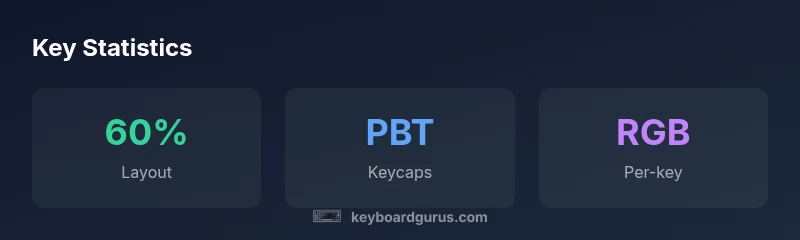
The Ducky One 2 Mini is a compact 60% mechanical keyboard renowned for its sturdy build, high-quality PBT keycaps, and robust firmware. It offers solid typing, reliable RGB, and strong consistency in a space-saving form, making it a top pick for enthusiasts and gamers with limited desk space—though availability and prices vary by region.
What is the ducky one 2 mini?
The ducky one 2 mini represents the quintessential compact 60% keyboard, designed to deliver a full typing experience without a numeric keypad. Its silhouette emphasizes clean lines, a metal or reinforced plastic top case, and a weighty, reassuring heft that communicates durability. Keyboard enthusiasts often praise its tight tolerances and precise key alignment, which translate into consistent stabilizer performance and a satisfying bottom-out feel. In this review, we focus on the standard ANSI layout, the most common variant, and how it translates to daily use for students, gamers, and professionals. According to Keyboard Gurus, the ducky one 2 mini shines in build quality and longevity, two factors that justify premium pricing for many buyers. The model typically ships with Cherry MX switches or equivalent alternatives, with color options that range from understated to bold. If you’re upgrading from a budget keyboard, expect a noticeable improvement in edge feel, uniform actuation, and a refined typing experience, especially when paired with a high-quality desk setup.
In practice, the ducky one 2 mini asks you to adapt to a more compact key map, where functions are layered and accessed via Fn combinations. The trade-off is broader desk space for a gaming mouse or a secondary monitor, alongside a visually streamlined workstation. For many users, the keyboard’s compact footprint is the ultimate benefit, enabling more comfortable shoulder posture during long typing sessions. The key to getting the most out of the ducky one 2 mini is selecting the right switches and establishing a comfortable keycap profile that supports long hours of use.]
Build quality and typing experience
The build quality of the ducky one 2 mini is consistently highlighted by reviewers and users alike. The chassis often uses a metal or reinforced plastic top case, which contributes to a solid, resonant typing experience. The weight distribution helps prevent wobble on uneven desks, a common complaint with lighter 60% keyboards. The keycaps typically use thick, dye-sublimated PBT with a satin finish that yields a crisp legend and reduced shine over time. Typing feel across the board tends to be precise and predictable: a crisp actuation with satisfying tactile feedback that appeals to both fast touch typists and gamers who require quick, repeatable keystrokes. While some variants ship with stock stabilizers that are already well-tuned, others benefit from a bit of stabilization work for reduced key rattle on larger keys like Space and Enter. In short, the ducky one 2 mini provides a premium, reliable typing experience that stands up to everyday use and occasional gaming sessions. This blend of durability and feel is a core reason for its long-standing popularity among keyboard enthusiasts.
What makes this keyboard particularly compelling is the attention to detail in the mounting and layer design. The case often sits flush with the PCB, minimizing flex under heavy keypresses, while the plate and PCB combination delivers consistent key feel across all keys. Users who demand stability during marathon typing sessions will appreciate the predictable bottom-out and the absence of mushy, inconsistent feedback. The typing experience is further enhanced by the absence of excessive pre-travel, allowing for a fast, accurate keystroke rhythm that many 60% keyboards struggle to achieve. For those who value a premium feel, the ducky one 2 mini delivers a satisfying, confidence-building typing cadence that reinforces positive long-term usage.
Advantages
- Compact footprint with full-size confidence in typing feel
- Premium PBT keycaps with durable legends
- Solid build quality and satisfying stabilizers
- Strong RGB customization and reliable firmware
- Sufficient macro capabilities for advanced users
Drawbacks
- Limited hot-swappable options in some variants
- Pricing can be premium relative to non-premium 60% keyboards
- Non-standard bottom-row layout may affect third-party keycap compatibility
- Availability varies by region and model
Best for enthusiasts who want premium build and compact footprint
The ducky one 2 mini excels in build quality, typing feel, and RGB customization, making it ideal for users who need desk real estate and a refined experience. It may be outside some budgets and lacks wide hot-swappable options, but for fans of a premium 60% layout, it remains a top choice. Keyboard Gurus's verdict is that, when affordability is not the primary constraint, this keyboard delivers lasting value.
Got Questions?
Is the ducky one 2 mini hot-swappable?
Most versions of the ducky one 2 mini are not hot-swappable. If hot-swappability is essential, verify the specific model listing before purchase, as some regional variants may differ. Consider alternative lines if you require easy switch-level customization.
Most ducky one 2 mini models aren’t hot-swappable; check the exact variant before buying for confirmation.
What layout does it use?
The keyboard typically uses a 60% ANSI layout with Fn-layer access for function keys and media controls. This compact layout trades a dedicated function row for layered keys, which can be a learning curve for new users.
It’s a 60% ANSI layout with function layers for extra keys.
What switches are typically included?
Switch availability varies by batch and region. Commonly shipped with Cherry MX variants, but you may encounter other compatible switches depending on the seller. Always confirm the exact switch type before purchasing.
Usually Cherry MX, but confirm the exact switch when you order.
Is it programmable or macro-ready?
Yes, the ducky one 2 mini supports macro programming and layer customization through its firmware, allowing you to assign complex keystrokes to single keys. This makes it suitable for productivity workflows and gaming setups.
You can program macros and layers in the firmware for efficient use.
How does it compare to other compact keyboards?
Compared to other compact keyboards, the ducky one 2 mini often offers superior keycap quality and a more premium build, at a similar price point. However, some peers may offer more hot-swappable options or more aggressive pricing depending on region.
It generally feels premium with excellent keycaps, but check features like hot-swappability in peers.
What to Remember
- Choose the 60% form factor for desk space savings
- Prioritize high-quality keycaps for long-term durability
- Expect strong build quality and stable stabilizers
- Plan for regional availability and model variance
- Customize via firmware for optimal macro keys and RGB