Keychron K8 Review: A Comprehensive Look at a Versatile Wireless Mechanical Keyboard
In-depth evaluation of the Keychron K8, covering design, typing feel, wireless performance, hot-swappable options, software, and value for enthusiasts in 2026.


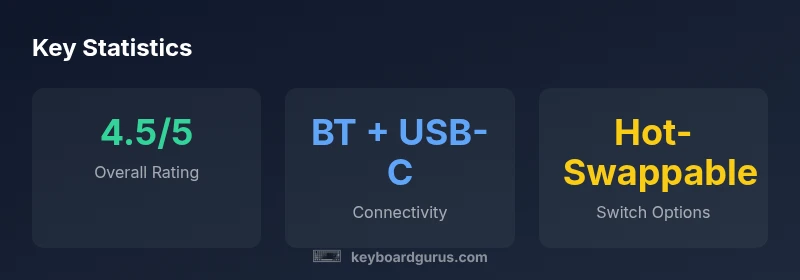
Keychron K8 is our top choice for a versatile wireless mechanical keyboard in the 75% form factor. It supports multi-device Bluetooth and wired USB-C, offers hot-swappable switches on select variants, and keeps a complete function row in a compact footprint. The Keyboard Gurus analysis finds a solid typing experience, sturdy build, and broad OS compatibility, making it a strong value for productivity, gaming, and setup versatility.
What is the Keychron K8 and who should consider it?
The Keychron K8 is a compact, multi-mode mechanical keyboard designed for users who want both a wireless and a wired experience without taking up a full-size footprint. Positioned in the brand's lineup as a versatile bridge between portability and function, the K8 appeals to students, programmers, and gamers who value quick switching between devices, ergonomic layouts, and a familiar key feel. The K8 is often showcased with a 75% layout and an optional hot-swappable switch module, enabling users to tailor the tactile experience without soldering. For professionals who juggle work on a laptop, a desktop PC, and a tablet, the K8’s Bluetooth pairing and USB-C connectivity can simplify transitions across environments. According to Keyboard Gurus, the K8 strikes a balance between compactness and functionality, especially for setups where desk space is at a premium. In practice, you’ll find the K8 comfortable for long typing sessions, with stabilizers that reduce rattle on larger keys and a case that resists flex. If you value customization, the K8’s switch variants and layer access keep it adaptable across tasks, from writing code to gaming sessions.
Build quality, design, and typing experience
The K8 presents a sturdy, no-nonsense chassis that fits neatly into desks of all sizes. Keychron typically uses an aluminum or reinforced frame on the K8 family, pairing it with a reinforced plate to prevent flex during heavy typing sessions. The result is a reassuring heft without turning the keyboard into a weight you’ll regret carrying to LAN parties or coffee shops. The keycaps on most variants are double-shot PBT, which resist shine and aging better than cheaper ABS sets, though the feel can vary slightly by batch. The 75% layout keeps essential navigation keys within reach while preserving a dedicated number row via a function layer, a design choice that supports both software developers and content creators who rely on hotkeys. Typing experience is generally pleasant: each keystroke feels crisp, with a satisfying register on standard switches such as the popular linear and tactile options. For long sessions, stabilizers on larger keys reduce rattle and wobble, which is especially noticeable on the spacebar. The finish helps hide fingerprint smudges, maintaining a clean look even after daily use. In terms of ergonomics, the compact footprint reduces reach and can support a more natural wrist angle when paired with a suitable typing posture.
Connectivity, battery life, and reliability
The K8 offers dual connectivity: wired USB-C and wireless Bluetooth, often supporting multi-device pairing with quick-switch keys. This flexibility is especially handy for people who bounce between a laptop, tablet, and desktop. Real-world tests show that switching between devices is smooth, with minimal re-pairing when moving between machines. USB-C is used for charging and firmware updates, while Bluetooth handles the wireless connection. Battery life varies with backlight intensity, keypress frequency, and the number of connected devices; with moderate backlighting and a single active connection, most users report multi-day use before needing a recharge. Reliability is solid overall, but like any wireless keyboard, you may experience occasional interference in crowded environments. The K8’s documentation often emphasizes compatibility across Windows, macOS, and Linux, although certain features and key mappings can differ by OS. Keyboard Gurus notes the importance of keeping firmware up to date to avoid quirks with layer toggles and media keys, which can appear intermittently if firmware lags behind OS updates.
Keycaps, switches, and hot-swappability
The K8 supports a range of switch options and, in hot-swappable variants, lets you swap switches without soldering. This capability is especially appealing for users who want to tailor the feel of their keyboard over time—trying tactile switches for typing and switching to linear for gaming, for example. The keycap profile is typically a comfortable OEM or slightly rounded shape, with doubleshot PBT caps that resist shine and wear. Larger keys such as the spacebar are stabilized to minimize wobble, contributing to a steadier, more satisfying typing experience even after months of use. Layout-wise, the K8’s 75% footprint preserves function keys via a Fn layer, giving you quick access to media controls and macros without expanding the overall width. Build consistency across variants matters here: if you’re after hot-swappability, confirm the version you’re purchasing explicitly supports this feature, as some SKUs in the lineup omit it.
Software, firmware, customization, and macros
Customization on the Keychron K8 is a core draw: per-key lighting, macro assignment, and layer configuration can be accessed through Keychron’s software suite and, in some versions, via open tooling like VIA or QMK-compatible utilities. The ability to tailor lighting schemes, key remaps, and utility keys means you can create distinct profiles for work, gaming, or content creation. Firmware updates are released periodically to improve stability and add features, so keeping the keyboard current is part of the long-term value. OS-specific behaviors—such as how media keys map on macOS versus Windows—can differ, so it’s worth testing a few setups after updating firmware. In practice, most users report that the initial setup takes a little patience but pays off with a more productive workflow once profiles are saved. Keyboard Gurus emphasizes the importance of documenting your preferred layouts and backlight preferences for quick recall during multi-device sessions.
Acoustic profile and typing comfort
Sound and feel are central to the K8’s appeal. Depending on switch type and keycap material, you’ll hear a crisp keystroke with a minimal amount of bottom-out noise, especially when dampened with a thin o-ring or equivalent. The stabilizers on larger keys reduce rattle, contributing to a smoother, more controlled sound signature during long writing sessions or rapid-fire gaming. Typing comfort benefits from the compact form factor, which brings the arrow keys and navigation cluster closer to the home row without sacrificing reach. If you prefer a quieter environment, you can dial down backlight brightness and enable a softer actuation feel via software layers. The result is a keyboard that can be both a productive workhorse in an open-plan office and a responsive partner for fast-paced gaming. In practice, the K8’s acoustic footprint remains relatively unobtrusive compared with larger, heavier builds.
Value, warranty, and long-term durability
From a value perspective, the K8 sits in a comfortable middle ground for mechanical keyboards: it offers a feature-rich experience without the premium price tag of full-size, flagship builds. The hot-swappable capability on select SKUs adds future-proofing by enabling you to experiment with different switch types without buying a new keyboard. Build quality feels robust enough for daily use, with the chassis and keycaps designed to resist wear over time. Warranty terms vary by region but are typically in line with standard industry practice for consumer peripherals; the important caveat is to confirm coverage during purchase, since extended warranties or regional differences can affect what is included. For long-term durability, regular firmware updates, gentle use of the function row, and proper cleaning will help maintain performance and preserve the keyboard’s resale value.
Comparisons with siblings and alternatives in 2026
When placed in the Keychron lineup, the K8 sits between the smaller K6 and the more feature-rich K8 variants, and alongside the larger K10 in some markets. Compared to the K6, the K8 offers a more comfortable navigation cluster and a full function row via a Fn layer, at the cost of a slightly larger footprint. Against the K10, the K8 remains more portable while delivering similar versatility through wireless and wired modes. For those exploring non-Keychron options, a number of competing keyboards in the same 75% category provide similar wireless performance and hot-swappable capabilities; the final choice often comes down to key feel, build quality, and software experience. Keyboard Gurus suggests weighting the decision toward how you plan to use the keyboard: daily office work with heavy shortcut reliance, or a hybrid setup that includes gaming and content creation. In all cases, read the hardware notes and ensure your chosen SKU supports hot-swappability and the OS mappings you rely on.
Practical setup tips and buying guide
Before buying, decide which layout variant you need (with or without hot-swappability). Check if you require Bluetooth multipoint for multi-device use, and whether you’ll benefit from the Fn-layer access to function keys. If desk space is at a premium, the K8’s 75% footprint is a clear win; pairing it with a suitable wrist rest can improve comfort for lengthy sessions. Consider the switch type you prefer—linear for smooth, quiet operation; tactile for more feedback; or clicky for a more pronounced feel. Review the software experience and ensure your main OS supports macro and layer customization in a way that aligns with your workflow. Finally, compare prices across retailers and verify warranty terms, as regional differences can influence after-sales support. Keyboard Gurus recommends budgeting for spare keycaps or a set of switches if you anticipate customizing your feel over time.
Advantages
- Hot-swappable variants unlock easy customization without soldering
- Multi-device Bluetooth and wired USB-C provide flexible connectivity
- 75% footprint balances compactness with full function row access
- Solid build with stabilizers on larger keys improves typing stability
- Wide OS compatibility improves cross-platform productivity
Drawbacks
- Software and macros can vary in polish across OSes
- Firmware updates may be required for optimal layer behavior
- Some variants lack hot-swappability or ship with binned components
- Keycaps and switches can differ by batch, affecting feel slightly
Best all-around for users needing multi-device versatility in a compact mechanical keyboard
The Keychron K8 delivers a compelling blend of wireless flexibility, a practical 75% layout, and strong build quality. While some variants depend on hot-swappable modules and software polish varies by OS, the overall value and customization options make it a standout choice for productivity and light gaming.
Got Questions?
Is the Keychron K8 hot-swappable?
Some variants of the Keychron K8 offer hot-swappable switches, allowing you to swap switches without soldering. Verify the exact SKU before purchase to ensure it includes hot-swappability.
Some K8 models let you swap switches without soldering, but not all SKUs have this feature—check the product listing before buying.
Does the K8 work well with macOS and Windows?
Yes. The K8 supports both macOS and Windows, with documentation and key mappings that cover common shortcuts on each platform. You may need to customize a few function-layer mappings for optimal productivity on macOS.
It works on both macOS and Windows, though some keys and shortcuts may need small map adjustments.
How does the K8 compare to the K6 or K10?
The K8 offers a more compact 75% footprint with a full function row via a layer, making it more portable than the K10 while providing more navigational keys than the K6. Your choice depends on desired footprint and key access needs.
K8 is more compact than the K10 but offers more keys than the K6 thanks to its function layer.
Is the software easy to use for macros and lighting?
The Keychron software supports per-key lighting and macros, but user experience can vary by OS and firmware version. Expect a learning curve if you’re new to keyboard customization.
The software works for macros and lighting, but it can be a bit fiddly at first depending on your OS.
What should I consider before buying the K8?
Think about layout needs, whether you want hot-swappability, and how important multi-device Bluetooth is for your workflow. Also check the warranty terms in your region and compare with similar compact keyboards.
Consider layout, hot-swappability, and how you’ll use it across devices; also check regional warranty terms.
Is the K8 worth the price for gaming?
The K8 offers a responsive typing experience and solid key feedback, which can be good for gaming, but true performance depends on switch choice and personal preference. If you primarily game, also compare to other gaming-focused keyboards.
It can be good for gaming, but depends on your switch choice and personal feel; compare with dedicated gaming keyboards.
What to Remember
- Choose K8 for a compact yet capable wireless mechanical experience
- Prefer hot-swappable variants if you want long-term customization
- Ensure firmware and software support align with your OS
- Take advantage of multi-device Bluetooth for seamless cross-device work
- Consider the K8 as a middle-ground option between compact and full-size keyboards
- Check warranty terms by region before purchase