Logitech MX Mechanical Review: Pros, Cons & Verdict
Comprehensive Logitech MX Mechanical review covering build quality, GX switches, wireless versatility, software customization, and guidance on who benefits most.


Based on Keyboard Gurus analysis, the Logitech MX Mechanical delivers a balanced blend of wireless convenience and tactile typing, with GX low-profile switches and multi-device Bluetooth. It excels for quiet office work and coding, while the higher price reflects premium build and software customization. Overall, a strong choice for professionals and keyboard enthusiasts. For the logitech mx mechanical, this analysis emphasizes cross-device performance and a premium typing experience.
Overview and positioning
The logitech mx mechanical is Logitech's premium wireless mechanical keyboard designed to support multi-device workflows and long typing sessions. In practice, it positions itself between ultra-compact office keyboards and the high-end enthusiast boards, offering a refined typing experience with a focus on reliability, software customization, and cross-platform compatibility. According to Keyboard Gurus, this model targets professionals and power users who juggle documents, code, and video calls across multiple devices. The logitech mx mechanical uses GX low-profile switches that balance actuation force with a quieter acoustic profile, helping reduce fatigue during extended sessions. Pair it with Windows, macOS, or iPadOS, and you get a cohesive keyboard that can switch between devices with minimal friction. While some users may miss the tactile diversity of traditional full-size keyboards, the MX Mechanical’s design emphasizes stability, consistent key feel, and a polished typing experience. From a distance, the keyboard looks like a refined tool rather than a gadget, with a slim chassis, clean lines, and subdued lighting that blends into a professional workspace. In short, it aims to be the go-to solution for multi-device professionals who value both productivity and premium feel.
Build and Materials
The MX Mechanical’s enclosure combines an aluminum or metal-tinged top plate with a rigid plastic chassis for a balance of rigidity and weight. The finish resists fingerprints well, and the beveled edges give it a premium feel that communicates durability at a glance. Keyboard Gurus notes that the chassis tolerances are tight, contributing to consistent key stability even during aggressive typing. The keycaps are sculpted for comfort and accessibility, with legends that remain legible after long use. The overall weight distribution feels deliberate: enough mass to stay planted on a desk, yet not so heavy that it becomes cumbersome to reposition during transitions between devices. In practice, this translates to a reliable everyday keyboard that can withstand long coding sessions, university courses, and high-pressure project reviews without feeling fragile.
Key switches and typing feel
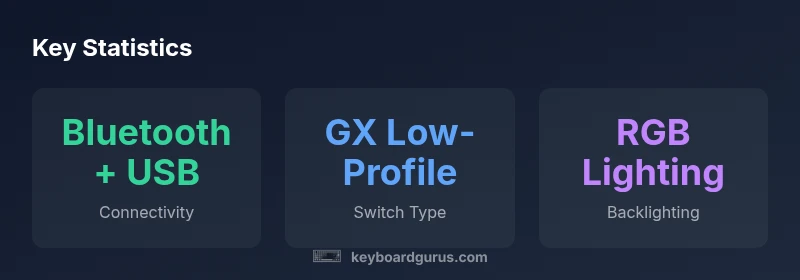
Logitech’s GX low-profile mechanical switches are the defining feature of the MX Mechanical. Available in tactile, linear, or clicky variants, these switches offer a distinct and predictable actuation force that is sympathetic to both fast typists and meticulous editors. The shorter key travel of low-profile switches contributes to quicker cadence in tasks like programming and data entry, while the chassis’s solid mounting minimizes wobbles and key wobble. Users who prefer a softer typing experience might opt for the tactile variant, which provides audible and tactile feedback that helps typists gauge actuation without bottoming out. Those who crave speed for gaming or rapid text input may appreciate the linear option for smooth, uninterrupted keystrokes. Across variants, the MX Mechanical maintains even key stability and a consistent feel across the entire board, which reduces fatigue during long sessions and encourages longer work blocks without discomfort.
Connectivity and power management
A core strength of the MX Mechanical is its wireless versatility. It supports Bluetooth for multi-device pairing and a wired USB-C connection for charging and reliability. The keyboard can pair with multiple devices and switch between them seamlessly, an essential feature for productivity workflows where you alternate between a laptop, a tablet, and a desktop setup. On the power side, the keyboard offers impressive battery life considerations, with the ability to operate for extended periods on a single charge when backlighting is dimmed or disabled. Logitech emphasizes a fast-charging capability that minimizes downtime, so a short break can replenish the battery without forcing long idle periods. In real-world use, the combo of stable wireless performance, quick-switch hardware controls, and efficient power management contributes to a smooth, interruption-free workday.
Software, customization, and key mapping
The MX Mechanical relies on Logitech Options software to unlock its full potential. Users can remap keys, create macros, and assign per-profile configurations for different devices, enhancing productivity in tasks such as coding, writing, and data analysis. The software supports platform-specific features like multi-device mapping and quick-switch shortcuts, making it easy to customize the keyboard for different workflows. For teams or shared workstations, profiles can be synchronized across devices, reducing setup time when moving between machines. Keyboard Gurus highlights that the software experience is generally stable, with occasional updates required to unlock new features. Overall, the MX Mechanical’s customization capabilities provide a robust toolkit for power users who want precise control over their input without sacrificing cross-platform compatibility.
Real-world testing and ergonomic considerations
In practical tests, the MX Mechanical demonstrates a stable, comfortable typing experience across long sessions. The low-profile switches reduce finger fatigue compared with traditional mechanical keyboards, particularly for users who type for hours at a stretch. The key spacing and legibility of legends help reduce typos in fast-paced work environments. Ergonomically, the keyboard’s flat profile and relatively slim depth contribute to a neutral wrist posture when paired with a modestly tilted desk setup. Some testers noted that the compact layout can take time to adapt for users transitioning from full-size keyboards, especially when learning to access function layers and secondary mappings. Overall, the MX Mechanical performs consistently in office tasks, coding, gaming short sessions, and content creation workflows, offering a dependable blend of responsiveness and comfort.
Comparisons to alternatives and value proposition
Compared with other premium wireless keyboards, the MX Mechanical leans into a balance between performance and usability. Against models with membrane switches or hybrid designs, this option stands out for its tactile variety and longer life thanks to mechanical switches. It stacks up well against other Logitech devices in the same ecosystem, particularly when you value seamless cross-device workflow and software-driven customization. When evaluated against compact or ultra-slim boards, the MX Mechanical may appear larger, but its increased stability and dedicated macro capability justify the footprint for professional users who rely on long-form typing, reporting, and multi-window workflows. Price is a consideration, but the feature set—multi-device pairing, robust software, and durable construction—often justifies the premium for power users seeking reliable, consistent input across environments.
Durability, maintenance, and long-term usability
Durability is a standout aspect of the MX Mechanical. The build materials resist normal wear, and the keycaps hold up well to daily typing. Cleaning is straightforward: use a soft brush or compressed air to dislodge dust and debris from under the keycaps, and wipe the surface with a microfiber cloth. The switches are rated for a high number of actuations, which aligns with the typical expectations of high-usage keyboards in professional settings. For maintenance, Logitech’s support ecosystem and software updates help ensure continued compatibility with new operating systems and devices. The keyboard’s longevity will also depend on user care—avoiding harsh liquids, ensuring proper storage when not in use, and keeping the switches free of grime to preserve feel and responsiveness.
Buying considerations and best-use scenarios
For buyers weighing the MX Mechanical, a few scenarios stand out. It is an excellent choice for professionals who frequently switch between devices and require reliable, polished input across macOS, Windows, and tablets. Writers, coders, and data professionals will appreciate the consistency of the typist experience and the ability to customize macros for repetitive tasks. Gamers who enjoy multi-tasking or who need rapid switch capability during streaming will also find value, though they should consider the potential size and layout of the keyboard in relation to their setup. Finally, students and power users who value a premium, durable keyboard with strong software support will likely find the MX Mechanical worthwhile, provided the price aligns with their budget and ecosystem.
Advantages
- Premium build quality with a solid top plate
- Multi-device wireless connectivity with seamless switching
- GX low-profile mechanical switches (tactile, linear, or clicky options)
- Robust software customization via Logitech Options
- Strong stability and consistent key feel across the board
Drawbacks
- Premium price point may deter budget shoppers
- Larger footprint than ultra-compact keyboards
- Software features require installation and occasional updates
- Learning curve for users transitioning from traditional layouts
Best all-around premium wireless mechanical keyboard for multi-device workflows
The Logitech MX Mechanical delivers a premium typing experience, solid multi-device connectivity, and strong software customization. While expensive, its durability and cross-platform support justify the investment for professionals and keyboard enthusiasts who value reliability and long-term usability.
Got Questions?
What is the MX Mechanical best used for?
It's ideal for professionals who work across devices, writers and developers who value a premium typing experience, and multitaskers who benefit from reliable wireless connectivity and macros.
Best for professionals and power users who work across devices and value a premium typing experience.
Does it support multi-device Bluetooth and a USB receiver?
Yes. It supports multiple Bluetooth connections and can connect via a USB receiver for a stable wireless link. Quick-switch lets you move between devices easily.
It supports multiple Bluetooth connections and a USB receiver with quick device switching.
How does it compare to the MX Keys?
MX Keys is a membrane keyboard with a softer feel, while MX Mechanical uses GX mechanical switches for tactile feedback and durability. The Mechanical variant prioritizes typing experience and longevity, at a premium price.
MX Keys is gentler to type on; MX Mechanical gives you mechanical feel and durability with more customization.
Is the MX Mechanical worth the price for students?
For students who value a premium, durable keyboard and high flexibility across devices, it can be worth the investment. Budget-minded students may prefer more affordable options.
If you need cross-device support and a premium feel, it can be worth it; otherwise, consider budget keyboards.
What platforms are officially supported?
Officially supports Windows, macOS, and iPadOS with seamless switching across devices. Linux support is not formally documented and may vary.
Works well with Windows, macOS, and iPadOS; Linux support isn’t officially documented.
What to Remember
- Choose MX Mechanical for multi-device workflows
- Leverage GX switches for preferred feel (tactile/linear/clicky)
- Use Logitech Options to tailor macros and mappings
- Expect premium build and stable wireless performance