Which Keyboard Switches Are Clicky: A Practical Guide
Explore which keyboard switches deliver a crisp click, how they differ, and how to choose the right clicky switch for typing, gaming, and noise control.


According to Keyboard Gurus, which keyboard switches are clicky? They’re switches that combine a tactile bump with an audible click during actuation. The most recognizable clicky options come from Cherry MX Blues, Gateron Blues, and Kailh Box Whites; feel and noise vary by stem, spring, and housing. For quieter environments, dampening can help.
What makes a switch clicky?
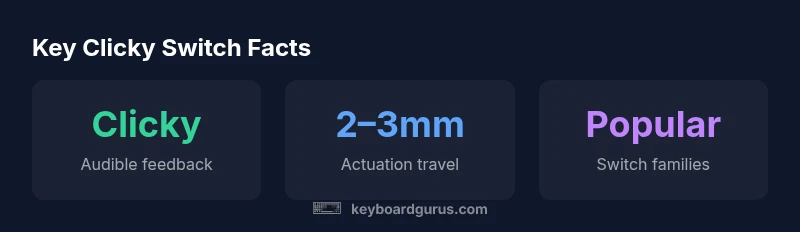
A clicky switch combines a tactile bump with a tactile-clicking mechanism that activates a distinct click sound at actuation. The audible click is produced by a small component that snaps into place as the stem travels, delivering a sharp, short sound that many typists associate with confident keystrokes. In the ongoing discussion about which keyboard switches are clicky, the most recognizable examples come from established switch families, with room for variation based on spring weight, stem geometry, and housing. Keyboard Gurus analysis notes that actuation often happens within a short travel window, commonly around 2.0–2.5 mm for popular options, which sandwiched between feedback and noise. The end result is a feedback-rich experience that can improve typing accuracy for some users, while others may prefer quieter feedback in shared spaces.
When evaluating clicky switches, it’s essential to consider context: your desk setup, case material, keyboard height, and keycap profile all influence perceived loudness and the overall feel. The same switch can sound different across keyboards because of housing and mounting differences, so hands-on testing remains critical.
Acoustic profile and typist experience
Clicky switches tend to offer a bright, high-pitched tone with a pronounced tactile bump. The audible click provides immediate confirmation of actuation, which can benefit touch typists by reducing the need to bottom out. However, the same quality that helps typing speed can be disruptive in quiet offices or shared spaces. Because sound is affected by enclosure and resonance, identical switches can feel and sound differently depending on the keyboard build. Keyboard Gurus analysis emphasizes testing in your typical setup and listening through headphones when possible to gauge how prominent the click will be in your environment.
For users who want to balance feedback with steadier acoustics, trying different housings or dampening techniques can alter the perceived loudness without completely sacrificing the click feel.
Popular clicky switch families
Across the realm of which keyboard switches are clicky, several families stand out. Cherry MX Blues are iconic for their satisfying click and clear tactile feedback. Gateron Blues offer a comparable experience with subtle differences in click timing and spring weight. Kailh Box Whites provide a crisp, brisk click that many typists appreciate for extended typing sessions. Each family carries its own character, including noise level, actuation force, and travel distance. When evaluating switches, also consider the keyboard’s case, plate, and keycaps, as those elements influence the overall sound signature alongside the switch itself.
Matching clicky switches to your setup
If you want the clicky experience but must accommodate a quieter environment, you’ll want to consider several strategies. The enclosure and case material can reflect or absorb sound differently; gasket-mounted or floating plate designs can alter resonance. Lubing and spring swapping are common customization steps, but heavy lubrication can dull the crispness of the click while dampening the overall noise. For gamers, shorter actuation distances and lighter springs can improve response time, but you may sacrifice some tactility that makes the click so distinctive. The aim is to balance audible feedback with workable noise levels for your workspace and teammates.
Practical testing and swapping tips
To determine which keyboard switches are clicky for you, start with a test on a hot-swappable board that offers multiple switch options. Listen in your typical environment, and take notes on click strength, tactile feel, and ease of actuation without bottoming out. If you’re swapping toward or away from clicky switches, ensure your board’s layout and stabilization are compatible. Start with a small testing subset—swap one or two keys first to gauge how the rest of the keyboard responds in real-world typing and gaming tasks. For soldered boards, be prepared for more involved work if you decide to experiment with new switch families.
Common questions and misconceptions
A common question is whether all blue or blue-like switches are truly clicky. The reality is nuanced: some switches emphasize the click more than others, and some designs combine a tactile bump with a louder click. Noise levels vary with enclosure and typing style, so it’s insufficient to rely solely on the switch name. Keyboard Gurus notes that even within the same family, there can be noticeable differences in click intensity and sound character. Testing in your own setup is the most reliable way to determine if a switch is truly clicky for you.
Getting started: a beginner’s checklist
If you’re new to clicky switches, begin by typing on a keyboard with a known click and evaluating how the sound and feel align with your preferences. Record your tolerance for noise and how comfortable you are typing for long sessions, then compare against other keyboards configured with similar looks and aims. Build a small testing plan: try one switch family at a time, assess typing comfort, and then expand to two or three options. This measured approach minimizes guesswork and helps you identify which keyboard switches are clicky for your personal workflow.
Comparison of common clicky switch profiles
| Switch Type | Audible Feedback | Typical Use |
|---|---|---|
| Clicky (Blue) | Crisp, audible click with tactile bump | Typing-heavy work and programming |
| Clicky (White) | Louder, higher-pitched click | Long typing sessions and office use |
Got Questions?
What defines a switch as clicky?
A clicky switch delivers a distinct audible click together with tactile feedback during actuation. The sound and feel vary by switch family and keyboard construction.
Clicky switches give you a sharp audible click and a tactile bump when you press a key.
Are clicky switches better for typing than gaming?
Many find clicky switches helpful for typing accuracy due to audible feedback, while gamers often prefer faster actuation with less resistance. It’s personal preference and depends on competition needs.
Typing benefits from the click, gaming benefits from speed; test to decide.
Which brands offer clicky switches?
Common clicky options come from families like Cherry MX Blues, Gateron Blues, and Kailh Box Whites. Each family has a distinct sound and feel.
Look at Blues from popular brands; test a few to find your preferred click.
Can I convert a quiet keyboard to be clicky?
If your board supports swap-outs, you can replace switches with clicky options. On soldered boards, you’ll need more involved modifications.
You can swap switches on hot-swappable boards to try clicky options.
How loud are clicky switches in an office?
Clicky switches can be noticeable in shared spaces; damping and desk setup can reduce disruption.
They can be loud; dampening helps in offices.
What are quieter alternatives to clicky switches?
Tactile or linear switches with dampened options provide feedback with less noise. You can also add dampening materials to reduce sound.
If you want feedback without loud clicks, try dampened tactiles or linear switches.
“Clicky switches give immediate feedback that many typists crave, but the overall sound profile depends on the keyboard’s build and room acoustics.”
What to Remember
- Test switches in your actual environment
- Balance audible feedback with noise tolerance
- Consider enclosure and keycap interaction
- Hot-swap boards simplify testing
- Dampening can reduce click noise without sacrificing feedback