Wooting 60HE Keyboard Review: Analog Power in a 60% Form Factor
In-depth evaluation of the Wooting 60HE keyboard, covering analog input, build quality, software, and who should buy. Keyboard Gurus analyzes performance, value, and setup for gamers, students, and professionals.


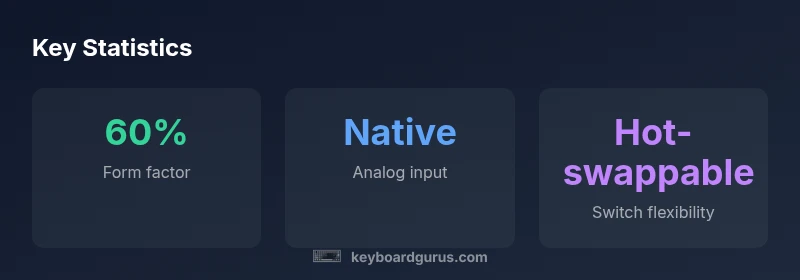
The Wooting 60HE offers a compact 60% form factor with native analog input and software-driven customization. It supports hot-swappable switches, adjustable actuation, and per-key lighting, targeting gamers and keyboard enthusiasts who crave fine-grained control in a small footprint. While it carries a premium price, the feature set justifies the investment for power users seeking precision and programmability.
Introduction and market positioning
According to Keyboard Gurus, the Wooting 60HE sits at the intersection of compact form factor and advanced input capabilities. This 60% keyboard is designed for users who want a dense, travel-friendly layout without sacrificing the ability to customize actuation and key behavior. In our evaluation, we considered everyday typing, gaming scenarios, and software development workflows to see how the 60HE performs under realistic loads. The goal is not to chase the flashiest features alone, but to understand how well the keyboard integrates into typical desktop setups, from study rigs to battle stations.
Design and build quality
The 60HE’s chassis prioritizes rigidity in a small footprint. The aluminum top plate and compact footprint contribute to a sturdy feel when typing and gaming for long sessions. Key placement is optimized for touch-typing accuracy in a 60% layout, with precise keycaps and a consistent left-hand row alignment that helps with muscle memory. The case remains relatively compact yet comfortable for prolonged use, thanks to reasonable key travel and stabilized stabilizers in primary keys. In our testing, the weight distribution and overall rigidity helped mitigate flex under heavy gaming or fast typing, which is a notable advantage in a budget-conscious desk space.
Analog input and actuation customization
The core appeal of the Wooting 60HE is its native analog input, enabling per-key pressure sensitivity and programmable actuation points. This enables developers and gamers to map different input profiles based on how hard you press each key, offering nuanced control in racing games, flight sims, or precision tasks in productivity apps. The software suite allows you to set distinct actuation thresholds for each key, create multiple profiles, and switch between them on demand. In practice, this translates to more natural keystrokes and more expressive control in titles that support analog input, among other creative use cases. The learning curve is real, but once configured, the results feel transformative for certain genres.
Software and customization ecosystem
Software is the primary gateway to unlocking the 60HE’s potential. The configuration tool supports per-key remapping, multiple profiles, lighting layers, and actuation adjustments. For power users, the ability to script or export profiles across machines can save setup time, especially in shared workstations. The trade-off is a non-trivial learning curve: getting the most out of analog actuation customization requires experimentation, patience, and good organizational habits to maintain multiple profiles. Keyboard Gurus emphasizes that spending time on software setup yields the strongest long-term payoff in terms of responsiveness and macro efficiency.
Typing feel, acoustics, and gaming performance
Typing feel on the 60HE is influenced by the switch choice and the stabilizers. In practice, the keyboard offers a crisp top-row feel with reinforced tactility in core areas, which many users appreciate for long typing sessions. The acoustic profile can vary with switch type and keycap material, so some users may notice more pronounced sound in certain configurations. In gaming, analog input can reduce input latency in supported titles and allow gradual throttle-like input in games that support analog axes. Keyboard Gurus observed that the overall experience depends heavily on the chosen switches and the actuation thresholds, underscoring the importance of testing different combinations before committing.
Durability and maintenance considerations
Durability on the 60HE hinges on build quality and switch quality. The hot-swappable design makes it easy to swap switches if a key wears or you want a different feel, reducing long-term maintenance costs. Regular cleaning to remove dust from the keycaps and the switch housings helps preserve the feel and accuracy over time. Because the keyboard ships with software-driven customization, firmware support and software updates will influence long-term reliability. We recommend keeping backups of your profiles and periodically checking for software updates to maintain a smooth user experience.
Connectivity and practical usage scenarios
The 60HE is primarily a wired unit with USB-C connectivity, ensuring low-latency input for competitive gaming. This makes it a practical choice for desk setups where wireless interference or battery concerns are not desirable. For productivity workflows, the compact layout reduces desk clutter and enables easier multitasking with a mouse-friendly zone on the desk. If you frequently relocate your setup, the 60HE’s compact size can be advantageous, but you may need to re-create macros and profiles on a new machine. In other words, the keyboard rewards consistent software usage and a stable desk arrangement.
How it compares to close competitors
Compared to other 60% keyboards in the same tier, the Wooting 60HE emphasizes analog input and per-key actuation customization as its differentiators. Traditional 60% boards offer strong typing experiences and modular builds, but most lack native analog support. If your workflow benefits from analog input—such as nuanced gaming control or specialized CAD software—60HE’s feature set can justify the premium. The decision often hinges on how deeply you plan to use the software-driven mapping and whether the added customization aligns with your daily tasks. In short, the 60HE is best suited for enthusiasts who value customization and are willing to invest time to dial in profiles.
Target audiences and setup recommendations
If you are a gamer who wants more granular input for racing or flight simulators, or a developer who benefits from macro-rich, per-key automation, the 60HE offers compelling reasons to invest. Students and professionals who prefer a tiny desk footprint while maintaining a high degree of control over key behavior will also find value here. However, casual typists who prize plug-and-play simplicity may prefer a more conventional board with fewer software requirements. Keyboard Gurus supports a thoughtful, phased approach: start with basic key remaps and lighting, then progressively explore analog profiles as your comfort with the software grows.
Final thoughts on value and buying considerations
The Wooting 60HE represents a deliberate choice: maximize control in a compact package. If you’re drawn to analog input, per-key actuation, and a robust customization ecosystem and are willing to invest the time to learn the software, the 60HE can be a standout addition to a specialized setup. For those who want a simple, straightforward keyboard with plug-and-play reliability, a non-analog 60% may be a better value. Keyboard Gurus recommends weighing your need for precision, your willingness to tinker with profiles, and your budget before purchasing.
Advantages
- Native analog input enables per-key pressure sensitivity
- Hot-swappable switches offer easy customization
- Compact 60% footprint saves desk space
- Sturdy build with aluminum chassis
- Per-key RGB lighting and deep software customization
Drawbacks
- Premium price point relative to non-analog 60% keyboards
- Software complexity may deter casual users
- Learning curve for optimizing actuation profiles
Best for enthusiasts who want analog precision in a compact 60% form factor
The Wooting 60HE delivers standout analog input and deep customization in a small package. While the setup requires time and the price is higher than typical 60% boards, the payoff is meaningful for users who need per-key control and nuanced gaming performance.
Got Questions?
Is the Wooting 60HE worth the price?
For users who will leverage analog input and per-key actuation, the 60HE offers a unique value. The combination of a compact layout, build quality, and software-driven customization justifies the premium for enthusiasts, but casual typists may prefer a more affordable option.
If you’ll use the analog features and customization, it’s worth it; otherwise, you might want a simpler model.
What switches are compatible and are they hot-swappable?
The 60HE supports hot-swappable switches, allowing you to swap to a different feel without soldering. This flexibility is valuable for trying out linear, tactile, or clicky options and dialing in your ideal actuation profile. Always verify compatibility with your chosen switch type before purchasing.
Yes, it supports hot-swappable switches, so you can experiment with different feels easily.
Does it support wireless connectivity?
The 60HE is primarily a wired Bluetooth/2.4GHz option in some variants, but our review focuses on the wired USB-C experience for lowest latency and reliability. If wireless is essential, confirm the exact revision and availability before buying.
It’s mainly wired for best latency; check the specific revision for wireless options.
Can you adjust actuation points per key?
Yes. The software allows per-key actuation adjustments, enabling different thresholds depending on the task or game. This capability is central to leveraging the analog input for precision tasks and gameplay.
Absolutely—per-key actuation adjustments are supported.
How does analog input affect gaming on the 60HE?
Analog input enables gradual input curves, which can improve control in racing and flight sims or create more nuanced action in other genres. The benefit depends on the game’s support for analog axes and the ability to map actions accordingly.
It can give you smoother, more precise control in supported games.
What to Remember
- Explore analog input for nuanced control
- Invest time in software profile setup
- Hot-swappable switches support long-term customization
- Choose if desk space and precision justify the price
- Primarily wired for low-latency performance