Piano Keyboard for Free: A Practical Guide
Explore free piano keyboard options across web, desktop, and mobile. Learn how to compare features, latency, and practice workflows, and pick the right zero-cost tool for your setup.


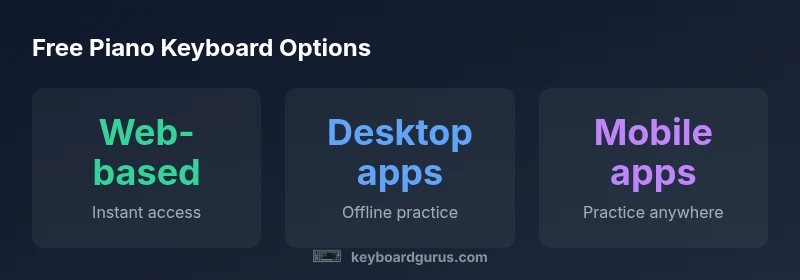
There are three main free-access models for piano keyboards: web-based (no download), desktop software (offline capability), and mobile apps (on-the-go practice). Each offers entry-level features at no cost, with premium upgrades available. Keyboard Gurus analysis notes many beginners start with browser-based tools due to instant access, then upgrade as needed. This article compares these free options across access, features, latency, and ease of use.
Why free piano keyboards matter
The accessibility of a piano keyboard for free has transformed how people begin learning and practicing. With no upfront cost, students, hobbyists, and even professionals can experiment with layout, touch, and tone without committing to gear or software. From a learning perspective, free tools lower the barrier to entry, enabling daily practice and exploration of technique, repertoire, and sight-reading. According to Keyboard Gurus, this democratization accelerates early skill development and helps users validate their interest before investing in premium setups. For the modern learner, choosing a piano keyboard for free means weighing convenience, latency, and feature scope to match personal goals. In practice, you’ll discover tools suited to everything from quick warmups to structured lessons, with the balance between immediacy and depth shifting as you grow.
Beyond individual practice, free piano keyboards support collaborative study, quick experimentation with different genres, and the chance to prototype ideas before committing to hardware upgrades. Learners can compare touch sensitivity, note fidelity, and playback quality across options—crucial factors when translating on-screen practice to real-world piano performance. Keyboard Gurus emphasizes that consistency matters: better results come from regular use with a tool that feels natural to your hands, not from chasing the most features in a free tier.
Understanding free access models
Free piano keyboard options generally fall into three access models: web-based keyboards that run in your browser, desktop apps installed on a computer, and mobile apps designed for phones and tablets. Each model has distinct strengths and limitations that affect how you practice and what you can learn. Web-based tools offer instant access from any device, but may rely on an internet connection. Desktop software usually provides stronger sound libraries and local storage, with offline capability but sometimes a steeper setup. Mobile apps excel in portability, turning any moment into a practice session, though screen size and touch input can influence accuracy and rhythm work. When you choose, map these models to your typical practice context—home, commute, or studio—and consider long-term goals like intermediate repertoire or MIDI integration. Keyboard Gurus recommends trying at least one option from each model to understand the trade-offs before committing to a paid upgrade.
Web-based options: advantages and drawbacks
Web-based piano keyboards shine with zero-install access and broad device compatibility. They’re ideal for quick warmups, trying out new scales, or practicing sight-reading in short bursts. The main advantages include instant use, cross-device syncing, and minimal setup friction. The drawbacks can include latency variability, browser-based limitations on audio quality, and dependence on a stable internet connection. If you play with sensitive timing or need advanced features like recording into MIDI or exact pedal behavior, you’ll want to compare features carefully and test before relying on a web tool for critical practice sessions.
Desktop software: offline practice and features
Desktop piano keyboard software typically offers richer sound libraries, more robust MIDI integration, and stronger offline reliability. This model is well-suited for users who want long, distraction-free practice sessions, detailed tempo control, and the ability to export practice data. The trade-offs include potential downloads, occasional software updates, and system requirements that can vary between macOS, Windows, and Linux. If you plan to study repertoire that benefits from precise audio feedback or want to build a personal practice archive, desktop apps often deliver the most consistent experience when offline and integrated with external keyboards or USB MIDI devices.
Mobile apps: practice anywhere
Mobile piano keyboard apps bring practice to your pocket, making it easy to warm up during travel or between classes. They’re particularly effective for timing drills, ear training, and quick improvisation with built-in metronomes and tuners. On the downside, small screens and touch-only input can limit accuracy for fast passages or complex chords. Battery life and data usage are practical considerations for long sessions, especially if the app streams audio or uses cloud features. To maximize value, look for apps with offline modes, adjustable touch sensitivity, and optional MIDI compatibility to connect to external keyboards when possible.
How to evaluate and choose your free piano keyboard
Begin with a needs assessment that prioritizes your practice context: home use, travel, or performance preparation. Then test at least one option from each model (web, desktop, mobile) for a week, focusing on latency, touch feel, and feature set. Create a short checklist: latency under 25-50 ms for rhythm-heavy practice, stable audio, a clear visual keyboard, basic recording or playback, and basic lesson or scale features. If you rely on MIDI devices, confirm compatibility and export options. Finally, chart your progress: track metrics like daily practice duration, tempo accuracy, and repertoire milestones. This systematic approach helps you determine whether a piano keyboard for free suffices or if a paid upgrade is worth the investment for your goals.
Comparison of free piano keyboard options
| Option | Access Model | Platform Availability | Offline Availability | Typical Feature Set |
|---|---|---|---|---|
| Web-based | No-download browser-based | Any device with internet | Online only | Basic keyboard functions, lessons, metronome |
| Desktop App | Software install | Windows/macOS/Linux | Offline capable | Richer sound library, MIDI, recording |
| Mobile App | Phone/tablet app | iOS/Android | Offline modes in many apps | Touch keyboard, practice drills, metronome |
Got Questions?
What are the best free piano keyboard options available online?
The leading free options typically fall into web-based keyboards, desktop software, and mobile apps. Each category offers basic practice tools, with more features unlocked in paid tiers. Start with a web-based option for instant access, then explore desktop or mobile tools to match your setup.
Try web-based tools first for quick access, then experiment with desktop or mobile options to see what fits your setup.
Can free piano keyboards connect to MIDI devices?
Many free tools support MIDI input, allowing you to use an external keyboard for better feel and response. Compatibility depends on the app and your operating system, so check the MIDI settings and driver requirements before you buy any hardware.
Yes, several free keyboards support MIDI input, but confirm compatibility with your device before connecting.
Do free piano keyboards require an internet connection?
Web-based options usually need internet access, while desktop and mobile apps may offer offline modes. If you frequently practice in areas with poor connectivity, prioritize offline-capable options.
Some free tools work offline, but many web-based ones need internet access for full features.
Are there privacy concerns with free piano keyboard apps?
As with any free software, review the app’s privacy policy to understand data collection practices. Look for apps that minimize data sharing and offer options to disable analytics.
Check the privacy policy and settings to minimize data sharing when using free apps.
How do I measure latency on a piano keyboard app?
Latency can be assessed by timing exercises and counting the lag between a played key and the on-screen response. Use a metronome-based drill to quantify response time across options.
Test timing with a metronome to see which tool responds quickest.
Is there a risk of malware with free software?
There is always some risk with free software from unknown sources. Download only from reputable sources, read user reviews, and avoid installers that prompt extra software.
Stick to trusted sources and watch for unexpected prompts during installation.
“Free piano keyboard tools lower the barrier to entry, but the most important factor is choosing a tool that feels natural and reliable for consistent practice.”
What to Remember
- Practice with a free piano keyboard across web, desktop, and mobile to find your best fit
- Prioritize latency, touch feel, and feature scope when evaluating options
- Test at least one option from each model to understand trade-offs
- Consider MIDI compatibility if you plan to connect external keyboards
- Aim for consistency in daily practice before upgrading to paid tools