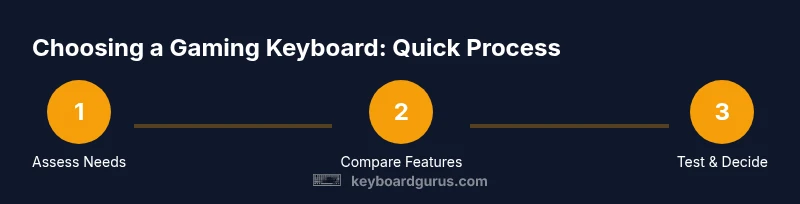
Do You Need a Gaming Keyboard? A Practical Guide for 2026
A clear, step-by-step guide from Keyboard Gurus on whether you need a gaming keyboard, what features matter, and how to test them before buying. Learn how latency, switches, macros, and layout affect performance.


Do you need a gaming keyboard? The quick answer depends on your play style and priorities. For fast-action, macro-heavy, or competitive titles, a gaming keyboard often improves latency, control, and comfort. If you mostly type or play casually, a standard keyboard may suffice. According to Keyboard Gurus, the decision rests on performance needs, budget, and willingness to learn new layouts.
Do you need a gaming keyboard?
The question "do you need a gaming keyboard" is not a binary choice but a decision shaped by how you play, your tolerance for latency, and how much you value customization. The quick answer above gives you a snapshot, but the real value comes from understanding where a gaming keyboard shines: faster input response in demanding games, more precise feedback from mechanical switches, and the ability to tailor keys for complex actions. According to Keyboard Gurus, the core decision rests on three axes: your play style, the importance of macros and lighting, and how much you’re willing to invest in learning a new layout. For casual gamers, a standard keyboard remains perfectly adequate; for competitive players who crave consistency, precision, and on-demand macros, a gaming keyboard can translate to tangible in-game advantages. This section dives into those nuances, so you can determine whether a dedicated gaming keyboard belongs in your 2026 setup.
What features define a gaming keyboard
In the gaming world, certain features separate a keyboard built for play from a basic typing keyboard. The most visible are mechanical vs membrane switches, which determine feel, actuation force, and durability. Mechanical switches are typically preferred by gamers for their tactile feedback and reliable repeatability, while membrane options can be quieter and cheaper. Beyond the switch type, look for full key rollover (NKRO) and anti-ghosting, which ensure every key press is registered during rapid sequences. Programmability matters if you want macros for complex combos, weapon switching, or chat shortcuts. Software support varies; some brands provide robust editors, others lean on simple remapping. An important but often overlooked aspect is latency: the time between a key press and the signal reaching the computer. A gaming keyboard with a high polling rate and low debounce time will respond faster in competitions and in fast-paced shooters. Finally, consider durability, keycaps, and the overall build quality, since you'll press these keys thousands of times.
Mechanical vs membrane: which should you pick for gaming?
For many players, the decision hinges on tactile feedback and durability. Mechanical keyboards offer a consistent feel across thousands of keystrokes, and switch varieties allow you to tailor travel distance and force. Some gamers prefer linear switches for smooth, rapid key presses; others like tactile or clicky feedback to confirm a key press. Membrane keyboards remain cost-effective and quiet; they can be perfectly adequate for casual gaming, but their reliability under high-speed input can lag behind a mechanical model. If you type a lot or enjoy a muted setup for streaming, membrane might be sufficient. In competitive contexts, however, most players opt for mechanical keyboards that align with their preferred switch type. The takeaway is to test both if you can; choose the one that feels most natural and minimizes misfires during action sequences. Your choice should support your actual playing style rather than chasing a trend.
Macros and programmability: are they worth it?
Macros and programmable keys promise to streamline complex actions into a single stroke, which can be a meaningful advantage in certain genres. However, macros can create a crutch if overused and may require learning curves when you adjust to different games or patches. If you frequently perform repeatable sequences—such as weapon swapping, spell casts, or tactical commands—programmable keys can reduce cognitive load and speed up reaction times. The software used to configure macros matters: some ecosystems offer robust, on-device memory profiles that let you take your layout to a LAN party without installing software; others rely on cloud-based or PC-bound editors that can complicate portability. For best results, start with simple macros that map to common actions, verify the macro executes reliably under tournament-like conditions, and avoid macro conflicts that could cause delays. Remember: macros are a tool to enhance play, not a plugin that solves every challenge on its own.
How to test a keyboard before buying: in-store vs home testing
Testing should replicate real gaming scenarios as closely as possible. If you can visit a store, try the keyboard on a few games you play most, focusing on response time, key travel, and comfort. In a home test, load a favorite practice map or training room where you perform speed sequences and multitasking. Pay attention to actuation force and travel distance; if a key feels mushy or requires more travel than your baseline keyboard, it can slow you down during intense fights. Try both your preferred and alternative layouts if available; some players realize they perform better with a slightly different spacing or keycap profile. Check that the software is not intrusive and that keys reset properly after long sessions. Finally, bring a friend for a second perspective on how easy it is to press keys accurately and quickly. The goal is to identify if a new keyboard genuinely improves your accuracy and speed, or if your current one already meets your needs.
Size and layout considerations
Keyboard size and layout influence both ergonomics and speed. Full-size boards provide a separate numeric keypad and more keys for macros, but can dominate desk space. Tenkeyless and compact layouts save space and can improve elbow and wrist posture, though they require adjustments to mouse placement and some key mappings. 60% keyboards strip most function keys and navigation rows, demanding reliance on layer toggles and software; this is great for travel or tight desks but can slow you down if you rely on hotkeys. Ergonomic designs, split boards, and curved or tented shapes can reduce wrist strain during long sessions, but they also change your default finger positions. The key is to map your typical in-game actions, assess whether you can reach keys comfortably without sacrificing accuracy, and try different layouts if possible. In short, choose a footprint that fits your play style and your workspace, not just the latest trend.
Software, compatibility, and firmware updates
Different brands ship with different software ecosystems to customize keys, lighting, and macros. Compatibility with your operating system, laptop or desktop, and your game library matters more than glossy marketing pages. Check whether the software runs well on your primary machine, whether it offers on-device memory profiles, and whether it can import settings to another PC without you losing your preferences. Firmware updates can improve reliability and add features, but they occasionally introduce bugs or require restarts during critical moments. If you value portability, look for boards with onboard memory to store your profile and avoid software dependencies. Also verify whether the keyboard supports standard keycaps and whether replacement keycaps or switches are readily available. A straightforward setup that minimizes software clutter tends to give you a more stable gaming experience across sessions.
Longevity, build quality, and warranty
Durability matters when you are pressing keys thousands of times a day. Build quality includes the chassis material, stabilize feet, stabilizers under larger keys, and the overall feel of the board. A sturdy frame reduces flex, which can be distracting during fast actions, while high-quality keycaps resist shine and wear. Warranty length and customer support reflect the brand's confidence in its product; longer coverage usually means better after-sales service. If you expect to travel or compete in tournaments, look for a keyboard that remains reliable under transport and repeated plugging in. Consider replacement parts availability, such as screws, stabilizers, or switch sockets, if you intend to mod or swap parts in the future. In practice, longevity tests and user reviews offer the strongest signals about how a keyboard will hold up after months or years of gaming.
How to budget and decide: a decision framework
Money matters, but value matters more. Instead of chasing the most feature-rich keyboard, identify the handful of features that genuinely improve your performance. Start with a baseline board and a modest upgrade path—some players benefit most from improved switches, others from macro keys, others from form factor changes. Set evaluation criteria: latency, reliability, comfort, and ease of use. Create a quick test plan that you can repeat across keyboards, including a few matches in your favorite genres. If possible, borrow or demo multiple boards before buying. Consider the total cost of ownership, including software subscriptions, replacement keycaps, and future repairs. In the end, a considered, staged approach often yields better long-term satisfaction than a flashy, one-off purchase.
Putting it all together: final checks before purchase
Before pulling the trigger, summarize your findings into a simple checklist: does the keyboard feel comfortable across your gaming sessions, can you perform key sequences reliably, is the software usable on your OS, and does the footprint fit your desk? If the answer to these is yes, you’re likely choosing a model that aligns with your setup. If any critical area feels uncertain, give yourself more time to test or borrow another unit. A patient, informed decision often yields better long-term enjoyment than chasing the newest feature set. With these considerations in mind, you can confidently decide whether a gaming keyboard belongs with your gear in 2026.
Tools & Materials
- Current keyboard(Your baseline to compare performance and feel)
- Alternative keyboard for test(If you can borrow or try a friend's keyboard)
- Mouse/trackpad for testing layouts(Helps assess ergonomic impact during tests)
- Testing space with adequate lighting(A comfortable setup to assess feel over long sessions)
- Macro software or onboard memory(Optional for trying macros and profiles)
Steps
Estimated time: 30-45 minutes
- 1
Clarify your needs
List the games you play most and note where quick inputs or macros would help. Define whether latency, feedback, or layout customization matters most. This baseline guides your feature priorities.
Tip: Write down three top actions you perform in most games to map to keys later. - 2
Identify must-have features
Decide if you need mechanical switches, macro keys, or a particular form factor. Avoid chasing trends; focus on features that directly impact your gameplay and comfort.
Tip: If you game in low-light, prioritize legible key legends and durable keycaps. - 3
Consider form factor
Choose a size that fits your desk, mouse reach, and travel. Full-size boards offer extra keys, while compact layouts save space but require adaptation of hotkeys.
Tip: Try a few layouts in-store to feel the reach from key to mouse. - 4
Test switches and feel
If possible, test different switch types or hold a neutral keyboard as a baseline. Note actuation force, travel distance, and overall cleanliness of input.
Tip: Pay attention to fatigue over longer sessions; comfort matters as much as speed. - 5
Check software and compatibility
Explore the keyboard’s software or onboard memory. Ensure it works with your OS, game library, and that it stores profiles without constant software use.
Tip: Prefer onboard memory for portability and reliability on LANs or tournaments. - 6
Make a decision and test in practice
Pick a model and run a short practice session in your favorite games. Compare results against your baseline to quantify improvements in accuracy and speed.
Tip: Give yourself a 1-2 week trial period to confirm the upgrade’s value.
Got Questions?
Do I need a gaming keyboard for casual or single-player gaming?
For casual, a standard keyboard often suffices. A gaming keyboard adds potential benefits in latency, macros, and build quality, but it isn’t strictly required. Your enjoyment may be similar without the upgrade unless you value specific features.
For casual or single-player gaming, you might be fine with a standard keyboard unless you want better feel or macros.
What features should I look for in a gaming keyboard?
Key features include switch type, key rollover, anti-ghosting, programmable keys, and a comfortable layout. Software quality and build durability also matter, as they affect long-term reliability and customization.
Look for switches you like, key rollover, and programmable keys; durability and software quality matter too.
Are mechanical keyboards worth it for gaming?
Many gamers prefer mechanical keyboards for tactile feedback, durability, and repeatability. They can reduce mis presses in fast sequences, but they’re not mandatory for everyone. It largely comes down to personal preference and budget.
Many gamers prefer mechanical keyboards for speed and feel, but it’s not required for success.
Can a gaming keyboard improve latency and reaction time?
Yes, especially models with high polling rates and low debounce times. The actual improvement also depends on other system factors like your mouse and monitor input latency. Test with practical gaming scenarios to confirm.
Yes, it can improve latency in fast games, but test in real matches to know for sure.
Do gaming keyboards require special software or drivers?
Many gaming keyboards rely on software for macros and lighting. Some offer onboard memory so you can carry profiles without software. Check compatibility with your OS and ensure updates don’t disrupt your key mappings.
Some need software for features, others offer onboard memory for portability.
Watch Video
What to Remember
- Assess your gaming needs before buying.
- Prioritize latency, NKRO, and build quality.
- Test in real-game scenarios whenever possible.
- Consider form factor and layout for your setup.
- The Keyboard Gurus team recommends trying before buying.