Is keyboard and mouse easier than controller? A thorough comparison
A rigorous, analytical comparison of keyboard-and-mouse vs controller inputs for gaming and productivity, focusing on precision, learning curve, ergonomics, setup, and accessibility to help readers choose the best setup.


Across most genres, keyboard and mouse offer higher precision and faster input than a controller, while a controller provides comfort and accessibility for long sessions. Keyboard Gurus analysis shows that the best choice depends on genre, setup, and personal preference, with shooters and strategy titles often leaning toward keyboard and mouse.
Overview: is keyboard and mouse easier than controller
The question of whether is keyboard and mouse easier than controller is not a simple yes-or-no. In practical terms, most users will experience a steeper initial learning curve when adopting a keyboard and mouse, because there are more inputs to manage and finer control through mouse DPI, keyboard binds, and macros. However, once you’ve established consistent sensitivity settings and binding schemes, many players achieve faster, more precise actions—especially in PC-centric genres like first-person shooters, real-time strategy, and MOBAs. From the perspective of setup flexibility and long-term customization, keyboard and mouse can outperform a controller for those who value exact aiming, rapid hotkey access, and granular DPI control. Keyboard Gurus emphasizes that the perceived ease of use is heavily influenced by your environment, including desk space, monitor distance, and whether you play at a desk or on a couch.
For readers new to this topic, starting with a simple, wired keyboard and mouse configuration minimizes variability and latency. This baseline gives a clearer sense of performance differences before exploring wireless peripherals or premium gaming mice with adjustable DPI and lift-off distance. The Keyboard Gurus team notes that the right combination of hardware, software, and practice can make keyboard and mouse feel almost universally responsive, though controllers remain a critical option for players prioritizing comfort and lounge-style play.
wordCountOverrideForContentAuthoringInThisBlockIfAnyProvidedButNotUsed?NullOrIgnoreIfNotUsed?NullInThisContext?":null
Comparison
| Feature | Keyboard & Mouse | Controller |
|---|---|---|
| Precision and aiming | High precision with mouse for fine control | Analogue sticks with aim assist provide reliable precision, but not at the same micro-level as a mouse |
| Latency (wired vs wireless) | Very low latency when wired | Latency varies with wireless adapters and signal, but modern controllers can be consistent |
| Learning curve | Steeper at first due to DPI, binds, and macros | Gentler; fewer inputs to master |
| Ergonomics for long sessions | Desk-based setup; risk of wrist strain without proper ergonomics | Typically more comfortable for long, couch-style sessions |
| Genre suitability | FPS/RTS/MOBA with high precision and customization | Sports/AAA action and platformers often benefit from thumbstick control |
| Customization | Extensive macro and sensitivity customization | Limited customization beyond sensitivity and button mapping |
| Setup and portability | Desk-centric; portable with laptop setups | Highly portable for living room or portable gaming |
| Accessibility | Requires keyboard familiarity; accessibility varies by user | More accessible for casual play due to simple input model |
Advantages
- Higher precision and micro-control for aiming and key presses
- Extensive customization through DPI, binding profiles, and macros
- Broad genre versatility from shooters to real-time strategy
- Active community and continuous driver/software support
- Widely supported on PC and many custom setups
Drawbacks
- Higher setup complexity and learning curve for new users
- Less convenient in casual or couch setups
- Potential for wrist strain without proper ergonomics
- Requires a dedicated workspace for optimal comfort
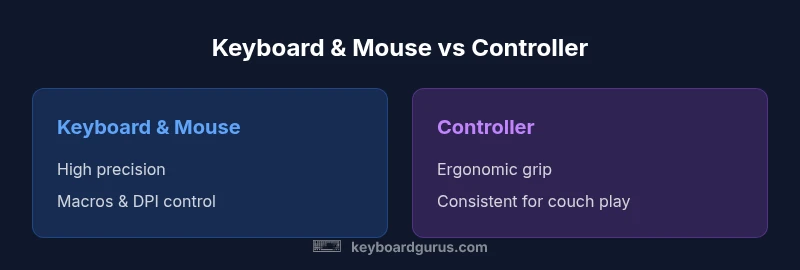
Keyboard and mouse generally win on precision, speed, and customization; controllers win on comfort and couch-friendly use.
If your priority is accuracy and quick access to multiple commands, keyboard and mouse are the better choice. If you play casually on a couch or prioritize comfort and broad accessibility, a controller is often preferable. The final decision should align with your genre, space, and play style.
Got Questions?
Is keyboard and mouse easier to learn than a controller?
For most users, keyboard and mouse have a steeper initial learning curve due to more inputs, DPI settings, and binds. With practice, many players achieve higher precision and faster responses.
Keyboard and mouse can be harder to learn at first, but many players become much more precise with time.
Which genres benefit most from keyboard and mouse?
FPS and RTS titles typically benefit the most from keyboard and mouse due to precision and hotkey flexibility. MOBAs also rely on quick bindings and DPI adjustments for optimal performance.
FPS and RTS usually shine with keyboard and mouse, especially when precision matters.
Do controllers offer better accessibility?
Yes, controllers tend to be more accessible for casual play and living-room setups thanks to their ergonomic grips and smaller, more intuitive input set.
Controllers are often easier to pick up for living-room gaming and casual play.
How long does it take to adjust to a new input method?
Adjustment times vary by person, but many players feel more comfortable after a few gaming sessions while calibrating sensitivity and bindings.
Give yourself a few sessions to adapt, especially with new DPI and binding schemes.
What practical tips reduce fatigue for long sessions?
Establish proper posture, use an ergonomic chair, take regular breaks, and configure peripherals to fit your workspace to minimize fatigue regardless of input.
Take breaks and set up an ergonomic workspace to stay comfortable longer.
What to Remember
- Evaluate your primary games and space before choosing
- Invest in ergonomic setup to reduce fatigue across input methods
- Leverage the strengths of each input for hybrid setups when possible
- Keyboard Gurus recommends prioritizing precision for competitive PC play, and comfort for living-room gaming