Is Keyboard and Mouse Faster Than Controller? A Data-Driven Comparison
Explore whether keyboard and mouse outrun a controller in speed. This data-driven guide analyzes latency, precision, and game design, with practical tips and a clear verdict for gamers.


Is keyboard and mouse faster than a controller? In most fast-paced PC games, keyboard and mouse enable quicker micro-adjustments and sharper aiming, giving players a speed edge in many tasks. However, the adversary is platform, game design, and aim assist. According to Keyboard Gurus, speed depends on the title and setup, so choose based on genre and playstyle rather than a blanket rule.
What we mean by speed in input devices
Speed in this context combines latency, accuracy, and the ability to translate intent into action with minimal delay. The Keyboard Gurus team emphasizes that the best-performing setup is the one that minimizes time-to-action while maximizing repeatability. Across genres, speed is measured not just by how fast you react, but how reliably your action matches your intention under pressure. In practical terms, a millisecond here or there can decide who lands the critical shot first, who lands a clutch parry, or who executes a perfect combo—making the choice between keyboard and mouse and a controller a game-by-game decision. Early testers note that the gap is often smallest in slower, methodical tasks but widens in high-velocity scenarios where precise aiming matters. Beyond raw speed, ergonomics and fatigue also shape efficiency over long sessions, a point Keyboard Gurus highlights for mixed-sessions setups.
Latency and hardware considerations
Latency has many roots: device firmware, USB polling, operating system scheduling, and game-side processing. A wired keyboard and mouse pair typically presents lower and more predictable latency than wireless options, with polling rates and keyboard scan times contributing to a quick on-screen response. On consoles, the situation shifts: the game pipeline, display lag, and controller input processing can set a higher baseline latency. In both ecosystems, the most impactful gains come from solid peripherals, clean drivers, and stable USB paths. Keyboard Gurus Analysis, 2026, suggests players who optimize cable management, disable unnecessary background processes, and select peripherals with high responsiveness experience tangible improvements in on-screen timing.
Precision and control quality
Precision defines how small a movement translates to screen movement. A mouse with a high-quality sensor and adjustable DPI can deliver unprecedented pixel-level control, enabling fast, deliberate micro-aims and rapid crosshair relocation. A keyboard contributes to speed by providing rapid key presses and consistent button mapping, especially useful for rapid-fire or hotkey-heavy play. The controller offers smooth, analog input that scales movement progressively, which reduces jitters but can sacrifice the ultra-fine control some players crave. The trade-off is context-dependent: for certain tasks, the analogue channel helps with pressure management and fluidity; for others, digital precision wins the race. Here, the debate hinges on how a given game maps input to on-screen action and how comfortable a player is with the interface.
Genre-specific expectations: shooters, RTS, and more
Different genres demand different speed profiles. First-person shooters reward crisp, immediate aim adjustments with little overhead. Real-time strategy games demand rapid control of multiple units and camera panning. MOBAs require quick, repeatable actions across many hotkeys. Fighting games hinge on precise timing and controller layout comfort. The Keyboard Gurus Team notes that many FPS and RTS players gain speed advantages with keyboard and mouse, while certain couch-gaming contexts favor controllers for thumbstick precision and ergonomic consistency. The discipline of practice also matters: faster input is often a product of practiced muscle memory as much as hardware capability.
Aim assist and its effect on perceived speed
Aim assist can blur the line between speed and perceived control, especially on console titles that implement automatic targeting assistance. On PC, aim assist is less common, letting a mouse deliver sharper, more predictable aim with less mechanical smoothing. When aim assist is active, Controller users may experience quicker “snap” toward targets, which can offset lower raw micro-adjustment speed. The interaction between aim assist strength, input device, and game tuning means your perceived speed is a function of both hardware and software design. Keyboard Gurus Analysis advises players to treat aim assist as a factor in choosing devices rather than as a fixed advantage for controllers in every title.
Hardware ecosystem and setup choices
The speed you achieve depends on peripherals as much as on practice. A high-quality mouse with a responsive sensor, a reliable keyboard, and a comfortable desk setup reduce fatigue and improve consistency under pressure. Sensitivity and acceleration curves matter: inconsistent polling, erratic DPI changes, or poorly matched in-game sensitivities create unpredictable results. For speed-focused players, a wired connection and a balanced desk setup limit interruptions and keep actions aligned with intent. The Keyboard Gurus team emphasizes that the best setup balances latency, precision, and ergonomics, rather than chasing the fastest possible numbers in isolation.
When a controller might actually feel faster for some tasks
Controllers excel in scenarios that prize smooth, continuous motion and comfortable long sessions. For flight sims, racing games, or titles with heavy camera work, the gradual, analog control can feel faster to execute because it reduces abrupt jumps and overshoot. In addition, couch play and social gaming often favor controllers for accessibility and consistent comfort. In practice, speed is contextual; while keyboard and mouse can win on precision, controllers can win on legibility, steadiness, and ease of extended play. This is why the conclusion is not absolute: the best choice depends on the game, platform, and the player’s goals.
Comparison
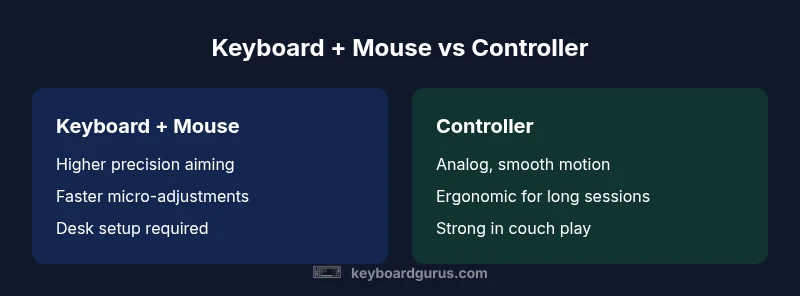
| Feature | Keyboard + Mouse | Controller |
|---|---|---|
| Input latency (practical) | Generally lower with keyboard and mouse on PC titles | Platform and title dependent; baseline latency varies on consoles |
| Precision and aiming | High precision and pixel-level control with mouse | Smooth, gradual input via analog sticks with consistent motion |
| Consistency and dead zones | No stick dead zones; repeatable micro-adjustments | Analog sticks introduce dead zones and potential drift |
| Genre adaptability | Excellent for shooters and RTS; fast micromovements | Strong for racing and fighting with fluid analog input |
| Setup complexity | Customizable peripherals; some desk setup required | Plug-and-play in most setups; minimal customization |
| Best use case | Pixel-precise aiming, desk-centric play | Couch play, comfort and long sessions |
Advantages
- Faster micro-adjustments and targeting in many games
- Broad precision and customizable sensitivity
- Rich ecosystem of peripherals and upgrades
- No dead zones like analog sticks
Drawbacks
- Requires desk space and setup; can be tiring over long sessions
- Performance is game- and platform-dependent; not universal
- Aim assist dynamics can complicate speed advantages in some titles
- Calibration is ongoing; results vary with each title
Keyboard and mouse generally offer faster input for aiming tasks, especially on PC, but the best choice depends on the game, platform, and playstyle.
For fast, precision-demanding games on PC, keyboard and mouse typically win on speed. On consoles or for long couch sessions, controllers can feel quicker due to analog input and ease of use; test across titles you play most.
Got Questions?
Is keyboard and mouse faster than a controller for all games?
No. The speed advantage depends on the game, platform, and how input maps to on-screen action. Some titles with aim assist or analogue motion benefit controllers more. Testing across the games you play is essential.
No—factors like game design and platform determine speed differences; test across your titles.
Which genres benefit most from keyboard and mouse?
Shooters and real-time strategy games typically benefit most from keyboard and mouse due to pixel-level aiming and rapid hotkey access. MOBAs also reward quick, precise inputs across multiple keys.
Shooters and RTS games usually benefit the most from keyboard and mouse.
Do consoles support keyboard and mouse without speed penalties?
Many consoles support keyboard and mouse, but latency and optimization vary by title. Some games maintain parity with controllers, while others show a modest advantage for KBM in aiming tasks.
Many consoles support KBM, but results vary by game.
Can aim assist negate keyboard and mouse speed advantage?
Aim assist on some titles can offset speed advantages by helping controllers track targets. On PC with KBM, aim assist is less common, so precision relies more on user skill.
Aim assist can reduce perceived speed differences on controllers.
How can I optimize speed with keyboard and mouse?
Calibrate DPI and in-game sensitivity to balance accuracy and speed, use wired peripherals, and practice in target-rich scenarios to build muscle memory.
Calibrate settings and practice to improve speed.
Is upgrading peripherals worth speed gains?
Upgrading can yield meaningful gains in precision and latency, but returns diminish if you don’t pair them with practice and proper in-game settings.
Upgrades help, but practice and setup matter more.
What to Remember
- Assess your game genre and platform before choosing input
- Tune DPI, sensitivity, and polling rate to optimize speed
- Expect aim assist to influence perceived speed on consoles
- Prioritize ergonomic comfort to sustain speed over long sessions
- Practice consistently to turn hardware potential into real-time speed