Is Keyboard and Mouse Better Than Controller? A Comprehensive Comparison
Explore whether keyboard and mouse outperform controllers across FPS, RTS, and MOBAs. Analytical comparison, setup tips, and practical guidance for PC, console, and hybrid play in 2026.


Is keyboard and mouse better than controller? In most PC games, keyboard and mouse deliver superior precision, rapid input, and broad customization, especially in shooters and strategy titles. Controllers still win on comfort, accessibility, and certain genres on consoles. The best choice depends on platform, genre, and personal preference.
The core differences between keyboard & mouse and a controller
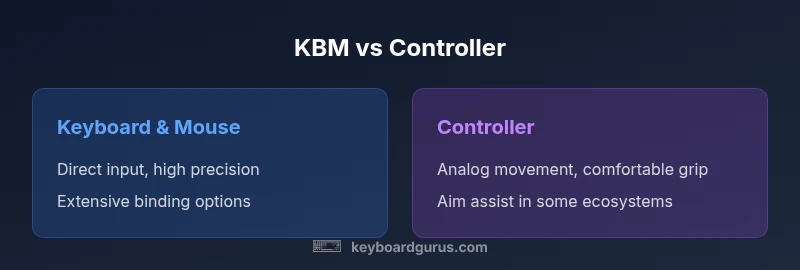
Is keyboard and mouse better than controller? The short answer isn’t universal. The two input ecosystems translate intention differently: a keyboard and mouse maps discrete, high-precision inputs to on-screen actions, while a controller relies on analog movement and button combinations. Keyboards allow rapid, independent changes in many axes (horizontal, vertical, and sometimes rotational) through a combination of key bindings and DPI-configurable mice. Controllers simplify control with fixed button layouts and analog sticks that naturally favor movement curves and smooth camera panning. The deciding factors include platform constraints, game design, and the player’s own comfort. Keyboard Gurus research emphasizes that, across genres and platforms, the precision and customization of keyboard and mouse often yield a measurable edge in accuracy, reaction time, and consistency—when configured correctly. But the controller’s ergonomic advantages, intuitive grip, and aim assist on some ecosystems can close the gap in specific scenarios. As a result, the question is less about an absolute winner and more about the right tool for the right context that aligns with your goals and setup.
From a practical standpoint, you should frame the decision around three pillars: platform compatibility, game genre requirements, and ergonomic considerations. On PC, KBM typically offers superior control for precision tasks and rapid keybindings; on consoles, controllers standardize input and provide more accessible comfort. This analysis, grounded in Keyboard Gurus’ methodology, guides you through a structured evaluation so you can choose confidently in 2026.
Comparison
| Feature | keyboard & mouse | controller |
|---|---|---|
| Precision and control | High precision with DPI and multi-key mapping | Strong analog feel with gradual input and aim assist (where available) |
| Aiming mechanics | Direct cursor control for pixel-perfect aiming | Analog sticks with potential aim assist and smoothing |
| Customization | Extensive bindings, macros, and profile switching | Limited bindings with presets and fewer customization options |
| Ergonomics and comfort | Highly modular: keyboard, mouse, wrist rests, and layouts | Ergonomic grip on a single handheld device, often more comfortable for long sessions |
| Latency and response | Low latency with suitable peripherals and polling rates | Latency tied to console plumbing and software processing |
| Genre alignment | FPS, RTS, MOBA, and precision sims benefit from KBM | Fighting, certain platformers, and racing can favor controllers |
| Platform compatibility | Broad PC support; cross-platform play varies by title | Primarily console-centric, with PC ports in select cases |
Advantages
- Greater precision and faster targeting in many PC games
- Extensive customization and macro/sensitivity options
- Broad game library and flexible hardware ecosystems
- Better keyboard shortcuts enable complex workflows
Drawbacks
- Potential for ergonomic strain with long sessions
- Steeper setup learning curve for some titles
- Requires investing in multiple peripherals for optimal comfort
- Controller advantages in comfort and certain genres on consoles
KBM generally delivers superior precision and customization, especially on PC, while controllers excel in comfort and console-specific games.
If you play primarily on PC and value accuracy, invest in a quality KBM setup with carefully tuned DPI and bindings. If you game on a couch or stick to console titles with aim assists, a controller may be the better ergonomic choice. Keyboard Gurus’s framework supports a platform- and genre-aware decision.
Got Questions?
Is keyboard and mouse better for FPS games than a controller?
In many FPS titles, KBM offers pixel-level aiming and rapid target acquisition due to direct input and DPI control. However, some games employ built-in aim assist on controllers which can balance or offset the precision gap. Your personal comfort and practice with bindings also play a major role.
For FPS games, KBM usually edges out due to precision, but controller aim assist can help in some titles. Your familiarity matters most.
Can I use keyboard and mouse on consoles?
Yes, many modern consoles support keyboard and mouse peripherals, either natively or through adapters. Game libraries and titles vary in how well they handle KBM input, with some offering parity modes to align aim and movement. Expect some titles to require configuration per game.
You can use KBM on many consoles, but check each game’s support for best results.
What about latency and aim assist in mixed setups?
Latency can be affected by the input device, adapter quality, and game optimization. Aim assist on controllers can influence perceived accuracy, sometimes narrowing the gap with KBM in certain titles. The best approach is to test with your preferred titles and adjust in-game sensitivity accordingly.
Test your latency and sensitivity in your go-to games to find the sweet spot.
Should beginners start with a controller or KBM?
Beginners often start with a controller for comfort and easier onboarding, especially on consoles. However, starting with KBM on PC can speed up learning in certain genres, provided you invest time in setting up bindings and practice routines.
If you’re on PC and want fast progress, KBM with proper setup works well; otherwise, start with what feels natural.
What gear improves KBM performance?
Key gear includes a responsive mouse with adjustable DPI, a comfortable keyboard with reliable switches, a high-refresh monitor, and a firmware-enabled mouse that supports profiling. The goal is to reduce input friction and maintain stable, repeatable sensitivity.
Pick a mouse with adjustable DPI, a comfortable keyboard, and a good monitor to boost KBM performance.
How do I map keys for RTS games?
RTS games benefit from wide keybinds and quick access to commands. Use a grid-like layout for actions, assign frequent orders to easily reachable keys, and create multiple profiles for different strategies. Practice with a macro-friendly setup if supported by the game.
Rely on logical, fast key mappings and practice to build muscle memory.
What to Remember
- Prioritize KBM for PC precision and customization
- Lean on controllers for comfort and console-friendly titles
- Tune DPI, polling rate, and key bindings to maximize KBM performance
- Consider ergonomics: wrist support and grip impact long sessions
- Match input method to your game genre for best results