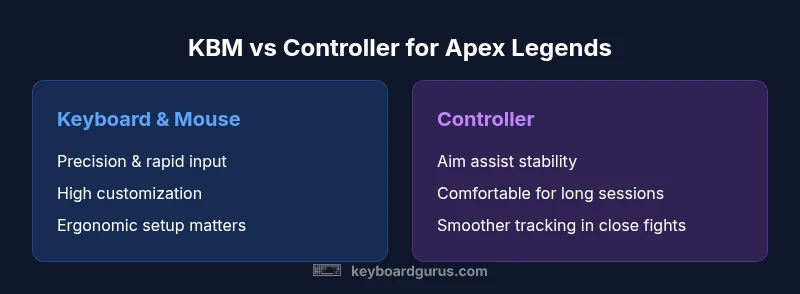
Keyboard vs Controller for Apex Legends: A Comparison
An analytical side-by-side comparison of keyboard and mouse versus controller for Apex Legends. Learn how input method influences aim, movement, and consistency across PC and console, with practical setup and training tips.


Is keyboard or controller better for apex? The quick answer is nuanced: on PC, keyboard and mouse typically offer higher precision and faster input, while a controller provides aim assist and steadier tracking for many players. The best choice depends on platform, playstyle, and comfort. According to Keyboard Gurus, KBM generally advantages competitive play for Apex Legends, while controllers remain viable for casual play and console setups. If you’re after a clear starting point, KBM is the recommended default for PC players.
Why this question matters for Apex Legends
For players evaluating input methods, the core question—whether keyboard or controller is better for apex—drives choices that impact aim quality, movement options, and overall comfort during extended sessions. The Keyboard Gurus team found that input fidelity and latency often tilt the balance toward keyboard and mouse on PC, particularly for precision-based engagements and quick weapon swaps. However, controllers can deliver smooth tracking and stable aim across chase sequences and high-pressure moments. This distinction matters because Apex Legends rewards rapid decision-making, accurate tracking, and adaptive movement across diverse combat scenarios. The following sections translate those abstract differences into practical settings and routines you can adopt regardless of your preferred platform, latency, or grip style.
Core mechanics: aim, movement, and gunplay differences
Apex Legends blends fast gunplay with dynamic movement, where micro-adjustments and muscle memory can decide fights. Keyboard and mouse enable 1:1 input mapping, allowing minute crosshair adjustments and high-precision tracking, which benefits long-range duels and sniper engagements. You can tune DPI, in-game sensitivity, and acceleration to create a highly responsive feel that suits your reflexes. Controllers, by contrast, use analog sticks and are bolstered by aim assist in many builds. This can yield smoother, more forgiving tracking in close-quarters or when screen real estate is limited by enemy movement. The trade-off is that stick input inherently caps raw precision in fast flicks and micro-adjustments compared to a high-accuracy mouse. A practical takeaway is to experiment with sensitivity ranges that reduce overshoot while preserving fast turning for close fights, then adapt to your muscle memory over several dozen matches.
Platform considerations: PC vs console
Platform choice shapes what you can optimize. On PC, keyboard and mouse dominate in competitive play thanks to high precision and customization of polling rate, DPI, and per-axis sensitivity. On consoles, controller input is standard and benefits from built-in aim assist that stabilizes tracking, especially during rapid target switching. Cross-play scenarios add a layer of complexity: some players will compete against KBM users, while others face controllers with aim assist. If you play primarily on PC, investing in a high-quality mouse, a reliable mouse pad, and a comfortable keyboard layout pays dividends in aim accuracy and map control. On console, ergonomic grips and a controller with well-tuned dead zones can yield a consistent feel that remains competitive across patch changes.
Input devices overview: keyboard, mouse, and controllers
Keyboard and mouse deliver vast customization: multiple DPI settings, polling rates, and per-button macro configurations (where permitted by the game rules). Comfort and posture become central as you set up a keyboard with ergonomic wrist support and a mouse with a consistent surface. Controllers offer ergonomic grip options and built-in aim assist, which can reduce the risk of wrist strain during long sessions. For many players, a hybrid approach—using KBM for PC and a controller for casual play on console—can balance precision with comfort. The choice also depends on your typical play environment, latency to the server, and how quickly you adapt to different control schemes.
Mouse sensitivity, aim assist, and tracking
Mouse users typically aim for a tight calibration of sensitivity that lets you track enemies at various ranges without over-rotating. For KBM, the ability to fine-tune X and Y sensitivity independently enables tailored tracking on both hip-fire and aim-down-sights. Controllers leverage aim assist to stabilize crosshair motion, which can smooth out erratic input but may reduce perceived precision on some targets. Understanding how aim assist interacts with your sensitivity is crucial: higher aim assist can make tracking feel slower but steadier, whereas low sensitivity may feel twitchy without stable crosshair control. A recommended approach is to experiment with adjustable dead zones and aim acceleration to find a stable baseline before testing in match scenarios.
Skill curves and learning investment
Advancing with either setup requires deliberate practice. Keyboard and mouse demand discipline in translating muscle memory into rapid engagements, with regular drill routines that emphasize flick accuracy, tracking, and recoil control. Controllers reward repeated exposure to aim assist patterns and mapping tendencies; players often reach proficiency faster at first, but maintaining high-level consistency demands deliberate practice just like KBM. Regardless of input, plan a structured practice routine that includes warmups, aim drills, and scrimmage games. The goal is to reach a repeatable mechanic that translates into in-game decision-making under pressure.
Competitive play scenarios: which setup shines where
In open maps with long sightlines, KBM typically offers superior precision for headshots and mid-range engagements. In crowded indoor spaces or fast-twitch skirmishes, the controller’s aim assist can provide steadier tracking through frantic movements. For players who frequently switch between roles—scout, fragger, or defender—input flexibility matters: keyboard shortcuts enable rapid weapon swaps and ability usage, while controller grip can reduce fatigue during longer sessions. The best choice depends on your typical matchups, playstyle, and the level of comfort you need to perform at a high level over many rounds.
Setup and ergonomics for long sessions
Comfort is a core input that affects performance. A KBM setup benefits from an ergonomic keyboard, padded wrist rest, and a high-DPI mouse with a smooth surface to avoid fatigue. Controller players should prioritize grip comfort, thumbstick tension, and balanced alignments that minimize hand strain. Proper desk height, chair support, and periodic micro-breaks help prevent RSI and maintain consistency. In Apex Legends, where rapid decision-making and split-second aim are common, comfort translates into sharper reflexes and fewer mistargets over time. Small changes—like a breathable chair, a wrist-friendly keyboard, or a controller with a comfortable grip—can yield noticeable gains during extended sessions.
Practical recommendations and decision tree
If you’re starting fresh, a practical rule of thumb is to begin with KBM on PC if you seek maximum precision and a competitive edge. If you play primarily on console or value stable, comfortable tracking with aim assist, a controller is a solid choice. For mixed environments or cross-play, consider building a KBM setup for PC and a separate, comfortable controller profile for console play. Record match results and adjust sensitivity, dead zones, and button mappings as you gather more data from your own games. A simple decision tree: platform first, then aim preference, then comfort, and finally the supported training resources available to you.
Comparison
| Feature | Keyboard & Mouse (PC) | Controller (PC/Console) |
|---|---|---|
| Aim precision | High with KBM due to direct input | Medium; aim assist stabilizes tracking |
| Mobility and reaction time | Very high for rapid micro-adjustments | Moderate; smoother input but limited micro-movements |
| Aim assist impact | N/A (input-only precision) | Strong; can guide targeting across shots |
| Learning curve | Steeper; requires DPI/sensitivity tuning | Shallow; intuitive controls and comfort |
| Peripherals cost | Keyboard + mouse + pad (upfront) | Controller (often included) plus accessories |
| Platform compatibility | Best on PC; highly customizable | Works on PC/console; cross-platform balance varies |
| Ergonomics | Depends on desk setup; potential wrist strain | Typically comfortable for long sessions |
| Customization & macros | Extensive; depending on software and rules | Limited to built-in controls; highly consistent |
Advantages
- High precision and customizability of KBM on PC
- Aim assist on controllers can stabilize tracking in close fights
- Flexible upgrade paths with peripherals
- Good for long sessions with ergonomic setups
- Strong support in PC esports ecosystems
Drawbacks
- Steeper learning curve for KBM and recoil control
- Controller aim assist may be perceived as reducing individual control
- Peripherals cost can be high for KBM setups
- Long sessions require careful ergonomics to prevent fatigue
Keyboard & mouse generally offer the best precision for Apex Legends on PC; controller remains a viable option on consoles or for players who prefer aim assist.
Choose KBM if you play primarily on PC and value raw precision and fast input. Opt for a controller if you prioritize comfort, aim assist stability, or console play. The Keyboard Gurus team emphasizes platform-aligned setups and deliberate practice to maximize performance.
Got Questions?
Is keyboard and mouse universally better for Apex Legends?
Not universally. On PC, KBM typically offers higher precision and faster input, which helps accuracy and reaction time. Controllers benefit from aim assist and smoother tracking, especially on consoles or in cross-play. Your success depends on platform, latency, and how well you adapt to each control scheme.
KBM often edges ahead in precision, but controllers can win with aim assist and comfort on consoles. It really comes down to your platform and practice.
Do aim assist mechanics give controllers a real edge in Apex Legends?
Aim assist provides stability for controller users, helping with target tracking during rapid movements. The extent of the advantage depends on patch balance and sensitivity settings. It’s a factor competitive players consider, but it doesn’t guarantee victory without solid fundamentals.
Aim assist makes tracking easier on controllers, but good fundamentals still matter.
How should I start tuning sensitivity for keyboard and mouse?
Begin with modest sensitivity and adjust in small increments after testing in training ranges. Focus on consistent crosshair placement, smooth tracking, and reliable reload/weapon swap timings. Record your settings, then iterate based on match outcomes.
Start with a comfortable baseline, then tune step by step as you play more.
Can you use a controller on PC for Apex Legends?
Yes. Apex Legends supports controllers on PC as well as consoles. You may notice differences in aim assist behavior across patches and cross-play configurations. If you’re more comfortable with a controller, you can play with it on PC without issue.
Absolutely, you can use a controller on PC and game will adapt to it.
Should input choice change across game modes or maps?
Input choice usually remains consistent, but some players switch sensitivity or button maps for particular loadouts or roles. The key is to keep muscle memory stable across common scenarios and adjust gradually.
Most players keep a consistent setup, but you can tweak profiles as you learn maps.
What’s the biggest trade-off between KBM and controller for apex?
The biggest trade-off is precision versus convenience: KBM offers higher precision but requires more setup and a steeper learning curve; controllers offer smoother tracking with aim assist and often better comfort during long sessions, but may limit micro-adjustment capability.
Precision versus comfort and ease of use—that’s the core trade-off.
What to Remember
- Benchmark platform first: PC = KBM, console = controller
- Tune sensitivity gradually; avoid extremes
- In mixed setups, maintain separate profiles for each device
- Prioritize ergonomics to sustain long matches
- Use targeted practice to build consistent fundamentals