Is keyboard or controller better for Rocket League: A comprehensive comparison
A balanced, data-driven comparison of keyboard vs controller performance in Rocket League, highlighting input methods, control schemes, and setup tips for beginners and competitive players.


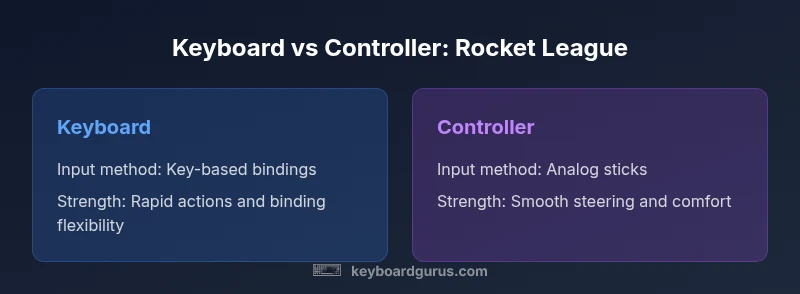
When considering is keyboard or controller better for rocket league, the practical answer depends on your goals and setup. The keyboard offers vast keybind customization and snappy inputs, while a controller gives smooth analog steering and comfortable hand positioning. Keyboard Gurus analysis shows many players begin with a controller for familiarity, then map specialized binds to improve speed and consistency.
Is keyboard or controller better for Rocket League?
Is keyboard or controller better for Rocket League? The question is often asked by players at every level, and the answer hinges on why you play, where you play, and how you train. According to Keyboard Gurus, a structured trial phase helps you pick confidently: try a controller during a couple of weeks to build comfort with steering and aerial timing, then switch to a keyboard for a focused period to explore binding strategies. The goal is to maximize consistency under pressure, not to chase a single flashy mechanic. In practice, your comfort with sensitivity, the feel of the sticks or keys, and the ease of access to your most used actions will drive your final decision. For many players, the choice is about balancing speed and control across aerials, dribbles, and defensive reads, rather than chasing a single technique. The takeaway is to frame your choice around real drills, not assumptions.
Core differences: input types, latency, and precision
The core differences between keyboards and controllers in Rocket League come down to input type, precision, and how those inputs translate into in-game actions. A keyboard relies on discrete key presses for each action, with rapid sequences achievable through hardware and binding layouts. A controller uses analog sticks and triggers that deliver continuous input, which many players find intuitive for steering, turning, and timed flicks. Latency is largely platform-dependent and influenced by display refresh rates and scan rates rather than inherently by device alone; most players experience parity when using a wired controller or a well-tuned keyboard. The practical takeaway is: plan your bindings to maximize reliability, not just speed. Tests show that consistent input timing often matters more than the device chosen.
Ergonomics, comfort, and long sessions
Ergonomics play a critical role in performance over long sessions. Keyboards can support diverse setups—split ergonomic layouts, angled wrists, and palm rests—but they also demand correct hand position to avoid fatigue. Controllers, by contrast, tend to place hands in a natural, relaxed grip, reducing strain for many players during multi-hour marathons. The Keyboard Gurus team notes that comfort translates to consistency: players who train longer without discomfort tend to execute more repeatable aerials and ground-offs. If you expect sessions to last 60 minutes or more, consider a support strategy: wrist rests, proper chair height, and a palm-friendly controller grip. Adjusting trigger tension and dead zones on controllers can further reduce fatigue by smoothing micro-adjustments.
Control schemes and learning curves
Control schemes define how you map actions to keys or buttons. Keyboard players often assign movement to WASD plus additional keys for boosts, powerslide, and camera controls, enabling fast sequences once binds are optimized. Controller users typically rely on a compact, symmetric layout that emphasizes analog movement and a few quick-access buttons. The learning curve for keyboards can be steep at first because binding choices create 2-3 extra actions per maneuver, but it pays off with speed and precision once muscle memory develops. For many newcomers, beginning with a controller reduces cognitive load and accelerates early success, after which a keyboard can unlock more aggressive playstyles.
Setup and configuration: key mapping, sensitivity, and dead zones
Setting up your device is half the battle. With a keyboard, choose a binding layout that minimizes finger travel and allows comfortable reach for rapid combos. Use high-contrast bindings for center actions and arrange special moves around easy-to-hit keys. For sensitivity, aim to match your reaction speed with your input rate; too high a sensitivity can destabilize shots, while too low reduces responsiveness. On controllers, adjust the analog stick dead zones to avoid drift, calibrate trigger response for boost, and test camera sensitivity to keep shots predictable during fast rotations. Keyboard Gurus suggests starting with a standard layout, then iterating after 10-20 training sessions to remove bottlenecks.
Competitive vs casual play: when to choose keyboard
In competitive contexts, precision and micro-tine control can decide tight matches, which benefits keyboard setups that offer extensive binds and ultra-fast input. For casual play or comfort during long sessions, controllers often provide a less fatiguing, more intuitive feel and can be a smoother entry point for new players. The decision should align with your platform and tournament rules. Keyboard users may also enjoy rapid-fire macros for non-gameplay tasks, but for Rocket League specifically the core skills rely on consistent timing and anticipation rather than button mashing. The Keyboard Gurus team emphasizes that the best choice is the one you can train consistently with.
Example scenarios: aerials, flicks, dribbling with keyboard vs controller
Aerials require precise control and timing; many players favor a keyboard for rapid input sequences that align with flicks and rotations, provided the binds are optimized. Flicks benefit from comfortable wrist position and short travel between keys. Controllers excel at steering with analog precision during fast turns and ground duels. Dribbling benefits from stable camera control and predictable boosts; keyboard players map boosts and air rolls to accessible keys, while controller users rely on smooth analog input for controlled acceleration. The contrast becomes clear in practice drills: repetition and consistency trump raw speed.
Accessibility and inclusivity considerations
Accessibility is a key factor in choosing between keyboard and controller. Some players with mobility limitations find controllers easier to operate due to a compact, symmetric hand position, while others benefit from keyboards with larger keycaps or alternative layouts. The decision should account for reach, fatigue, and personal comfort. Both devices support adjustable settings, and many keyboards offer remappable keys to fit physical needs. Organizations and tournaments increasingly recognize diverse inputs, encouraging players to practice with the device that suits their abilities while maintaining fair competition.
Practical recommendations and decision checklist
To decide, use a simple checklist: 1) identify your main goals (speed, precision, or consistency); 2) try both devices in structured drills for 2-3 weeks each; 3) tune sensitivity and bindings to minimize fatigue and maximize repeatability; 4) verify platform compatibility and tournament rules; 5) establish a deliberate practice plan with measurable milestones. The Keyboard Gurus advise tracking improvements in specific metrics like reaction time in training packs and accuracy of aerial shots to determine which setup yields more reliable performance over time.
The path to improvement: practice, gear, and evolving preferences
Regardless of device, improvement comes from deliberate practice, data-driven adjustments, and iterative refinements. Even after choosing a baseline setup, players should revisit bindings, dead zones, and sensitivity every few weeks as skills evolve. The Rocket League community benefits from sharing setups in forums, but players should respect personal benchmarks. Keyboard Gurus recommends keeping a flexible mindset: switch devices if you notice a plateau, but only after a well-structured comparison period. The end goal is consistent, high-level play, not a single momentary advantage.
Comparison
| Feature | keyboard | controller |
|---|---|---|
| Input method | Key-based bindings with multiple keys | Analog sticks and buttons |
| Precision and micro-control | Discrete key presses; rapid sequences possible | Analog sticks provide fine micro-adjustment |
| Aiming and camera control | Binding-based camera control; macro access | Natural analog aiming via sticks |
| Learning curve | Steeper due to bind optimization | Easier initial grasp with a controller |
| Ergonomics for long sessions | Hands-on keyboard setups vary; wrists can fatigue | Controllers are generally more ergonomic for extended play |
| Platform compatibility | PC and some accessories; wide keyboard support | Broadly supported on PC and consoles with standard controllers |
| Customizability | Extensive remapping, layers, and macros | Sensitivity and button mapping flexibility |
| Cost considerations | Depends on keyboard type and setup | Controllers are widely available with stable price ranges |
| Best for | Speed and large action bindings; keyboard enthusiasts | Analog steering and comfortable, long sessions |
Advantages
- Keyboard offers expansive keybinds and rapid input for complex maneuvers
- Controller provides smooth analog steering and natural car control
- Both devices are widely supported in Rocket League and highly customizable
- Adjustable sensitivity and remapping can optimize any setup
- Keyboard setups can be tailored with wrist rests and split layouts
Drawbacks
- Keyboard can be fatiguing during long sessions without proper ergonomics
- Keyboard binding optimization takes time and experimentation
- Controller may lack true micro-adjustment for some precise drifts
- Transitioning between devices mid-session can disrupt momentum
Choose based on play style, platform, and comfort
Keyboard shines for rapid input and binding flexibility; controller excels in analog control and comfort. For precision-heavy, fast-paced play on PC, keyboard is compelling. For long sessions and smoother steering, a controller often wins. Most players benefit from a structured comparison period to decide.
Got Questions?
Is keyboard better for Rocket League than a controller?
Both devices can be highly effective; keyboard offers binding flexibility and rapid input, while a controller offers analog control and comfort. The better choice depends on your style and platform.
Both can work well; the best choice depends on your style and platform.
Do competitive players prefer keyboard or controller?
Advantage depends on region, ruleset, and equipment; top players customize bindings extensively regardless of device.
Top players customize setups regardless of device.
Can you switch between keyboard and controller mid-game?
Yes, but it's disruptive; it's better to choose one setup and optimize it.
Switching mid-game is possible but disruptive.
What settings matter most when using a keyboard?
Sensitivity, keybind layout, and key rollover matter most; test different layouts.
Test sensitivity and layout.
Are there accessibility considerations for keyboard vs controller?
Yes; some players with mobility limitations may prefer one device; consider button layout and reach.
Accessibility depends on layout and reach.
What is the best way to practice with either setup?
Start with fundamental mechanics, then drills; track progress and adjust bindings and sensitivity accordingly.
Practice fundamentals, then refine bindings.
What to Remember
- Assess your primary play style before choosing
- Test both devices with a structured drill plan
- Tune bindings, sensitivity, and dead zones thoroughly
- Consider platform constraints and tournament rules
- Commit to deliberate practice and monitor progress