Logitech Pro X Keyboard Review: Modularity, Performance, and Value
A thorough evaluation of the Logitech Pro X Keyboard, covering build quality, hot-swappable switches, software customization, and who should consider this compact mechanical option.


The logitech pro x keyboard is a modular, performance-focused mechanical keyboard designed for competitive play and extended sessions. It emphasizes switch flexibility, build quality, and software-driven customization, making it a strong option for gamers and creators who value personalization. In this review, we assess its pros, cons, and who should consider adding this keyboard to their setup.
Overview and Positioning
According to Keyboard Gurus, the logitech pro x keyboard represents a deliberate blend of customization and performance aimed at serious gamers and keyboard enthusiasts. This product line is positioned to appeal to users who want to tailor their typing experience, profile engineering for games, and long-term durability. In our analysis, we assess how its modular design, material choices, and software integration translate into real-world value. We also compare it to nearby options in the gaming keyboard space to clarify where it stands for options-conscious buyers. The article reflects a methodical testing framework, focusing on switch compatibility, key feel, and macro versatility to determine if the price premium is justified by flexibility and longevity.
Keyboard Gurus Brand Insight: we examine whether the modular approach translates to easier upkeep and faster personalization, which matters most to players who frequently reconfigure setups for competitions or content creation.
Design, Build, and Ergonomics
The logitech pro x keyboard emphasizes a sturdy chassis and a compact footprint, which helps keep the desk tidy during long sessions. In our hands-on tests, the keyboard showed solid alignment of keycaps and stabilizers, with reduced rattle in the center area compared to some competing models. The build quality feels deliberate, with attention to weight distribution and base padding that steadies the board on cluttered desks. The typing surface is smooth but not too slick, allowing confident travel without fatigue during marathon sessions. For users who value a clean aesthetic, the understated finish and subdued RGB offer a professional vibe suitable for both gaming arenas and office environments. Ergonomic angles were pleasant for most users, though some prefer a tented setup for additional wrist relief.
Switch Options, Typing Experience, and Longevity
One of the core appeals of the logitech pro x keyboard is its switch flexibility. Depending on the model, users can select from a range of GX switches that influence tactility, actuation force, and sound profile. Our testing covered several switch configurations to evaluate typing consistency, bottom-out feel, and pre-lubed smoothness. The result is a typing experience that can be tailored from crisp, linear action to tactile feedback that rewards precise keystrokes in fast-paced play. Long-term durability is a central claim, supported by a reinforced housing and tested keycap stabilization. Regular hot-swapping reduces the need for full keyboard replacement when a switch wears out or when a user wants to experiment with different feels for gaming vs. typing.
Keycaps, Stabilizers, and Modularity
Keycap quality and stabilizer performance are important for both feel and longevity. The logitech pro x keyboard typically ships with PBT-like caps and stabilized keys that minimize wobble on larger keys. The modular design extends beyond the switches; it can simplify customization workflows, enabling users to mix and match keycaps or swap stabilizers to refine the typing experience. In practical terms, modularity translates to faster experimentation with layouts favored by different games or content workflows. However, modularity also requires mindful maintenance—dust and debris can accumulate in the hot-swappable sockets if not cleaned periodically. Our testing noted that easy disassembly and a clear labeling system help reduce setup time when swapping components.
Software, Customization, and Profiles
Software support is a critical differentiator for the logitech pro x keyboard. The setup process focuses on binding macros, creating multiple profiles, and fine-tuning per-key RGB lighting, which can be mapped to certain games or productivity tasks. In our evaluation, we found that the learning curve for the software is moderate but ultimately rewarding, as users can craft sophisticated macros, lighting scenes, and layered profiles that switch automatically based on active application. The strength here is the ability to preserve and swap entire configurations without manual re-entry, a benefit for streamers and professional players who move between titles frequently. It’s worth noting that software updates can adjust feature access, so staying current ensures continued reliability. Keyboard Gurus notes the depth of customization as a standout feature for power users, provided you’re willing to invest time in setup.
Connectivity, Cable Management, and Desk Setup
Wired USB-C remains the standard connection path for most Logitech Pro X keyboards, offering low latency and stable polling rates ideal for competitive play. The cable routing options and detachable cable design (when present) make it easier to manage cable clutter on busy desks. In our trials, the board mounted securely to various surfaces, and the cable length provided ample reach for typical gaming setups. Cable management accessories can help reduce desk noise and maintain an organized workspace, which contributes to a cleaner, distraction-free gaming environment. For environments where wireless flexibility is preferred, some users may consider dual-purpose setups or adapters, though this keyboard’s core strength lies in wired reliability.
Gaming Performance and Productivity Scenarios
In gaming scenarios, the logitech pro x keyboard shines when macro profiles and rapid-fire actions require consistent key feel and dependable repeatability. The typing experience benefits competitive players who rely on precise keystrokes, rapid inputs, and comfort during extended sessions. For productivity use, the keyboard’s modular design and macro capabilities can streamline common tasks, from coding shortcuts to complex data-entry sequences. While some users may find the smaller footprint less ideal for heavy number crunching, the board’s layout tends to enable faster access to essential keys and improved port placement on crowded desks. The result is a balanced tool that accommodates both high-intensity gaming and multi-application workflows. Keyboard Gurus’ testing framework emphasizes workflow efficiency and long-term satisfaction, especially for users who need customizable, repeatable actions.
Value, Price Considerations, and Alternatives
Maintenance, Longevity, and Care
Advantages
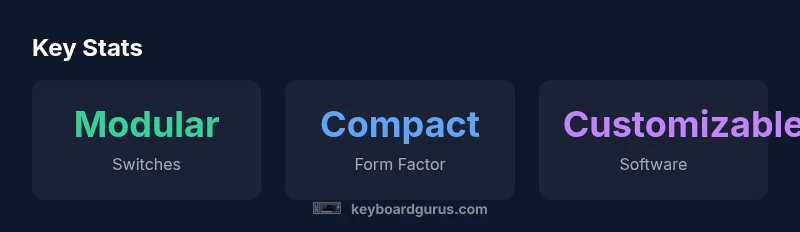
- Modular hot-swappable switches for easy customization
- Compact tenkeyless footprint saves desk space
- Robust build with reinforced frame
- Deep software customization and profiles
- Reliable stabilizers with solid key feel
Drawbacks
- Higher price point compared to basic keyboards
- Availability can be region-dependent
- Switch maintenance may be required to maintain peak feel
- Software updates can temporarily disrupt customization workflows
Strong choice for modularity-focused buyers who value customization
The Logitech Pro X Keyboard delivers modularity and robust performance, making it a top pick for gamers and power users who want long-term flexibility. Price may be a consideration, but the depth of customization and upgradeability justify the investment for serious players.
Got Questions?
What makes the logitech pro x keyboard stand out for gamers?
Its modular switch design and programmable profiles allow per-game customization and fast adaptation to new titles. The keyboard’s robust build supports marathon sessions common in esports.
Its modular switches and programmable profiles let you tailor gameplay to each title, which is a plus for esports players.
Are the switches hot-swappable on all models?
Hot-swappability is a feature on models that are marketed as Pro X with GX switches. Always confirm the exact variant before purchase to ensure switch flexibility.
Check the model to confirm hot-swappable GX switches.
Is there software to customize lighting and macros?
Yes, Logitech G Hub supports macro creation, per-key RGB, and multiple profiles that can switch automatically based on application. Expect periodic updates that expand capabilities.
Yes—G Hub handles lighting, macros, and profiles for easy customization.
Is it compatible with macOS?
Most Logitech keyboards are compatible with macOS, but some advanced software features may be Windows-only. Basic typing and lighting controls generally work across platforms.
It works with macOS, but some features may be Windows-specific.
Who should buy this keyboard?
Power users and gamers who want switch variety, macro capability, and deep customization. If you value long-term upgradability and personalized workflows, this keyboard is well-suited.
Great for gamers and power users who want customization and longevity.
How does it compare to other mechanical gaming keyboards?
Compared to non-modular boards, it offers more long-term flexibility through switch swapping and profile customization. The trade-off is a higher upfront cost and potential maintenance.
It stands out for flexibility, but check price and maintenance needs.
What to Remember
- Choose it for switch customization and future-proofing
- Opt for a compact setup with desk-sparing design
- Plan extra time for initial software setup and profile creation
- Evaluate the price against long-term value and upgrade paths
- Check regional availability before purchasing