Xenoverse 2 Keyboard vs Controller: An Analytical Comparison
An in-depth, analytical comparison of keyboard/mouse versus controller input for Xenoverse 2, covering accuracy, latency, learning curve, ergonomics, and setup tips to help players choose the best control scheme.


For Xenoverse 2, both keyboard/mouse and controller have distinct strengths. The keyboard excels in precision for typing and rapid keystrokes, while the controller offers smoother combo execution and comfortable long sessions. Your choice should hinge on your play style, preferred comfort, and whether you value raw accuracy or sustained usability.
Xenoverse 2 Input Fundamentals
Xenoverse 2 blends fast-paced action with deep character customization, demanding reliable input across movement, dodges, special moves, and grab combos. The game supports keyboard/mouse on PC and a wide range of controllers on PC and consoles. When evaluating input methods, players should consider goal orientation: precision for aiming in ranged moves, timing for combos, and comfort for long sessions. According to Keyboard Gurus, understanding how the game translates inputs into character actions is the foundation for choosing the right control method. The Xenoverse 2 keyboard vs controller debate typically centers on three axes: precision versus consistency, speed of input sequences, and ergonomic sustainability over multi-hour play sessions.
Precision and Aiming: Keyboard vs Controller
Precision matters in Xenoverse 2, especially when executing multi-step combos and aiming with ranged moves. A mouse offers fine-grained cursor control and rapid keystroke input for complex macros, while a thumbstick provides smooth directional input with natural dead zones. Keyboard users often report faster input rate for rapid-fire actions, whereas controller users benefit from analog nuance, subtle directional adjustments, and less hand fatigue. This contrast becomes pronounced during PvP duels where tiny missteps can decide outcomes. The Keyboard Gurus analysis emphasizes personal comfort and response expectations as the deciding factors for precision preference.
Mapping and Customization: How flexible are the inputs?
A robust mapping system lets players assign abilities to easily reachable keys or controller buttons. Keyboard users can leverage multiple layers, macro keys, DPI profiles for mouse accuracy, and complex sequences. Controller players typically map shortcuts to shoulders, face buttons, and paddles, enabling fluid combos without removing hands from the sticks. Both setups benefit from clear, consistent hotkeys and color-coded bindings to reduce misinputs during heated battles. The goal is reducing cognitive load during fast-paced moments, allowing reflexes to drive performance rather than memorized button sequences.
Learning Curve and Muscle Memory
New players often start with a familiar layout based on prior fighting games, yet Xenoverse 2’s system requires integrating fighting game input patterns with its unique stamina, guard, and evasive mechanics. Keyboard users may experience a steeper initial learning curve due to the volume of keys, while controller users might adapt faster thanks to muscle memory built around thumbstick movement and face buttons. Over time, both camps form reliable muscle memory, but the pace depends on practice quality, session length, and deliberate repetition. Keyboard Gurus highlights that deliberate practice beats casual play for long-term skill gains.
PvE vs PvP: Which setup shines where?
In PvE, both input methods can perform exceptionally well, depending on the scenario. Keyboard users may excel in precision-heavy boss fights that reward exact timing, while controller players may leverage smoother navigation and easier access to defensive maneuvers. In PvP, consistency and timing are paramount. Controllers often offer steadier input in chaotic exchanges due to analog control and stable grip, whereas keyboards provide fast reaction times and a broader range of hotkeys for rapid sequences. The best choice depends on the user’s tolerance for micro-adjustments and their comfort during high-pressure moments.
Ergonomics and Comfort for Long Sessions
Extended sessions reveal the long-term ergonomic implications of each setup. Keyboard and mouse configurations can lead to increased strain if posture isn’t optimal or if excessive key bashing occurs. Controllers generally distribute strain more evenly across hands and wrists but can contribute to fatigue in pinch grips during long play. Players who stream or compete for hours should consider accessories like ergonomic chairs, wrist rests, and controller grips. Keyboard Gurus notes that comfort directly influences consistency and performance over time.
Practical Setup Tips: Getting the Most from Either Setup
To maximize Xenoverse 2 performance, start with a clean, consistent binding scheme. For keyboard players, consider placing the most used abilities within easy reach of the home row, using modifier keys to access secondary moves, and tuning DPI to a responsive yet controllable level. For controller players, map essential moves to the most comfortable buttons, consider using paddles or a pro controller layout, and calibrate dead zones to minimize drift. Both camps should enable a high-refresh display, disable UI elements that create input lag, and keep drivers up to date. The goal is to minimize the distance between intention and action.
Real-World Observations and Common Issues
Players often encounter issues like input lag on certain hardware, misbinds during frantic sequences, or drift in analog sticks. These issues usually stem from mismatched hardware settings, driver conflicts, or overly aggressive macros. A systematic approach—test one change at a time, document results, and revert if negative effects appear—helps identify the root cause. Keyboard Gurus suggests relying on reproducible tests, like consistent timing of a multi-hit combo, to evaluate whether your setup yields reliable results.
When to Switch or Hybridize: Personal preference matters
Some players adopt hybrid approaches, using keyboard for precision moves while reserving the controller for general movement or vice versa. Hybrid setups can leverage the strengths of both input methods but require clear separation of responsibilities to avoid input conflicts. The decision to switch often comes down to personal comfort, perceived accuracy, and how easily you can maintain consistency across play sessions. Keyboard Gurus advises trying both setups in controlled practice to determine what sticks.
Final Thoughts on the Xenoverse 2 Keyboard vs Controller Debate
Ultimately, there is no one-size-fits-all answer. The best choice aligns with your play style, your goal in Xenoverse 2, and your physical comfort during extended sessions. The keyboard offers raw speed and macro potential, while the controller provides ergonomic consistency and intuitive shorthand for combos. Remember that ongoing practice, quality hardware, and disciplined binding strategies will matter far more than the choice of input alone.
Comparison
| Feature | Keyboard setup (KB+Mouse) | Controller setup |
|---|---|---|
| Input precision | High precision with mouse aiming and rapid keystrokes | Analog control provides nuanced directional input and smoother transitions |
| Latency and responsiveness | Potentially lower input latency with indexed micro-actions | Consistent responsiveness via analog input and well-tuned dead zones |
| Customization and bindings | Large binding space, macros, DPI profiles, multi-layer layouts | Compact mappings with shoulder buttons and paddles, simpler setup |
| Ergonomics and comfort | Can cause fatigue with heavy key usage if not ergonomically set | Generally more comfortable for long sessions with natural grip |
| Best use scenarios | Precision-based, rapid sequences, and high-click accuracy tasks | Steady guidance, longer play sessions, and accessible controls |
Advantages
- Potential for higher precision with mouse-based aiming
- Extensive customization and macro capability
- Clear differentiation between hotkeys and actions for rapid sequences
- No battery concerns for keyboard-based setups
Drawbacks
- Steeper learning curve for players new to keyboard layouts
- Increased risk of input fatigue without proper ergonomics
- Setup complexity and driver compatibility can cause issues
- Macro overuse can lead to unfair play perceptions in some communities
Neither input method is universally superior; choose based on play style and comfort
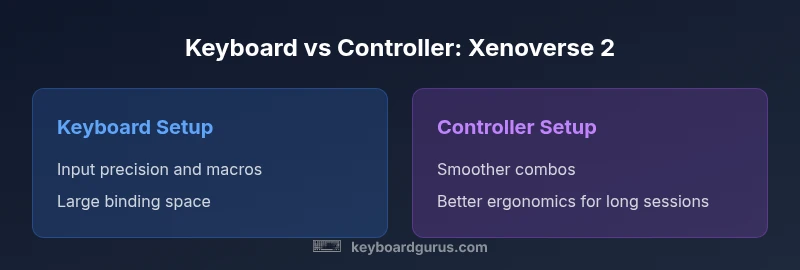
Keyboard setups excel in precision and macro potential, while controller setups offer ergonomic consistency and smooth combos. The Keyboard Gurus team recommends trying both layouts to identify which aligns with your Xenoverse 2 goals and comfort during extended sessions.
Got Questions?
Is Xenoverse 2 better on keyboard or controller for most players?
There is no universal answer; it depends on your goals and comfort. Keyboard users tend to prefer precision and rapid keystrokes, while controller users often enjoy smoother combos and longer play sessions. Try both in practice to determine your personal advantage.
There isn’t a one-size-fits-all answer. Try both setups to see which feels more natural for you in Xenoverse 2.
Can I customize controls to work well on both keyboard and controller?
Yes. You can map core moves to easily reachable keys or buttons and create a second profile for specialized sequences. A clean separation of responsibilities helps prevent input conflicts during intense combat.
Absolutely—custom mappings and multiple profiles help you switch between styles smoothly.
Does Xenoverse 2 support keystroke macros or advanced bindings?
Xenoverse 2 supports binding complex actions to keys or buttons, enabling quick sequences. Use macros sparingly and ensure your setup remains fair and within community guidelines.
You can bind complex moves to a single key, but keep it fair and within rules.
Are there obvious latency differences between input methods?
Latency varies with hardware and drivers rather than the input method alone. A high-quality keyboard/mouse or controller with well-optimized drivers can yield consistent response times.
Latency depends on hardware and drivers; pick solid peripherals for consistency.
What about accessibility options for players with specific needs?
Both input methods offer accessibility potential through remapping, assistive devices, and customizable UI. Choose devices and bindings that minimize strain and maximize comfort.
Accessibility comes from flexible bindings and comfort-focused gear.
What to Remember
- Prioritize your play style when choosing input method
- Keyboard offers precision; controller offers comfort for long sessions
- Invest in good ergonomics and controlled bindings
- Test both setups to determine personal preference