How Keyboards Are Made: A Comprehensive Guide
Learn how keyboards are made—from design and components to assembly and testing. This educational guide by Keyboard Gurus explains materials, processes, and QC checks for reliable builds.


From concept to final product, this guide explains how keyboards are made. You’ll learn about design decisions, components (switches, PCB, case, keycaps), assembly methods, firmware programming, and quality checks. It’s a practical overview ideal for keyboard enthusiasts, students, gamers, and professionals.
What goes into a keyboard
At its core, a keyboard is a modular device built from several layers that must work in harmony. According to Keyboard Gurus, the most common design separates the hardware into a switch array, a printed circuit board (PCB), a mounting plate, a case, and a set of keycaps. Some keyboards also include stabilizers, lighting, and per-key electronics. The exact recipe depends on the intended size (60%, 75%, or full-size), the preferred switch type, and the target feel. Understanding these layers helps explain why a budget model differs so much from a premium build. When we talk about 'how keyboards are made', we’re looking at both the choice of materials and the sequence of assembly that unlocks consistency and reliability. The process begins with defining constraints—what layout is needed, what switches are supported, and what firmware will drive the device. The result is a blueprint that guides sourcing, prototyping, and manufacturing decisions. The goal is a keyboard that delivers a predictable typing experience, long life, and easy maintenance, even after thousands of keystrokes.
Key components: switches, PCB, case, keycaps
A keyboard is only as good as its parts. The main components are the switches (the tactile or linear mechanism that registers a keypress), the PCB (the circuit board that routes signals), the mounting plate, the chassis (the outer shell), and the keycaps that define the feel and appearance. Stabilizers inside larger keys prevent wobble and ensure uniform travel. In mechanical keyboards, every switch type has a unique actuation force and travel, shaping the overall typing experience. The PCB determines the keys' electrical layout and supports firmware features like NKRO (n-key rollover) or programmable layers. The case materials influence rigidity, acoustics, and weight; common choices include aluminum alloys, polycarbonate, and ABS plastics. The manufacturing choice of ABS versus PBT keycaps affects texture and shine resistance over time. Keyboard Gurus analysis shows that a well-balanced design aligns switch compatibility, PCB routing, and case stiffness to minimize flex and debounce issues. Designers also consider assembly practicality, such as hot-swappable sockets or soldered connections, which affect production speed and serviceability. By selecting a coherent combination of components, a keyboard becomes dependable, repairable, and enjoyable to type on, whether used for gaming, coding, or long-form writing.
The design process: concept to prototype
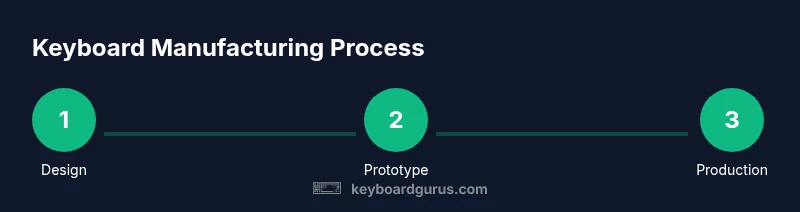
The design journey starts with user needs, ergonomic goals, and layout requirements. Engineers create sketches, then move to CAD to define switch positions, key spacing, and case geometry. Prototyping plays a critical role: inexpensive 3D-printed shells or quick-machined plates let teams test fit, reach, and sound before committing to expensive tooling. Firmware considerations—such as programmable layers or custom keymaps—drive decisions about firmware architecture and microcontroller compatibility. Iteration is essential; most teams create several revisions to balance aesthetics, acoustics, and feel. A key outcome is a validated design that can be handed to suppliers for PCB fabrication, plate cutting, and case production. The inclusive design approach also anticipates accessibility and potential future updates, so the initial concept remains flexible for revisions.
The manufacturing workflow: fabrication, assembly, finishing
Manufacturing a keyboard involves parallel streams: electronics, mechanics, and aesthetics. PCBs are fabricated with copper traces, soldermask, and silkscreen, then populated with components via surface-mount technology (SMT) or through-hole methods. The switches, plate, and keycaps are prepared, while the case is machined or molded from chosen materials. Assembly often starts with the PCB being attached to the plate, then placed into the case with stabilizers for larger keys. Finishing steps include finishing the case surface (anodizing, powder coating, or paint), adding LED lighting if required, and ensuring cable management and wiring are tidy. Quality checks at this stage verify fit, alignment, and finish consistency across units. The entire workflow is designed to reduce bottlenecks, improve throughput, and ensure each keyboard leaves the line with the same calibration and feel. Modern factories emphasize repeatability and modular tooling to support a range of sizes and layouts while maintaining cost discipline.
Quality control and testing
Quality control (QC) is built into every stage of production. First, incoming materials are inspected for tolerances and surface defects. During assembly, functional tests verify switch actuation, key registration, and PCB integrity. End-of-line tests cover NKRO, per-key lighting (if present), debounce behavior, and firmware stability. Final inspection checks cosmetic finish, labeling, and packaging integrity. Traceability is essential—each unit or batch is logged with serial numbers, build codes, and test results. This meticulous QC routine helps identify trends, isolate fault sources, and minimize returns. The aim is zero-defect production or, at minimum, consistent performance across all keyboards in a given batch. Keyboard Gurus analysis shows that strong QC practices correlate directly with longer product lifecycles and happier users.
Sustainability and materials considerations
The environmental footprint of keyboard production depends on material choices, manufacturing energy use, and end-of-life recyclability. Manufacturers favor durable cases made from recyclable plastics or metals and opt for solderless designs where possible to facilitate repair. Keycaps options like ABS are prone to shine over time, so many brands shift toward durable PBT as a longer-lasting material. Suppliers are increasingly transparent about sourcing and waste reduction, and many studios pursue modular designs to enable component replacement rather than full replacements. The industry is moving toward reduced packaging, safe disposal of e-waste, and better lifecycle management, all while preserving performance and aesthetics. Keyboard Gurus emphasizes that sustainable decisions should align with user expectations and product longevity, not just green marketing.
From prototype to product: scale-up and customization
Moving from prototype to mass production requires careful planning: tooling readiness, supplier availability, and process validation. Early-stage prototypes guide tooling choices for the case, plate, and PCB. Once the design is locked, the manufacturing line must support the planned volume, with set-up buffers to handle rush orders or supply delays. Customization remains a strong driver in the market: hot-swappable options, per-key lighting, and firmware customization enable enthusiasts to tailor typing experiences. The key is balancing customization with manufacturability and cost control. The Keyboard Gurus team notes that modularity and clear documentation simplify scaling and future updates, enabling brands to offer more SKUs without exploding inventory costs. By focusing on repeatable processes and robust BOMs, makers can meet demand while keeping quality high and timelines predictable.
The role of manufacturing partners and supply chain
No single company can master every step of keyboard production. The most successful brands partner with specialized suppliers for PCBs, switches, and keycaps, while maintaining tight quality gates and clear communication channels. A resilient supply chain includes multiple sourcing options for critical components, contingency plans for long-lead items, and transparent lead times. Manufacturers leverage automation where feasible but still rely on skilled technicians for assembly, testing, and final QC. Collaboration across engineering, procurement, and operations helps reduce risk and speed time-to-market. The Keyboard Gurus team emphasizes that strong supplier relationships and robust quality agreements are as important as design brilliance when turning prototypes into reliable products.
Common mistakes and how to avoid them
Rushing from concept to production without thorough testing is a frequent pitfall. Skipping ergonomic validation, misjudging material properties, or underestimating firmware complexity can lead to costly redesigns. Inadequate labeling or documentation slows troubleshooting and maintenance, while poor QC can pass defective units. The simplest mitigation is a staged validation plan: review design assumptions, build representative prototypes, conduct functional tests, and iterate before committing to tooling. Clear BOMs, standardized testing procedures, and traceability help teams detect and address issues quickly. The final takeaway is a disciplined, repeatable process that prioritizes user experience and long-term product reliability. The Keyboard Gurus team believes that intentional design, early prototyping, and rigorous QC are the true levers of success.
Tools & Materials
- PCB fabrication service(Essential for producing customized PCBs; coordinate with vendor for panelization and testing)
- Soldering iron(For through-hole or initial prototype assembly; temperature control recommended)
- ESD wrist strap(Prevent electrostatic damage during board handling)
- Calipers(Precise measurements for case fit and component spacing)
- Screwdriver set(Torx and Phillips as needed for cases and plates)
- Multimeter(Continuity checks and basic circuit diagnosis)
- 3D printer or CNC router(Prototype cases and plates; aids rapid iteration)
- Hot glue gun(Optional for cable management and securing loose parts)
- Rework station(Useful for SMT rework and tiny tweaks during prototyping)
Steps
Estimated time: Several weeks to complete, depending on scope and scale
- 1
Define goals and constraints
Identify the target layout, switch type, backlighting needs, and firmware features. Document budget, timeline, and support requirements to guide every later decision.
Tip: Create a decision matrix to compare layout options and their impact on tooling. - 2
Design the layout and CAD model
Draft the keyboard footprint in CAD, place switches, and model the case. Include tolerances for machining and assembly, and plan for clearances around stabilizers.
Tip: Iterate with quick prototypes to verify fit and reach before finalizing CAD. - 3
Create BOM and sourcing plan
List all components with part numbers, lead times, and alternates. Establish backup suppliers for critical items like PCBs and switches.
Tip: Order critical items early to avoid production delays. - 4
Prepare PCB and mechanical drawings
Finalize PCB artwork, soldering method (SMT vs through-hole), and mechanical drawings for plates and case. Align with vendor capabilities.
Tip: Double-check connector orientations and pinout diagrams. - 5
Prototype fabrication
Fabricate initial case, plate, and PCB prototypes. Test fit assembly and verify firmware hooks for keys and layers.
Tip: Keep a log of every prototype revision with measurements. - 6
Assemble and mount components
Assemble switches into the plate, mount into the case, and attach the PCB with proper spacers. Ensure stabilizers are lubricated and aligned.
Tip: Use anti-static work surface and verify switch orientation before soldering. - 7
Program firmware and test
Flash firmware, configure keymaps, and run functional tests for each key. Validate lighting (if present) and firmware stability.
Tip: Keep a baseline firmware version for future comparisons. - 8
Quality checks and packaging
Perform end-to-end tests, confirm tolerances, and finalize packaging with protective inserts. Document results for traceability.
Tip: Label units clearly with batch and build codes.
Got Questions?
What is a keyboard PCB and why is it important?
A keyboard PCB is the printed circuit board that routes key signals to the controller. It defines the electrical layout, supports firmware features, and determines how keys are registered, debounced, and communicated to the computer.
A keyboard's PCB is the circuit that wires every key to the controller and firmware; it's essential for accurate input and features like multiple layers.
Do all keyboards use mechanical switches?
No. Some keyboards use membrane or scissor-switch mechanisms. Mechanical switches offer tactile or audible feedback and longer lifespans, but the choice depends on user preference and budget.
Not all keyboards are mechanical; there are membrane and scissor-switch options as well, chosen by user preference and cost.
What materials are commonly used for keycaps?
Keycaps are typically made from ABS or PBT plastics. ABS is cheaper and may wear glossy with use, while PBT is more durable and resists shine, though it can be pricier and less forgiving in colors.
Most keycaps are ABS or PBT; PBT lasts longer and resists shine, while ABS is common and affordable.
What does 'hot-swappable' mean?
Hot-swappable keyboards allow you to change switches without soldering. This feature makes customization easier and faster, ideal for testers and enthusiasts expanding their typing experience.
Hot-swappable means you can swap switches without soldering, great for trying new feels.
How long does it take to design and manufacture a keyboard?
Time varies by scope, but it generally spans from initial concept through prototyping to mass production. Prototyping may take weeks, while scale-up and tooling can extend the timeline to months.
Timing varies, but expect weeks for prototypes and months for full production.
Watch Video
What to Remember
- Plan components early; align design with procurement.
- Modularity speeds prototypes and updates.
- Quality control is built in from design to packaging.
- Open-source firmware can boost customization and longevity.