How to Cope with Keyboard: A Practical Guide
A practical, educator-friendly guide from Keyboard Gurus on coping with keyboard-related stress through ergonomics, routines, and sustainable typing habits.


By following a structured approach, you will learn to cope with keyboard demands through ergonomic setup, mindful scheduling, and cognitive strategies. This guide covers practical changes, daily habits, and evidence-informed tips to reduce strain, improve focus, and build resilience when typing, coding, or gaming. According to Keyboard Gurus, small, consistent adjustments yield lasting relief.
The Psychology of Coping with Keyboard Demands
Coping with keyboard demands isn’t only about muscles and posture; it’s also about how your mind handles long typing sessions, learning curves, and frustration. The brain tends to resist repetitive tasks, especially when progress feels slow or unseen. Acknowledging this reality is the first step. According to Keyboard Gurus, recognizing the emotional and cognitive load helps you design routines that reduce anxiety, increase clarity, and sustain motivation. Start by naming the specific feelings you experience during keyboard work—frustration, fatigue, or aimlessness—and translate them into concrete actions you can control. When you approach your work with small, achievable goals, you create a feedback loop: you feel capable, you perform better, and confidence grows. This mindset shift matters as much as any ergonomic tweak. Building resilience also means cultivating self-compassion: it’s normal to have off days, and progress often comes in uneven waves rather than a straight line.
Key practices include setting clear intentions for each work block, reframing mistakes as data to learn from, and treating breaks as essential parts of the task rather than optional luxuries. Keyboard Gurus Analysis, 2026, emphasizes that mental strategies paired with physical adjustments yield the most durable relief.
- Define micro-goals for each session (e.g., 25 minutes of continuous typing with a 5-minute break).
- Reframe errors as information you can analyze and improve.
- Build a brief post-work reflection to identify what helped and what didn’t.
Takeaway: Mindful planning reduces cognitive load and keeps you motivated through steady, observable progress.
Ergonomic Setup: Reducing Physical Strain
Ergonomics is the foundation of lasting relief. A well-ordered workspace reduces musculoskeletal strain, eye fatigue, and the urge to rush through sessions. The core idea is simple: align your body with your tools so you can type comfortably for longer periods. Start with a chair that supports your lower back and a desk at a height where your elbows rest at about a 90-degree angle. The keyboard should be within easy reach, with wrists neutral and relaxed, not bent upward or downward. If possible, a split or tented keyboard can help keep wrists straight, and a wrist rest can prevent contact stress during longer sessions. For eye comfort, position the monitor so the top third of the screen is at or slightly below eye level, about an arm’s length away. Lighting should minimize glare on the screen to reduce strain.
- Choose an ergonomic keyboard that suits your hands (split or contoured designs can help).
- Use a chair with adjustable height and lumbar support; keep feet flat on the floor.
- Adjust monitor height and distance to maintain natural neck posture.
- Consider a desk mat and wrist rest to reduce friction and pressure.
Keyboard Gurus’ approach combines ergonomic gear with mindful pacing: even the best gear won’t help if you type through fatigue. Try a simple setup today and adjust as you learn what feels best for your body.
Building a Sustainable Typing Habit
Sustainable typing habits hinge on consistent, small improvements over time. The best habit is the one you can repeat daily, not the one that requires heroic effort. Begin with a low-friction routine: short daily sessions, a fixed start time, and a predictable sequence of tasks. The aim is to create a reliable rhythm that your brain anticipates, which lowers resistance to starting work. Track your progress with a simple log: what you did, how long you worked, and how you felt before and after. Over weeks, you’ll notice patterns such as which times of day you type most efficiently or which breaks refresh you best. The key is iteration—regularly reassess and refine your routine.
- Start with 15–20 minutes of focused typing daily, then gradually increase as comfort grows.
- Schedule regular breaks to prevent fatigue (micro-pauses every 25–30 minutes).
- Keep a one-line journal of what helped you stay consistent.
- Celebrate small milestones to reinforce positive momentum.
Keyboard Gurus’ perspective in 2026 underscores that habit formation is a force multiplier for ergonomic gains. Small, deliberate adjustments compound into meaningful relief over time.
Mindfulness and Mental Strategies for Keyboard Work
Mental strategies are often the missing link between pain-free typing and pleasant, productive sessions. Mindfulness helps you notice tension before it becomes painful and gives you a moment to reset. Combine simple breathing techniques with cognitive reframing: observe the sensation of strain, label it, and tell yourself you can ease it with a short break and posture correction. A practical method is the STOP routine: Stop, Take a breath, Observe your body, Plan the next small action. This approach reduces the emotional charge of struggle and makes it easier to return to work with a clearer mindset. In daily practice, pair this with a brief gratitude moment for your ability to learn and adapt.
- Use short breath cycles (inhale for 4, exhale for 6) during micro-breaks.
- Reframe “this is hard” as “I can adjust and improve.”
- Keep a list of quick reset actions (adjust posture, stand briefly, stretch).
Keyboard Gurus Analysis notes that mental strategies amplify the effectiveness of physical changes, helping you sustain healthier habits across contexts such as coding, writing, or gaming.
Practical Routines: Breaks, Scheduling, and Micro-Pauses
Structured breaks are not a luxury; they are a vital part of sustained keyboard work. The most reliable approach integrates short, frequent pauses with clear tasks. Use a planning routine at the start of each session: identify the main goal, then schedule micro-pauses after a set duration. A practical system is to work in focused blocks (e.g., 25 minutes) followed by a 5-minute break, repeating for several cycles, and taking a longer break after two to four blocks. This cadence keeps cognitive load manageable and reduces fatigue. During breaks, stand up, stretch wrists and shoulders, and gaze away from the screen to rest your eyes.
- Lock in a consistent breakpoint cadence (e.g., 25/5 or 50/10).
- Use a timer app to enforce your schedule and avoid “just one more task.”
- During breaks, perform light stretches and eye relief exercises.
- Adjust break length if you notice diminishing returns in focus.
The emphasis is on predictable structure rather than sporadic bursts of effort. When you combine breaks with ergonomic adjustments, your sessions become more tolerable and productive.
Tools and Accessories that Help
Beyond the core workspace, several tools can noticeably ease keyboard coping. An ergonomic keyboard can align your wrists and forearms, reducing strain. A height-adjustable desk or a sturdy stand lets you set eye-level work surfaces and maintain good posture. Wrist supports provide gentle padding without compressing nerves, and a monitor arm or adjustable stand helps you sustain a healthy neck angle. Consider an ergonomic mouse if you do a lot of pointer work, and use a high-quality desk mat to reduce fatigue from long sessions. Light-blocking curtains or anti-glare screens help those who work in bright environments. Finally, a simple timer app keeps your breaks on schedule and avoids overworking.
- Prioritize ergonomic input devices and adjustable furniture.
- Use wrist supports and monitor arms to optimize posture.
- Keep water nearby and stay hydrated to maintain concentration.
- Test different combinations to identify what minimizes strain for you.
A strategic mix of gear and routines, as proposed by Keyboard Gurus in 2026, helps you build a sustainable, comfortable keyboard workflow.
When to Seek Professional Help
If pain, numbness, or persistent discomfort continues despite ergonomic changes and routine breaks, seek professional medical advice. Repetitive strain injuries can worsen over time if neglected. Early consultation with a clinician or occupational therapist can help diagnose issues, tailor a rehab plan, and prevent long-term damage. If you notice symptoms like tingling, weakness, or radiating pain, stop high-intensity typing and get evaluated. It’s also wise to revisit your workspace with a clinician to ensure there are no underlying ergonomic mismatches.
- Watch for persistent symptoms beyond a few weeks of adjustments.
- Seek medical advice if you experience numbness or radiating pain.
- Ask for workplace ergonomic evaluation if you’re in a professional setting.
Keyboard Gurus team emphasizes proactive care: addressing physical symptoms early preserves long-term typing comfort and performance.
Tools & Materials
- Ergonomic keyboard(Split or tented if possible)
- Adjustable chair(Seat height so elbows are at 90 degrees)
- Desk or desk riser(Clear area for keyboard and mouse)
- Wrist rest(Soft padding to reduce pressure points)
- Monitor stand(Eye level with top of screen)
- Timer app(Set micro-break alerts (e.g., 25/5 cadence))
- Hydration/healthy snacks(Keep water nearby)
- Blue light glasses(Optional for glare sensitivity)
Steps
Estimated time: 60-90 minutes
- 1
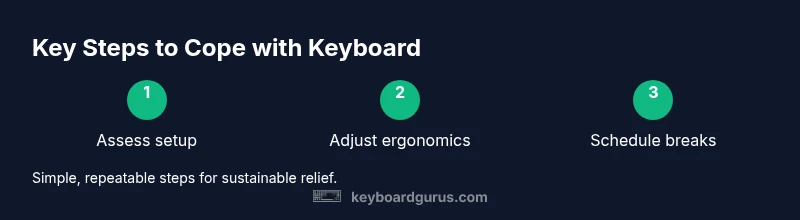
Assess current setup
Take a quick inventory of your chair height, desk height, keyboard position, and monitor alignment. Note any discomfort zones and how long you typically type before fatigue hits. Record one improvement you can make this week.
Tip: Measure eye level and elbow angle to ensure proper alignment. - 2
Choose ergonomic inputs
If possible, test a split or tented keyboard and a wrist rest. Ensure the wrists stay neutral and avoid bending upward or downward. Replace a non-ergonomic device if it causes strain.
Tip: Aim for wrists that are straight when typing. - 3
Set a break cadence
Decide a structure like 25 minutes on, 5 minutes off, and schedule a longer break after four blocks. Use a timer to keep you honest and reduce cumulative fatigue.
Tip: Use a visible timer to cue breaks and stay on track. - 4
Incorporate micro-habits
Add a single ergonomic adjustment (posture correction, stretch, or screen tilt) at the start of each block. Small changes add up quickly and are easier to sustain.
Tip: Choose one habit per week to avoid overwhelm. - 5
Practice mindful checking
During breaks, perform a quick body scan to notice tension points. If you feel strain, adjust posture or take a longer break before resuming.
Tip: Breathing deepens relaxation and resets focus. - 6
Review and adjust
At week’s end, review what worked and what didn’t. Reset your plan for the next week with simple, achievable changes.
Tip: Document one change that improved comfort.
Got Questions?
What is the first step to cope with keyboard stress?
Begin with a quick setup assessment and identify one change you can implement this week. Pair this with a brief mindfulness practice to reduce immediate tension.
Start with a quick setup check and implement one change this week, plus a short mindfulness exercise.
How can I avoid strain during long typing sessions?
Use a cadence that includes short breaks, maintain neutral wrists, and ensure your monitor is at eye level. Ergonomic gear and posture play a big role.
Maintain a comfortable cadence with breaks, neutral wrists, and proper monitor height.
Are mindfulness techniques effective for keyboard coping?
Yes. Breathing and cognitive reframing reduce anxiety and improve focus during work blocks.
Yes, mindfulness helps reduce anxiety and keeps you focused.
What tools help with keyboard ergonomics?
Ergonomic keyboards, wrists supports, adjustable chairs, and monitor arms improve posture and reduce strain over time.
Ergonomic keyboards, wrist supports, and adjustable furniture make a big difference.
When should I seek professional help for typing pain?
If pain persists beyond adjustments or you have numbness or weakness, consult a clinician or occupational therapist.
See a clinician if pain continues despite changes.
Can I use these coping strategies at school or work?
Yes. Apply the same routines across environments by adapting the cadence and setup to available resources.
Absolutely—adapt the routine to your setting.
Watch Video
What to Remember
- Identify pain points and start with one change.
- Prioritize ergonomics alongside mental strategies.
- Build a predictable routine with micro-breaks.
- Use mindfulness to reduce stress during typing.
- Review progress weekly and adjust.