How to Keyboard with Long Nails: Techniques for Comfort and Accuracy
Learn practical, nail-friendly typing techniques, posture, and tools to type efficiently with long nails. This guide covers setup, finger placement, drills, and ergonomics for comfortable, accurate keyboarding.


By following this guide, you will learn how to keyboard with long nails, using posture, finger placement, and gentle, nail-friendly keystrokes. You’ll explore workspace setup, adaptive techniques, drills, and suitable tools to maintain accuracy and comfort. The result is efficient typing without requiring you to trim or shorten your nails.
Why typing with long nails requires adaptation
According to Keyboard Gurus, long nails can alter how you contact keys, your wrist angle, and the reach of each finger. When you type with long nails, precision matters more; you may need to adjust your typing tempo, use a lighter keystroke, and rely on broader finger contact rather than tip-only hits. The goal is to preserve nail length while maintaining speed and accuracy. This section explains why a traditional typing approach often needs modification and outlines the big-picture mindset you’ll apply as you learn how to keyboard with long nails.
In practice, the nails create a wider surface area that can inadvertently trigger adjacent keys or cause missed keystrokes if you slam fingers down. By embracing a nail-friendly approach, you reduce strain and tension, minimize accidental presses, and improve consistency across typing sessions. Think of this as a learning curve rather than a limitation—your setup, technique, and drills will recalibrate your touch-typing for long nails.
Setup and posture for long-nail typing
A comfortable, stable setup is essential when your nails are longer. Start by placing the keyboard at elbow height so your forearms form a roughly 90-degree angle. Your wrists should hover just above the desk, not bend upward or downward, to minimize stress on joints. For long nails, consider a slightly tented keyboard angle or a negative tilt to reduce finger extension. A padded wrist rest can prevent contact fatigue without encouraging restlessness. Keyboard Gurus recommends establishing a neutral, relaxed posture before you begin any typing session. Consistency here yields the best long-term results and reduces the risk of strain when you learn how to keyboard with long nails.
Next, align your chair height so your feet rest flat on the floor. If you type with two hands, position the home row between your shoulders and hips, ensuring your shoulders stay relaxed. Keep the keyboard close enough to avoid reaching and far enough to avoid shoulder hunching. With nails, small adjustments to hand placement—slightly higher or lower, slightly toward the center—can make a big difference in keystroke accuracy over time.
Core techniques for long nails typing
The core idea is to maximize finger contact with keys while preventing nail edges from catching. Start with a light touch and a relaxed grip; nails should not press hard into the keys. Place the pads of your fingertips on the keys, not the very tips of your nails. For the left hand, rest on ASDF and for the right on JKL;. Use the bump on the home keys as a guide to keep your hands centered without bending your wrists. When you need to hit a key outside the home row, tilt your hand slightly rather than twisting your wrist. As you gain confidence, you’ll notice you can keep speed steady even with longer nails if you maintain a rhythmic cadence and avoid forcing rapid, heavy keystrokes. Keyboard Gurus emphasizes practicing with a slow-to-fast progression to build accuracy first and speed second.
This section also covers finger independence exercises. Start with simple home-row drills, then progress to alternating patterns, ensuring each hit lands cleanly. If you’re struggling with a specific letter, practice that row in isolation before integrating it into words. Over time, your nails won’t be a barrier but an aspect of your unique typing style.
Keyboard layouts, tools, and accessories for long nails typing
A few practical changes can improve results. First, consider a keyboard with larger, well-spaced keys or a layout with rounded edges that help avoid nail collisions. An ergonomic, angled keyboard can reduce extension and provide a more comfortable reach for longer nails. Silicone fingertip caps or nail guards are optional tools that can reduce accidental presses when you type with long nails. They also protect your nails and keycaps from wear. Some users switch to mechanical keyboards with a softer actuation or lower key travel to minimize nail impact. Maintain keycap readability and avoid shiny caps that can reflect glare. In select cases, a splitter or tented keyboard setup may reduce finger crossovers and improve accuracy. Keyboard Gurus notes that the best choice depends on your nail length, key travel preference, and typing style.
Finally, consider a simple typing tutor or software that tracks accuracy (not just speed). This helps you measure progress with your long nails and provides structured practice that you can repeat across days.
Practice routines and drills for long nails typing
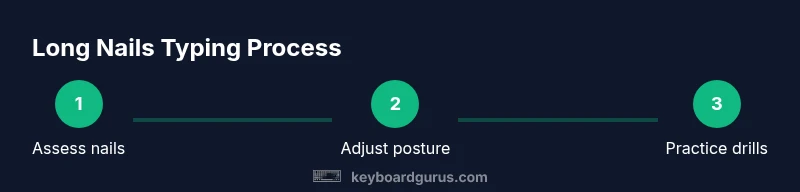
Consistency is the magic word. Start with short, focused sessions (15–20 minutes) and gradually increase as your comfort improves. A typical progression includes warm-up, home-row drills, and then word-building exercises that emphasize accuracy over speed. Schedule micro-practices throughout the day, so you’re reinforcing correct finger placement without fatigue. Over time, use a metronome or typing app to set a comfortable rhythm and prevent tense keystrokes. When you’re ready, blend drills into real-world typing tasks like composing emails or notes. The aim is to create a reliable, nail-friendly rhythm that scales with your practice and nail length.
As you practice, track your progress and note any keyboard-specific friction points—especially on the keys you press most often. If you notice a consistent mis-hit in a particular area, slow down and isolate that region with dedicated drills. Keyboard Gurus recommends building a routine that combines 3–4 short drills into a single session to keep engagement high and avoid overuse.
Common mistakes and how to fix them when typing with long nails
A frequent error is hammering keys with too much force, which increases fatigue and can cause missed keystrokes. Aim for a light, controlled touch and allow your nails to glide across the keycaps rather than striking them. Another common pitfall is splaying the hands or bending the wrists, which may feel natural at first but leads to strain. Keep wrists straight and parallel to the keyboard. If your nails catch on adjacent keys, re-check your fingertip alignment and adjust the angle of your hands slightly toward the center. A third problem is relying on the nail edges to locate keys; this can cause repeated mis-presses. Align your fingers with the home row and use the key travel distance as a cue for when to strike. Keyboard Gurus highlights the importance of consistent practice and gradual adjustment to nail length, avoiding drastic shifts that disrupt muscle memory.
Keyboard Gurus verdict and practical takeaways
The Keyboard Gurus team recommends embracing a nail-aware typing approach rather than trimming nails to fit a traditional method. Start with ergonomic setup, adopt finger-pad contact, and use tool-assisted aids only if you find them helpful. The verdict is simple: nail length doesn’t have to hinder progress if you adjust your technique, use appropriate accessories, and practice with deliberate, structured drills. By committing to a nail-conscious workflow, you can maintain nail length while achieving reliable typing performance. Remember that progress comes with small, repeated improvements and careful attention to posture, rhythm, and precision.
Tools & Materials
- Keyboard with standard layout(Choose a model with comfortable key travel and evenly spaced keys)
- Wrist rest or palm support(Opt for a soft, breathable pad to reduce pressure on the wrists)
- Silicone fingertip caps or nail guards(Optional protection to cushion nails and prevent key wear)
- Nail care kit(Files, clippers, and gentle buffers to maintain nail integrity)
- Typing tutor app or software(Track accuracy and progression over time)
- Timer or metronome(Helps pace practice and builds rhythm)
- Ergonomic chair(Supports good posture during longer sessions)
Steps
Estimated time: 60-90 minutes
- 1
Assess nails and workspace
Evaluate your current nail length and set up your desk for optimal comfort. Check chair height, keyboard position, and whether your wrists rest naturally on the pad. The goal is a neutral posture that minimizes strain while you learn how to keyboard with long nails.
Tip: Take a quick note of any awkward angles and adjust before you begin. - 2
Position hands and align home row
Place the pads of your index fingers on F and J, with your other fingers resting on A S D F and J K L ;. Keep wrists straight and relaxed. This alignment forms a stable base for long-nail typing and reduces mis-hits.
Tip: Use the bumps on the keys (F and J) as reliable guides to keep hands centered. - 3
Choose a nail-friendly keystroke
Use a light touch; avoid heavy strikes. Focus on accuracy first, then progressively increase speed. If nails collide with adjacent keys, slightly alter your hand angle rather than forcing more pressure.
Tip: Practice with a single hand to isolate nail-related challenges before typing with both hands. - 4
Practice simple home-row drills
Perform slow, deliberate repetitions of home-row patterns (ASDF; JKL;) until you can press each key cleanly without nail interference. Gradually introduce common words that test letter combinations you type frequently.
Tip: Set a timer for 5–10 minutes of precise, slow reps per session. - 5
Progress to off-home-key drills
Add short sequences that require reaching keys beyond the home row. Use minimal wrist movement and keep a steady cadence. This trains muscle memory to adapt to longer nails.
Tip: Record mistakes and analyze which keys need more practice. - 6
Integrate typing with real text
Move from drills to composing short paragraphs. Focus on maintaining rhythm and accuracy as you type real content.
Tip: Take breaks after 20–25 minutes to prevent fatigue. - 7
Experiment with accessories and layouts
If you find nails consistently catching, try a slightly angled keyboard, larger keycaps, or silicone caps for protection. Each change should be tested for comfort and accuracy.
Tip: Document each change’s impact to identify the best fit. - 8
Establish a sustainable routine
Set a realistic practice schedule, combine keyboard warm-ups with work tasks, and monitor progress using your typing tutor.
Tip: Aim for consistency over intensity; small daily gains compound over time.
Got Questions?
Will long nails slow me down when typing?
Not necessarily. With nail-friendly technique, proper posture, and regular practice, speed can be maintained while preserving nail length. Focus on accuracy first and gradually build speed.
Long nails don’t have to slow you down if you use nail-friendly technique and consistent practice.
Should I trim my nails to type more comfortably?
Trimming is optional. You can adapt your technique to long nails, but occasionally trimming to a comfortable length for specific tasks can help maintain consistency.
Trimming isn’t mandatory; adapt technique and take breaks as needed.
What keyboard setup helps long-nails typing?
A keyboard with balanced key travel, larger or rounded keys, and optional nail guards can help. An adjustable tilt or tenting may reduce finger extension and improve comfort.
Look for balanced travel and optional guards; adjust tilt to reduce finger stretch.
Are nail caps safe for use on keyboards?
Yes, silicone fingertip caps or nail guards are generally safe and can help protect nails and keycaps. Ensure they fit comfortably and do not impede finger movement.
Nail guards are safe if they fit well and don’t hinder movement.
What exercises improve accuracy with long nails?
Drills that emphasize home-row accuracy, slow keyboarding, and gradual increases in speed are effective. Use a typing tutor to track accuracy and reduce errors over time.
Focus on home-row accuracy with slow, deliberate drills, then build speed gradually.
How soon will I notice progress?
Progress varies by person, but consistent short practice sessions over several weeks typically yield noticeable improvements in accuracy and comfort.
With consistent practice, you’ll see improvements in accuracy in a few weeks.
Watch Video
What to Remember
- Adopt neutral posture before typing with long nails
- Place finger pads on home-row keys for stability
- Practice light, controlled keystrokes to boost accuracy
- Experiment with layouts and guards if needed
- Track progress with a typing tutor and drills