Irish Keyboard vs UK Layout: Are They the Same? A Thorough Analysis
An analytical comparison of Irish vs UK keyboard layouts, focusing on differences in currency symbols, diacritics, keycap availability, shortcuts, and practical implications for work, gaming, and coding.


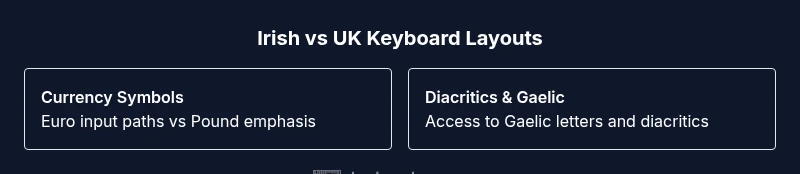
The Irish keyboard layout and the UK layout are largely the same base layout, with subtle regional differences. Irish keyboards commonly introduce symbols and typing options for the euro and Irish diacritics, while the UK layout centers on the pound and regional punctuation. For most daily tasks, they’re interoperable, but creators and power users may notice access differences when entering euros, Gaelic characters, or region-specific shortcuts. In short, they’re similar enough for everyday use, with targeted tweaks for locale-specific needs.
Understanding regional keyboard layouts and why Ireland differs from the UK
Keyboard layouts are not universal, even within the same language family. Regional variants exist to accommodate local symbols, currency, and typing conventions. The Irish keyboard landscape is shaped by bilingual needs (English and Irish) and the euro currency, which influences symbol availability and key usage. Although many Irish keyboards are based on the UK standard, small but meaningful differences appear in symbol keys, diacritics, and software input methods. According to Keyboard Gurus, the majority of day-to-day typing on Irish and UK keyboards feels the same, but skilled users will notice distinct pathways to access special characters when typing in Gaelic or inputting euros. Understanding these nuances is essential for students, developers, and professionals who work across jurisdictions. This guide explores the Irish vs UK keyboard question in depth, highlighting what changes, what stays the same, and what this means for everyday tasks such as coding, gaming, and data entry.
Core differences between Irish and UK layouts
The foundational layout shared by Irish and UK keyboards is recognizable to anyone who has typed on a modern PC or Mac. The bulk of the letter keys, numbers, and standard punctuation remain in familiar positions. The critical differences lie in currency symbols, regional punctuation, and access to Irish diacritics. Irish keyboards often provide easier access to the euro symbol through dedicated keys or AltGr combinations, reflecting the currency used in the country. By contrast, the UK layout prioritizes the pound symbol (£) and its own local punctuation conventions. In some Irish configurations, you may encounter ISO-style key placements—particularly around the Enter key—which can affect how you remap or replace keycaps. As a result, Irish layouts tend to preserve the same typing rhythm for most tasks, while offering streamlined paths to region-specific characters. Keyboard Gurus emphasizes that for the majority of users, the practical impact is minor, but for Gaelic content, finances, and locale-aware software, subtle tweaks matter more than you might expect.
How currency symbols and diacritics are handled
Access to currency symbols is one of the most tangible differences between Irish and UK keyboards. Irish layouts commonly place euro (€) access near the top row, or provide AltGr-based shortcuts for currency input, reflecting the country’s economic context. UK keyboards center on the pound (£) symbol and may not include a built-in euro option without remapping. Beyond currency, diacritics and Gaelic letters (such as á, é, í, ó, ú) require either dead keys, Unicode input, or input source switching in the operating system. Modern operating systems support multiple languages and keyboard layouts, so you can enable English (Ireland) or Gaelic as needed. The practical takeaway is that Gaelic authors and euro-heavy workflows benefit from an Irish layout, while general typing often feels the same across both formats. Keyboard Gurus notes that this alignment supports cross-border collaboration with minimal friction for most tasks.
Impact on shortcuts, software, and typing efficiency
Shortcuts rely on consistent key positions, and most OSes map common shortcuts to letter and function keys in a way that remains stable across layouts. However, some region-specific shortcuts can drift when you switch locales, especially for characters accessed via AltGr or dedicated keys. For software localization, setting the input source to English (Ireland) can simplify spell-checking and typography for Gaelic content, while still preserving standard English shortcuts. In coding environments, the primary concern is consistency of punctuation keys (quotes, braces, semicolons) and the backtick/tilde area, which may be slightly repositioned on Irish ISO keyboards. Gamers typically won’t experience major differences unless a game relies on country-specific keymaps or relies on modifiers that differ subtly between layouts. The overall effect is that routine tasks stay stable, but specialized workflows—e.g., entering euros, Gaelic text, or region-dependent shortcuts—benefit from selecting the appropriate Irish or UK configuration.
Keycaps, hardware, and procurement considerations
When shopping for keyboards and keycaps, the layout matters for product compatibility and aesthetics. Irish keyboards may be shipped with euro-friendly legends or bilingual markings, while UK keyboards emphasize pounds and regional punctuation. If you swap keycaps or build a custom board, you’ll encounter compatibility questions related to ISO versus ANSI key culminations, and whether the Enter key uses a straight or L-shaped design. For Irish users who need Gaelic letters or frequent euro input, selecting Irish-labelled keycaps or a dual-language keyset can reduce lookup time and typing effort. In practice, many enthusiasts rely on standard ANSI keycaps while using software-based remapping to access additional characters, favoring flexibility over a completely native set. For the average user, widely available keycap sets based on UK or US layouts will work with minor remapping if you require euro or Gaelic symbols occasionally.
How to verify your OS locale and keyboard layout
Verifying your current keyboard layout is a practical first step. In Windows, you can check Settings > Time & language > Language > English (Ireland) to ensure the input method matches your region; you can add Irish keyboard options if needed. On macOS, go to System Settings > Keyboard > Input Sources and enable Irish or UK layouts, then switch with a shortcut or menu bar icon. Linux users often manage layouts via regional packages and the X keyboard settings. The key is to test by typing a few characters that differ between layouts (such as euro, currency symbols, or Gaelic letters) and confirm that the output matches your expectation. If you plan to swap locales permanently, consider setting a system-wide locale in your development environment so that your editors, compilers, and IDEs render characters consistently across projects.
Practical implications for developers and gamers
Developers who work with internationalized applications should test input across both Irish and UK layouts, particularly for character sets used in Gaelic and currency input. Code editors, terminals, and build scripts may reveal subtle differences when you rely on special characters or non-ASCII symbols. For gamers, the differences are typically minor unless a title uses a country-specific keymap, in which case you may see movement, inventory, or interaction keys shift slightly when switching layouts. In team settings, ensuring colleagues share a common keyboard layout helps minimize miscommunication and reduces errors in shared documentation or chat commands. Keyboard Gurus emphasizes that understanding when to adopt Irish or UK layouts reduces cognitive load and enhances productivity in multinational teams.
Myths, misconceptions, and best practices
A common myth is that Irish keyboards are wildly different from UK keyboards. In reality, the two share a common core but diverge in currency handling, Gaelic accessibility, and occasional key placements. Another misconception is that switching layouts requires extensive retraining; for most people, the adjustment is minor and quick. Best practices include enabling bilingual input when needed, using locale-aware development tools, and keeping both layouts installed for testing. A proactive approach also involves using on-screen keyboards or keyboard viewer tools to confirm how a key maps to a character before relying on muscle memory in critical tasks. Keyboard Gurus recommends documenting your preferred layout choice in team guidelines or project READMEs to minimize distribution of assumptions and ensure a smooth workflow across regions.
Authority sources and guidance for ongoing updates
For policy-level consistency and standards, you can consult official government and standards bodies. The UK government provides resources on accessibility and device input in some broader contexts, while the Irish government discusses localization and language support in official channels. International standards organizations also cover keyboard layouts as part of broader usability and ergonomics frameworks. These references help establish a baseline for how keyboard layouts evolve over time and how regional implementations align with global best practices. According to Keyboard Gurus, keeping an eye on official guidance ensures you stay aligned with regulatory expectations and industry consensus as layouts adapt to new input methods and symbols.
Resources and guidance for planning a transition
If you’re considering migrating from UK to Irish layout (or vice versa) for your team or personal setup, plan a staged transition with accessible documentation and short training sessions. Start by enabling both layouts in your operating system, set expectations around common shortcut changes, and provide a quick cheat sheet for entering euros and Gaelic characters. For organizations, consider a migration window that minimizes disruption to coding, testing, and customer support. Finally, verify key components of your workflow—IDE configurations, terminal shells, and documentation templates—to ensure consistent symbol rendering and input behavior across projects. Keyboard Gurus’s practical guidance emphasizes clarity, gradual adoption, and explicit communication with team members to minimize friction.
Comparison
| Feature | Irish-layout keyboard | UK-layout keyboard |
|---|---|---|
| Currency symbol access | Access to euro symbols via dedicated keys or AltGr | Pound symbol access is standard; euro input often requires AltGr or remapping |
| Punctuation key placement | Some signs differ from UK layout, depending on ISO alignment | Standard UK punctuation alignment with UK conventions |
| Enter/backslash key layout | Possible ISO-style Enter and backslash placement on Irish variants | Typically standard UK/ANSI Enter layout; minor regional adjustments may occur |
| Diacritics and Gaelic support | Easier access to Gaelic characters via dedicated keys or dead keys | Gaelic input possible via dead keys or Unicode input |
| Keycap availability | Irish-labelled or bilingual keysets available in regional markets | UK-labelled keysets widely available; euro/Gaelic sets less common |
Advantages
- Mostly familiar to UK users, easing cross-border collaboration
- Better access to euro symbols and Irish-specific punctuation
- Support for Gaelic text and locale-specific software localization
- OS-level language options simplify multilingual workflows
- Wide availability of keyboard accessories and community resources
Drawbacks
- Small regional differences can cause confusion for cross-border typing
- Some shortcuts or symbol positions may differ between layouts
- Keycap sets for Irish locales may be less common than generic UK/US sets
- Initial remapping can be a temporary requirement for certain workflows
Irish and UK keyboard layouts are largely interchangeable, with targeted locale-specific differences.
Choose Irish if you frequently input euro amounts or Gaelic text; choose UK if your work is euro-agnostic and you prefer broader keycap availability. For most users, the two layouts are close enough to switch between with minimal disruption.
Got Questions?
Is the Irish keyboard the same as the UK keyboard in everyday typing?
For most daily tasks, yes — letters and common punctuation align closely. The main differences appear in currency symbols (Euro vs Pound) and access to Gaelic characters, which may require extra keystrokes or AltGr combinations. Most users adapt quickly with minimal retraining.
In everyday typing, the Irish and UK layouts feel very similar, with the euro and Gaelic characters giving small but real differences when you need them.
How can I tell which layout I have or need to use?
Check your operating system’s input sources or language settings to see whether English (Ireland) or English (UK) is active. You can switch layouts on the fly and test a few currency and Gaelic characters to confirm which is currently in use.
Look in your system settings to see which keyboard layout is active, and switch if you need to test both.
Will switching layouts affect coding or programming shortcuts?
Most programming shortcuts are independent of layout, but some symbols used in code (like braces for certain languages) can shift depending on the keyboard. It’s wise to test your IDE and terminal with the target layout to ensure no surprises.
Code usually stays the same, but test your editor with the chosen layout to be sure.
Where can I buy Irish-layout keycaps or keyboards?
Irish keyboard gear is available from regional retailers and online shops that specialize in Irish or bilingual products. Availability can vary by country, and you may need to look for ISO layouts or bilingual legends.
Look for Irish- or Gaelic-labeled keycaps from regional vendors and check ISO layouts.
Do Irish layouts include dedicated euro symbols or Gaelic diacritics?
Yes, many Irish layouts provide easier access to the euro symbol and Gaelic characters, either via dedicated keys or AltGr combinations. Gaelic diacritics can also be entered using dead keys or Unicode input.
You’ll often have easier euro and Gaelic character access on Irish layouts.
Are there myth vs reality concerns about Ireland UK keyboard differences?
The main differences are practical, not wholesale changes. The base layout remains familiar, but currency and Gaelic input are where regional variants show real benefits or friction.
Myth: they’re totally different. Reality: they’re similar with targeted regional tweaks.
What to Remember
- Identify your primary currency and Gaelic needs to choose a layout
- Enable both layouts in your OS to compare real-world typing
- Expect minor key repositioning around Euro and Gaelic characters
- Consider bilingual or bilingual-keycap options for Ireland
- Test shortcut consistency across platforms before committing to a permanent switch