Finding the Best Keyboard Near You: Local Shop Guide
A data-driven guide to finding and evaluating keyboard shops near you, with hands-on testing tips, stock checks, and buying strategies.


If you’re searching for a keyboard near me shop, start with a map search and local storefront checks. Use keywords like 'keyboard near me shop' to identify nearby retailers, compare stock and prices, and confirm return policies before you visit. Hands-on testing is often the best way to choose your preferred switches and layout.
Why a dedicated 'keyboard near me shop' search matters
For keyboard enthusiasts, proximity matters almost as much as selection. Local stores let you physically test feel, switch types, and confirm layout and keycap compatibility before committing to a purchase. You can also compare build quality and noise in real-world conditions, something online photos rarely capture. According to Keyboard Gurus, starting with a focused local search reduces waste and helps you build a personal shortlist quickly. The Keyboard Gurus team found that shopping nearby often yields faster repairs, easier returns, and better access to after-sales support if something goes wrong. When you ask staff for demonstrations—typing tests, hot-swappable switch trials, or foam and damping comparisons—you gain practical data that online listings cannot provide. In larger cities, you’ll often find a cluster of keyboard shops within a small radius, each offering a different mix of brands, layouts, and accessory ecosystems. In practice, a well-chosen local shop can become your go-to hub for trial keyboards, keycaps, and advice on upgradability, maintenance, and compatibility with your setup.
How to evaluate local keyboard retailers
Evaluating a local retailer isn't just about price—it's about the total experience. Start with stock density: does the shop carry a wide range of switches (e.g., tactiles, linear, clicky), multiple sizes (60%, 65%, 75%), and common layouts (ANSI/ISO)? Ask about brand diversity and availability of popular keycaps and accessories. The ability to test keyboards is crucial: can you swap switches, press different keycaps, and feel the actuation force in-store? Customer service matters: knowledgeable staff who can explain switch types, stabilizers, and prebuilt vs. kit options save hours of online research. Warranty and return policies deserve scrutiny; confirm whether exchanges are allowed, return windows, and whether opened equipment is eligible for refunds. Pricing parity across channels is another factor: some local shops price-match online or offer bundle discounts. Keyboard Gurus analysis shows that transparent pricing and generous return windows correlate with higher buyer confidence, especially for first-time buyers or those experimenting with layouts. Finally, consider after-sales support: does the shop offer soldering, tuning, or custom keycap fitting services if you decide to upgrade later?
In-store vs online: trade-offs for keyboard enthusiasts
In-store shopping offers tactile testing, which is essential for many keyboard enthusiasts who care about switch feel, keycap profile, and acoustics. You can compare wobble, stabilizer rattle, and typing latency side by side, something you cannot capture through photos alone. Online vendors may offer deeper catalogs and lower sticker prices, but you lose the chance to evaluate ergonomics and layout fit without a risk-free trial period. The decision often hinges on your priorities: if you value immediate gratification and hands-on evaluation, a nearby shop wins; if you need a highly diverse selection or exclusive models, online channels may still pull ahead. Keyboard Gurus analysis notes that a blended approach—test locally for confidence, then order online for hard-to-find builds—works well for many users. Remember to verify in-store stock before visiting and ask about demo units or loaner boards to try during your trip.
Practical steps to finding and choosing a local keyboard shop
- Start with a targeted map search using phrases like keyboard near me shop and keyboard store near me. 2) Compile a short list of 4–6 candidates based on proximity, inventory notes, and recent reviews. 3) Call ahead to confirm current stock of your preferred switches, layouts, and keycap sets. 4) Plan a single outing that minimizes travel time but allows you to test multiple boards. 5) At the store, request a live typing test, ask about stabilizers, wobble, and keycap compatibility with your planned layout. 6) Compare warranties, return policies, and repair options. 7) After your visit, log impressions and note any trade-offs between feel, price, and support. Keyboard Gurus Team suggests keeping a simple checklist to avoid decision fatigue and to document your preferences for future upgrades.
Test-driving a keyboard: a practical checklist
- Test 5–7 different switches to gauge actuation force and travel; - Check stabilizers for rattle and stab alignment; - Verify layout compatibility with your OS and ergonomic needs (ANSI vs ISO, layout layering); - Assess keycap profile and sculpt (SA, DSA, XDA); - Try long typing sessions to gauge fatigue; - Inspect build quality, plate material, and case finish; - Confirm compatibility with your PC or Mac, USB-C vs USB-A or wireless options. The in-store environment lets you swap between boards quickly, and you can capture notes about each unit's pros and cons. The Keyboard Gurus team emphasizes writing down your impressions to prevent later confusion.
Budgeting and planning for your local keyboard journey
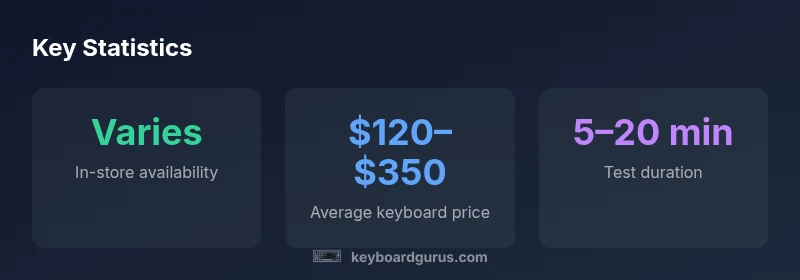
Prices vary widely by region, but a reasonable planning framework helps you avoid overspending. Expect entry-level boards to cluster in the lower price range, mid-range builds to occupy the middle, and premium kits with hot-swappable switches to push toward the high end. If you’re shopping locally, consider total cost of ownership: maintenance tools, lubing kits, extra stabilizers, and the cost of replacement parts. Compare bundles in-store and online, including any inclusive services like keycap sets or processor-lubing kits. Keyboard Gurus Analysis, 2026, suggests that shoppers who allocate a small reserve for accessories after the initial purchase tend to reach their preferred setup faster, with fewer delays caused by missing parts. Finally, plan a follow-up visit to adjust your build as you settle on a preferred switch profile and keycap set.
The Keyboard Gurus verdict: local shops fit for most enthusiasts
In most cases, a nearby keyboard shop offers the best balance of hands-on testing, support, and speed. The proximity means you can quickly test new builds, validate compatibility, and receive immediate guidance from staff who understand mechanical keyboards. The Keyboard Gurus team recommends prioritizing stores with diverse switch inventories, generous return policies, and reliable warranty options. If you value curated advice and the ability to demo multiple layouts, a local shop is often your best bet. For specialized builds or limited editions, consider a blended approach—test in-store, then purchase online when you know exactly what you want.
Comparison of local keyboard shop types
| Shop Type | Pros | Cons | Best For |
|---|---|---|---|
| Local specialty store | Hands-on testing; expert staff | Smaller selection; higher prices | Switch testing & keycap fitting |
| Big-box electronics retailer | Wide stock; easier returns | Inconsistent keyboard seating; generic layouts | Casual buyers; quick grabs |
| Local online pickup partners | Online catalog with in-store pickup | Stock may update slower | Convenience; local pickup |
Got Questions?
How do I locate a keyboard near me shop effectively?
Use map searches and local reviews to identify nearby keyboard shops. Call ahead to confirm stock and hours, and plan a short route to maximize your testing time.
Search for nearby keyboard shops on maps, then call ahead to confirm stock and store hours before you visit.
Do local stores stock a wide range of switches and layouts?
Many specialty stores carry a broad range of switches, keycaps, and layouts to test in person. If your preferred combination isn’t on display, ask if a demo unit can be swapped in.
Most local shops offer diverse switches and layouts. Ask staff to set up a quick test with your preferred combo.
Are prices higher in-store than online?
Prices vary, but many local shops price-match or offer bundles. Compare total cost with shipping and tax to determine the best value for your setup.
Prices vary; some stores price-match online. Compare total cost including taxes and bundles.
Can I test keycaps and switches in-store before buying?
Yes—reputable shops should allow you to try multiple switches and keycaps on demonstration boards. Bring samples of your preferred layouts if possible.
You should be able to test switches and keycaps on demo boards before buying.
What should I look for in a return policy?
Look for a clear window, unaltered condition requirements, and whether opened items are eligible for refunds or exchanges. A generous policy reduces purchase risk when testing new builds.
Check the return window and whether opened items qualify for refunds or exchanges.
How can I ensure compatibility with my setup when buying locally?
Know your preferred layout, switch type, and OS (Windows, macOS). Verify USB type (C/A) and wireless options, and ask about firmware updates or key remapping support.
Know your layout and switches, and confirm compatibility with your OS and USB/wireless setup.
“Hands-on testing remains the most reliable way to choose the right keyboard locally; always try several switches and layouts to match your typing style.”
What to Remember
- Seek proximity for faster testing and support
- Prioritize stores with hands-on demos and clear returns
- Balance local testing with online options for hard-to-find builds
- Test switches and layouts to confirm compatibility