What Keyboard Can Connect to iPad: A Practical Guide
Discover which keyboards connect to iPad devices. Learn about Bluetooth HID keyboards, wired USB-C options, Lightning adapters, and how iPadOS supports shortcuts and trackpads for productivity.


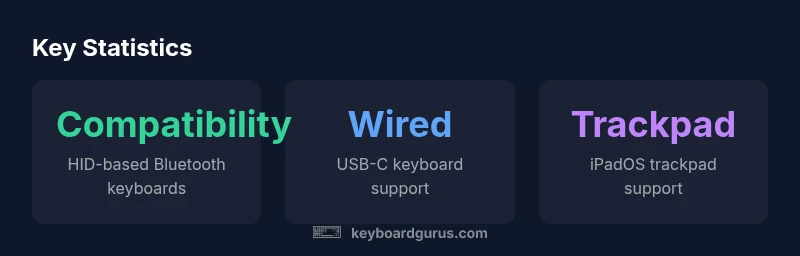
The iPad supports a wide range of keyboards through Bluetooth and wired connections. In practice, most Bluetooth keyboards that use the HID (Human Interface Device) profile will pair quickly with iPadOS 13.4 or later on iPad models such as iPad Pro, iPad Air, iPad mini, and standard iPads. Wired keyboards can connect via USB-C on newer iPads or via adapters for older Lightning-based models. For users prioritizing portability, a compact Bluetooth keyboard is usually the best choice; for stationary desks, a wired setup can offer lower latency and reliable connectivity.
Understanding iPad keyboard compatibility
If you're looking to extend your iPad's typing experience, the first question is which keyboards actually connect. The short answer is: most Bluetooth keyboards that use the HID profile will pair quickly with iPad models running iPadOS 13.4 or later. This extends to iPad Pro, iPad Air, iPad mini, and standard iPads. The Keyboard Gurus team found that the majority of third-party keyboards that communicate via HID are plug-and-play once you pair them in Settings. Wired keyboards are possible too, but often require adapters for older devices. The rest of this guide will unpack the practical choices, step-by-step setup, and best matches for different use-cases such as long-form writing, coding, gaming, or note-taking.
Wired vs wireless keyboards: what works with iPad
The central decision is whether to choose a wireless Bluetooth keyboard or a wired keyboard. Bluetooth keyboards offer mobility and minimal clutter—pair them once and use them anywhere there is a Bluetooth connection. For iPads with USB-C, wired keyboards can connect directly through the USB-C port or via a compact hub. For older iPads with Lightning, you can connect via a Lightning-to-USB adapter, though power delivery and reliability may vary. In practice, Bluetooth is suitable for most users, while wired setups shine in stationary work environments or when latency and interference are major concerns. If you intend to travel, a compact Bluetooth model is often the most practical solution.
Bluetooth keyboards and HID: what to look for
Key factors include HID compatibility, stable Bluetooth pairing, and the keyboard layout. Look for keyboards explicitly labeled HID or 'works with iPad' and confirm that the key layout maps sensibly to iPadOS shortcuts (Command, Option, Control, etc.). Battery life matters for portability; seek keyboards with long-lasting batteries and quick recharge. The synergy with iPadOS-specific features such as QuickType suggestions, split layout, and function keys varies by model. According to Keyboard Gurus, favor keyboards that offer at least a standard QWERTY layout, reliable media keys, and widely-supported layouts (US, UK, or your language). This reduces remapping hassles and ensures consistent typing fidelity across apps.
USB-C and Lightning wired connections: wired keyboard options
With USB-C, you can connect many modern keyboards directly to iPad Pro and iPad Air models that provide a USB-C port. The Lightning-era iPads often require an adapter because their port type differs. If you own a USB-A keyboard, you'll need a USB-C to USB-A adapter or a USB-C hub that includes USB-A ports. Consider power needs: some wired keyboards draw more current than the iPad can safely supply; a powered hub can help. For productivity tasks, wired keyboards tend to have lower latency and fewer connection dropouts than their wireless counterparts. Finally, check keyboard firmware updates and compatibility notes from the manufacturer to ensure ongoing compatibility with iPadOS updates.
iPad models and iPadOS considerations
iPadOS 13.4 introduced system-wide trackpad and mouse support, and since then, iPad keyboards with trackpads have become mainstream. Most iPad models running iPadOS 14/15/16 can support external keyboards, but the level of feature support for trackpads or touch gestures varies by model and keyboard. If you rely on Gestures, be sure your keyboard’s layout includes the Command key and the arrow keys and supports the left/right Command key combos. The iPad Pro line and newer iPads tend to have the best compatibility due to USB-C connectivity and more robust iPadOS features. It is always wise to verify the latest iPadOS release notes for any keyboard-related enhancements, such as improved shortcut mappings or better trackpad integration.
Shortcuts and productivity tricks with external keyboards on iPad
This section covers practical uses: creating custom shortcuts in Settings > General > Keyboard Shortcuts, using Command-based shortcuts for copy/paste and multitasking, and leveraging external keyboards to navigate text with arrow keys. Many apps support standard shortcuts like Command-C, Command-V, Command-S, and Command-Tab. Some keys may require function key mappings that differ from macOS, so check each app’s help section. For coding or writing long-form posts, a keyboard with comfortable key travel and a stable layout improves endurance. If you use the iPad for gaming, look for keyboards with responsive latency and reliability under load.
Troubleshooting common issues
If your keyboard isn’t appearing in Bluetooth settings, ensure the keyboard is in pairing mode and that Bluetooth is enabled on the iPad. Forget and re-pair the device if needed. For wired keyboards, confirm the USB-C or Lightning adapter is properly seated and that the keyboard works when plugged into another device. Interference from other Bluetooth devices can sometimes cause dropouts; try turning off nearby devices or moving closer to the iPad. If keys behave erratically, remap or test with another keyboard to determine if the issue is device-specific. Finally, keep both iPadOS and keyboard firmware up to date to avoid compatibility gaps.
Real-world use cases and recommendations by category
Students who write notes and draft essays benefit from slim, portable Bluetooth keyboards with comfortable travel. Gamers might prefer mechanical keyboards with reliable key rollover and a good tactile feel, though battery life matters for wireless setups. Professionals needing minimal latency and strong key action might opt for a compact, wired keyboard with a dedicated number pad. Writers on the move will value a keyboard that folds or spans small form factors and pairs quickly with iPadOS.
How to choose the right keyboard for your setup
Start with your primary tasks: typing length, portability, and whether you need trackpad support. Check HID compatibility for Bluetooth keyboards and confirm the keyboard’s language layout. If you frequently use iPadOS shortcuts, ensure a layout that includes Command, Option, Control keys and that the keyboard supports the iPad's shortcuts. For power and reliability, decide between wireless and wired; a powered hub can fix power limitations on some Lightning devices. Finally, consider budget and build quality; popular brands often offer a range of keyboards optimized for iPad, including options with integrated stands or cable management.
Practical maintenance and care for your iPad keyboard setup
To maintain performance, keep Bluetooth firmware updated, clean keycaps, and ensure the iPad remains in a stable environment. Use a protective case or stand to avoid wear on magnetic connectors or adapters. Regularly test the trackpad and function keys to ensure long-term reliability. When not in use, disconnect Bluetooth devices to conserve battery, and periodically calibrate any mechanical switches or switches with pointer devices for optimal responsiveness.
Keyboard connection options for iPad
| Connection Type | Notes | Best For |
|---|---|---|
| Bluetooth HID Keyboard | Works with iPadOS 13.4+ across iPad models | Typing & productivity |
| Wired USB-C Keyboard | Direct connection to USB-C port on newer iPads | Professional drafting |
| Lightning USB Keyboard (adapter) | Requires Lightning-to-USB adapter | Campus travel |
| Apple Magic Keyboard | Excellent integration; trackpad supported on compatible models | Office work and content creation |
Got Questions?
Will any Bluetooth keyboard work with iPad?
Most Bluetooth keyboards that support the HID profile work on iPad with iPadOS 13.4+. Some keyboards may require remapping of keys.
Most Bluetooth keyboards work on iPad as long as they use HID.
Do iPad keyboards support number row and function keys?
Most third-party keyboards preserve standard keys, but some function keys may map differently. You can usually adjust mappings within apps or iPadOS settings.
Most keyboards keep the number row; some function keys may map differently.
Can I use a wired keyboard with iPad Pro?
Yes. Use USB-C directly on newer iPad Pro models or a USB-C hub. If your keyboard is USB-A, add a USB-C adapter.
Yes, you can use wired keyboards on iPad Pro with USB-C.
What adapters are needed for USB keyboards on iPad?
USB-C iPads can use USB-C keyboards directly. USB-A keyboards require a USB-C to USB-A adapter or hub. Lightning iPads need a Lightning-to-USB adapter.
Usually you need a USB-C to USB-A adapter or a Lightning-to-USB adapter depending on your iPad.
Do iPad keyboards support trackpads or mice?
Yes, since iPadOS 13.4, trackpads are supported with compatible keyboards, including the Apple Magic Keyboard. Behavior varies by app.
Yes, you can use a trackpad with compatible keyboards on iPad.
Which iPad models are best for external keyboards?
Any iPad running iPadOS 13.4+ supports external keyboards, with Pro models offering the strongest feature sets due to USB-C and trackpad support.
iPad Pro and newer iPads have the most complete external keyboard experience.
“External keyboards unlock a new level of productivity on iPad, but the true value comes from choosing a model with solid compatibility and a comfortable typing experience.”
What to Remember
- Choose HID-compatible Bluetooth keyboard for widest iPad support
- Wired USB-C keyboards offer stability on newer iPads
- Lightning-era iPads may need adapters
- Trackpad-enabled keyboards expand navigation features on iPadOS
- Test layouts to ensure optimal shortcut mappings