What Keyboard to Use for Chinese: A Practical Guide
Learn how to choose the right keyboard for typing Chinese. Compare layouts, input methods (Pinyin, Zhuyin, Cangjie), and ergonomics; plus setup tips and practical recommendations for learners and power users alike.


What keyboard to use for chinese depends on your preferred input method and comfort. Start with a standard Latin-layout keyboard + a reliable Chinese IME (Pinyin or Zhuyin), then customize your layout, keycaps, and shortcuts. Prioritize ergonomics, OS compatibility, and budget to build a smooth typing workflow.
Why Chinese typing requires the right keyboard
If you are asking what keyboard to use for chinese, the answer hinges on two linked ideas: the input method you plan to use and the keyboard layout you feel comfortable with long before you reach fluency. Chinese input is typically handled by an IME (input method editor) that converts keystrokes into characters. Your physical keyboard provides the raw input channels, but the IME determines how those keystrokes map to Chinese characters. The Keyboard Gurus team emphasizes that choosing a keyboard is not just about key legends; it’s about how you’ll interact with your IME on a daily basis. This means evaluating key travel, layout stability, and your ability to reach punctuation and special characters without finger fatigue.
In practice, your goal is to minimize friction between typing on a Latin-layout keyboard and producing accurate Chinese characters. A comfortable base keyboard reduces errors, speeds up learning curves, and makes long study sessions sustainable. Keep in mind that the most important feature isn’t a flashy macro key but reliable typing feel and predictable key spacing. The right combination of keyboard feel and IME fluency will have the biggest impact on your speed and accuracy over time.
noteFlaggedForEditorialReview":false},
Tools & Materials
- Keyboard (base model, Latin layout)(Any standard ANSI/ISO layout with stable keyfeel; prefer 60- to 104-key keyboards depending on your desk space)
- Computer (Windows/macOS)(Ensure your OS supports your preferred Chinese IME)
- Chinese input method editor (IME) – Pinyin or Zhuyin(Install one or more IMEs; consider switching between them during practice)
- Keycap set or keyboard skin (optional)(Useful if you want bilingual legends or brighter symbols for punctuation)
- USB-C or USB-A cable with reliable cable quality(Helpful for travel setups or ergonomic workstations)
Steps
Estimated time: 30-60 minutes (setup) + ongoing daily practice
- 1
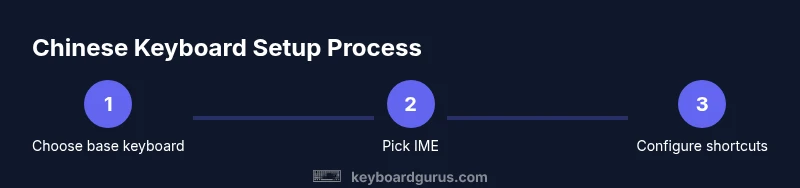
Choose your base keyboard layout
Select a keyboard with a comfortable key travel and stable layout. Start with a common Latin layout (US-ANSI or US-ISO) so you can easily type both English and Chinese characters via your IME. If you type long hours, prefer a keyboard with evenly spaced keys and good wobble-free switches. This foundation matters because all subsequent Chinese input relies on it.
Tip: Prefer tactile switches if you type long sessions; test with a quick 5-minute typing test to judge comfort. - 2
Pick your primary Chinese input method
Decide between Pinyin (phonetic input) or Zhuyin (Bopomofo). Pinyin is the most widely used and beginner-friendly, while Zhuyin can offer faster character selection once you’re familiar with its symbols. Consider your familiarity with the phonetic system and whether you’ll also type other languages.
Tip: If you’re new, start with Pinyin because most IMEs provide robust predictions and easy dictionary features. - 3
Configure OS keyboard settings and IME
In Windows, add a Chinese input method and set a convenient hotkey to switch between languages. On macOS, enable the Chinese input source and arrange its shortcuts. Ensure you can switch back and forth quickly while keeping your English typing stable.
Tip: Assign a dedicated shortcut (e.g., Ctrl+Space or Cmd+Space) to toggle IMEs to reduce cognitive load. - 4
Install and customize the IME
Install the chosen IME and customize prediction, word frequency, and candidate window layout. Enable punctuation shortcuts and any handwriting or voice input options you might use. Create a short personal dictionary for common terms to improve accuracy.
Tip: Add your most-used technical terms and names to your personal dictionary for faster conversion. - 5
Fine-tune keyboard shortcuts for Chinese input
Map essential actions (cycle candidates, commit characters, switch to punctuation) to ergonomic keys or layers. Keeping frequent actions on reachable keys minimizes finger strain and accelerates workflow when typing long sentences.
Tip: Use a low-profile keypad or layer swaps if your keyboard supports them to reduce hand movement. - 6
Practice and build typing fluency
Set daily practice goals: 15–20 minutes of Pinyin or Zhuyin typing, then 5 minutes of free-form Chinese writing. Use graded dictation or sentence reconstruction exercises to reinforce correct character selection and spacing. Track progress over weeks to notice speed gains.
Tip: Consistency beats intensity; wrap practice around real tasks like composing emails or notes to sustain motivation.
Got Questions?
What is the easiest Chinese input method to start with?
Pinyin is typically the easiest starting point for beginners due to its phonetic basis and broad IME support. Zhuyin is another good option for learners in Taiwan or those who prefer its symbol system.
Pinyin is the simplest starting point for most learners; Zhuyin is an alternative if you prefer its symbols.
Can I use a standard keyboard for Chinese without buying a special layout?
Yes. A standard Latin-layout keyboard works with Chinese input methods via an IME. You don’t need a special Chinese keyboard to type Chinese characters.
A standard keyboard is enough; you’ll use an IME to input Chinese characters.
Should I get a keyboard with specific switches for Chinese typing?
Switch type mainly affects feel and noise, not the ability to type Chinese. Choose switches you find comfortable; mechanical switches often offer better consistency and durability for long sessions.
Pick the switch that feels best to you; it doesn’t affect the Chinese input capability.
Is it better to learn Cangjie or Wubi for Chinese input?
Cangjie and Wubi are shape-based methods that can be fast for experienced typists. They have steeper learning curves but can be very efficient for long Chinese typing sessions.
If you’re aiming for speed and are willing to invest time, Cangjie or Wubi can be very effective.
How do I prevent mistakes when switching IMEs?
Keep a dedicated shortcut to switch IMEs, practice committing characters in context, and use the personal dictionary to reduce incorrect predictions.
Use quick-switch shortcuts and practice with real texts to reduce mistakes.
Can I type punctuation easily in Chinese using an IME?
Most IMEs provide easy punctuation access and automatic spacing rules, but you may need to learn shortcuts for parentheses, quotes, and other symbols.
Yes, punctuation is typically available with simple shortcuts in the IME.
Watch Video
What to Remember
- Choose a comfortable base keyboard first
- Pick a Chinese input method that matches your learning style
- Configure OS and IME with quick-switch shortcuts
- Practice daily to build fluency and accuracy