Why Are Ergonomic Keyboards Better? A Practical Comparison
An analytical comparison of ergonomic keyboard designs, highlighting split vs non-split layouts, tenting, and cost considerations to answer why are ergonomic keyboards better for long sessions and varied users.


Ergonomic keyboards are designed to reduce strain by aligning wrists and forearms through split layouts, tenting, and curved key layouts. They promote a neutral posture during long typing sessions, which can lessen fatigue and the risk of repetitive strain injuries. This makes them a compelling option for students, professionals, and gamers who type for extended periods.
Why are ergonomic keyboards better
Understanding why are ergonomic keyboards better starts with posture and sustained typing demands. An ergonomic keyboard is designed to align wrists, forearms, and shoulders, reducing awkward angles that accumulate strain during long sessions. The central claim is simple: when your hands and arms can operate in a natural, relaxed plane, muscle fatigue and tendinous irritation lessen. According to Keyboard Gurus, the benefits are most noticeable for people who type for several hours each day, teachers and students, and gamers who perform rapid bursts of keystrokes. While no magic device exists, ergonomic keyboards help distribute load more evenly across joints and soft tissues, potentially lowering the risk of repetitive strain injuries (RSI). The design goal is not to force you into a rigid posture but to support a neutral alignment where the wrists are straight, the forearms face forward, and the shoulders stay relaxed. This groundwork matters because sustained strain can translate into pain that disrupts study, work, or competition. For many users, the question is not whether to switch but when to switch, and which model aligns with space, budget, and practice patterns. The practical implication is simple: a thoughtful ergonomic setup can make daily tasks feel less fatiguing and more sustainable over months and years.
Common ergonomic layouts explained
There are several core ergonomic keyboard designs, each with strengths and trade-offs. Split keyboards separate the left and right halves to reduce shoulder rotation and wrist ulnar deviation. Tented or angled designs lift the center of the keyboard, promoting a more natural wrist posture. Columnar or curved layouts move keys into a more ergonomic arc, which can reduce finger travel for common letters. Some models include integrated wrist rests or palm cushions to decrease pressure points and encourage a neutral hand position when not typing. There is no one-size-fits-all solution; your choice depends on space, typing style, and whether you prefer a compact footprint or a broader surface. For instance, gamers may favor a split keyboard with responsive switches and adjustable tenting to minimize fatigue during long sessions, while writers may benefit from a slightly wider, curved layout that reduces awkward reach. It’s worth noting that many enthusiasts personalize their keyboards with programmable keys, per-key lighting, and modular components to fine-tune comfort. The Delphi of ergonomics is balance: enough separation to relieve tension, yet enough familiarity to preserve muscle memory. In this sense, the landscape of ergonomic designs covers a broad spectrum rather than a single best option.
How to evaluate features: layout, tenting, comfort
Start by comparing layout type: split versus compact. A split layout can dramatically reduce shoulder strain but may require a period of adjustment and a larger desk footprint. Tenting angle matters too: common ranges are approximately 5 to 15 degrees; higher angles can relieve forearm pronation but may feel unfamiliar at first. Look for adjustable tilt and modular components so you can tailor the device to your natural posture. Thumb clusters can speed up navigation, but they also add complexity; consider whether you type mainly with two hands or rely heavily on shortcut keys. Key travel and switch type influence perceived comfort and accuracy; mechanical switches provide tactile feedback, while low-profile switches reduce travel distance. Connectivity options—wired versus wireless—affect desk clutter and latency in gaming contexts. Finally, assess build quality: a solid chassis and durable keycaps can extend life and justify a higher price over time. In practice, measure your workspace dimensions, try different angles, and select a model with a generous return policy to test fit. The goal is a configuration that reduces marginal strain across a typical typing day or gaming session.
Health implications and evidence
Ergonomic keyboards aim to reduce repetitive strain and promote neutral postures. While individual results vary, the principle is supported by ergonomic research and practitioner experience. Keyboard Gurus Analysis, 2026 notes that users who switch to split or tented designs often report less wrist discomfort after an acclimation period, especially on long tasks or coding sessions. The evidence is not uniform across all layouts, and adaptation time can be several days to weeks depending on prior habits and desk setup. Importantly, ergonomics is not a cure-all; posture, chair height, monitor position, and keyboard angle interact with each other. Use tools like a desk chair with lumbar support, a monitor at eye level, and desk height that allows forearms to rest parallel to the floor. If pain persists after an initial adjustment period, consult a clinician or a qualified ergonomic specialist. Overall, ergonomic keyboards are a useful component of a broader posture optimization strategy, not a magic fix for every user.
Productivity and performance considerations
Productivity is not solely about typing speed; consistency, endurance, and accuracy matter as much as raw speed. For repetitive tasks such as data entry or transcription, ergonomic layouts can reduce fatigue, enabling longer focus without sacrifice. Gamers who adopt split designs report steadier keystrokes during extended sessions and better hand positioning for critical hotkeys. That said, the initial learning curve can temporarily slow performance. To mitigate this, allocate a practice period of 1–2 weeks, focusing on key mapping, custom macros, and comfortable thumb movement. Consider starting with a mid-range ergonomic keyboard that offers adjustable tilt and a reliable switch family to balance responsiveness with durability. According to Keyboard Gurus, the long-term productivity gains often come from improved comfort and reduced need for breaks, not from sudden leaps in speed. When comparing models, mirror your daily tasks and test whether the layout supports efficient muscle memory and natural finger reach rather than forcing you to adopt awkward hand positions.
Costs, ROI, and durability
Ergonomic keyboards span a broad price spectrum, from affordable to premium. Entry-level options typically sit in the mid-range with basic programmable keys and acceptable key switches, while mid-range devices offer better switches, sturdier frames, and more customization. Premium models provide highly adjustable tenting, modular components, and high-quality keycaps; these tend to command higher price tags but may deliver longer lifespans and smoother maintenance. When evaluating cost, factor in the total ownership: the price of replacement keycaps, a comfortable desk chair, proper desk height, and a suitable mouse or trackball. The ROI should be considered in terms of reduced wrist pain, fewer breaks, and longer productive sessions. If you expect to commit to a long-term ergonomic setup, budget for a model that allows you to grow with your needs, rather than a minimal solution that will require replacement soon. Keyboard Gurus analysis reminds readers to weigh upfront costs against potential health and productivity benefits, which often become clearer over months of use.
Use-case driven recommendations
For students and writers with long typing days, a split layout with moderate tenting and a compact footprint can support a neutral posture without dominating the desk. Professionals who do design, code, or data entry can benefit from an adaptable keyboard with programmable keys and per-key macros, enabling better efficiency. Gamers may prefer a mid-to-high range ergonomic model with low-latency switches, solid wireless stability, and a layout that preserves quick access to critical shortcuts. In small desks, a compact but feature-rich design reduces clutter while offering a comfortable typing experience. If budget is tight, consider a transitional ergonomic option with a 60–65% or 75% layout that includes essential split features. The overarching advice: pick a model whose configuration matches your typical workflow, desk space, and willingness to invest in adaptation. The long-term payoff is measured by how consistently you can type with minimal discomfort across a full workweek.
Setup tips and getting used to a new layout
Prepare your workspace before committing to a new ergonomic keyboard. Elevate the monitor to eye level and align the keyboard to minimize reaching. Start with shorter sessions to allow your hands to adjust, then gradually extend to longer blocks. Use a friendly onboarding plan: map your favorite shortcuts to the most accessible keys, program macros, and create a consistent keystroke cadence. Maintain proper posture during setup—feet flat on the floor, shoulders relaxed, elbows at about a 90-degree angle. If you have a curved or split layout, practice with touch-typing drills and color-coded keycaps to accelerate muscle memory. Keep a log of symptoms: any persistent pain or numbness that might indicate misalignment. If pain persists after a few weeks, seek ergonomic guidance. With patience and consistent practice, the transition yields obvious comfort improvements and enables longer, more focused sessions with less physical strain.
Practical purchasing guide and test drive
Before pulling trigger on a purchase, assess return policies and try to test the keyboard in your own workspace. Choose a model with a comfortable warranty, flexible connectivity, and a layout that matches your typical typing tasks. Look for adjustable tenting and a quality wrist rest for all-day use. If possible, borrow or borrow-and-try a friend’s ergonomic keyboard and compare it to your current setup for a week. Document how your wrists, shoulders, and hands feel after typical tasks, and adjust desk height, chair position, and monitor alignment accordingly. Finally, ensure your desk has adequate space for movement and that the model can be adjusted to your preferred height. A thoughtful test drive helps prevent buyer’s remorse and ensures the ergonomic keyboard truly fits your body and workflow.
Comparison
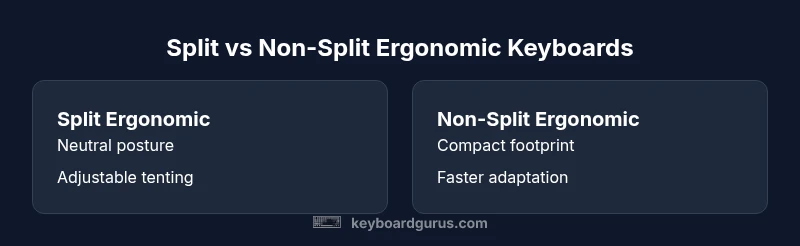
| Feature | Split Ergonomic Keyboard | Non-Split Ergonomic Keyboard |
|---|---|---|
| Layout Type | Split/ergonomic | Unified layout |
| Tenting/Angle Options | Adjustable/tented | Fixed or minimal angle |
| Thumb Clusters | Present in many split designs | Rare/none |
| Key Travel | Typically comfortable/medium | Standard |
| Price Range | Mid to high | Low to mid |
| Best For | Long typing, health-focused users | Casual users or tight spaces |
Advantages
- Reduces wrist and forearm strain with neutral alignment
- Allows customization for long-term comfort and posture
- Supports muscle memory while distributing load across joints
- Can improve focus and reduce fatigue during extended sessions
Drawbacks
- Higher upfront cost compared to standard keyboards
- Adaptation period required to learn new layout
- Larger desk footprint for split or tented designs
- Some models may have a steeper learning curve for beginners
Ergonomic keyboards commonly outperform standard designs for long-term comfort; split or tented options win on support and posture, but require space and time to adapt.
Choose a model with adjustable tenting and a split layout for maximum comfort if you type for long periods. If space or budget is limited, start with a mid-range ergonomic option and plan for a gradual adaptation.
Got Questions?
What defines an ergonomic keyboard and how does it differ from a standard keyboard?
An ergonomic keyboard is designed to support neutral wrist and forearm alignment through split layouts, tenting, and curved key layouts. It differs from standard keyboards by offering posture-supporting geometry and adjustable features that reduce awkward reach and muscle tension.
An ergonomic keyboard is built to keep your wrists and arms comfortable as you type, which helps with long sessions.
Do ergonomic keyboards improve posture immediately, or is adaptation needed?
Posture often improves after an adaptation period as your muscles learn the new alignment. Some users notice relief early, but most benefits accrue as you build neutral habits.
Posture improvements usually come after a short adjustment period.
Are ergonomic keyboards good for gaming?
Many ergonomic keyboards support gaming well, especially split designs with responsive switches. Some players prefer traditional layouts for top-end speed, but a well-chosen ergonomic model can be competitive.
Yes, you can game well with an ergonomic keyboard if you pick the right layout.
How long does it take to adapt to a split keyboard?
Adaptation varies by user but typically occurs over days to weeks. Start with short sessions and gradually increase to build muscle memory.
It varies; give your hands time to adjust over a few days to a couple of weeks.
Is wireless ergonomic keyboards reliable?
Wireless ergonomic keyboards can be reliable with strong connections and low latency. Check for reputable latency tests and solid build quality.
Wireless models can be very reliable—just verify latency and compatibility.
Is it worth pairing an ergonomic keyboard with a vertical mouse?
For many users, a vertical mouse reduces wrist torsion and supports overall posture, though you can start with the keyboard and add a mouse later if needed.
A vertical mouse can help, but test the keyboard first.
What to Remember
- Prioritize neutral wrist alignment and adjustable tenting
- Split layouts reduce shoulder strain but need desk space
- Allow time to adapt; practice improves results
- Balance upfront cost with long-term comfort and productivity