Wireless keyboard vs Bluetooth keyboard: An objective comparison
Explore the differences between wireless 2.4 GHz dongle keyboards and Bluetooth keyboards, focusing on latency, compatibility, battery life, and real-world use cases. A data-driven guide by Keyboard Gurus for gamers, students, and professionals.


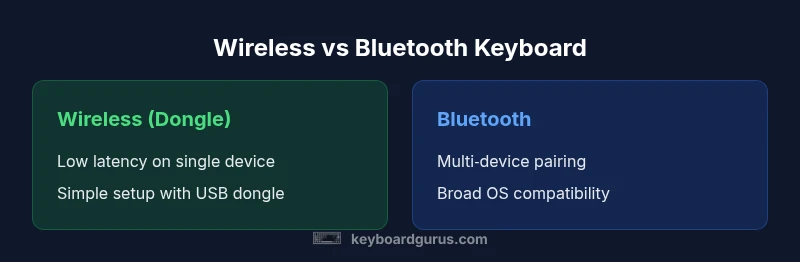
Choosing between wireless keyboard vs bluetooth keyboard depends on latency, compatibility, and device ecosystem. Wireless (2.4 GHz) keyboards usually offer lower latency and a simple single-device setup via a USB dongle, while Bluetooth keyboards excel at multi-device pairing and universal compatibility. Keyboard Gurus analysis, 2026, suggests matching your setup to your primary devices and work style.
Understanding the landscape: wireless keyboard vs bluetooth keyboard
The choice between a wireless keyboard and a Bluetooth keyboard boils down to how you plan to use the device, what ecosystems you rely on, and how important latency and cross‑device flexibility are to you. The phrase wireless keyboard vs bluetooth keyboard captures a common consumer question: which connectivity path best fits gaming rigs, office desks, or mobile setups? For readers who care about precise timing in games or rapid transcription, knowing the trade-offs helps avoid regretful buys. According to Keyboard Gurus, the answer is rarely absolute; it depends on your devices, environment, and priorities. When you evaluate options, you should consider latency, interference risk, battery life, and platform support. This guide will walk through the mechanics, the practical implications, and the decision framework you can apply to your own setup.
How wireless keyboards operate: the 2.4 GHz dongle path
Wireless keyboards that rely on a USB dongle typically use a dedicated 2.4 GHz radio band to communicate with the computer. The dongle keeps the connection stable in many environments because the signal is localized between the keyboard and the PC, which minimizes cross‑device interference. In practice, users often notice lower input latency and fewer hiccups during fast actions compared to some Bluetooth configurations. The trade-offs include needing a free USB port, potential dongle loss, and limited cross‑device switching. For students and professionals who work at a single workstation, a dongle setup can feel snappy and reliable, especially when paired with a compact, low-latency keyboard design.
How Bluetooth keyboards pair and operate across devices
Bluetooth keyboards connect without a dongle by using the computer or device's built‑in Bluetooth radio. This makes them inherently more portable across ecosystems, including laptops, tablets, and smartphones. Bluetooth keyboards shine in multi‑device workflows: you can quickly switch between devices with a few taps or a single hotkey, which is ideal for people who juggle a laptop, a tablet, and a phone. However, Bluetooth can introduce slightly higher latency in busy RF environments and may require more complex pairing flows, especially on less common operating systems. Battery life is usually good, and most modern Bluetooth keyboards offer multiple device profiles for easy switching.
Latency, interference, and range: what matters in everyday use
Latency is the felt delay between pressing a key and seeing the character appear on the screen. In gaming or competitive typing, even a few milliseconds can matter. Wireless dongle keyboards often report consistently low latency due to the dedicated channel, while Bluetooth keyboards may show variable latency depending on system load, background Bluetooth activity, and wireless congestion. The practical impact varies by task: casual typing and productivity tasks tolerate modest latency, whereas high‑speed gaming often benefits from a dedicated dongle. Range is typically ample for a desk setup, but the dongle path can perform better through walls in some layouts, while Bluetooth enables flexibility across rooms and devices with nearby signals.
Battery life, charging, and power management
Power efficiency is a critical factor for any keyboard. Bluetooth keyboards frequently claim long battery life on a single charge, with many models offering rechargeable cells and clever sleep modes. Wireless dongle keyboards also run on batteries and can sip power when idle, but their battery life depends on the number of LEDs, backlighting, and the radio design. A practical tip: disable nonessential lighting and use auto‑sleep timers to maximize runtime. In environments where charging ports are scarce, you might prefer a keyboard with low idle power and a robust battery, regardless of the connectivity path.
Compatibility and ecosystem considerations across operating systems
The Bluetooth path benefits from broad cross‑platform compatibility: Windows, macOS, iPadOS, Android, and Linux all generally support Bluetooth keyboards. USB dongle keyboards may require drivers or generic HID support, which is usually widely available but can occasionally present edge cases on niche Linux distributions. If you work across multiple devices, a Bluetooth keyboard can simplify syncing, whereas a dongle keyboard may be preferable if you primarily use one PC and want minimized configuration. Your choice should align with the devices you rely on and the ease of pairing you expect in daily use.
Setup, pairing, and everyday usability
Setup friction is a practical consideration. Bluetooth keyboards often require initial pairing with a menu selection and, on some devices, entering a passcode or confirming a pairing request. Once paired, easy switching between devices is typically achieved with a dedicated key or function shortcut. Wireless dongle keyboards usually pair automatically after plugging in the dongle, offering less setup effort for a single device. If you frequently switch devices from a desk to a laptop or a tablet, Bluetooth provides a smoother workflow; for single‑device, plug‑and‑play setups, a dongle is often more straightforward and reliable.
Security, privacy, and future‑proofing considerations
Both pathways have security implications worth noting. Bluetooth connections can be protected with modern encryption standards, though keeping devices updated helps mitigate vulnerabilities. USB dongle keyboards rely on a direct radio link that can be easier to intercept on shared networks if not configured properly. Future‑proofing considerations include device ecosystems and software support: Bluetooth remains widely supported by new devices, while dongle keyboards may see fewer firmware updates. Prioritize a model with good security practices, regular firmware updates, and robust pairing options to minimize risk.
Real‑world scenarios and a decision framework for choosing
Gamers who demand ultra‑low latency and stable one‑to‑one connections may favor wireless dongles for a dedicated gaming PC. Professionals who work across a common laptop, a tablet, and a phone will likely benefit from Bluetooth for seamless multi‑device productivity. Students and travelers who value portability and minimal setup may prefer Bluetooth for its universal compatibility, while desk‑bound professionals with limited device variety may opt for the dongle route to maximize responsiveness. Use this framework: (1) list your devices, (2) prioritize latency vs cross‑device use, (3) assess available ports and battery expectations, (4) test in your real environment, and (5) choose a model that offers reliable pairing and clear firmware support.
Shopping guidance and maintenance tips
When shopping, compare models that emphasize your priority: low latency for gaming or broad device support for mobility. Look for features like auto‑sleep, wake on key press, and robust key feel. Check whether the keyboard ships with a USB dongle and whether the dongle uses a USB‑C or USB‑A interface to fit your setup. Maintenance tips include keeping firmware up to date, checking for firmware updates on the keyboard, cleaning between keys to prevent sticking, and using a fabric sleeve or stand to minimize wear on cables and connectors. A well‑maintained keyboard can retain performance across years of daily use.
Comparison
| Feature | Wireless (2.4 GHz) dongle | Bluetooth keyboard |
|---|---|---|
| Latency | Low, stable with dedicated dongle | Variable, depending on device and environment |
| Interference risk | Generally lower interference on a dedicated channel | Potential interference from Wi‑Fi and other BT devices |
| Device compatibility | Windows/macOS/Linux with USB dongle support | Broad OS support across latest Windows/macOS/iOS/Android |
| Multi-device use | Typically single‑device focus | Easy switching between multiple devices |
| Power and battery | Battery life depends on usage; dongle operates without own battery drain on host | Battery life depends on usage; many are rechargeable |
| Setup & pairing | Plug‑and‑play; minimal setup | Pairing via OS menus; more flexible but sometimes longer setup |
| Price range | Often lower upfront cost when dongle included | Price varies with Bluetooth version and features |
| Best for | Dedicated workstation use, low latency games | Cross‑device productivity and mobility |
Advantages
- Low latency for gaming and fast typing when a dongle is used
- Simple, often plug‑and‑play setup for single devices
- Bluetooth keyboards offer broad cross‑device compatibility
- Multi‑device pairing with Bluetooth supports seamless workflows
Drawbacks
- Bluetooth can exhibit higher latency under congestion
- Dongles require a free USB port and can be lost
- Bluetooth pairing can be more complex on some OS versions
- Security considerations exist for both paths if not updated
Bluetooth wins for multi‑device versatility; wireless dongle wins for single‑device latency
If your workflow involves multiple devices, Bluetooth is the practical choice. If you mostly stick to one computer and want the lowest possible latency, a 2.4 GHz dongle keyboard is the better option. The best pick depends on your ecosystem and priorities.
Got Questions?
What is the fundamental difference between a wireless keyboard and a Bluetooth keyboard?
A wireless keyboard typically uses a USB dongle on a dedicated radio channel, offering low latency for a single device. A Bluetooth keyboard connects directly via Bluetooth and supports multiple devices, but latency can vary with environment and system load.
A wireless keyboard uses a USB dongle for a fast, dedicated connection, while a Bluetooth keyboard talks to your devices via Bluetooth and can switch between several devices.
Are wireless dongle keyboards always better for gaming?
Dongle keyboards often provide more consistent latency on a single PC, which can help competitive gaming. However, you may miss cross‑device flexibility, so the choice depends on your primary use case.
Dongle keyboards can be faster and more stable for one PC, which helps gaming, but they may lack the cross‑device flexibility Bluetooth offers.
Will a Bluetooth keyboard work with my tablet and phone?
Yes, Bluetooth keyboards typically work with tablets and phones that support Bluetooth HID. You may need to pair on each device and switch profiles when moving between items.
Yes—Bluetooth keyboards usually work with tablets and phones; you just pair them once and switch when needed.
Do wireless keyboards require a dongle and a USB port?
Most wireless keyboards use a USB dongle, which means you need an available USB port. Some newer models may offer USB‑C adapters or dual connectivity, but dongles are common.
Yes, most rely on a USB dongle, so you’ll need a free USB port, or you’ll need a model with alternative options.
How can I maximize battery life on a wireless or Bluetooth keyboard?
Enable sleep mode, turn off backlighting when not needed, keep firmware updated, and avoid leaving keyboards connected when not in use. Rechargeable models tend to be more convenient for frequent use.
Use sleep mode, reduce lighting, and keep firmware up to date to squeeze more life out of your keyboard.
Which is more secure: Bluetooth or a wireless dongle?
Both can be secure when updated and configured properly. Bluetooth uses standard encryption, while dongle connections depend on the implementation. Keep devices updated and avoid pairing with unknown devices.
Both can be secure if you keep devices updated and use proper pairing practices.
What to Remember
- Prioritize latency when gaming or typing speed matters
- Choose Bluetooth for cross‑device flexibility and mobility
- Opt for a 2.4 GHz dongle when you need minimal interference and snappy responses
- Test in your real environment before committing
- Maintain firmware updates for security and reliability