Keyboard Switch Test: A Practical How-To Guide
Learn how to test keyboard switches for feel, sound, and reliability with a step-by-step methodology, tooling, and expert tips from Keyboard Gurus.


You can reliably test keyboard switches by isolating each switch, recording actuation force, sound, and feel with a basic toolset, and comparing results against a reference map. This guide shows you how to set up a repeatable test rig, perform consistent measurements, and interpret outcomes using the Keyboard Gurus methodology. By following these steps, you’ll identify switches that best match your typing or gaming needs.
Why testing keyboard switches matters
Testing keyboard switches is essential for anyone who wants a consistent, comfortable, and reliable typing or gaming experience. For keyboard enthusiasts, the goal is to understand how a switch behaves under real-use conditions: how hard it is to actuate, how tactile or linear the feel is, how loud the switch sounds, and how stable its behavior remains over time. The Keyboard Gurus team emphasizes that a rigorous switch test helps you separate subjective impressions from objective performance, ensuring your final hardware choice aligns with your workflow. In the realm of mechanical keyboards, switch test results serve as a common ground for comparing feel, noise, and durability across brands and models. By approaching testing systematically, you can build a personal reference library that guides future builds and upgrades.
Understanding switch types and how to measure
Keyboard switches fall into several broad categories: linear, tactile, and clicky. Each type has a characteristic feel and distinct actuation profile. Linear switches offer smooth, uninterrupted travel; tactile switches provide a noticeable bump before actuation; clicky switches produce an audible click on activation. When testing, focus on three core dimensions: actuation force (how much pressure is needed to register a keypress), tactility or feedback (how the switch communicates activation to your finger), and sound profile (which includes both the audible click and the amount of noise generated during travel). While exact force values vary by model, the goal of a fair test is to capture consistent measurements per switch and then compare them within the same dataset.
What you will need: tools, materials, and setup
Before you begin, assemble a clean, distraction-free test area and collect the necessary equipment. A reliable switch tester or force gauge helps you quantify actuation force; a keycap puller or switch puller lets you swap switches safely; a notebook or spreadsheet will capture measurements and subjective notes; and a soft brush or microfiber cloth keeps components dust-free. If you plan to test multiple switches on a single keyboard, a hot-swappable board can streamline the process; otherwise, you’ll need a method to desolder and re-solder as needed. Keep spare stabilizers, lubricants, and cleaning supplies on hand for maintenance between tests. Consistency in positioning, timing, and environment is key to meaningful results.
Test methodology: repeatable measurements
A robust test procedure minimizes variability. Start with a clean baseline: ensure the keyboard is at standard room temperature, use the same key position for each test, and measure each switch multiple times to account for minor fluctuations. Record the actuation force at each trial, note the tactile feedback, and capture a short audio sample if possible. Use the same mounting method and stabilizers for each switch to avoid extra friction or wobble. When documenting, attach a timestamp to every entry and label the switch model, manufacturer, and keyboard context. Keyboard Gurus recommends treating the data as a spectrum rather than a single score: look for consistency across trials and identify any outliers that warrant re-testing.
Practical testing scenarios: typing, gaming, and programming
Every use-case presents different demands. For typing, you may prefer switches with a smooth travel and a comfortable actuation force to reduce fatigue over long sessions. Gamers might prioritize rapid actuation and repeatable feedback to minimize misfires, while professionals who type for hours benefit from a stable, predictable feel with relatively low noise. During testing, simulate real tasks: typed sentences, gaming bursts, and programming sessions. Note how quickly you can press and release keys, whether you notice any dampening or wobble, and whether the switch returns cleanly to rest. If a switch stutters or feels inconsistent under load, document the context and plan a follow-up check.
Interpreting results: mapping to feel and reliability
Interpreting data involves translating measurements into actionable insights. Compare actuation force across switches within the same group (e.g., all linear or all tactile) to identify where your preferred range lies. Evaluate tactility by noting the abruptness of the bump and the smoothness of the travel; loudness should be considered relative to your environment (office, gaming room, or streaming setup). Reliability is about consistency: switches that drift in actuation force or exhibit noise or wobble over repeated trials signal potential manufacturing variance or mounting issues. Build a scoring rubric that combines objective metrics with subjective impressions, and use it to rank switches for future purchases or for a custom keeb build.
Common pitfalls and how to avoid them
Several common mistakes can undermine test validity. Environmental drift (temperature and humidity) can affect actuation force and lubrication behavior, so try to test in a stable room. Inconsistent mounting or poor keycap seating introduces friction that confounds measurements. Failing to log data consistently or relying on a single trial can misrepresent a switch’s true characteristics. Ensure you calibrate instruments before starting and maintain identical procedures across all tests. Finally, avoid over-lubricating or modifying switches mid-test; such changes should be saved for dedicated maintenance experiments rather than a baseline comparison.
Maintenance tips to preserve switch quality
Regular cleaning helps maintain consistent switch behavior. Gently remove dust with a soft brush, wipe components with a lint-free cloth, and re-seat stabilizers as needed. If you plan long-term testing, establish a routine lubrication schedule using high-quality lubricants appropriate for your switch type to prevent friction fatigue. Record any maintenance actions in your data log so you can correlate changes in feel or sound with updates. Keeping a clean, controlled environment reduces variability and yields more reliable comparisons over time.
Applying data to your build: decisions and next steps
Once you have a solid dataset, apply it to practical decisions. If you’re building a typing-focused board, prioritize switches with moderate actuation force and smooth travel. For gaming, you might value quick actuation and repeatable feedback with minimal wobble. Share your findings with the community through your own notes or a detailed comparison chart; peer feedback can help validate your conclusions and uncover biases. Remember that personal preference is central: the best switch for your keyboard is the one that matches your workflow, comfort, and noise tolerance.
Tools & Materials
- Switch tester or force gauge(Calibrated device to measure actuation force in gf (gram-force))
- Keycap puller or switch puller(Safely remove caps and switch stems without damage)
- Notebook or spreadsheet(Log measurements, impressions, and timestamps)
- Keyboard with hot-swappable switches (optional)(Eases swapping and testing multiple switches quickly)
- Lubricant and cleaning materials (optional)(For maintenance or to explore feel changes)
- Soft brush and microfiber cloth(Dust removal and surface cleaning before testing)
Steps
Estimated time: 60-120 minutes
- 1
Define your test goals
Clarify what you want to learn from the test (feel, actuation force, sound, or durability). State your preferred ranges and use-case scenarios to benchmark against. This upfront clarity reduces bias when you evaluate switches later.
Tip: Write a one-sentence goal for each switch you test to stay focused. - 2
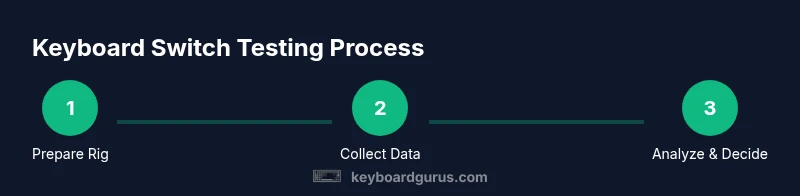
Prepare the test rig
Set up a stable workspace, ensure the keyboard is at room temperature, and assemble your tools. Secure the keyboard or switch sample so that movement is minimized during measurement. A consistent mounting method is essential for reliable comparisons.
Tip: Use identical mounting hardware for every test to avoid variability. - 3
Baseline data collection
Record a baseline for each switch by taking multiple actuation force readings and noting tactile feedback. Create an initial subjective impression for each switch and store it alongside the measurements. Repeatable trials are critical for fair comparisons.
Tip: Take at least three trials per switch and discard obvious outliers. - 4
Measure actuation force
Using your force gauge, gently actuate each switch and record the peak force required to actuate. Note any variance across trials and watch for any drift during presses. Keep the testing speed steady to minimize dynamic effects.
Tip: Tap the switch consistently at the same spot to reduce variability. - 5
Evaluate tactility and acoustics
Record your perception of the tactile bump (for tactile switches), the smoothness of travel (linear), and the presence of any rattle or clacking noise. If possible, capture short audio clips for later comparison. Rate each on a simple scale to keep the data manageable.
Tip: Use the same microphone distance and environment for all clips. - 6
Log data and analyze
Enter all measurements and impressions in your log. Compare switches within the same category and across categories with your rubric. Look for consistency and identify outliers or anomalies for re-testing.
Tip: Create a quick visual chart (bar or dot plot) to spot patterns at a glance. - 7
Draw conclusions and document results
Summarize which switches meet your goals, justify decisions with data, and outline any caveats. Document any maintenance actions or future testing planned. Share insights with your community for validation.
Tip: Decide on a primary and a backup switch to simplify future builds.
Got Questions?
What is a keyboard switch test?
A keyboard switch test evaluates how a switch behaves in real use, focusing on actuation force, tactility, sound, and durability. It uses repeatable measurements and documented impressions to compare switches fairly.
A keyboard switch test measures how a switch feels and functions, using repeatable steps to compare options.
What tools do I need to start testing?
You need a switch tester or force gauge, a keycap or switch puller, a notebook or spreadsheet for data, and a clean workspace. Optional items include a hot-swappable keyboard and lubricants for deeper analysis.
A force gauge, a puller, and a log notebook will get you started.
How do I compare different switches fairly?
Compare switches within the same category (linear, tactile, clicky) using identical mounting, trials, and environmental conditions. Use both objective measurements and subjective impressions and look for consistency across trials.
Stick to the same category and conditions, and compare both numbers and how the switches feel.
Can I test plated or soldered switches with this method?
Yes, but you should isolate your testing rig to avoid variability from mounting and stabilizers. For soldered switches, ensure consistent desoldering and reassembly to prevent mechanical damage.
You can test plated or soldered switches with careful mounting and consistent procedures.
Why do some switches feel different after lubrication?
Lubrication reduces friction, which can lower actuation force and smooth the travel. The effect varies by lubricant type, amount, and switch design, so retesting is essential after any lubrication.
Lubing can change feel; you should retest to confirm how it affects your setup.
How often should I retest switches?
Retesting is advisable after any maintenance, lubrication, or batch change. If you’ve swapped stems, lubricants, or mounting hardware, re-run the test to confirm consistency.
Test again after any change to confirm you still meet your goals.
Watch Video
What to Remember
- Define clear goals before testing to prevent bias.
- Maintain a controlled environment and consistent mounting.
- Record both quantitative and qualitative data for each switch.
- Use a repeatable rubric to compare switches fairly.