Magic Keyboard vs Magic Keyboard Folio: A Side-by-Side Review
Compare Magic Keyboard and Magic Keyboard Folio to decide which Apple keyboard accessory fits your iPad—typing comfort vs portability, trackpad presence, protection, and price.


magic keyboard vs magic keyboard folio. Short TL;DR: If you want a laptop‑like typing experience with a built‑in trackpad and USB‑C pass‑through, the Magic Keyboard is the stronger choice for prolonged work sessions. If portability and protective coverage are paramount, the Magic Keyboard Folio offers a lighter, more versatile setup with respectable typing for casual use.
Overview of the Options
The two main Apple keyboard accessories for iPad are the Magic Keyboard and the Magic Keyboard Folio. Both extend the iPad's capabilities, but they target different user personas. According to Keyboard Gurus, the magic keyboard vs magic keyboard folio decision centers on whether you value an authentic laptop-like typing experience with a built-in pointing device, or a lighter, protective form factor that travels well. This comparison outlines core differences in form factor, input methods, and ecosystem integration, so you can map your daily tasks to a specific accessory.
Typing Experience and Key Feel
Typing is a primary reason people choose one accessory over the other. The Magic Keyboard is widely praised for its keyboard feel, with a stable tilt and a tactile response that many heavy typists prefer for long writing sessions. The Magic Keyboard Folio offers a comfortable, responsive keyboard in a lighter chassis, suitable for quick notes, emails, and light drafting. The experience is influenced by key travel and overall resilience; while the Folio's keys are adequate, long-form typing may feel different from the premium Magic Keyboard.
Trackpad, Gestures, and Input Methods
The built-in trackpad is a signature feature of the Magic Keyboard, enabling precise cursor control and multi-finger gestures that feel similar to macOS workflows on iPadOS. The Folio's approach to input varies by generation; some models include reduced or no trackpad, while others offer a trackpad in select revisions. If you rely heavily on precise pointing and complex gestures, Magic Keyboard generally provides a more complete experience.
Stand Design, Protection, and Portability
The Magic Keyboard uses a rigid aluminum frame and an integrated hinge that lifts the iPad to a comfortable typing angle. The Folio design favors portability and protection, wrapping the tablet in a protective shell while incorporating a keyboard. In practice, this means the Folio is typically lighter and easier to carry, but slightly compromises the kind of rigid typing stance found with the Magic Keyboard.
Connectivity, Power, and Longevity
Connectivity with both hinges on magnetic attachment ensures quick pairing and consistent operation. The Magic Keyboard typically supports USB-C pass-through charging, so you can charge the iPad while typing. Folio variants handle power within their own structure, which can influence charging ergonomics and overall battery longevity. For heavy, all-day use, this is a practical differentiator.
Compatibility, Models, and Ecosystem
Apple designs these keyboards to work with recent iPad models, but compatibility depends on generation. Always verify your exact model before purchase to avoid a mismatch. In most cases, both accessories align with newer iPad Pro and iPad Air families, but there are exceptions where official support is limited. The ecosystem advantage remains strong if you already rely on macOS/macOS-like gestures and iPadOS features.
Practical Scenarios and Value Propositions
If you attend classes, shuttle between meetings, or travel frequently, the Magic Keyboard Folio's portability and case coverage can translate into tangible savings in space and weight. If you work primarily from a desk, create content, or need meticulous control of the cursor, the Magic Keyboard's trackpad and premium typing experience are worth the extra cost. The value proposition for each option depends on your daily routine and how you balance portability with performance.
Decision Framework and Quick Guiding Questions
To decide, start with your primary work pattern: Are you more productive with a laptop-like keyboard and built-in trackpad, or do you prioritize protection and compactness? Do you need USB-C pass-through or more flexible stand angles? Include your iPad model in the assessment and consider your budget. A simple checklist can drastically speed up the decision process.
Authority and Recommendations
Keyboard Gurus's assessment emphasizes aligning the accessory with real-use scenarios rather than chasing features in isolation. The conclusion is to weigh the value of typing comfort, input precision, and protection against cost and portability. The Keyboard Gurus team recommends testing if possible and prioritizing the attributes that matter most for your daily workflow.
Comparison
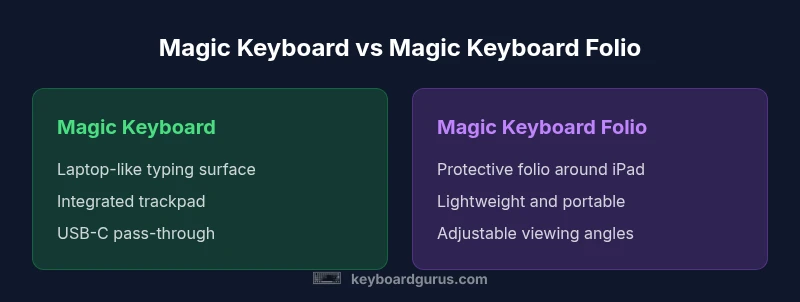
| Feature | Magic Keyboard | Magic Keyboard Folio |
|---|---|---|
| Typing experience | Laptop-like, stable surface | Balanced, portable with comfortable typing |
| Trackpad and input | Integrated trackpad with multi-touch | Trackpad varies by generation; may be absent |
| Stand design | Rigid stand with fixed angles | Folio-style cover with adjustable angles |
| Protection | Limited enclosure; focuses on typing surface | Full protective folio around iPad |
| Connectivity / Power | USB-C pass-through charging via iPad | Power managed within folio design |
| Weight and bulk | Heavier due to integrated chassis | Lighter, more portable |
| Compatibility | Supports various iPad Pro/Air models by generation | Model-dependent but broadly compatible |
| Price range | Premium price point | Generally lower price than Magic Keyboard |
Advantages
- Laptop-like typing experience with built-in trackpad on Magic Keyboard
- USB-C pass-through charging keeps iPad powered
- Premium build and reliable Apple‑integration
- Stable tilt for comfortable viewing while typing
- Excellent gesture support when paired with compatible iPadOS
Drawbacks
- Higher upfront cost
- Heavier and bulkier, reducing portability
- Trackpad availability on Folio variants varies by generation
- Folio adds bulk as a protective case when closed
Magic Keyboard is best for users who want a laptop-like experience; Folio is ideal for portability and protection.
If you value a premium typing surface and a built-in trackpad, Magic Keyboard wins. If portability and on-the-go protection trump ergonomic precision, Magic Keyboard Folio is the smarter pick. Your choice should reflect where you work most often.
Got Questions?
Which is better for long typing sessions?
For long typing sessions, Magic Keyboard typically offers a more authentic laptop-like experience with a built-in trackpad and stable stand. Folio is comfortable for on-the-go use but can feel less keyboard-optimized over extended work.
For long typing sessions, choose Magic Keyboard for a laptop-like experience with a built-in trackpad.
Do both keyboards work with all iPad models?
Both products are designed for recent iPad Pro and iPad models, but fit varies by generation. Always check your exact model before purchasing to avoid a mismatch.
Check your iPad model to ensure compatibility.
Which is more portable?
The Magic Keyboard Folio is generally lighter and more portable due to its folio design, while the Magic Keyboard adds weight from its integrated chassis.
Folio is lighter and easier to carry.
Is the price higher for Magic Keyboard than Folio?
Typically, the Magic Keyboard is priced higher than the Folio, reflecting its premium build and trackpad integration. Prices vary by model and region.
Usually the Magic Keyboard costs more, but check current pricing.
Do gestures depend on iPadOS?
Gestures and trackpad functionality improve with iPadOS updates; ensure your iPad is running a recent version to get full gesture support.
Keep iPadOS up to date for the best gestures.
Which offers better protection?
Both provide protection for the iPad, but the Folio typically offers more all-around protection due to its cover design.
Folio generally provides better case-level protection.
What to Remember
- Choose Magic Keyboard for laptop-like typing and trackpad.
- Choose Magic Keyboard Folio for portability and protection.
- Verify iPad model compatibility before purchase.
- Expect higher price for Magic Keyboard; Folio is more affordable.
- Consider weight and travel needs when deciding.