Magic Keyboard vs Smart Keyboard: An Objective Comparison
A rigorous comparison of Magic Keyboard and Smart Keyboard to help Apple users choose the right typing companion for Mac, iPad, and on the go. Keyboard Gurus analysis informs the verdict.


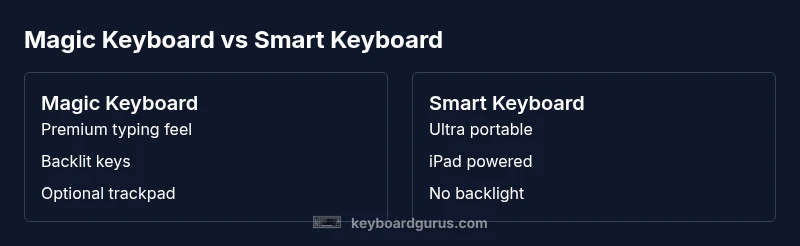
Magic Keyboard vs Smart Keyboard pits two Apple oriented keyboards against each other for different workflows. The Magic Keyboard excels for desk setups and productivity with backlit keys and optional trackpad, while Smart Keyboard prioritizes portability and seamless iPad integration. According to Keyboard Gurus, this comparison helps you match device compatibility, typing feel, and budget to your real needs.
What these keyboards are and who they suit
Magic Keyboard and Smart Keyboard are premium typing accessories designed around two distinct usage scenarios. In short, magic keyboard vs smart keyboard captures a debate between desktop like productivity and ultraportable convenience. According to Keyboard Gurus, the Magic Keyboard provides a tactile typing experience, backlit keys, and a built in trackpad on some variants that enable near laptop like workflows. The Smart Keyboard, by contrast, is aimed at iPad users who want a lightweight, integrated solution that relies on the iPad for power and connectivity. This section helps you identify which audience each keyboard serves—students who type long essays, professionals juggling documents, and creatives who sketch and write on the go. By clarifying your typical tasks and where you work, you can align your choice with your actual daily routine.
Keyboard Gurus analysis shows that most readers fall into two camps: those prioritizing a premium typing experience and a full set of laptop style features, and those who prize portability and an almost seamless iPad pairing. If your priority is comfort, speed, and multi tasking, you will likely lean toward the Magic Keyboard. If you value light weight and plug and play with your iPad, the Smart Keyboard is a compelling option.
This block sets up the rest of the article by framing key decision criteria: typing feel, power and connectivity, device ecosystem, and price. It also begins to surface the practical trade offs so readers can anchor upcoming sections in their actual needs.
Comparison
| Feature | Magic Keyboard | Smart Keyboard |
|---|---|---|
| Key travel and typing feel | Crisp, short travel with tactile feedback | Flat, very low travel and quiet |
| Connectivity and power | Bluetooth wireless with built in rechargeable battery | Powered via iPad Smart Connector (no separate charging) |
| Device compatibility | Mac and iPad models that support Bluetooth keyboards | Only compatible with iPad models with Smart Connector |
| Backlighting | Backlit keys on most models | No backlight |
| Extras | Optional trackpad on newer variants | No dedicated input devices |
| Price/value | Premium price with ecosystem value | Lower upfront cost with basic use case |
Advantages
- Premium typing experience with backlit keys and built in trackpad (on compatible Magic Keyboard models)
- Seamless iPad integration and portability with Smart Keyboard
- High build quality and durable materials across both options
- Strong resale value and longevity for premium Apple accessories
- Quiet, unobtrusive operation for shared workspaces
Drawbacks
- Higher upfront cost for Magic Keyboard
- Smart Keyboard lacks backlighting and independent battery
- Smart Keyboard is limited to iPad use and specific connector types
- Magic Keyboard can be heavier and bulkier for constant travel
Magic Keyboard offers the best all around typing experience for Apple devices; Smart Keyboard shines for ultra portable iPad setups.
Choose Magic Keyboard if you want laptop like typing, backlighting, and a built in trackpad compatibility. Choose Smart Keyboard if portability and iPad integration at a lower upfront cost matter most. The Keyboard Gurus team leans toward Magic Keyboard for productivity and professional work, while Smart Keyboard remains a strong option for on the go iPad users.
Got Questions?
Which devices are compatible with the Magic Keyboard and Smart Keyboard?
Magic Keyboard connects via Bluetooth to Apple devices that support Bluetooth keyboards and to iPad models in the appropriate ecosystem, while Smart Keyboard attaches to iPad models that have the Smart Connector. Always verify your model against official Apple compatibility guides before purchase.
Magic Keyboard uses Bluetooth, while Smart Keyboard uses the iPad Smart Connector for power and data.
Is the Smart Keyboard backlit?
No, the Smart Keyboard does not include backlighting. It is designed for portability and simplicity rather than laptop style illumination.
No backlight on the Smart Keyboard.
Is the Magic Keyboard worth the higher cost?
For users who value a premium typing feel, backlight, and a trackpad option, the Magic Keyboard is typically worth the extra cost. If your use is strictly iPad based and you prioritize lightweight setup, the Smart Keyboard may be more economical.
It depends on how you use your device.
Which is better for gaming?
Neither is optimized for gaming; both are productivity oriented. Dedicated gaming keyboards generally offer better performance and features for gaming use cases.
If gaming is a priority, look at a keyboard designed for gaming.
What about warranty and service?
Both keyboards typically come with manufacturer warranties. Warranty length and coverage vary by retailer and region; check the official Apple warranty terms or retailer policy for details.
Warranty terms vary; check coverage where you buy.
How should I decide in four steps?
1. Check device compatibility 2. Consider portability and use case 3. Compare price and features 4. If possible, test typing experience to confirm which feels better for your workflow.
Follow these four steps to make a solid choice.
What to Remember
- Assess device compatibility before buying
- Magic Keyboard delivers a premium typing experience
- Smart Keyboard prioritizes portability and iPad integration
- Backlighting and trackpad differentiate the options
- Budget and workflow should drive the decision