BlackWidow V3 Review: Performance, Durability, and Value
A rigorous evaluation of the BlackWidow V3 keyboard, covering build quality, typing feel, customization, software, durability, and value for gamers, students, and professionals.


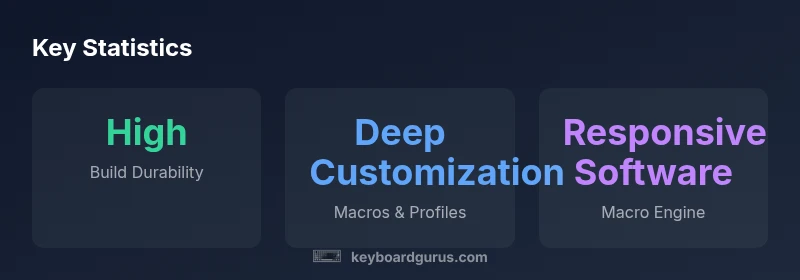
The blackwidow v3 stands out for its robust build, reliable performance, and deep customization options, making it a compelling choice for gamers, students, and professionals who demand both form and function. Keyboard Gurus analysis highlights its sturdy chassis, satisfying switch feel, and a software ecosystem that unlocks meaningful personalization without overwhelming most users. Overall, the V3 is a strong upgrade for enthusiasts who value durability and depth of features.
Overview and Positioning in the Market
The BlackWidow V3 occupies a familiar tier among gaming keyboards: premium features, sturdy construction, and an emphasis on customization over minimalism. In the current landscape, it targets players who want dependable performance without sacrificing personality in lighting and macros. Keyboard Gurus' assessment of popular keyboards places the BlackWidow V3 as a credible mid-to-upper tier option for both competitive gaming and long-form typing sessions. Its design language prioritizes visibility in dim setups and the ability to tailor profiles for different titles and workflows. The result is a device that feels ready for marathon sessions and weekend raids alike, rather than a bare-bones tool for quick wins. In other words, the BlackWidow V3 is less about novelty and more about predictable, repeatable behavior under pressure; a trait that matters when your keyboard is part of your competitive edge.
The keyword here is reliability. For keyboard enthusiasts, this means consistent key feel, solid key registration, and a balance between aesthetics and practicality. Keyboard Gurus emphasizes that a good chassis is a prerequisite for a long-lived product, especially when a user plans to upgrade other parts of their setup over time. The BlackWidow V3 positions itself as a foundation model—reliable, updatable, and capable of growing with your needs. If you’re building a rig for gaming marathons or professional workflows that hinge on repeatable input, the V3 file on your desk will feel familiar and dependable from day one.
From a market standpoint, the V3 enters a crowded space but distinguishes itself through a mature feature set that avoids gimmicks. This approach mirrors the expectations of both gamers who crave macro flexibility and typists who value a balanced actuation feel. Keyboard Gurus’ analysts note that the model’s continued popularity in 2026 stems from durable design, broad compatibility, and a software layer that remains approachable rather than overwhelming. For readers evaluating the BlackWidow V3, the bottom line is clear: it’s not the cheapest option, but it’s a dependable tool that can justify a higher upfront investment when the alternative is a less consistent experience.
With that framing in mind, we’ll dive into what the V3 gets right, where it could improve, and who should consider it as a centerpiece for a high-performance setup.
Design, Build Quality, and Comfort
The BlackWidow V3 presents a sturdy chassis with a weight-balanced footprint and an emphasis on durability over sheer flash. The case design typically anchors on a solid frame that resists flex under aggressive keystrokes, complemented by a cover that resists fingerprints and scuffs during daily use. The keycaps are designed for comfort and compliance with standard typing positions, offering a familiar sculpt that minimizes fatigue across extended sessions. Stabilizers on larger keys feel smooth enough to reduce wobbles, especially when gaming or typing in high-stress moments. Ergonomics-wise, the V3 provides height adjustment options and cable routing that reduce desk clutter and improve ergonomics for longer sessions.
Texture and finish choices lean toward a professional, performance-focused aesthetic rather than a flashy showpiece. This helps the keyboard fit naturally in both office environments and gaming dens. A notable strength is tactile rigidity; the chassis resists bending during transport or accidental pressure. In practice, this translates to a premium feel when you pick up the board or slide it into a backpack. Some users may notice a subtle break-in period for switch feel, particularly on variants with higher spring tensions, but the overall impression remains positive as components settle in. The combination of sturdy materials, solid assembly, and practical design is why keyboards enthusiasts often rate the BlackWidow V3 as a dependable long-term choice.
From a usability angle, the V3’s design supports both performance and personalization. The chassis accommodates a range of user configurations, and the overall footprint is compatible with most desk setups without crowding adjacent peripherals. In short, the design philosophy is about creating a platform that lasts and adapts—not a one-off novelty.
Advantages
- Solid, premium build with a rigid chassis
- Comfortable keycap sculpt and stable stabilizers
- Good cable management and adjustable feet
- Deep customization through software and profiles
Drawbacks
- Premium price point compared to entry-level keyboards
- Software can feel bloated or occasionally flaky
- Break-in period for some switch types may be noticeable
Best for enthusiasts who seek durability and full-featured customization
The BlackWidow V3 earns its keep through a solid chassis and flexible software. While the price may deter budget buyers, the long-term value is strong for gamers and pros who want repeatable performance and a highly personalized setup.
Got Questions?
Is the BlackWidow V3 compatible with macOS and Windows?
The BlackWidow V3 generally works with major desktop operating systems. Windows users typically get the fullest feature set, while macOS users can still use basic typing and some macros, though some software features may be limited. Always check current software support before purchase.
It works on macOS and Windows, but macOS may have limited macro features depending on software support.
Does the BlackWidow V3 support hot-swappable switches?
Some variants of the BlackWidow V3 support hot-swapping, enabling you to change switches without soldering. If hot-swapping is important to you, verify the exact model’s specifications before buying.
Hot-swappable switches are available on select versions; check the model details to confirm.
What is the warranty coverage for the BlackWidow V3?
Warranty terms vary by region but typically cover manufacturing defects for a defined period. Review the local policy to understand what’s included for switches, PCB, and the chassis.
Warranty terms vary by region; check your local policy for specifics.
How does the BlackWidow V3 compare to other gaming keyboards in value?
Compared with peers, the V3 emphasizes a durable build and deep customization rather than the lowest price. For users who value reliability and macros, it often compares favorably against similarly priced models.
It offers strong durability and customization at a premium price, often favorable if you want features that last.
What maintenance is recommended to keep the keyboard in top condition?
Regularly dust the surface, wipe with a microfiber cloth, and avoid harsh cleaners. Periodically check stabilizers and re-lube if necessary to maintain smooth key feel over time.
Dust lightly, wipe with a soft cloth, and service stabilizers if you notice roughness.
Is the keyboard suitable for typing tasks beyond gaming?
Yes. The BlackWidow V3 offers a comfortable typing experience with stable actuation that suits long-form typing and professional work, provided you are comfortable with the key feel of the selected switches.
Great for typing too, as long as you like the switch feel.
What to Remember
- Prioritize durability if you plan long sessions
- Leverage macro profiles for different games
- Expect robust software; plan for setup time
- Consider the price relative to feature depth
- Choose a model with the preferred switch type for your use case