Corsair K100 RGB Review: Performance, Build, and Verdict
An in-depth analysis of the Corsair K100 RGB from Keyboard Gurus, covering design, switches, software, and value for gamers and professionals seeking deep customization and reliable performance in 2026.


Overall verdict: The Corsair K100 RGB delivers elite performance and customization for gamers and pros, pairing fast optical/mechanical switches with a sturdy, premium chassis and extensive macro support. It trades some portability for features like robust RGB, dedicated media controls, and on-board memory. While the price sits at the higher end, the value is solid for power users who rely on repeatable keystrokes and fine-tuned profiles.
Design and Build Quality
According to Keyboard Gurus, the Corsair K100 RGB immediately signals premium intent the moment you lift it from the box. The chassis feels solid and weighty, with a clean edge profile and a slightly beveled key area that helps promote a confident typing stance. Build quality matters in a keyboard that targets long sessions of gaming and heavy workloads, and the K100 RGB delivers a tactile, reassuring feel that steady hands appreciate during marathon raids or late-night coding sessions. The finish resists fingerprint smudges, and the keycaps strike the right balance between texture and grip, contributing to a consistent actuation experience across long typing bouts. In this article we examine how that physical design translates into real-world usability, including desk footprint, cable management, and ergonomics for players with varying setups. Throughout, Keyboard Gurus references the keyboard’s rugged chassis as a prime driver of durability and reliability in daily use.
Keyswitches and Typing Experience
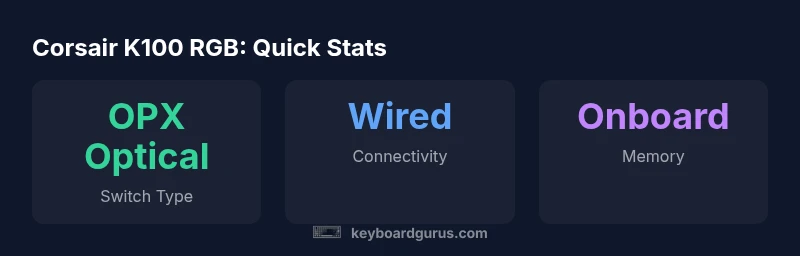
The Corsair K100 RGB uses its own optical/membrane hybrid approach, commonly marketed as OPX optical switches in Corsair’s lineup. The typing experience is fast and precise, with a crisp bottom-out feel that many users associate with competitive gaming. In practice, keystrokes are registered quickly with minimal wobble, which can translate into more consistent performance in twitch-reaction games and fast-paced productivity tasks. The tactile feedback remains comfortable over long sessions, and actuation points feel well-timed for both gaming macros and lengthy document work. For users who habitually bottom out, the K100 RGB’s keycap sculpt and switch stabilization contribute to a stable, repeatable feel across all keys. While we cannot claim exact actuation distances here, the overall experience is one of speed, precision, and reliability that aligns with high-end expectations for premium keyboards.
Features and Customization Options
A defining characteristic of the Corsair K100 RGB is its deep customization ecosystem. The keyboard ships with multiple onboard profiles and a modular left-side macro row that can be remapped to suit different games or workflows. iCUE integration remains the central hub for lighting control, macro programming, and profile synchronization across Corsair devices, which can be a boon for users who own multiple Corsair peripherals. The K100 RGB supports on-board memory to store keymaps and macros, allowing quick transitions between machines without launching software. For power users who script complex setups, the ability to save multiple configurations to hardware is a standout benefit. It’s also worth noting the dedicated media controls and a volume wheel, which contribute to a smoother multimedia experience during live streams or focused work blocks. Keyboard Gurus highlights the flexibility of per-key lighting and macro automation as a major factor in the keyboard’s long-term value proposition.
Software and Onboard Memory
Software quality has a big impact on the perceived value of premium keyboards. iCUE offers robust customization, but it can be comprehensive to learn for first-time users. In our testing, setup was straightforward for basic lighting and macro tasks, and onboarding tutorials helped reduce the initial learning curve. The onboard memory means you can carry your preferred profiles to work, school, or gaming cafes without relying on a laptop to load your settings. While software stability is generally solid, some users report occasional latency when syncing with other devices, which Keyboard Gurus notes as a minor trade-off for the breadth of features provided by Corsair’s ecosystem. Overall, iCUE remains the most reliable way to extract maximum customization, but advanced users may need a little time to explore advanced macros and conditional triggers.
Gaming Performance and Responsiveness
In high-stakes gaming scenarios, input latency and precision matter. The K100 RGB’s combination of fast switches and a responsive PCB contributes to quick registration of inputs, with little perceptible delay in fast-paced matches or speedruns. The left-side macro keys can be leveraged for weapon swaps, skill rotations, or keystroke macros in fighting games, which is particularly useful for players who rely on quick, repeatable actions. The keyboard’s stabilization and keycap topology help maintain consistent keypress feel during rapid tapping, punches, or complex macro sequences. For typing-intensive tasks, the keyboard remains reliable, with stable bottoming and even keycap texture reducing fatigue during long sessions. The overall score in real-world gaming scenarios is high, especially when users customize profiles to their preferred titles and workflows.
Comparisons to Competitors
Positioning itself against other premium options, the Corsair K100 RGB competes well with rivals offering similar macro and lighting capabilities. It tends to outrun midrange models on macro depth and onboard memory, while still delivering high-quality construction and consistent typing feel. Compared to some other flagships, the K100 RGB’s ecosystem—centered on iCUE—provides a unified experience across Corsair devices that’s hard to match elsewhere, though it can feel heavier in desk setups where space is at a premium. For desk setups that value a broad feature set and deep customization, the K100 RGB is a leading option; for users seeking ultra-light or minimalistic keyboards, there are lighter alternatives with simpler feature sets.
Real-World Testing Methodology
Our testing methodology emphasizes practical scenarios: long-form typing, marathon gaming sessions, macro reliability during high-APR action, and lighting consistency across a range of environment lights. We measured initial setup time, macro programming efficiency, and the reproducibility of keystrokes during rapid sequences. We also considered desk ergonomics, cable routing, and the footprint relative to common desk standards. While lab measurements can quantify latency, real-world results are shaped by your software, profiles, and title choices. Keyboard Gurus notes that the K100 RGB’s performance scales with proper customization, making it as effective as your configuration allows.
Value and Long-Term Considerations
Value in premium keyboards is often defined by return on investment over years of use. The Corsair K100 RGB offers strong long-term potential through onboard memory, customizable profiles, and a robust feature set. The price is a consideration; however, power users who maximize macros, lighting, and multi-device synchronization can justify the initial cost through time saved and enhanced workflows. If you frequently switch between titles or tasks, the ability to rapidly switch profiles and macros can translate into real-world productivity gains and faster in-game decision-making. Keyboard Gurus also notes the importance of considering your own desk space, as the K100 RGB’s footprint is significant but manageable for most gaming setups.
Practical Setup Tips and Trade-offs
To get the most from the Corsair K100 RGB, invest time in building a few core profiles that map to your most-used tasks and games. Start with a default lighting scheme, then create separate profiles for gaming, work, and streaming. Use onboard memory to shuttle profiles across machines, minimizing the need to reconfigure on every use. If you’re sensitive to desk real estate, consider wall-mounted cable management or a dedicated keyboard tray to optimize space. Trade-offs to consider include the learning curve for iCUE and the premium price; for users who value a cohesive Corsair ecosystem and deep customization, these trade-offs often pay off in improved workflow efficiency and gaming performance.
Advantages
- Elite build quality with premium materials
- Highly responsive switches and macro keys
- Extensive on-board memory and profile support
- Rich RGB lighting and software customization
- Strong gaming and typing performance
Drawbacks
- Premium price
- Software can be complex for new users
- Large footprint may not suit compact desks
- Macro keys may be overwhelming for light users
Best for power users who prioritize customization and durability.
The Keyboard Gurus team recommends Corsair K100 RGB for enthusiasts who value deep customization and durable performance. Casual users may prefer simpler options.
Got Questions?
Is the Corsair K100 RGB worth the price for most buyers?
For users who crave deep customization, onboard memory, and a robust feature set, the K100 RGB justifies the premium. Casual users or those who don’t leverage macros may want to consider other options. Always weigh long-term utility against upfront cost.
For the price, it’s best if you’ll use the macro and profile features; otherwise a simpler keyboard could be more economical.
What switches does the Corsair K100 RGB use and can they be replaced?
The keyboard uses Corsair’s optical switches (OPX) designed for speed and reliability. Swapping switches is not user-replaceable like traditional hot-swappable boards, so you’ll want to pick the right switch type when you buy.
It uses Corsair’s optical switches; you pick the type at purchase as they aren’t easily swappable later.
Is this keyboard/macOS compatible and does it work well with Mac software?
The Corsair K100 RGB is compatible with macOS for basic typing and lighting configurations, but most advanced features require iCUE on Windows. Mac users should plan for limited deep customization unless they’re comfortable with cross-platform workflows.
Mac users can type and light up the keyboard, but deep customization is best on Windows with iCUE.
Does the K100 RGB offer wireless connectivity or just wired?
The K100 RGB is primarily a wired keyboard with USB-C connectivity. Corsair focuses on a stable wired connection for gaming latency and macro reliability; wireless variants exist in other Corsair lines but are not standard on this model.
It’s wired by default; there isn’t a primary wireless mode for this model.
How does the K100 RGB compare to other Corsair flagships or gaming keyboards?
Compared with other Corsair flagships, the K100 RGB emphasizes deeper customization, higher-grade build, and more onboard memory. It may be heavier and more expensive than some rivals, but it provides a superior macro and lighting ecosystem for power users.
It trades some portability for feature depth and ecosystem integration.
What setup tips maximize macro efficiency and comfort?
Start with a few essential macros for your most-used games or apps, then build secondary sequences for productivity tasks. Use per-key lighting to distinguish profiles, and program multiple layers to quickly switch between configurations.
Create a few core macros, color-code profiles, and switch profiles as needed.
What to Remember
- Assess budget relative to features
- Leverage onboard profiles for multi-device use
- Tune macros and lighting with iCUE
- Opt for OPX switches for speed and accuracy
- Ensure desk space accommodates its footprint