Ducky One 2 Review: Premium Mechanical Keyboard Guide
Analytical review of the ducky one 2 mechanical keyboard, covering build quality, typing feel, layouts, value, and who should buy it for enthusiasts, students, gamers, and professionals.


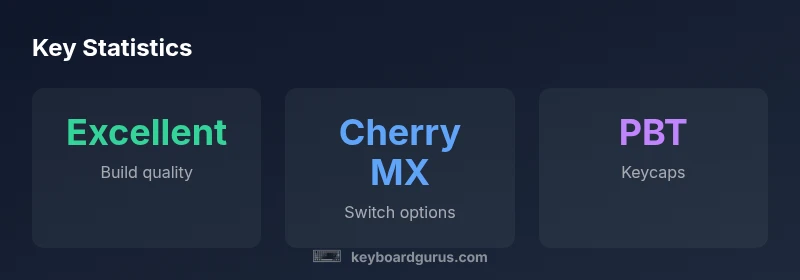
Overall, the Ducky One 2 stands out for exceptional build quality, precise typing, and vibrant, reliable RGB. It targets enthusiasts who want a premium compact keyboard with a refined, timeless aesthetic and strong key-feel from Cherry MX switches. Compared with newer hot-swappable designs, the One 2 trades flexibility for proven durability and a cleaner, more focused out-of-the-box experience.
Build Quality and Design
The ducky one 2 is built to satisfy keyboard enthusiasts who prize solidity and a timeless look. The chassis typically uses a robust, metal-reinforced plastic or aluminum casing with clean chamfers and a low, sturdy profile. Weight feels substantial in the hand, which contributes to a perception of premium durability. The keycap set on the One 2 is usually a high-quality PBT with double-shot legends that resist shine and ghosting over years of daily use. The overall finishing is smooth, with consistent paint and minimal flex under typing pressure. The board presents a minimalist aesthetic that suits both professional desks and gamer setups, enhanced by per-key RGB that remains even and bright across keys. The only potential downside is that some people may prefer a slightly lighter keyboard for travel, as the One 2’s weight can be noticeable in pocket-friendly carry-on contexts. When you unbox it, you’ll feel the attention to detail that many hobbyists expect from premium keyboards, especially in a compact footprint that leaves desk real estate for mouse movement.
For the ongoing enthusiast community, this build quality translates to a long-term confidence: the case and stabilizers aren’t likely to flex under heavy use, and the finish remains visually clean after months of routine cleaning. Keyboard Gurus emphasizes that the One 2’s design language—subtle, sturdy, and timeless—appeals to students who want something durable for long study sessions and professionals who need reliable performance in mixed environments.
Typing Experience and Switch Options
Typing feel is a core selling point for the ducky one 2. The keyboard ships with Cherry MX switches, a staple in the mechanical world, offering a range of sensations to suit different preferences: linear for smooth, quiet presses; tactile for a satisfying bump; and clicky for audible feedback. The keystroke is crisp with a moderate actuation force, and the stabilizers on larger keys are generally well-tuned to minimize rattle right out of the box. The absence of hot-swappable switches means you select a switch family at purchase and stick with it, which can be a pro for those who want a simple, dependable experience and a longer-lasting key feel. For gaming, the chosen switch type can influence fatigue and latency in high-intensity sessions, but the One 2 maintains consistent performance across long play periods thanks to balanced travel and reliable key stabilization.
Keyboard Gurus notes that the One 2’s switch options cover the majority of typing and gaming styles, and the classic switch profiling remains familiar to long-time MX enthusiasts. If your workflow depends on specific tactile feedback or you prefer a certain sound signature, the One 2’s Cherry MX variants generally deliver without the need for software-based remapping. However, users who crave rapid switching between multiple switch types might face a higher upfront cost if they want to experiment with several feels.
Prospective buyers should also consider sound and feel in a quiet office or library setting. The One 2 can be surprisingly quiet with linear options, while tactile and clicky variants will announce themselves more clearly in shared spaces. Overall, the typing experience remains the defining strength of the board—the combination of a solid chassis and well-matched switches creates a reliable, satisfying cadence during long sessions.
Layouts, Keycaps, and Aesthetics
The One 2 is typically offered in compact layouts that balance desk space with essential functionality. The 60% layout is a popular choice for minimalists who want a clean workspace with a strong emphasis on screen real estate and mouse precision. The 65% layout adds a slightly larger footprint to accommodate a more comfortable navigation cluster while keeping the footprint compact. Keycaps are usually PBT with double-shot legends, which resist shine and maintain crisp legends over time. The material and profile of the keycaps influence both feel and acoustics, contributing to the board’s characteristic typing sound profile. Visually, the One 2 leans toward understated elegance—neutral casing complemented by vivid RGB that can be dialed in to suit different environments or preferences. The per-key lighting is consistently bright and uniform, making it easy to see characters in dim settings, but the lighting design remains practical rather than flashy in most office contexts.
From a practical standpoint, the layout choice affects how you access secondary functions. Function layers on the One 2 are well implemented, but the compact layouts require a moment of acclimation if you’re used to full-size keyboards. Enthusiasts often appreciate that the board remains clean and uncluttered beneath the keycaps, which helps with cleaning and maintenance over the years. The colorway and finish are durable enough for daily use, and the aesthetic compatibility with a wide range of desk setups makes the One 2 a versatile option for students and professionals alike.
Connectivity, Firmware, and Customization
One of the One 2’s defining traits is its wired-only design. It uses USB-C for a reliable, high-speed connection and ships with a detachable cable for convenient transport. There’s no Bluetooth or wireless option, which preserves battery-free operation and reduces potential latency in competitive gaming. Firmware updates are modest compared with some software-centric boards; most customization occurs through hardware layers and the on-board features rather than an extensive companion app. This can be a strong advantage for users who value plug-and-play reliability and a straightforward setup, but it may disappoint those who crave deep macro programming and extensive on-device customization. Lighting customization exists, with per-key RGB control that’s accessible without software; advanced users can achieve complex profiles by routing through hardware layers and toggling through function-key sequences.
For buyers who prefer a purely hardware-driven approach, the One 2’s design promotes consistency and repeatability across units, which translates to predictable performance and less odor of software bloat. Those who want macro complexity or software-based remapping should consider other brands or newer models with richer ecosystems, though they may sacrifice the One 2’s celebrated build quality or typing feel.
Overall, the One 2’s connectivity and customization path align with a purist philosophy: you get excellent typing and a robust, reliable keyboard with lighting flair, without the complexity of heavy software overhead.
Sound Profile and Stabilizers
Sound and feel are closely tied to stabilizers and keycap quality. The One 2’s stabilizers are typically well-tuned, reducing rattling on larger keys such as the spacebar, Enter, and Shift. With the included PBT keycaps and a well-engineered stabilizer system, the typing sound tends to be balanced: a satisfying, slightly muted thump on deeper keystrokes with noticeable but not distracting clacks on tactile or clicky variants. The choice of switch affects the audible character: linear switches yield a smoother, quieter cadence; tactile variants provide a audible bump that many typists find reassuring; clicky options offer clear, crisp feedback. For users who want to adjust the acoustic profile, lubing stabilizers or applying thin lubricants to certain switches can further tailor the sound without altering the fundamental feel.
In shared workspaces or classrooms, the One 2’s sound signature remains acceptable and manageable, especially with the right switch selection and keycap material. The overall sound character supports long typing sessions and heavy keyboard use without becoming fatiguing or particularly distracting to colleagues.
Durability, Maintenance, and Longevity
Durability is a strong point for the ducky one 2. The combination of a sturdy chassis and high-quality keycaps resists common wear such as keycap shine and corner chipping. Long-term, you can expect the body and key surfaces to maintain their appearance with routine cleaning. Maintenance is straightforward: regular dusting, occasional keycap removal for cleaning under the key clusters, and gentle wiping of the surface with a non-abrasive cloth. Since the One 2 uses a wired connection and a fixed switch type, you won’t encounter the complexities of swappable components or software-driven downgrades, which simplifies longevity planning. The biggest maintenance caveat is keycap cleaning: over time, dust and oils accumulate on the legends, so a periodic cleanse keeps legends legible and the overall feel consistent.
Keyboard Gurus emphasizes that the One 2’s long-term durability is attractive to students and professionals who want a keyboard that remains visually and tactilely satisfying after years of use. If you expect to swap switches or frequently reconfigure macros, you might want a board designed with those upgrades in mind; otherwise, the One 2 offers a dependable, long-lasting typing experience that stays relevant across multiple computing setups and study cycles.
Value, Pricing, and Market Position
In the landscape of premium mechanical keyboards, the ducky one 2 occupies a mid-to-high price tier. It delivers a premium user experience with a refined typing feel and sturdy construction, which many enthusiasts see as worth the investment. When evaluating value, consider the trade-offs: the lack of hot-swappable switches and limited macro software can be a drawback for users who want maximum customization. If your priorities include a timeless aesthetic, reliable performance, and long-term durability, the One 2 presents a compelling balance of form and function without chasing the latest software features. For those who prioritize macro-heavy workflows, bulk key remapping, or a broad software ecosystem, alternatives with more comprehensive customization options may offer more immediate value—even if they compromise on the classic build quality that defines the One 2.
From Keyboard Gurus’ perspective, the One 2’s value proposition remains strong for the right audience: designers, students, and professionals who want a functional, premium keyboard that ages well and maintains a consistent feel over time. Shoppers should weigh the investment against potential upgrades or future purchases that might offer more software-driven features, but for many, the One 2 will continue to deliver a satisfying typing experience long after the initial novelty wears off.
Accessories, Aftermarket Ecosystem, and Community
The One 2 benefits from a robust aftermarket ecosystem, especially for keycaps and cosmetic personalization. There is no shortage of colorways and profiles, including classic SA and OEM shapes, that can dramatically alter the look and feel of the keyboard while preserving the underlying typing experience. Enthusiasts frequently share build guides, stabilizer tuning tips, and lighting profiles, resulting in a rich community that helps newcomers quickly get up to speed. While the hardware-first approach of the One 2 means that software features are less prominent, there is still ample opportunity to customize the keyboard’s appearance and feel through accessories like textureized keycaps, artisan keycaps, and premium cables. For many buyers, the community-driven customization is a compelling reason to select the One 2, as it ensures long-term novelty and continued engagement with the device.
Who Should Buy (Real-World Scenarios)
For typists who want a premium, durable, and aesthetically pleasing board, the ducky one 2 offers a compelling combination of feel and build quality. For gamers who value speed and symmetry in a compact layout, it remains a strong choice as long as you accept the lack of macro flexibility. It is a good match for professionals who want a quiet, reliable, desk-friendly keyboard with a refined look and long-term durability. If you require heavy macro support or frequent key remapping, you may want to explore other options that place software integration at the center of their feature set.
Advantages
- Premium build quality with sturdy chassis
- Durable PBT keycaps resist shine
- Reliable Cherry MX switches across variants
- Vibrant RGB lighting with consistent brightness
- Timeless, desk-friendly aesthetics
Drawbacks
- No hot-swappable switches limits future customization
- Limited software/macros compared to some rivals
- Higher price point than non-premium boards
- Layout options can mandate a learning curve for new users
Best for typing-focused enthusiasts who want premium build and timeless design
The ducky one 2 delivers on feel, durability, and aesthetics. It may be less flexible for macro-heavy workflows, but it remains a premium, long-term investment for keyboard purists.
Got Questions?
Is the ducky one 2 hot-swappable?
No, the ducky one 2 generally uses fixed switches on the PCB. This keeps costs down and ensures consistent durability, but limits upgrading without replacing the entire board.
No—it's not hot-swappable, so you can't swap switches without replacing the board.
What layouts are available?
The ducky one 2 is offered in premium compact layouts, commonly 60% and 65% variants, with standard ANSI keycaps and sturdy stabilizers. Layout choices affect key placement and LED visibility.
There are compact layouts like 60% and 65%; they affect where the navigation keys sit.
Does it support macros or on-board programming?
Macros are typically not software-driven on the ducky one 2; any on-board layer or function-based customization is hardware-limited. For advanced macros, consider boards with richer software ecosystems.
Macros aren’t supported via software; you’ll rely on hardware layers.
Is it good for gaming?
Yes, the keyboard’s fast response, accurate key switches, and stable stabilizers make it suitable for gaming, especially in competitive titles that benefit from a compact layout.
Great for gaming if you like a compact, fast keyboard.
How does it compare to other premium boards?
Compared to other premium boards, the ducky one 2 emphasizes build quality and typing feel over software-driven customization, which makes it ideal for purists who prefer hardware simplicity.
It emphasizes feel and build quality over software features.
How should I maintain keycaps and switches?
Regular dusting and gentle cleaning with isopropyl-alcohol-free wipes helps; remove keycaps carefully and wash them if needed. Lubricating a keyboard is optional and for advanced users.
Clean regularly; wash keycaps if needed, be careful removing them.
What to Remember
- Choose Cherry MX switches based on chosen feel
- Expect excellent build quality and durable keycaps
- Be aware of limited software/macros
- Consider the investment vs entry-level options
- Maintain keycaps and stabilizers for longevity