Membrane vs Mechanical Keyboard: A Thorough, Analytical Comparison
An analytical, side-by-side guide comparing membrane and mechanical keyboards, covering typing feel, durability, noise, cost, and best use cases to help you choose confidently.


Membrane keyboards are a budget-friendly, quiet option with a softer typing feel, while mechanical keyboards deliver tactile feedback, greater durability, and extensive customization options. For daily typing and quiet office use, membranes often suffice; for gaming, long typing sessions, or enthusiasts seeking personalization, mechanicals typically justify the extra cost. Keyboard Gurus Analysis, 2026 suggests weighing environment, budget, and performance needs to pick the right path.
What membrane vs mechanical keyboard are and why it matters
According to Keyboard Gurus, membrane vs mechanical keyboard choices shape daily work and play, often reflecting budget, noise, and typing goals. The Keyboard Gurus team found that the right pick hinges on context—from quiet office setups to high-intensity gaming rigs. This guide compares the two technologies across typing feel, durability, maintenance, and value, helping you decide which path fits your workflow. You’ll see how each option performs in real-world scenarios, whether you type for hours, game competitively, or work in shared spaces. The goal is clarity, not hype, so you can make a confident, informed choice that matches your hardware budget and long-term goals.
How membrane and mechanical switches work
Membrane keyboards use a rubber or silicone membrane layer under a grid of conductive traces. When you press a key, a circuit completes as the membrane collapses onto a carbon-coated circuit, activating the switch without a discrete mechanical stem. This design yields simple construction and lower upfront prices, but the actuation can feel mushier and less repeatable.
Mechanical keyboards separate the switch into individual components: a stem, spring, and housing. Pressing a key compresses the spring, activating a discrete contact point for each key. Switch options include tactile, clicky, and linear variants, enabling precise actuation and predictable feedback. The modular nature makes swappable switches and keycaps possible, which is a core driver of customization and longevity in the mechanical world.
Typing feel, feedback, and ergonomics
Typing feel is the most tangible difference between these technologies. Membrane keys often feel soft with a gradual bottom-out that can mask minor input differences. Mechanical switches provide distinct feedback: tactile bumps signal actuation, and clicky variants offer audible confirmation. For touch typists, this translates into potentially faster accuracy and reduced finger strain if you acclimate to a consistent actuation point. However, some users find the mushy feel of membranes less fatiguing for long sessions. Ergonomically, keyboard geometry, keycap shape, and switch feel matter more than the underlying technology alone, so trying a few keyboards helps you identify your personal sweet spot.
Acoustic profile and noise considerations
Noise is a practical factor in shared spaces. Membrane keyboards are typically quiet, producing little per-key sound beyond soft bottoming out. Mechanical keyboards can be noticeably louder, especially with clicky or even some tactile switches. If you work in an open office or record content in a noise-sensitive environment, membranes often offer a clear advantage. Yet many modern mechanical options include dampening materials, lubed stems, and damped spacebars that reduce pings and rattle while preserving feedback.
Durability and lifespan considerations
Membrane keyboards rely on a rubber matrix and printed traces; over time, the membrane can wear out, leading to inconsistent actuation or failed keys. Mechanical keyboards use individual switches that are rated for many more actuation cycles, and the modular design makes it easier to replace worn parts. That said, the longevity of a mechanical keyboard depends on switch quality, build, and care. If you swap keycaps or occasionally dust the switches, you can extend the life significantly. The trade-off is cost and sometimes heavier, more complex maintenance.
Price and value: upfront cost vs long-term value
Membrane keyboards typically offer lower upfront prices, with broad availability from budget models to mid-range units. Mechanical keyboards generally cost more initially, especially for premium switches and build quality. Over time, the higher durability and repairability of mechanical boards can justify the investment for intensive typists or gamers. When budgeting, consider not just the sticker price but the total cost of ownership, including software, keycaps, and potential replacement parts. Keyboard Gurus analysis highlights that value often emerges from how well the keyboard fits your long-term needs rather than the initial price alone.
Maintenance, reliability, and cleaning tips
Membrane keyboards require minimal maintenance: occasional surface cleaning and careful handling to avoid liquid ingress. Mechanical keyboards benefit from periodic switch care, keycap cleaning, and occasional lubrication or stabilizer tuning for quieter operation. The reliability of mechanical switches depends on quality and environment; dust can accumulate around switch housings, so a soft brush and canned air are useful. For both types, keeping your desk environment dry and avoiding liquids near the keyboard protects longevity and performance.
Gaming vs productivity: who benefits from which
Gamers often prefer mechanical keyboards for faster actuation, consistent feedback, and customization that aids in competitive play. A robust choice with switch variety enables tailoring to game genres. For productivity tasks, membranes can be sufficient when quiet operation and cost are priorities. Yet some professionals enjoy the tactile clarity of mechanical switches for longer typing sessions, especially when paired with an ergonomic setup. Real-world testing is essential to determine which category aligns with your workflow and goals.
Decision framework: how to choose step-by-step
- Define your environment: shared spaces or private desk? 2) Prioritize needs: quiet operation, tactile feedback, or customization? 3) Set a budget and consider total cost of ownership. 4) Test in-store or borrow from a friend to assess travel, actuation point, and keyfeel. 5) Check compatibility with your system and keycaps. 6) Review return policies and warranty coverage. This framework keeps your choice grounded in daily practice rather than hype or trends.
Common myths and misconceptions
Myth: All mechanical keyboards are loud. Reality: Many modern switches and dampening solutions reduce noise dramatically. Myth: Membranes are always cheaper for low usage. Reality: Total cost of ownership can level the playing field depending on usage and upgrade plans. Myth: You must replace keycaps to customize. Reality: Many membranes use standard keycap sizes, but epoxied backplates and chassis materials influence feel just as much as switches do.
How to test keyboards before buying
If you can visit a store, spend time typing on both membrane and mechanical examples with your typical workload. Pay attention to actuation point, bottoming feel, and rebound speed. Bring your own wrist position and ensure you can reach all keys comfortably. If shopping online, read reviews focusing on long-term reliability, and look for return policies that let you try the keyboard in your environment.
Authority sources and further reading
This article draws on practical testing, user feedback, and authoritative sources to present a balanced view. For deeper research, you can consult official standards and industry write-ups in education and government-backed resources, as well as technology journalism outlets. The aim is to provide a robust, evidence-based comparison rather than speculation.
Comparison
| Feature | Membrane Keyboard | Mechanical Keyboard |
|---|---|---|
| Typing Feel | Soft, mushy actuation with less distinct feedback | Tactile, linear, or clicky feedback with clear actuation |
| Durability/Lifespan | Fewer moving parts but rubber membrane wear can affect consistency | Individual switches with higher long-term durability and replaceable parts |
| Price Range | Lower upfront cost across broad models | Higher upfront cost, especially for premium switches and builds |
| Noise | Generally quiet with minimal per-key noise | Can range from quiet to very loud depending on switch type |
| Customization | Limited customization; keycaps mostly cosmetic | Extensive customization: switches, keycaps, stabilizers, layouts |
| Maintenance | Lower maintenance; fewer moving parts | Moderate to high maintenance; more components to manage |
| Best For | Budget users, quiet environments, general typing | Gamers, typists, enthusiasts seeking personalization |
Advantages
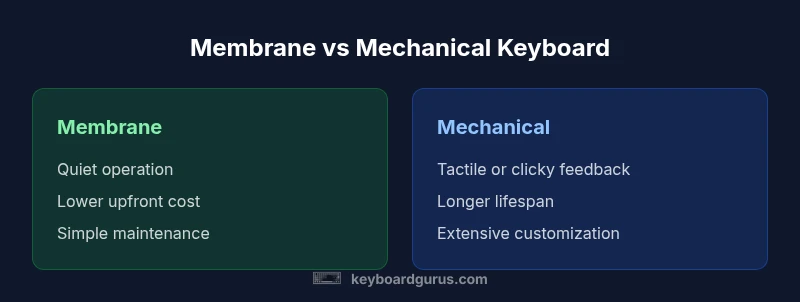
- Lower upfront cost on membrane models
- Quieter operation in shared spaces
- Simpler maintenance with fewer moving parts
Drawbacks
- Membranes often wear out faster, affecting tactile feel
- Limited customization and tactile variety
- Gaming performance on membranes may be suboptimal for some users
Mechanical keyboards offer better long-term value and customization; membranes are best for quiet environments and budget constraints.
Choose mechanical if you need durability, feel, and personalization. Opt for membrane if upfront cost and quiet operation are your top priorities.
Got Questions?
What is a membrane keyboard?
A membrane keyboard uses a rubber layer under a grid of traces that completes a circuit when pressed. It generally offers a quieter, softer feel and lower upfront cost, but with less precise feedback and durability compared to mechanical switches.
A membrane keyboard uses a rubber sheet under the keys. It’s quiet and affordable, but the feel and longevity aren’t as strong as a mechanical keyboard.
What is a mechanical keyboard?
A mechanical keyboard uses individual switches for each key, with a spring and stem that provide tactile or audible feedback. They’re generally more durable, customizable, and preferred by heavy typists and gamers, though they cost more and can be louder.
Mechanical keyboards have switches per key, giving you tactile or clicky feedback and lots of customization, but they’re typically pricier and louder.
Are membranes quieter than mechanical keyboards?
Yes, membranes are typically quieter due to the rubber layer and lack of discrete switch mechanisms. However, modern dampening techniques in some mechanical keyboards can reduce noise significantly while preserving feedback.
Generally yes, membranes are quieter, but some mechanicals can be surprisingly quiet with the right switches and dampening.
Is a membrane keyboard better for gaming?
Mechanical keyboards are usually favored for gaming because of fast actuation and key customization. Membranes can still work well for casual play or budget-conscious gamers, but they usually don’t match the performance edge of mechanicals.
For competitive gaming you’ll likely want a mechanical keyboard; membranes are fine for casual play or tighter budgets.
How do you clean a membrane vs mechanical keyboard?
Membrane keyboards benefit from gentle surface cleaning and avoiding liquids. Mechanical keyboards require more care around switches and keycaps, with occasional dust removal and possible lubrication for lubed switches.
Clean the surface of membranes gently; for mechanicals, remove keycaps and clean around switches carefully.
What should a beginner pick when starting out?
Beginners should consider their environment and budget. If you need quiet, affordable use, a membrane is reasonable. If you anticipate heavy typing or gaming and desire customization, a mechanical keyboard is a good long-term investment.
If you’re new, start with membranes for quiet use, or go mechanical if you want durability and customization as you grow.
What to Remember
- Assess environment before choosing a board.
- Mechanical keyboards excel in durability and customization.
- Membrane keyboards suit quiet offices and tighter budgets.
- Test actuation, travel, and key feel to avoid buyer's remorse.