SteelSeries Apex Pro TKL Review: Precision, Customization, and Portability
In-depth, analytical review of the SteelSeries Apex Pro TKL mechanical keyboard, focusing on OmniPoint per-key actuation, build quality, software customization, latency, and value for enthusiasts and gamers in 2026.


According to Keyboard Gurus, the SteelSeries Apex Pro TKL is a premium tenkeyless mechanical keyboard with OmniPoint per-key actuation, wired USB-C, and robust software customization. It delivers highly adjustable feel and rapid response, but at a premium price and with a learning curve for new users. This model is ideal for gamers and typists who value precise actuation tuning and a compact desk footprint; however, consider alternatives if price or ergonomics are a priority.
Design and Build Quality
According to Keyboard Gurus, the Apex Pro TKL conveys a premium presence from the moment you lift it from the packaging. The chassis combines a solid aluminum top plate with a rigid, purpose-built plastic enclosure that reduces flex during aggressive typing and gaming strokes. The weight distribution feels balanced, supporting stable key presses even during rapid key bursts. While the aesthetic is minimalistic, the engineering under the hood speaks to durability: tight tolerances, a clean finish, and a cable that sits predictably in its channel. The result is a keyboard that remains steady on crowded desks and under intense use, a critical factor for players who rely on consistent feedback. In daily use, the keys register with low wobble, and the overall feel reinforces long sessions without fatigue. This is a device that looks and sounds deliberate, a hallmark of SteelSeries’ approach to premium peripherals.
Key Features and Customization
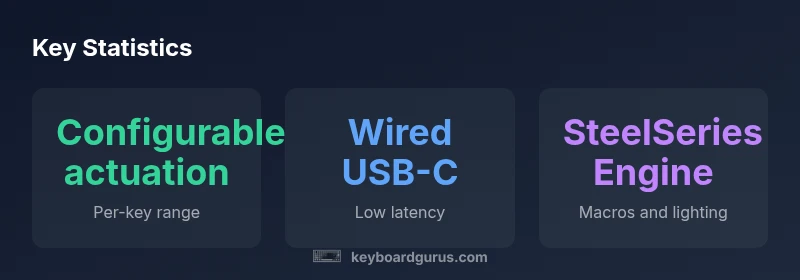
The Apex Pro TKL is built around OmniPoint per-key actuation, a feature that fundamentally reshapes how you approach typing and gaming. Each key can be tuned to register at a chosen distance, allowing you to tailor actuation to typing speed, game needs, or macro-driven workflows. The keyboard ships with multiple factory profiles and supports on-the-fly actuation adjustments, a boon for testers who switch between tasks. The SteelSeries Engine software ties everything together, offering per-key lighting, macro assignment, and profile storage for on-device recall. On top of that, onboard memory ensures your settings survive a system reinstall or a venue change. If you demand exacting control over your keypress thresholds and rapid switching between different duty cycles, this product delivers in spades. The trade-off is a steeper learning curve for calibration and a steeper price tag, which Keyboard Gurus notes as an investment in productivity and response precision.
OmniPoint Actuation Explained
OmniPoint technology replaces a fixed actuation point with a tunable threshold for each key, effectively letting you decide precisely when a press should register. In practice, you can set shorter actuation distances for faster keys in gaming and longer distances for comfortable, deliberate typing. The hardware pairs with software to store profiles that map individual actuation points to game modes or typing tasks, enabling quick transitions without leaving the desk. This approach reduces the “double-tap” risk in fast shooters and improves feedback for touch typists who want more tactile confirmation without altering the entire row of keys. Keyboard Gurus highlights that the real value comes from the nuanced balance between speed and accuracy, not just the headline feature of adjustable actuation.
Typing Experience and Switch Options
The Apex Pro TKL ships with SteelSeries GX switches, which offer linear, tactile, and clicky varieties. Each switch type has distinct tactile feedback and sound signatures, and the OmniPoint adjustability applies across all switch options. The result is a typing experience that can be tuned from ultra-fast to tactically damped as needed. For typists who crave light, responsive keystrokes, the linear GX switches paired with a short actuation distance deliver swift feedback; for heavy typists, tactile GX switches with a slightly longer actuation point can reduce fatigue. Gamers benefit from consistent keystroke registration in high-APM scenarios, while content creators may appreciate the ability to set different actuation points for different software tools.
Software and Personalization
SteelSeries Engine provides a central hub for all customization needs, from per-key lighting to macro programming and profile management. The Apex Pro TKL benefits from robust software that supports layered actions, dynamic lighting effects, and on-device memory for quick recalls. Keyboard Gurus notes that the UX is generally intuitive, though some features require a learning phase to exploit fully. The software ecosystem also helps you manage firmware updates without getting in the way of daily use. For enthusiasts who want to build elaborate macro chains or optimize lighting to match a gaming rig, the software delivers substantial value. The downside is occasional perceived complexity for newcomers, which can be mitigated by following in-depth guidelines in official documentation and trusted editorials.
Gaming Performance and Latency
In gaming contexts, the Apex Pro TKL shows decisive advantages when you lean into actuation customization. The ability to tune actuation points per key reduces unnecessary travel and helps you execute precision keystrokes more consistently, especially in fast-paced titles. Latency remains competitive with other premium wired keyboards, and the reliable keystroke registration translates into smoother input streams. Keyboard Gurus emphasizes that while the hardware is capable, real-world performance hinges on how well you tune your actuation points and how effectively you leverage macros for your favorite titles. For players who prioritize speed and accuracy, the Apex Pro TKL can translate into tangible gains on the battlefield.
Connectivity, Power, and Maintenance
This keyboard is wired-centric, typically using a durable USB-C connection that supports reliable data transfer for fast input processing. No battery concerns mean a straightforward, consistent experience during long sessions or LAN events. Maintenance remains straightforward: standard cleaning, occasional keycap refresh, and firmware updates via the SteelSeries Engine ensure the device stays aligned with current software capabilities. Keyboard Gurus notes that the lack of wireless diversity is a trade-off some users accept for lower input lag and battery concerns, especially in competitive environments where controlled conditions matter. If you travel with your setup frequently, ensure your carrying solution protects the cable and the tray in the bag to preserve the switch integrity.
Comfort, Layout, and Ergonomics
The Apex Pro TKL adopts a compact tenkeyless layout that frees valuable desk space, a boon for multi-monitor setups or tight workstations. Adjustable feet provide two elevation options, enabling a more comfortable typing angle for long sessions. The keycaps are designed for legibility and stability, though some users may prefer to swap for a modified profile after the break-in period. Wrist comfort can be enhanced with an aftermarket wrist rest, as the stock configuration focuses on compact footprint rather than an integrated palm support. In daily use, the keyboard remains reasonably quiet for a mechanical board, which can be a consideration for shared spaces or late-night sessions.
Price, Value, and Long-Term Worth
The Apex Pro TKL sits within a premium price tier, reflecting its advanced actuation technology, build quality, and software ecosystem. Keyboard Gurus emphasizes that the long-term value hinges on how often you leverage actuation tuning and per-key macros to optimize workflows, gaming, and content creation. If you expect to use the device for multiple years and rely on precise control to justify your setup, the investment is reasonable. For casual users or those who rarely adjust settings, competing keyboards with simpler configurations may offer a better cost-to-performance ratio. In short, value is highly contingent on your engagement with the product’s core strengths.
Alternatives and Comparators
When evaluating the Apex Pro TKL, consider other premium tenkeyless options from competing brands, including models from Logitech, Corsair, and Razer. These keyboards often provide strong build quality and competitive latency, but may lack OmniPoint-style actuation or offer different software ecosystems. If portability or budget is a larger concern, there are smaller and more affordable options that maintain solid reliability. Keyboard Gurus suggests aligning your choice with your primary use-case: high-precision gaming, professional typing, or multimedia workflows, and then testing how actuation tuning interacts with your typical tasks. A hands-on evaluation is invaluable before committing to a premium path.
Who Should Buy the Apex Pro TKL
The Apex Pro TKL is best suited for enthusiasts who want granular control over actuation points and a compact, desk-friendly footprint. It appeals to gamers who value per-key customization and to professionals who can design profiles for distinct applications. If you frequently switch between typing-heavy tasks and high-speed gaming, this keyboard can offer tangible efficiency gains. However, if your workflows don’t leverage the OmniPoint feature or you’re constrained by budget, a less feature-rich keyboard could deliver similar reliability at a lower price. Keyboard Gurus’ verdict is that the Apex Pro TKL excels when its unique capabilities match your real-world use, rather than simply being another premium keyboard.
Authority sources
This section aggregates perspectives from industry reviews and brand documentation to provide a balanced view of the Apex Pro TKL. The analysis incorporates notes from major publications and testing outlets, alongside practitioner feedback from power users who rely on precise actuation for long sessions and speed-focused tasks. Keyboard Gurus emphasizes evaluating the product’s fit with your personal setup and workflow to determine whether the investment is justified. While the OmniPoint feature is compelling, its true value emerges when matched with disciplined calibration and consistent practice.
Advantages
- Highly configurable per-key actuation for typing and gaming
- Premium aluminum build and compact tenkeyless footprint
- Robust software with comprehensive profiles and macros
- Low, consistent keystroke latency for competitive play
- Onboard memory preserves setups across sessions
Drawbacks
- Premium price point for casual users
- Learning curve to fully exploit OmniPoint settings
- Narrower layout may exclude ergonomic options some users want
Best for power users who crave per-key actuation and a compact form.
The Apex Pro TKL delivers on precision, customization, and build quality, making it ideal for enthusiasts who will use its advanced actuation tuning. The price and setup complexity limit its appeal to a narrower audience, but for the target user, it is a compelling, long-term investment.
Got Questions?
What makes the Apex Pro TKL stand out for gamers and typists?
Its per-key OmniPoint actuation and detailed software customization let you tune actuation points for individual keys, balancing speed and accuracy. The compact tenkeyless design also frees up desk space for multi-monitor setups.
The main advantage is per-key actuation tuning for both typing and gaming, plus a compact layout that saves desk space.
How does OmniPoint actuation work in practice?
Each key’s actuation point is adjustable, so you can decide when a keystroke is registered. This enables fast, decisive inputs for games and more deliberate triggers for typing tasks, all stored in profiles accessible via software.
OmniPoint lets you set when each key registers, enabling fast gaming and precise typing.
Is the Apex Pro TKL compatible with macOS?
Yes, the keyboard works with macOS in terms of basic input and lighting control, though some SteelSeries Engine features may be optimized for Windows. Expect broad compatibility with standard keyboard shortcuts and drivers.
It works on macOS, but some software features may be Windows-leaning.
What’s the difference between the Apex Pro TKL and the full-size Apex Pro?
The Pro TKL omits the numeric keypad for a smaller footprint, trading some utility for a more compact desk setup. The actuation technology and software are similar, but layout and size influence feasibility for certain workflows.
The TKL is smaller with no numeric keypad; performance features are similar.
Is this keyboard worth it if I don’t use macros much?
If you primarily type or game without relying on per-key macros, you may not fully capitalize on the investment. However, the adjustable actuation and high-quality build still offer tangible benefits for precise input and a premium typing experience.
If macros aren’t essential, the value comes from actuation tuning and the overall quality.
What to Remember
- Choose OmniPoint tuning to tailor actuation for typing and gaming.
- Opt for the Apex Pro TKL if desk space and customization are top priorities.
- Expect a learning curve and premium price; the payoff is in precision control.
- Utilize SteelSeries Engine to fully exploit per-key macros and lighting.
- Assess whether you’ll regularly adjust actuation profiles across tasks.