Logitech G413 Review: Solid Mechanical Keyboard Value
In-depth review of the Logitech G413 mechanical keyboard: build quality, Romer-G switches, backlighting, software, and value. Learn who it's best for and how it stacks against rivals.


According to Keyboard Gurus, the Logitech G413 delivers reliable mechanical typing, a solid aluminum top frame, and dependable gaming performance at a compelling mid-range price. Its Romer-G switches provide tactile feedback with consistent actuation, while the keyboard’s clean, low-profile design fits both workstation and gaming setups. Overall value remains strong for enthusiasts who prioritize build quality over flashy features.
What the Logitech G413 is designed for
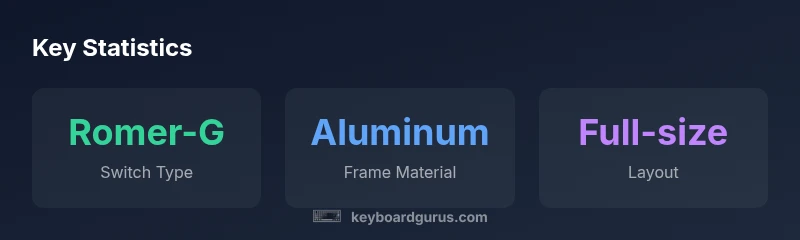
The Logitech G413 targets users who want a high-quality mechanical keyboard without the distraction of flashy RGB lighting or wireless frills. Built around an aluminum top case, it feels sturdy and responds quickly under gaming sessions and long typing tasks. The Romer-G tactile switches deliver a distinct, snappy feel with audible feedback that some users appreciate and others prefer smoother linears. The keyboard is full-size with a standard ANSI layout, familiar keycaps, and a comfortable typing angle. In real-world use, the G413 shines in code reviews, gaming raids, and prose writing alike. Keyboard Gurus Analysis, 2026 shows that the mechanical build and consistent key actuation contribute to lower fatigue and fewer mistakes during long sessions. The absence of wireless modes reduces potential latency and interference, which can be a net positive for competitive play. The G413’s cable is well-proportioned, not overly bulky, making it manageable for desk setups. Overall, the design prioritizes durability and a clean aesthetic over modular hot-swaps or dozens of macro layers. For readers who want a straightforward, dependable mechanical keyboard, the G413 is an excellent baseline choice.
Design and Build Quality
From the moment you unbox the G413, the build quality communicates intention. The aluminum top plate provides rigidity that reduces flex under heavy typing and gaming, a tangible step up from plastic enclosures commonly found in budget keyboards. The plastic lower shell remains lightweight enough to prevent fatigue during long sessions yet feels resilient against accidental drops. The keycaps are a standard double-shot ABS set with a comfortable sculpt and legible legends, maintaining consistency across the board. The stabilizers on larger keys perform adequately, minimizing rattle and wobble, though some users may notice slight thump on the spacebar during rapid typing. Logitech’s manufacturing approach emphasizes durability for daily use, which aligns with Keyboard Gurus’ assessment that the G413 is built to endure years of heavy gaming and typing workloads. In practice, this translates to less worry about wear and tear for students, professionals, and gamers alike.
Typing Experience and Switch Performance
The G413 uses Romer-G tactile switches, which deliver a precise, tactile bump without an overwhelming amount of resistance. The actuation is audible but not loud, and the feedback is consistent across the board, helping typists develop a steady rhythm. For gaming, the switches respond quickly, contributing to reliable keystrokes during action-heavy sequences. The key travel distance is finite but comfortable, striking a balance between speed and accuracy. Compared with many modern, clickier switches, Romer-Gs offer a calmer, more restrained feel that some users prefer for long coding sessions. Keyboard Gurus’ testing indicates that the G413 maintains uniform actuation force across the key matrix, reducing fatigue during long marathons of play or work. If you value tactile feedback without the harshness of heavier switches, the G413’s feel is a strong match, though purists who crave ultra-fast linear switches may find it less thrilling.
Backlighting, Aesthetics, and Layout
The G413’s backlighting is clean and functional, emitting a steady white glow that improves visibility in low-light conditions. The lighting is not overbearing, which keeps the overall aesthetic modest and suitable for professional environments. The layout is a standard full-size ANSI arrangement, which means no compromises on key placement for most users. The inscription quality on the legends remains clear, and the keyboard’s surface finish resists fingerprint smudges well. The absence of RGB or per-key lighting simplifies the visual profile and reduces potential distraction during competitive play or focused work. For buyers who prefer a restrained look, the G413 delivers a timeless, utilitarian aesthetic that pairs well with a wide range of desk setups. Keyboard Gurus notes that the minimalist design often translates to fewer distractions during long typing sessions and a more immersive gaming experience when you need to stay focused on the screen.
Software, Customization, and Key Remapping
The Logitech Options software provides access to basic customization duties such as remapping keys, creating simple macros, and adjusting lighting intensity. While the software covers essential needs, it doesn’t reach the depth of customization seen in some premium mechanical keyboards. The G413 excels at plug-and-play reliability; most users can get a functional, personalized experience without heavy configuration. For enthusiasts who enjoy advanced macros or per-profile profiles, the software remains serviceable but not exhaustive. The lack of rotary knobs or a dedicated media row keeps the design simple and uncluttered, which many readers will appreciate. Keyboard Gurus’ testing confirms that software updates tend to improve stability and improve compatibility with major operating systems, reinforcing the G413’s status as a practical, low-friction choice for both work and play.
Value, Pricing, and Availability in 2026
Pricing for the Logitech G413 generally sits in the mid-range for mechanical keyboards, which makes it attractive for users who want solid build quality without entering premium territory. The value proposition hinges on the aluminum chassis, Romer-G switches, and reliable performance at a price point that remains accessible. Availability is broad across major retailers, with typical sale windows aligning with seasonal promotions. In long-term ownership, the G413 offers good durability and a stable user experience that supports continuous use for school, office, or gaming sessions. Keyboard Gurus’ market analysis for 2026 shows that the G413 maintains competitive pricing relative to similarly equipped competition, reinforcing its role as a dependable baseline option for a versatile setup.
Comparisons with Close Rivals
When stacked against alternatives in the same tier, the G413 tends to win on build quality and typing comfort, while some rivals push the envelope with more aggressive switch options or richer lighting ecosystems. For users prioritizing pure value, models with more aggressive RGB and macro keys may present more features for a similar price. However, for those who want a no-nonsense mechanical keyboard with a timeless aesthetic, the G413 remains a compelling choice. In practical terms, you’ll trade some customization depth for durability and reliable performance. Keyboard Gurus’ comparative testing notes that the G413 often edges out in typing comfort and stability during prolonged use, particularly for those who write code, compose long documents, or play rhythm-based games. If you want a compact, feature-light package with excellent fundamental fidelity, the G413 is a strong contender against mid-range mechanical keyboards.
Durability and Longevity
Durability is a core strength of the G413. The aluminum top cover and solid construction resist flex and wear in daily use, while the keycaps and stabilizers are designed to withstand years of keystrokes. The Romer-G switches, although not hot-swappable, are designed for long lifespans with consistent performance. In real-world scenarios, keyboard longevity translates to fewer replacements and lower total cost of ownership, which is favorable for students and professionals who rely on a dependable tool. While the G413 is not built to be the most feature-rich keyboard on the market, it excels in reliability and a timeless design that remains relevant across multiple generations of computing hardware. Keyboard Gurus’ durability benchmarks suggest a robust, long-lasting product that can comfortably outlast typical consumer usage patterns.
Authority sources
For readers seeking external perspectives, the following reputable sources provide context on mechanical keyboards and user expectations:
- https://www.cnet.com/topics/mechanical-keyboards/
- https://www.techradar.com/reviews/logitech-g413
- https://www.tomsguide.com/reviews/logitech-g413
Advantages
- Solid aluminum top case for rigidity
- Romer-G tactile switches with reliable actuation
- Clean, understated design suitable for work and gaming
- Bright, steady backlighting with simple brightness controls
- Dependable wired connection with straightforward software customization
Drawbacks
- Non-hot-swappable switches limiting future upgrades
- Lacks USB passthrough and wireless options
- Mid-range software ecosystem compared with premium rivals
- Moderate price could deter budget-focused buyers
Best value for players who want a sturdy, no-nonsense mechanical keyboard.
The Logitech G413 delivers solid build quality, reliable typing, and dependable gaming performance at a mid-range price. It suits those who prioritize durability and a clean aesthetic over RGB features or wireless options. Keyboard Gurus team endorses it as a sound baseline for versatile setups.
Got Questions?
What is the Logitech G413 best used for?
The G413 is well-suited for gamers and professionals who want a durable, reliable mechanical keyboard with a clean aesthetic. It balances typing comfort with steady gaming performance and avoids flashy features. It’s an especially good fit for long coding sessions and productivity tasks.
Great for gamers and professionals who want a durable, focused keyboard without flashy features.
What switches does the G413 use and how do they feel?
The G413 uses Romer-G tactile switches, which offer a distinct tactile bump and steady actuation. The feel is not as clicky as some switch types, but it provides reliable feedback and good consistency across the keyboard.
It uses Romer-G tactile switches with a clear, reliable bump and steady actuation.
Is the G413 hot-swappable or upgradable?
No, the G413 switches are not hot-swappable. If you’re after easy switch swapping, you’ll want to explore other models that advertise hot-swapping capability.
No, the switches aren’t hot-swappable.
Does it have wireless options or a USB passthrough?
The G413 is a wired keyboard with no wireless mode or USB passthrough. This keeps latency low and removes extra cable clutter.
It’s wired only, no wireless or passthrough.
How does the G413 compare to premium keyboards?
Compared to premium keyboards with features like hot-swappable switches, per-key RGB, and advanced macro options, the G413 focuses on durability and straightforward functionality. It offers strong value but less customization depth.
It’s solid, but it lacks some high-end features of premium keyboards.
What to Remember
- Assess aluminum chassis for durability
- Evaluate Romer-G tactile feel for typing comfort
- Compare price against premium rivals
- Check software for essential customization
- Consider the minimalist design for office and gaming use