Should Keyboard Be Flat or Raised for Gaming? A Practical Guide
Discover whether a flat or raised keyboard improves gaming performance, comfort, and endurance. This guide covers FPS, MOBA, and long sessions with practical tests and expert guidance from Keyboard Gurus.


For gaming, there isn’t a universal rule about flat versus raised keyboards. The best setup depends on your wrist posture, hand size, and the games you play. In practice, a modest incline or a low-profile angled board reduces fatigue and can boost precision in fast titles. Keyboard Gurus’ analysis highlights practical trade-offs you can test at home to determine your ideal angle.
Should Keyboard Be Flat or Raised for Gaming: an ergonomic primer
In the world of gaming ergonomics, there is no universal rule that applies to every player. The question often reduces to how your wrists rest and what angle your hands take during fast actions. According to Keyboard Gurus, the simplest path to comfort starts with a neutral wrist posture and a baseline incline that you can adjust. The phrase should keyboard be flat or raised for gaming is less about one fixed setting and more about a repeatable trial you can refine over weeks of play. In practice, many players find that a slight elevation reduces pronation stress and keeps the forearm muscles relaxed, while still enabling responsive input. Testing with a few different angles helps you identify the sweet spot for your grip, desk height, and preferred game genres.
How incline and elevation influence speed, accuracy, and comfort
Elevation changes alter the angle at which your fingers meet the keys, which can affect keystroke timing and perceived accuracy. A small incline tends to encourage a natural, relaxed wrist position, reducing unnecessary flexion and extension. Conversely, a too-steep angle can make your wrists carry tension, leading to fatigue over long sessions. The key is to establish a repeatable baseline—start with a gentle incline (a few degrees) and adjust in 1–2 degree steps while playing your most-used titles. If you notice tension in the forearms or a change in click feel, back off and test a shallower angle. By tracking objective cues like missed shots, reaction time, and perceived stamina, you can converge on a setup that feels effortless across different game modes.
Gaming genres and posture: best-fit setups
Different genres place different demands on your posture and input style. FPS players benefit from a stable, minimally inclined surface that minimizes micro-movements during rapid aiming. MOBA and RTS players might prefer a slightly higher incline to keep the forearms comfortable during longer micro-management sessions. The Keyboard Gurus team notes that the “best” angle is not a fixed number but a range that accommodates grip style, chair height, and desk depth. A flexible approach—testing across at least two angles while focusing on comfort, accuracy, and consistency—yields the most durable setup.
Wrist posture, fatigue, and long sessions
Wrist health is a critical but often overlooked factor in gaming performance. An overly flat board can compress the wrists and promote pronation postures, while an excessive incline may force an extended flexed position. Both extremes can contribute to fatigue and discomfort after hours of play. The recommended practice is to prioritize a neutral forearm posture with a slight incline that keeps the wrist in line with the forearm. Use a compatible wrist rest if needed, ensuring it supports the palm without elevating the wrist into an awkward angle. Regular micro-breaks and posture checks during long sessions support sustained performance.
Form factors, switches, and key travel: how hardware choice matters
Flat boards are often simpler to wedge into compact desks, but raised boards can be combined with adjustable feet or ramps to fine-tune angle. When you tilt, your key travel may feel subtly different; some switches respond more crisply at certain angles, while others feel sluggish if the geometry is crowded. If you use low-profile switches, you may appreciate a gentler incline because the overall height is already reduced; for tactile or clicky switches, a balanced angle can help you perceive actuation points more clearly. Keep in mind that a dramatic incline can exaggerate keycap rake and cause unwanted lateral movement during rapid presses.
Validation: testing at home with a simple setup
To reliably decide on a flat vs raised keyboard, run a structured at-home test over 1–2 weeks. Establish a baseline with your current keyboard height, then trial two or three angles in 2–5 degree increments. Record measurable outcomes such as accuracy in target drills, reaction times in fast-fire routines, and subjective fatigue after 30, 60, and 120 minutes of play. The goal is to build a repeatable protocol that you can reuse across keyboards. When documenting results, note desk height, chair position, and whether you used a wrist rest, so you can compare apples to apples.
Myths debunked and common mistakes to avoid
A common myth is that one setup suits all games. In reality, the angle that feels best for an RPG session may differ from an esports sprint. Another pitfall is chasing a “perfect” number of degrees; instead, aim for a comfortable range and adapt as you change desks, chairs, or game titles. Also avoid forcing an aggressive incline if your wrists or shoulders show signs of strain. If you notice numbness, tingling, or persistent soreness, revert to a more conservative angle and consult an ergonomic guide or a professional.
A practical decision framework: choose your incline
Start with a modest incline: 2–4 degrees for a compact desk, or 4–6 degrees if you have more space and a longer reach. If you predominantly play shooters, you may benefit from 2–5 degrees; for strategy games with longer sessions, try 4–6 degrees and assess comfort over 20–30 minutes of continuous play. A simple wrist rest can help maintain alignment and reduce fatigue. Finally, ensure your mouse height and keyboard tray are aligned so your shoulder and forearm travel remain natural, not forced into awkward positions.
Budget considerations and hardware compatibility
Adjustable stands, risers, or donut-style keyboard feet are affordable accelerants to finding your ideal angle. If your existing keyboard does not offer adjustable feet or compatible risers, you can explore third-party accessories or split keyboards that allow partial elevation without sacrificing stability. While the core trade-offs between flat and raised setups aren’t price-driven, you’ll want to consider whether accessories necessitate a larger footprint or a different desk configuration. In most cases, a modest, temporary setup is enough to test the concept before investing in a new keyboard.
Comparison
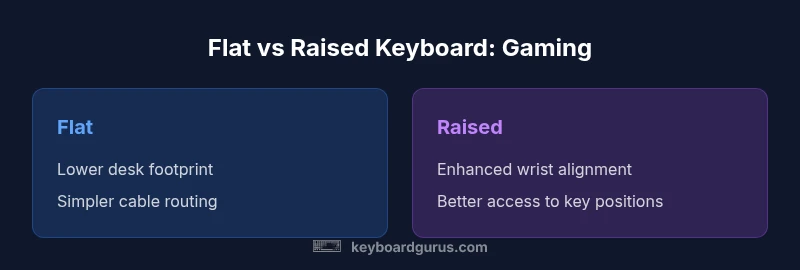
| Feature | Flat keyboard | Raised/angled keyboard |
|---|---|---|
| Wrist angle (degrees) | 0–1 (neutral) | 2–6 (gentle incline) |
| Typing comfort | Neutral wrist, potential fatigue over time | Improved comfort with proper support |
| Gaming precision | Stable baseline, less change in input feel | Possible better access to key positions with slight elevation |
| Ergonomic risk | Lower risk with good posture if desk height is correct | Higher risk if angle is too steep or unsupported |
| Desk compatibility | Easiest on compact setups | Requires space or stable risers |
| Price/availability | Usually minimal extra cost | May require accessories or a new form factor |
Advantages
- Potential reduction in wrist strain with proper incline
- Allows natural hand posture for many grip styles
- Can improve aim consistency during long sessions
- May accommodate adjustable-desk or ergonomic setups
Drawbacks
- If elevation is too high, can cause discomfort or micro-movement
- Requires additional accessories and space
- Not all keyboards support aggressive angles
- May affect travel distance and actuation feel in some games
Modest incline is typically best for gaming; start low and adapt as needed.
Begin with a small incline (2–4 degrees) and test across FPS and strategy titles. If comfort improves without sacrificing precision, lock the angle in; otherwise, reduce the tilt and reassess.
Got Questions?
Is flat or raised better for gaming?
There is no universal answer. Start with a neutral wrist position and a modest incline, then test across genres to find what feels most comfortable and precise for you.
There isn’t a universal rule. Start neutral, try a small incline, and test across genres to see what feels best.
What incline is recommended for FPS gaming?
A small incline of about 2–5 degrees often works well for shooters, helping wrist alignment during rapid aiming requires. Adjust in small increments based on comfort.
Try a small incline of 2–5 degrees and adjust based on comfort during rapid aiming.
Do raised boards affect key feel?
Angles can subtly change key travel perception and actuation feel. If you notice a mismatch, dial back the incline or adjust the desk height instead.
Angles can subtly change how keys feel; adjust the incline or desk height if needed.
Should I use a wrist rest with an incline?
A wrist rest can help maintain neutral posture, especially at higher angles, but ensure it does not push the wrist into an awkward bend.
Yes, a wrist rest can help, but don't let it force an awkward bend.
How should I test at home?
Set up a baseline, try two or three angles, and measure both objective performance (accuracy, reaction time) and subjective comfort over 20–30 minutes of repeated play.
Set a baseline, test a few angles, and track performance and comfort over 20–30 minutes.
Are mechanical keyboards inherently better for raised angles?
Not inherently; angle compatibility depends on the overall keyboard design and switch feel. Choose a build that maintains stable feedback at your chosen incline.
Mechanical switches aren't inherently better with raises; pick a design that keeps feedback stable at your incline.
What to Remember
- Test incline with a neutral wrist posture first
- Prefer gradual elevation over steep angles
- Consider desk setup and wrist rest compatibility
- Match setup to your games and performance goals
- Document results over a 2–4 week period