What Keyboard Is Compatible with PS5: A Practical Guide
Discover which keyboards work with ps5, how to connect USB and Bluetooth options, and practical tips for gaming, navigation, and typing on the console.


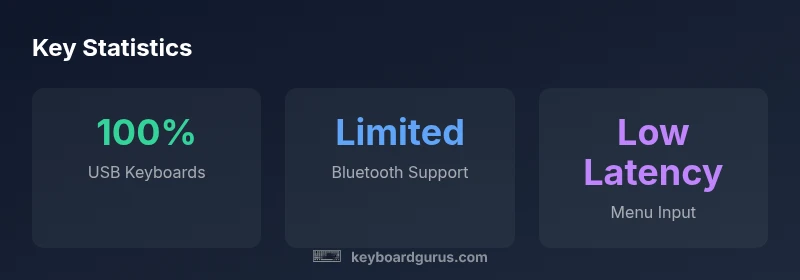
According to Keyboard Gurus, the most reliable keyboards for PS5 are USB-A wired models that you plug into the console for navigation and text entry. Bluetooth keyboards can work for system input, but game support varies by title. For the best experience, choose a standard USB keyboard with full-size layout and a comfortable key travel, and verify game-specific compatibility in the settings.
Why PS5 Keyboard Compatibility Matters
For many players, a keyboard isn’t just a peripheral; it can redefine how you navigate menus, chat with teammates, and type in-game. On PS5, having a reliable keyboard translates to faster text entry during login, quicker chat in multiplayer, and more comfortable long sessions for productivity tasks like messaging or coding experiments within compatible apps. The core ideas behind compatibility are straightforward: the PS5 expects a standard USB HID (human interface device) input stream, and keyboards that use USB-A connections typically deliver predictable, plug-and-play performance. According to Keyboard Gurus, USB-A wired keyboards provide the most consistent experience for PS5 navigation and typing, with Bluetooth offering options that are more limited in scope and reliability.
How PS5 Detects and Interfaces with USB Keyboards
The PS5 hardware stack recognizes USB keyboards via the USB HID protocol. When you plug a keyboard into a rear or front USB-A port, the console should automatically recognize it and present it for system input, text fields, and supported games. The setup is usually instantaneous, and you can test typing in the on-screen keyboard or system menus. If your keyboard uses a USB hub or a non-standard dongle, ensure the hub is powered and that the keyboard is directly connected to the PS5, as some hubs can introduce latency or detection issues. Keyboard Gurus Analysis, 2026, notes that the most reliable detection occurs with direct USB-A connections and standard layouts.
Keyboard Types That Work Best on PS5
- USB-A wired keyboards deliver the most reliable support for system navigation and text entry. They require no pairing and avoid latency issues associated with wireless streams.
- Wireless USB dongle keyboards can work where available, often offering acceptable latency, but reliability depends on the dongle’s quality and proximity to the console.
- Bluetooth keyboards can be used for text input in menus and some apps, but many games either do not support Bluetooth input or require on-screen keyboards and controller input for in-game actions. For the broadest compatibility, a USB-A wired keyboard is recommended.
Practical Setup Steps: Connect, Test, and Optimize
- Plug in a USB-A keyboard into the PS5's USB port and wait for the system prompt.
- Navigate to Settings > Accessibility (or Keyboard settings, depending on firmware) and test typing in a text field.
- If you plan to game with keyboard support, launch a title known for keyboard compatibility and test in menus, chat, and in-game text.
- If you use Bluetooth, pair in Settings > Accessories > Bluetooth Accessories, then test text entry in a browser or app.
- Adjust key repeat rate, layout, and language preferences within the PS5 settings if you notice input lag or mis-typed characters. Keyboard Gurus advises confirming game-specific compatibility in the guide before relying on keyboard input in competitive modes.
Common Pitfalls and How to Avoid Them
- Using a non-standard keyboard layout: Some keys may be mapped differently; stick to familiar layouts until you know how the game handles keys.
- Relying on Bluetooth for critical inputs: Bluetooth can be intermittent in busy wireless environments; USB-A wired is more dependable for fast typing.
- Ignoring game-specific quirks: A few titles disable external keyboards or require a separate in-game text entry method. Always verify by testing with the target game.
- Inconsistent USB hubs: If you must use a hub, choose a powered hub and connect directly to the PS5 if possible to minimize latency.
Game-Specific Considerations for Keyboard Use
Not every PS5 title supports keyboard input equally. Some games permit full chat and hotkey-based actions, while others limit input to menus or require on-screen keyboards. In practice, you’ll likely see smooth text entry in system menus and chat in multiplayer titles that explicitly support keyboard input. For titles with limited keyboard support, map common actions to hotkeys or rely on the controller for in-game actions while keeping a keyboard handy for chat and navigation. Keyboard Gurus analysis emphasizes testing each title individually to avoid surprises during multiplayer sessions.
Recommendations by Use Case: Gaming, Productivity, Accessibility
- Gaming: Prefer USB-A wired keyboards for optimal reliability and rapid text entry. Look for full-size layouts with comfortable key travel.
- Productivity: If you use PS5 for remote work or coding experiments, a compact keyboard with dedicated navigation cluster can help manage longer sessions. USB-A wired is still preferred for stability.
- Accessibility: Large-print keys or high-contrast keycaps can improve legibility in dim setups; ensure the keyboard has stable support in PS5 menus and accessible apps. Tests with screen readers and on-screen keyboards are advised.
Maintenance and Longevity: Care for Your PS5 Keyboard
Regular care keeps keyboards performing well on PS5. Keep the USB port clean and free of dust, use a keyboard with good keycap quality for longevity, and store Bluetooth pairings safely. If you rely on wireless keyboards, check battery life and firmware updates from the manufacturer to minimize interruptions during long sessions. Keyboard Gurus suggests periodic resets of wireless devices to prevent drift in connectivity.
PS5 keyboard compatibility quick reference
| Aspect | PS5 Compatibility | Notes |
|---|---|---|
| Connection type | USB-A wired | Plug-and-play reliability with most PS5 keyboards |
| Bluetooth keyboards | Limited support | Text input may work; in-game support varies |
| In-game input | Variable | Depends on the title and its keyboard support |
| Setup simplicity | High | Direct USB connection is simplest and most stable |
Got Questions?
Can I use any USB keyboard with PS5?
In most cases, USB-A keyboards work for PS5 UI and text input. Some games may restrict keyboard input or require on-screen keyboards, so testing a specific title is recommended.
Yes, USB keyboards usually work for PS5 menus, but game support can vary.
Is Bluetooth keyboard support universal on PS5?
Bluetooth keyboards can work for system text input, but game compatibility is inconsistent. For gaming reliability, USB is typically preferred.
Bluetooth might work, but USB is more reliable for gaming.
Do keyboards work in all games on PS5?
Not all games support external keyboards. Many allow text entry in menus and chat, while others rely on controllers or on-screen keyboards.
Not every game supports keyboards—check the title.
Can I use a wired or wireless keyboard with the PS5?
Yes. USB-A wired keyboards are the most reliable; some wireless keyboards work via USB dongles, but wireless setups may add latency.
You can use either, but wired tends to be smoother.
What settings help improve keyboard usability on PS5?
Test in system menus, adjust language and repeat rate, and verify game-specific input options. Always confirm compatibility with your target game.
Test in menus and adjust preferences for better feel.
“A well-chosen keyboard can transform PS5 navigation and typing into a smoother, more productive experience—especially when you pair system-level input with game-specific support.”
What to Remember
- Prioritize USB-A wired keyboards for reliable PS5 input
- Bluetooth keyboards may work, but support is game-dependent
- Test keyboard input in system menus first
- Use USB over Bluetooth for most gaming sessions
- Choose a keyboard layout you are comfortable with