Heart by Keyboard: A Practical Guide to Expressive Typing
Master expressive typing with heart by keyboard techniques. Learn symbols, rhythm, and best practices to convey warmth clearly across plain text.


In this guide you will learn how to express warmth and intent through keystrokes, using heart-friendly typography, rhythm, and context. You’ll explore ASCII and Unicode hearts, emoji usage, and practical rules for professional vs. casual messages. By following this process, you’ll craft messages that feel genuine while keeping readability high with intentional keystrokes and layout choices.
What 'heart by keyboard' means and why it matters
Heart by keyboard is a concept that translates warmth, appreciation, and nuance into plain-text messages through careful symbol choice, spacing, and rhythm. It’s not about fancy typography alone; it’s about crafting a tiny, readable philosophy of tone. In this section we’ll ground the idea in everyday use, explain when hearts can strengthen a message, and outline the practical boundaries for different contexts. By the end, you’ll see how a single character choice can shift meaning and reader perception.
The anatomy of a heartfelt keystroke
A heartfelt keystroke isn’t just a symbol; it’s a signal. Start with one symbol you trust and consider how it positions your sentence. The heart itself can appear at the end for emphasis, in the middle for softer cadence, or as a tailing note after a call to action. Pay attention to spacing and surrounding punctuation: a lone heart separated by spaces can read friendlier, while a tightly coupled heart might feel more intimate. Consistency matters, so pick a style and stick to it across similar messages.
Typography options: ASCII, Unicode, and emoji
There are several routes to convey warmth: ASCII hearts like <3, Unicode characters such as ♥, and emoji such as 😊. ASCII is universally readable but limited; Unicode offers richer shapes and weights; emoji convey emotion quickly but can render differently across platforms. A solid practice is to choose one family per message type and test how it reads on your intended audience’s devices. Remember that readability matters more than flashiness, especially in professional contexts.
Keyboard setup for expressive typing
A comfortable, well-configured keyboard helps you type more expressive messages without fatigue. Ensure your OS supports quick access to symbols via character pickers or shortcuts. If you often write long messages, consider a layout that makes punctuation and symbol insertion fast, and keep a small reference sheet handy for quick access to symbols like ♥, ♥︎, and 💙. Ergonomics matter: a relaxed posture reduces error rates and keeps your tone steady.
Language and rhythm: shaping your messages
Tone emerges from rhythm as much as from symbols. Short, punctuated sentences can feel crisp; longer lines can feel warm but risk ambiguity. Practice pairing a simple symbol with a clear sentence so your intent isn’t lost in decoration. When in doubt, read your message aloud and pause where the heart would naturally breathe. This rhythm helps ensure that your warmth comes across without overpowering content.
Practical techniques: symbol sequences and sentences
Use symbol sequences to accent feelings without cluttering text. For example, a single heart at the end of a sentence, a tiny cluster in a closing line, or a playful mid-sentence insert can change how the message lands. Always test cross-platform rendering, especially if you share across devices or email clients. Keep a balance: avoid symbol overuse that can undermine readability or appear insincere.
Examples of heart by keyboard in different contexts
Casual chat might happily end a friendly update with <3, while a team update could use a single ♥ at the line break to soften a hard message. In formal emails, prefer a minimal touch, like a closing line with a subtle emoji in a signature or a concise sentence with a heart at the end of a friendly paragraph. The goal is clarity first, warmth second.
Practice routines to build consistency
Daily practice builds muscle memory for expressive typing. Set a 10-minute routine: choose one symbol family, craft three sentences, and review for tone and readability. Record a few example messages and compare how they feel when read aloud. Over time you’ll develop an instinct for when and how to insert a heart without compromising professional credibility.
Common pitfalls and how to avoid them
Overusing hearts can dilute impact and appear insincere. In professional contexts, avoid placing hearts at crucial decision points or in objective data. In group messages, respect audience expectations and cultural differences around symbols. If you’re unsure, opt for a short, tasteful use or skip the symbol altogether. Remember: intent matters more than ornament.
Accessibility and inclusivity in keyboard expressions
Keep accessibility in mind: not all readers perceive color or emoji the same way, and misinterpretation can occur. When in doubt, rely on clear wording and concise punctuation rather than decorative elements. Use plain-text options when necessary and provide context so your warmth remains accessible to everyone.
Quick micro-lesson: 10-minute expressive typing exercise
Set a timer for ten minutes. Write a short paragraph about a familiar topic, then revise it twice: once with one heart symbol and once with three tasteful accents. Compare the tone and readability of both versions. This micro-lesson reinforces what works in real messages and helps you calibrate your approach without derailing your flow.
Next steps: integrating heart by keyboard into daily use
Integration happens through consistency. Apply the ideas in daily conversations, then gradually extend to notes, task updates, and project communications. Build a small reference sheet of symbols and preferred placements, and share your approach with peers to align expectations. With practice, heart by keyboard becomes a natural, trusted part of your digital voice.
Tools & Materials
- Unicode-capable keyboard(Ensure you can input Unicode characters (e.g., heart symbols) without extra software.)
- Operating system emoji/character picker(Windows: Windows key + . ; Mac: Control + Command + Space; Linux: Character Map or similar.)
- Practice journal or editor(A quiet place to draft and review messages for rhythm and tone.)
- Reference sheet for symbols(A small cheat sheet with common hearts and related punctuation for quick access.)
Steps
Estimated time: 20-30 minutes
- 1
Define intent
Clarify the emotion you want to convey (warmth, appreciation, encouragement) before typing. This anchors your symbol choice and sentence structure.
Tip: Write the intended feeling in one sentence prior to composing the message. - 2
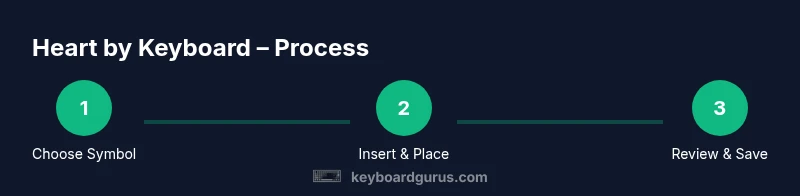
Choose a symbol family
Decide whether you’ll use ASCII, Unicode, or emoji. Pick one family for consistency within a message or thread.
Tip: Start with a single heart symbol to establish your baseline tone. - 3
Insert the symbol
Use OS shortcuts or a character picker to insert ♥ or <3, then verify how it renders on common devices.
Tip: Test on at least two platforms to ensure readability. - 4
Place the symbol thoughtfully
Position the heart where it enhances meaning: end-of-sentence, mid-sentence, or in a closing line.
Tip: Avoid clutter; one well-placed symbol often works better than multiple. - 5
Pair with clear language
Ensure the surrounding words convey the exact sentiment; symbols should support, not replace, clarity.
Tip: Read your message aloud to confirm rhythm and tone. - 6
Test readability
Check how the message looks in plain text, Markdown, and email clients.
Tip: If it looks crowded, trim or relocate the symbol. - 7
Create a template
Save a short, reusable pattern for routine expressions (e.g., thanks, encouragement).
Tip: Include a placeholder where the symbol sits in the sentence. - 8
Cross-platform check
Open the message on mobile and desktop to verify consistency.
Tip: If your symbol is invisible on a device, substitute with a readable alternative. - 9
Solicit feedback
Ask a colleague to review your message for tone and clarity.
Tip: Feedback helps you calibrate future uses of symbols. - 10
Refine and share
Incorporate learnings into your daily practice and share your approach with teammates.
Tip: Document your best practices for future reference.
Got Questions?
What does 'heart by keyboard' mean in practice?
It refers to expressing warmth and nuance in plain-text messages using heart symbols, typography rhythm, and placement. The goal is to enhance tone without sacrificing clarity.
Heart by keyboard is about adding warmth to text through careful symbol use and rhythm in your messages.
Is it appropriate in professional emails?
Use sparingly and only when it aligns with the company culture and recipient expectations. When in doubt, keep the message plain and reserve symbols for informal follow-ups.
In professional emails, use hearts with caution and consider the audience and context.
Which symbols are safest across platforms?
Plain ASCII <3 is widely readable, while a single Unicode heart (♥) or generic emoji tends to render well on major platforms. Always verify rendering before sending to a broad audience.
Choose symbols with broad compatibility and check rendering on target devices.
How can I practice without overdoing it?
Set a daily practice routine focusing on one symbol family, test in various contexts, and seek feedback from peers to calibrate tone.
Practice daily with one symbol family and get feedback to fine-tune your style.
Are there accessibility concerns I should consider?
Yes. Some symbols aren’t read by screen readers or assistive tech the same way. Provide clear text alongside symbols when needed and avoid over-reliance on decorative marks.
Be mindful of readers who use assistive tech; pair symbols with clear language.
Can heart by keyboard affect tone in different cultures?
Symbol interpretation varies by culture. When communicating globally, lean toward clear language and use symbols sparingly, with optional alternatives.
Interpretation varies; prefer caution and clarity for global audiences.
Watch Video
What to Remember
- Define intent before typing to guide symbol choice.
- Choose a symbol family and stick to it for consistency.
- Place hearts thoughtfully to enhance meaning, not clutter.
- Test readability across platforms and audiences.