How to Make a Heart with the Keyboard: A Practical Guide
Learn practical, platform-friendly ways to express a heart using keyboard symbols—ASCII, Unicode, and emoji. This guide covers methods, compatibility tips, and step-by-step practice for Windows, Mac, Linux, and mobile.


How to make a heart with the keyboard can be done in several reliable ways: type a plain ASCII heart like <3, use Unicode heart symbols such as ♥ or ❤, or insert emoji hearts like ❤️ via your device’s emoji picker. This quick guide from Keyboard Gurus shows when to use each method and how to ensure it renders consistently across apps.
What it means to master how to make a heart with the keyboard
In digital communication, a heart symbol adds warmth without words. Knowing how to make a heart with the keyboard gives you flexible options for informal chats, professional messages, and creative notes. According to Keyboard Gurus, selecting the right method (ASCII, Unicode, or emoji) depends on context, platform support, and the intended audience. The phrase how to make a heart with the keyboard pops up frequently in forums and documentation because every platform handles symbols differently. The goal is to convey sentiment clearly, reliably, and without misinterpretation across devices and apps.
ASCII, Unicode, and emoji: choosing the best method for how to make a heart with the keyboard
A quick, universally recognized option is the ASCII heart, typed as <3, which works well in plain text environments and casual chats. For broader compatibility and richer glyphs, Unicode hearts like U+2665 (♥) and U+2764 (❤) render as consistent shapes in many fonts. Emoji hearts (such as ❤️) provide color and expressiveness but rely on platform emoji sets for rendering. Keyboard Gurus analysis shows Unicode tends to be more portable across many apps, while emoji offer visual impact where supported. Decide your method based on recipient, platform, and the tone you want to set.
Rendering considerations: ensuring your heart looks right across apps when you type how to make a heart with the keyboard
Rendering varies by font, app, and OS. A heart that appears as a simple glyph in one chat app might render as a colored emoji in another, or sometimes substitute a box if the font lacks the symbol. To improve consistency, prefer explicit Unicode symbols like ♥ or ❤ when possible, and test in the target application. If color or skin-tone variation matters, rely on emoji where the platform supports it, but always provide a textual alternative for accessibility.
Step-by-step: method A — ASCII heart and plain text flow (how to make a heart with the keyboard in quick chats)
Use the classic ASCII approach by typing <3 in your message. It’s fast, universally supported, and readable in almost any environment. Pro tip: precede or follow the heart with a short word to avoid ambiguity in formal contexts. If your recipient’s app strips symbols, consider a textual alternative like 'heart' to preserve intent.
Step-by-step: method B — Unicode hearts for cross-platform reliability
Enter a Unicode heart such as ♥ (U+2665) or ❤ (U+2764) using your editor’s Unicode input method or by copying and pasting from a symbol map. This method usually renders consistently across modern systems. Pro tip: keep a small cheat sheet of common codes and test them in your most-used apps. If the symbol isn’t visible, switch to a more widely supported glyph or fallback to ASCII.
Step-by-step: method C — Emoji hearts for color and personality
Many platforms render colored emoji hearts like ❤️. In mobile keyboards and updated desktops, open the emoji picker and search for 'heart' to insert the one that best fits your tone. Pro tip: consider user accessibility and platform variance; include a plain-text alternative in critical communications. If your audience includes older software, emojis may render as generic placeholders.
Platform-specific shortcuts and tips for how to make a heart with the keyboard
Windows users often rely on Alt codes (e.g., Alt+3) to produce a heart glyph in many fonts; Mac users typically access a heart via the emoji picker or Option-based shortcuts depending on the app. Linux users can use Unicode input sequences or a compose key. Pro tip: test your chosen method in the exact app and device where the message will appear, as results vary widely.
Accessibility and practical use cases
Symbols save space and convey warmth, but not all readers interpret them the same way. Include a textual label or description when the message will be read by screen readers or in assistive contexts. Pro tip: pair the heart with a brief textual cue like 'heart' for clarity, especially in professional or mixed-audience communications.
Tools & Materials
- Computer or mobile device(Needed to input and render heart symbols across apps)
- Text editor or messaging app(Where you will type and display the heart)
- Unicode-capable font(Fonts that include common heart glyphs (♥, ❤) for better portability)
- Emoji keyboard or picker(Use on platforms that support colored emoji hearts)
Steps
Estimated time: Total time: 5-15 minutes
- 1
Choose your method
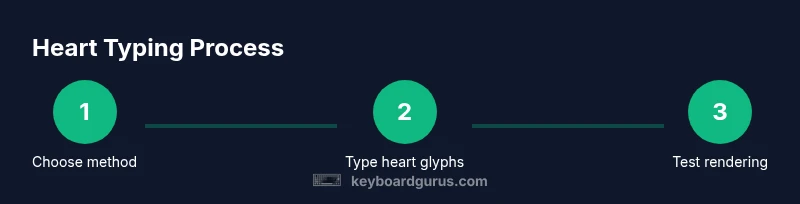
Decide whether to use ASCII (<3), Unicode (♥, ❤), or emoji (❤️) based on context and audience. The choice affects readability and rendering across apps.
Tip: Test in your target app to confirm glyph appearance. - 2
Type the ASCII heart
In plain text contexts, type <3 to convey a quick, informal heart. It remains readable in most environments but lacks color and some stylistic variants.
Tip: Consider adding a brief word for clarity in professional messages. - 3
Insert Unicode heart
Use a Unicode heart like ♥ or ❤ by inputting the character directly or via a code. This tends to render more consistently across apps with standard fonts.
Tip: Keep a small reference sheet of common codes for quick access. - 4
Insert an emoji heart
Open your device’s emoji picker and insert a heart emoji such as ❤️. This adds color and personality when the audience uses modern apps.
Tip: If your app strips color, rely on a plain glyph instead. - 5
Check platform rendering
View the heart in the exact app and device where it will be seen. Variations in font and emoji sets are common.
Tip: If it doesn’t display well, switch method (e.g., from emoji to Unicode). - 6
Add accessibility cues
Provide a textual alternative for screen readers or users who cannot render symbols.
Tip: Use aria-labels or surrounding text to communicate the sentiment clearly.
Got Questions?
What is the fastest way to type a heart symbol on a computer?
The fastest option is typing <3 for quick chats, or using the emoji picker for colored hearts in apps that support emoji. Unicode hearts are a reliable fallback for broader compatibility.
Use <3 for speed, or pick a heart emoji if colors matter.
Will hearts look the same across all apps?
No. Rendering depends on font, platform, and app. Prefer Unicode hearts for consistency and test across environments.
They may look different depending on the app and font.
How do I insert a heart in code or Markdown?
Insert a heart using <3 or Unicode symbols like ♥ / ❤. In Markdown or HTML contexts, you may use escapes or entities if required by the parser.
Use <3 or Unicode hearts, then check your parser.
Are there accessibility concerns with symbols?
Yes. Some assistive technologies may not render symbols. Provide textual alternatives and use ARIA labels when appropriate.
Symbols can be unclear to screen readers; add text alongside.
Can I make hearts on mobile keyboards?
Yes. Most mobile keyboards provide emoji and symbol options. For plain text, you can type <3; test on the device and app you use most.
Mobile keyboards usually have quick access to heart symbols.
Watch Video
What to Remember
- Choose method by context and audience.
- Unicode glyphs usually render more reliably than plain ASCII.
- Emoji hearts provide color where supported.
- Test in target apps to ensure consistent rendering.
- Add a textual alternative for accessibility.